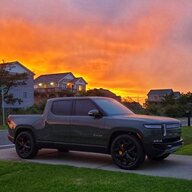
I just had my Rivian truck towed off however, when I open the app and look at the location it’s still showing where it was hours ago. Any suggestions, please thank you.
I just had my Rivian truck towed off however, when I open the app and look at the location it’s still showing where it was hours ago. Any suggestions, please thank you.
My '25 R1S has been doing the same thing after the Google Maps Update. Every other drive or so - have to do a soft reboot, as nothing else seems to help. Pressing "Re-center" does nothing. Doesn't help you trying to track it, but you could ask whoever has the truck to do a soft reboot so you CAN track it...
I just had my Rivian truck towed off however, when I open the app and look at the location it’s still showing where it was hours ago. Any suggestions, please thank you.
If it is in service mode, the location is generally not updated. I have noted this when I had warranty service done and the vehicle was taken away on a flatbed.
If it is in service mode, the location is generally not updated. I have noted this when I had warranty service done and the vehicle was taken away on a flatbed.