
-
👉 R2 Orders ➡ Add Your R2 Orders / VIN / Delivery Info 📊
Sponsored
Search results
-

【BestEvMod】Let’s Do a Giveaway Raffle! End on 8/29
Truckee, CA- Derek
- Post #31
- Forum: BestEvMod(AOSK)
-
California R1T turned out to be a lemon - getting rid of the gear I bought
I'm interested in the cross bars located in San Jose.- Derek
- Post #21
- Forum: Exterior Parts
-
Rivian R1S Becomes First Production EV to Complete the Rubicon Trail!
The rock sliders they used don't look like any on the market now. I like how flush to the body they are.- Derek
- Post #12
- Forum: Rivian General Topics -- Sponsored by Atomic Wheels
-
Dog & pet accessories added to Rivian Gear Shop (collar, leash, harness, water bowl, etc)
To be a web nerd for a second. It's always good to go in and clear your web browser cache (temporary internet files stored on your computer so pages load faster) from time to time. You will see all kinds of new things :)- Derek
- Post #38
- Forum: Rivian General Topics -- Sponsored by Atomic Wheels
-
RAN chargers will offer Tesla NACS charging plugs and will turn cash flow positive “fairly quickly”
It would be a great post if you would do a walkthrough of the setup on your rig. -
Dog & pet accessories added to Rivian Gear Shop (collar, leash, harness, water bowl, etc)
I popped into the gear shop this morning a noticed some nice-looking gear for sale in the gear shop. Check it out.- Derek
- Thread
- Replies: 52
- Forum: Rivian General Topics -- Sponsored by Atomic Wheels
-
JFF: If you see a Rivian, you park next to the Rivian
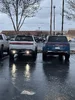
I had to stop and get the picture :) Second Rivian Amazon truck I've seen in San Jose.- Derek
- Post #70
- Forum: Show & Tell: Rivian Photos, Videos, Build Journals
-
HardDrive for Drive Cam?
Thumbdive vs. SSD?! Do we have any good recommendations from Tesla owners on a good storage device? I don't see any device requirements other than USB 3 on the Rivian site yet. Something fun to talk about if you're not busy.- Derek
- Thread
- Replies: 1
- Forum: Rivian General Topics -- Sponsored by Atomic Wheels
-
Rivian software Q&A w/ Wassym Bensaid (talks dashcam, bed camera, turn signal camera, etc.)
I have said this so many times. If I have a load in the bed of the truck, I would LOVE to be able to check the camera to verify that it's riding well. -
JFF: If you see a Rivian, you park next to the Rivian
I walked out of the grocery store and got a nice surprise. See a Rivian park next to a Rivian.- Derek
- Post #63
- Forum: Show & Tell: Rivian Photos, Videos, Build Journals
-
Using Tesla wall charger with the Rivian?
I have the same setup and get the charge rate. -
Is anyone have weird problems with the truck and the phone app after last update?
I have noticed several strange things happening since the most recent OTA and iOS update. I walk up to the truck; all the door handles open, but when I put it into park only the driver door is unlocked. I can't get into any other door, gear tunnel, or tailgate without unlocking from the center...- Derek
- Thread
- Replies: 3
- Forum: Rivian Assistant, Updates, App, Nav, Electronics, Cameras, Phone Key, Digital Key
-
JFF: If you see a Rivian, you park next to the Rivian
Barstow, CA, charging session on my latest road trip.- Derek
- Post #47
- Forum: Show & Tell: Rivian Photos, Videos, Build Journals
-
[Vote in poll] Turned off LKA (lane keep assist) today, and you should too!
When my guide was walking me through the system, it was the first thing I turned off.- Derek
- Post #49
- Forum: UHF Hands-Free Driving / Autonomy+ / Driving Aids / ADAS
-
Rivian maps are the worst if there is any traffic
I completely agree -
Rivian maps are the worst if there is any traffic
That's another one that makes me crazy! If I'm on a route and I want to look at other chargers in the area in need to stop in... I can't... I have to end my route, and then I can click on the charging stations to see if any of them are 350 or not. It's all these little things that are making me... -
Rivian maps are the worst if there is any traffic
The Rivian map has so many bugs. I was in Sacramento and I knew the part of town I was in, the map wanted me to go in some weird direction... I didn't listen and when the map readjusted I showed I saved 15 minutes on the ETA. I hope they put some real work into it. -
Rivian maps are the worst if there is any traffic
I understand what you're saying and I've done the same thing, but I've run into problems on the longer drives where the traffic changes or there's an accident. Every other maps app will let you know and offer an alternate route. Not with the Rivian map that I've found. -
Rivian maps are the worst if there is any traffic
They have the apps area, give us a better map. I agree!