Sponsored

Apple Music issue since 2025.06.01

defcon888

Well-Known Member
First Name
Keith
Joined
May 23, 2023
Threads
6
Messages
1,229
Reaction score
926
Location
Auburn, Ca
Vehicles
2023 R1T, 2021 Toyota RAV4 Prime
Occupation
Making money
Clubs
 
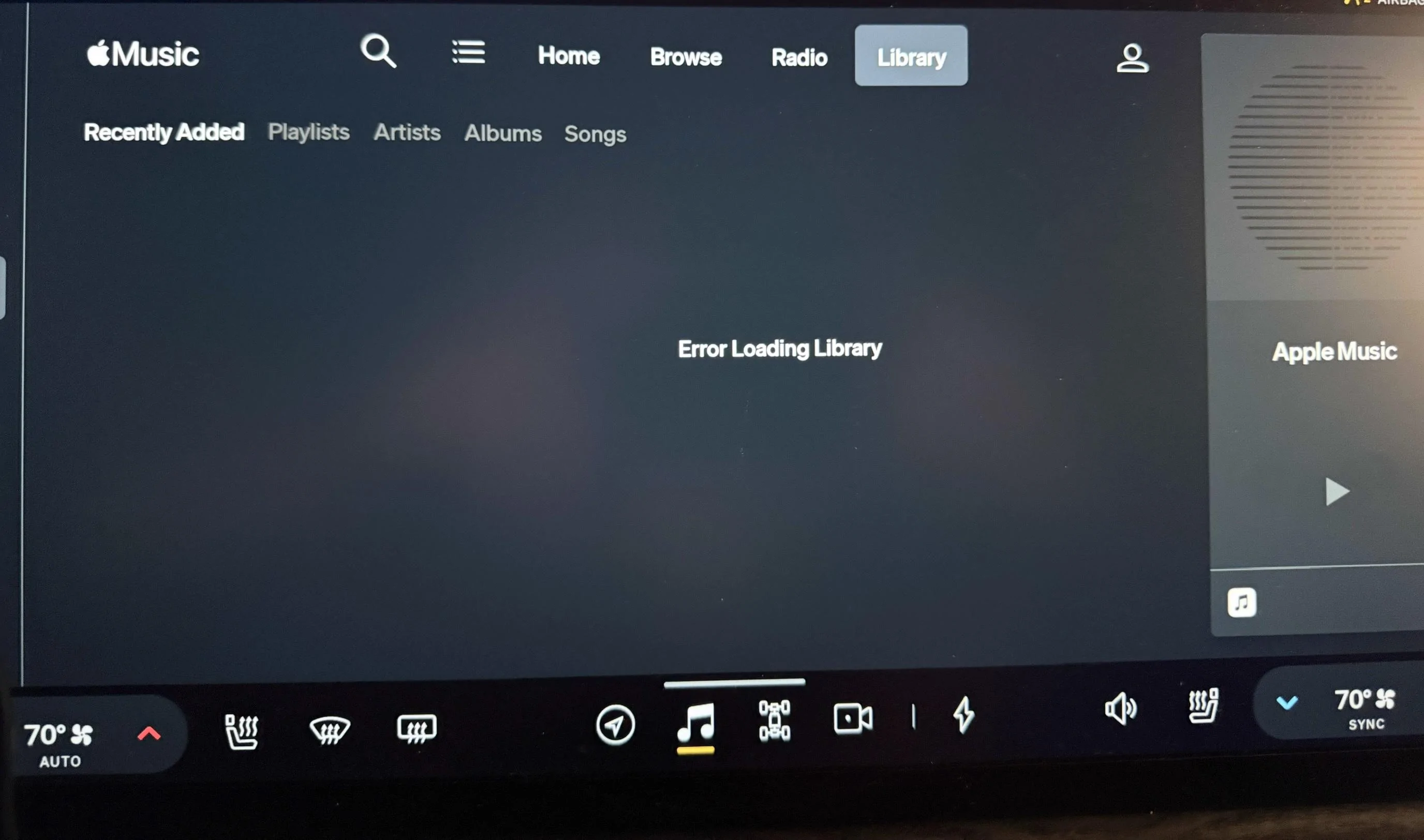
Have any of you had this issue? Ever since the 2025.06.01 update, I can no longer even look at my Apple Music library. This happens when connected to Wifi or LTE. I can select any of the Library sub options but I still get “Error Loading Library” All other sections of Apple Music work just fine. I can see all content under Home, Browse, or Radio. I just can’t get anything under Library.

I’ve got a support ticket in but Rivian can’t do a service center visit until Apr 28.

IMG_2693.jpeg
I had the same issue happen when I updated the software. It drove me crazy....I couldn't find my music I was listening too.

I signed out and when Itried to sign back in, the "log in screen" popped up and then disappeared. I was almost readyto put in a service request but waited a few hours. WHen I unplugged my car after work.......it showed up. It seemed to work itself out!

I am running iOS 18.4 on my iPhone 14 Pro.
Sponsored


defcon888

Well-Known Member
First Name
Keith
Joined
May 23, 2023
Threads
6
Messages
1,229
Reaction score
926
Location
Auburn, Ca
Vehicles
2023 R1T, 2021 Toyota RAV4 Prime
Occupation
Making money
Clubs
 
Had issues with my Apple Music account when used on the Rivian. Tried everything, dumped my Apple account. Spotify works flawless.
Also have issues with the Rivian Google Cast, plays audio but no video. Tried everything there too.
Lastly my connection with ATT and Rivian is worthless, always says bad or no connection when I have 3 to 4 bars 5G with Verizon on my iphone.
I'll give Rivian till the end of our media contract to make this all user friendly. So far I feel I have wasted my money with the Rivian media upgrade and the ATT service.
The problem with Spotify is the bit rate is lower and compressed. I use Spotify for only PODCASTS and Apple Music for music. Apple's DOLBY ATMOS on some albums is AMAZING
 

irv4know

New Member
First Name
irving
Joined
Mar 27, 2025
Threads
0
Messages
2
Reaction score
0
Location
Minnesota
Vehicles
Rivian R1T
Have any of you had this issue? Ever since the 2025.06.01 update, I can no longer even look at my Apple Music library. This happens when connected to Wifi or LTE. I can select any of the Library sub options but I still get “Error Loading Library” All other sections of Apple Music work just fine. I can see all content under Home, Browse, or Radio. I just can’t get anything under Library.

I’ve got a support ticket in but Rivian can’t do a service center visit until Apr 28.
IMG_2693.jpeg
I had the same issue and couldn’t figure out how to fix it.
 

s0ysauce

Well-Known Member
Joined
Feb 20, 2024
Threads
6
Messages
259
Reaction score
257
Location
CA
Vehicles
R1S
Clubs
 
It's a computer on wheels. I always restart after an update. The only time it doesn't show my library is when it transitions from the house wifi to cellular. After a few beats, the library pops up.

I still have issues with playlists longer than 100. It doesn't display any tracks after 100. When the Apple Music update was first introduced, sometimes the playlist would only display 50 songs. It appears the new update is attempting to address this issue.
 

tate16t

Well-Known Member
First Name
Robert
Joined
Apr 7, 2022
Threads
66
Messages
1,426
Reaction score
1,192
Location
NY
Vehicles
2023 El Cap Granite R1S
Occupation
Car Enthusiast
This happened to me today. I logged out of Apple Music and back in. This solved the problem.
 

Rade

Well-Known Member
First Name
Rade
Joined
Sep 19, 2024
Threads
37
Messages
617
Reaction score
784
Location
US - Rhode Island
Website
radmorningcoffee.blogspot.com
Vehicles
2025 Rivian R1T - Large. Delivered on November 23, 2024.
Occupation
Retired
I did the "Log out / log back in (QR code scan, iOS MFA, etc.) and it reconnects, but it still stops playing after 3 songs in my playlist. The left steering wheel buttons for track, pause/play and volume stop working. The only way to restart the music through the Rivian music app is to TAKE MY EYES OFF THE ROAD, reach all the way over the center screen and poke with the tiny buttons on the app (tap the PLAY button, back track, fast forward) until something comes back up.

What gets me is - Apple Music actually worked much better before these recent "upgrades".

I did have time to futz around with my phone and my work-around, which seems to be holding, is to use the Apple Music app on my paired Android phone (PaaK) and stream the music over Bluetooth. I had to go into the app and turn off "Sound Check" in order to get a crisper sound over Bluetooth. I just have not had road time to test out a duration more than four or five songs.
Sponsored


Top