kemxns
Well-Known Member
- Thread starter
- #1
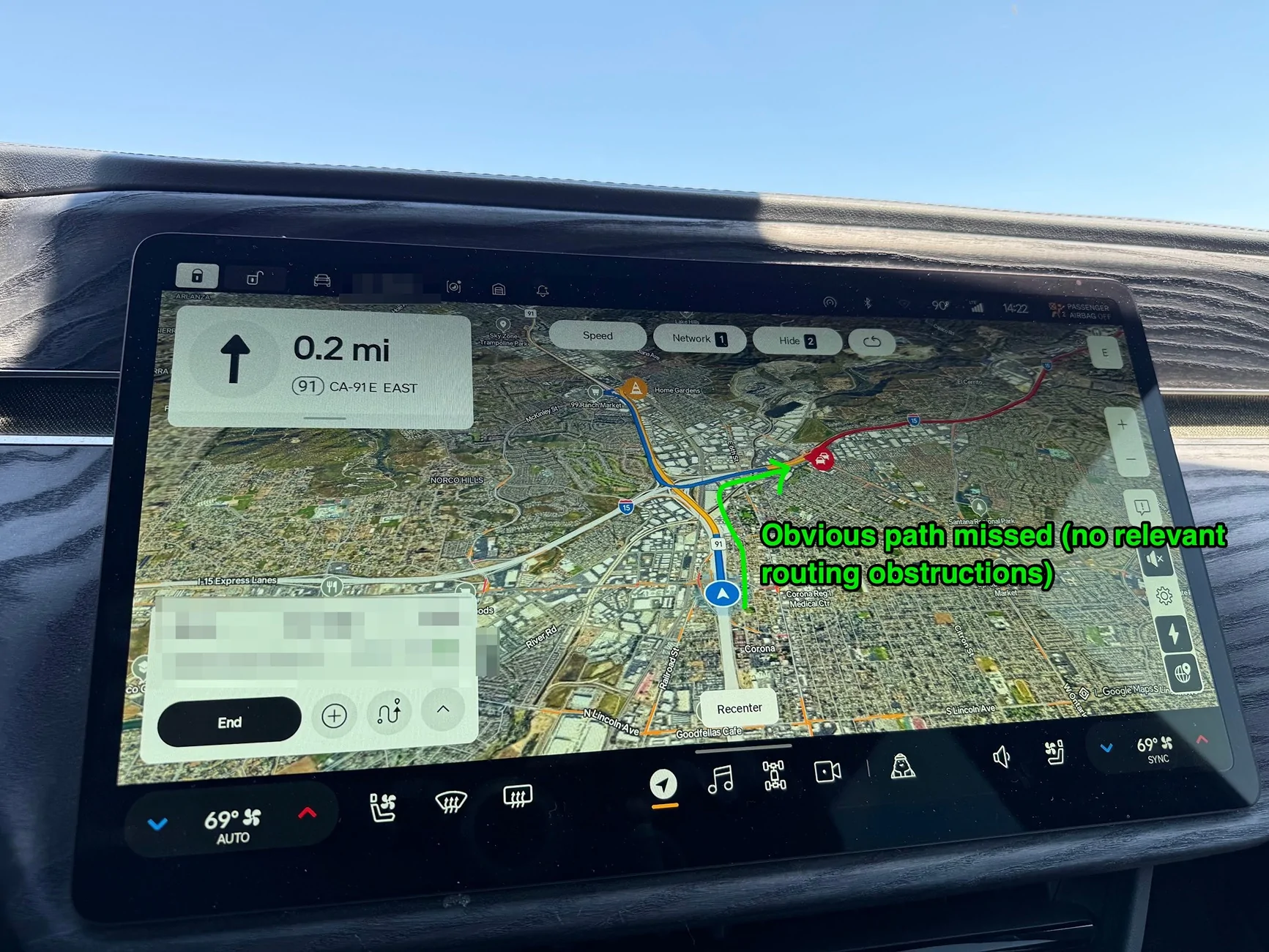
Just like lots of folks here, I find the Google Maps "upgrade" leaves a lot to be desired. I think we all expected equal or better features and functions as the previous MapBox but we're finding lots of places where things have gotten demonstrably worse. In my case I agree that moving through turns and the (lack of) curved lines is obvious. Rather unexpectedly I find the routing is far worse. Google seems to simply not know about certain turns or interchanges and can offer many miles of unnecessary routing.
Here's my twist that I don't think anyone has asked or mused about yet: can we figure out precisely what settings Rivian is using for the routing? Like, why does it work so poorly?
I have an iPhone 16 Pro and a Google Pixel 9 Pro, both essentially OEM stock configs, and I frequently A/B test the Rivian against other routing (for example I have both phones doing Google Maps routing next to the Rivian's routing... in this case both phones took the obvious path and Rivian totally screwed the pooch).
things I've checked
* Google Maps on both platforms, with and without EV car choice
* Apple Maps
* Waze on both platforms
* phones with and without incar wifi hotspot (in case that modifies routing in some way. spoiler: it does not)

Here's my twist that I don't think anyone has asked or mused about yet: can we figure out precisely what settings Rivian is using for the routing? Like, why does it work so poorly?
I have an iPhone 16 Pro and a Google Pixel 9 Pro, both essentially OEM stock configs, and I frequently A/B test the Rivian against other routing (for example I have both phones doing Google Maps routing next to the Rivian's routing... in this case both phones took the obvious path and Rivian totally screwed the pooch).
things I've checked
* Google Maps on both platforms, with and without EV car choice
* Apple Maps
* Waze on both platforms
* phones with and without incar wifi hotspot (in case that modifies routing in some way. spoiler: it does not)
Sponsored