Budman
Well-Known Member
- Thread starter
- #1
Disclaimer: I was given the opportunity to get a free sample of the Redtiger F17 Elite dash cam in exchange for posting my review of it on some social media sites. Redtiger is an official site sponsor of the RivianForum. I’ve owned a Rivian for 3 years now and have been an active member of this site for longer.
I’ve never owned a dash cam or even considered buying one. I thought the Rivian built-in system was fine and I didn’t need anything else. This review will take the form of: What can a dashcam do for you and is it enough of an improvement over the built in Rivian Incident Cam to make it a worthwhile purchase.
My review summary is up front with much more detail following:
HIGH LEVEL SUMMARY:
* Is a supplemental dash cam better than the Rivian system by enough to make it a worthwhile purchase?
Yes it is. I’ve changed my mind and now think this is something I would purchase.
* Is it worth the extra money to get a high end dash cam?
I believe so. I’ve not tried other dash cams but after using the Redtiger F17 for a week I don’t think I would give up performance to save money.
* Would I buy the F17 Elite with my own money?
I don’t see why not. I liked everything about it. The phone app interface alone is a compelling selling point.
Redtiger F17 Elite info from the Redtiger website;
REDTIGER F17 Elite 4K 3 Channel Dash Cam Sony STARVIS 2 Dual HDR WIFI 6 Full Night Color
The product came in high quality packaging and felt like a high quality unit. The unit I got included a 256 GB SSD card, total retail value of approximately $475.00 This retail price is on the high end of the mainstream range of dash cams. It has forward, rear and cabin facing cameras. Cabin sound recording. Touch screen and voice controls. iPhone app to download, view, edit videos.
Installation was straightforward and quick. The package I received came with a hardwiring kit for fusebox hookup but I elected to hook it up to the 12V outlet in the gear tunnel to make it as simple as possible. (I did have to buy an extension cord to reach that far). I was able to stuff the wires into the gap between the panoglass roof and the cabin interior trim. I then routed it down through the gear tunnel access in the back seat. Same with the rear facing camera, wires stuffed up by the pano roof and held in place with few pieces of soft foam to keep them in place. The installation is clean and tidy.
The unit started right up and begain recording without any further setup procedures.
A phone app is available for download from the Apple App Store. That too installed easily and begain working without any further setup procedures. The camera has a wifi signal to communicate with the iPhone. That too was easy to initiate. The installation was about as easy as I could imagine it being. One reason I didn’t ever consider a dash cam was the imagined hassle of setting it up but this was pretty easy and it is less visually intrusive than I thought it would be.
I did find the user manual to be sparse but was able to figure things out quickly just by a little playing around. The touch screen is small-ish but responsive. It also has good quality physical buttons along the bottom of the camera and voice commands.
A bunch of video clips attached below but here is my overall impression:
OVERALL IMPRESSIONS:
Things I like better than the Rivian built-in system:
* Video quality is much superior, especially the forward camera.
* Nighttime video quality is very good.
* The phone app is very good. It includes a GPS map trace of the video clip and vehicle speed data. The phone app is probably my favorite thing about this product.
* Downloading, viewing and editing the videos is much easier than with the Rivian system. The Rivian system stores “incidents” on the cloud and requires a wifi connection and some time to download them to the vehicle then manually downloading them to a USB-C flash drive. I did all that for the first time every to do this review and found the process to be a bit cumbersome.
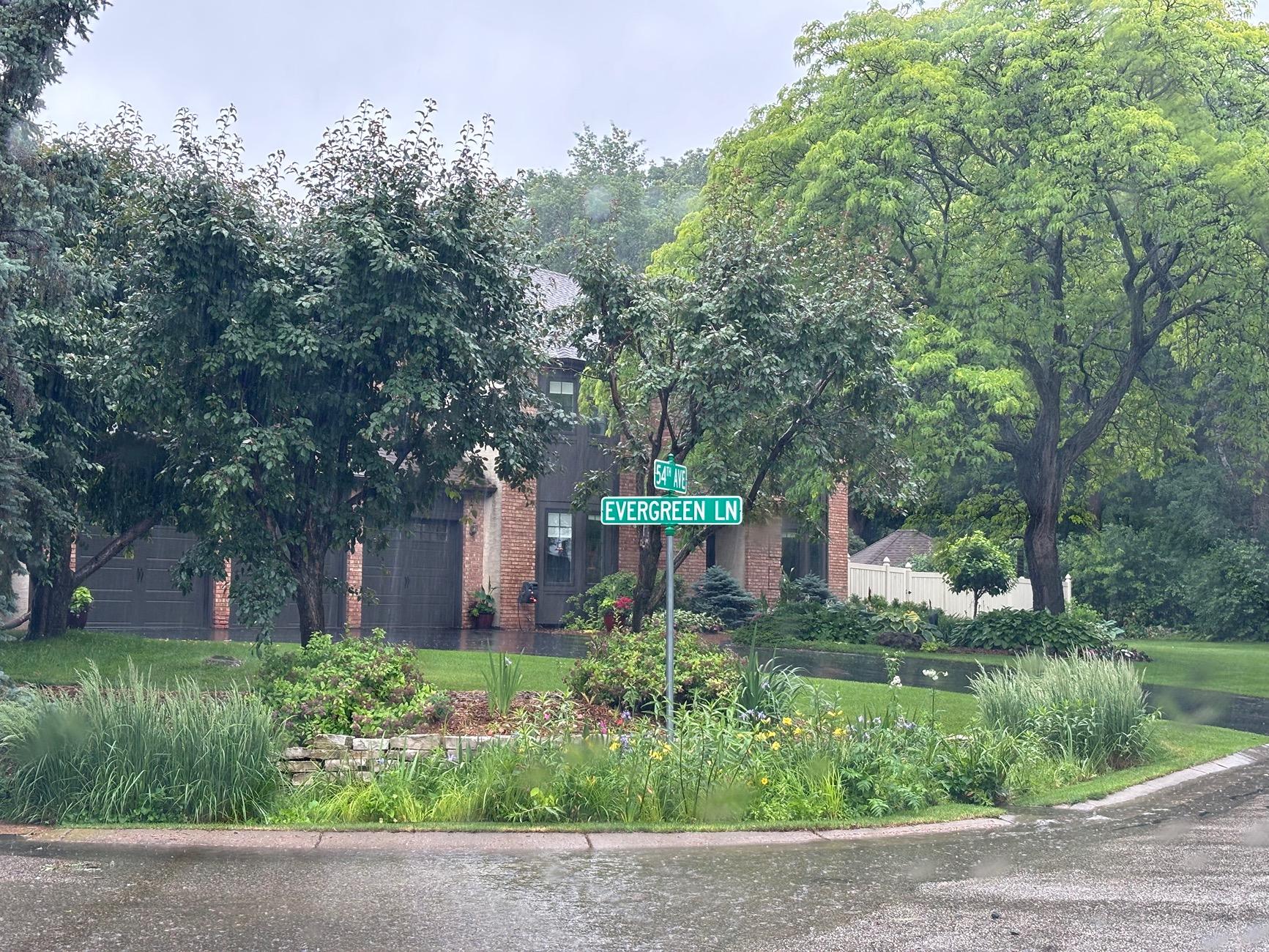
* It is easy to take a photo snapshot with the dash cam by pushing a physical button or voice control by saying “take picture”. The voice commands took no training or special setup procedures.
* It records sound from the cabin. At first this might seem intrusive but could be a useful thing to have on your side in any accident or road-rage type confrontation.
Things I don’t like better than the Rivian system:
* The Rivian one is “free” and built into the vehicle structure and software stack.
* The Rivian one has cameras in the side mirrors so more coverage but those images are quite distorted with the wide angle fisheye lens effect.
Overall the Redtiger system is better in almost all ways.
COMPARISON OF VIDEO CLIPS;
I collected Rivian video captures by braking hard and triggering an “incident”. The Redtiger F17 also has incident captures with Low, Medium, and High G-force trigger levels. I used “low” and it triggered at about the same level of braking as the Rivian Incident threshold. If the dash cam senses an incident it puts those video clips in a separate folder to make them easier to find instead of a large folder of many sequential clips. Side Note: You can set up 1, 5 or 10 minute loops on the Redtiger. Then those clips get stored sequentially on the SSD card.
I edited each video clip to about 5 seconds in length using QuickTime on my Mac laptop. The higher video quality of the Redtiger is evident in the 4x larger file sizes in addition to the obvious visual differences.
CLIP ONE: HARD BRAKING IN A RAIN STORM IN DAYLIGHT
Rivian clip:
RedTiger clip:
below are zoomed in screen captures of the video clips: The higher quality of the external dash cam is very obvious here.
Rivian screen capture

RedTiger below:

CLIP 2: HARD BRAKING IN A RAINSTORM AT NIGHT:
Rivian clip:
Redtiger clip
Photo capture by saying "take picture" vs iPhone photo

iPhone snapshot below for comparison.

A screen shot of the iPhone app showing the user interface and the GPS mapping including vehicle speed.

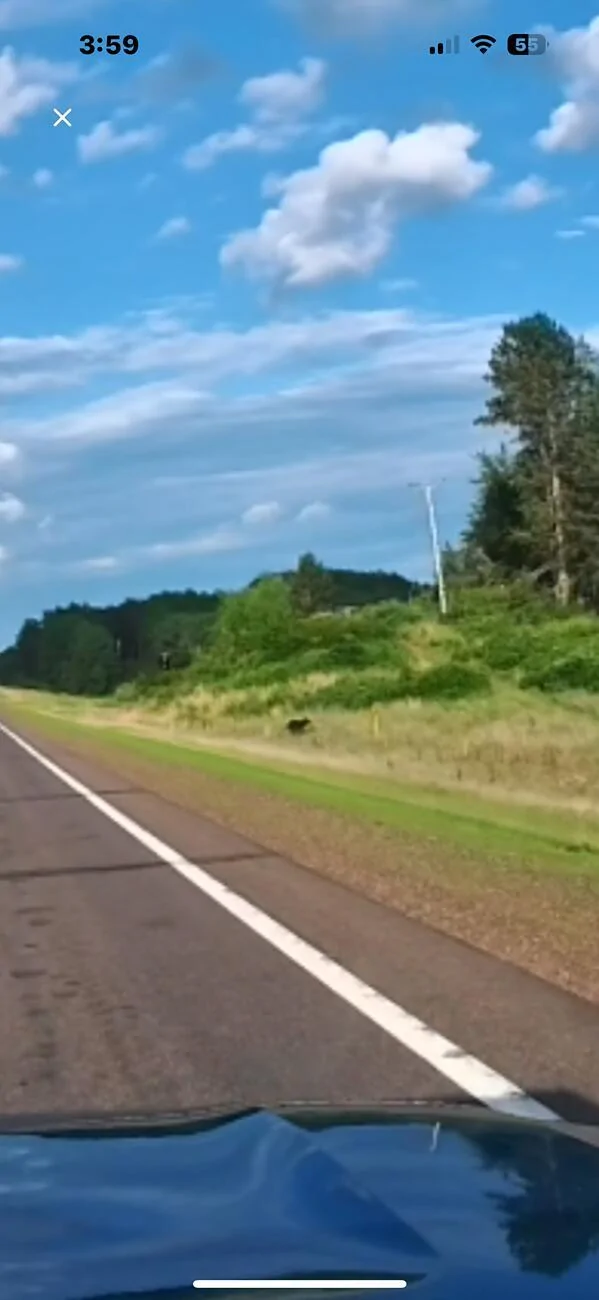
Notice about 4 highway divider datelines ahead of the R1T there is a black bear in the ditch on the right hand side. The next image is a zoomed in screen shot to demonstrate what the quality is like after zooming in a lot;
I’ve never owned a dash cam or even considered buying one. I thought the Rivian built-in system was fine and I didn’t need anything else. This review will take the form of: What can a dashcam do for you and is it enough of an improvement over the built in Rivian Incident Cam to make it a worthwhile purchase.
My review summary is up front with much more detail following:
HIGH LEVEL SUMMARY:
* Is a supplemental dash cam better than the Rivian system by enough to make it a worthwhile purchase?
Yes it is. I’ve changed my mind and now think this is something I would purchase.
* Is it worth the extra money to get a high end dash cam?
I believe so. I’ve not tried other dash cams but after using the Redtiger F17 for a week I don’t think I would give up performance to save money.
* Would I buy the F17 Elite with my own money?
I don’t see why not. I liked everything about it. The phone app interface alone is a compelling selling point.
Redtiger F17 Elite info from the Redtiger website;
REDTIGER F17 Elite 4K 3 Channel Dash Cam Sony STARVIS 2 Dual HDR WIFI 6 Full Night Color
The product came in high quality packaging and felt like a high quality unit. The unit I got included a 256 GB SSD card, total retail value of approximately $475.00 This retail price is on the high end of the mainstream range of dash cams. It has forward, rear and cabin facing cameras. Cabin sound recording. Touch screen and voice controls. iPhone app to download, view, edit videos.
Installation was straightforward and quick. The package I received came with a hardwiring kit for fusebox hookup but I elected to hook it up to the 12V outlet in the gear tunnel to make it as simple as possible. (I did have to buy an extension cord to reach that far). I was able to stuff the wires into the gap between the panoglass roof and the cabin interior trim. I then routed it down through the gear tunnel access in the back seat. Same with the rear facing camera, wires stuffed up by the pano roof and held in place with few pieces of soft foam to keep them in place. The installation is clean and tidy.
The unit started right up and begain recording without any further setup procedures.
A phone app is available for download from the Apple App Store. That too installed easily and begain working without any further setup procedures. The camera has a wifi signal to communicate with the iPhone. That too was easy to initiate. The installation was about as easy as I could imagine it being. One reason I didn’t ever consider a dash cam was the imagined hassle of setting it up but this was pretty easy and it is less visually intrusive than I thought it would be.
I did find the user manual to be sparse but was able to figure things out quickly just by a little playing around. The touch screen is small-ish but responsive. It also has good quality physical buttons along the bottom of the camera and voice commands.
A bunch of video clips attached below but here is my overall impression:
OVERALL IMPRESSIONS:
Things I like better than the Rivian built-in system:
* Video quality is much superior, especially the forward camera.
* Nighttime video quality is very good.
* The phone app is very good. It includes a GPS map trace of the video clip and vehicle speed data. The phone app is probably my favorite thing about this product.
* Downloading, viewing and editing the videos is much easier than with the Rivian system. The Rivian system stores “incidents” on the cloud and requires a wifi connection and some time to download them to the vehicle then manually downloading them to a USB-C flash drive. I did all that for the first time every to do this review and found the process to be a bit cumbersome.
* It is easy to take a photo snapshot with the dash cam by pushing a physical button or voice control by saying “take picture”. The voice commands took no training or special setup procedures.
* It records sound from the cabin. At first this might seem intrusive but could be a useful thing to have on your side in any accident or road-rage type confrontation.
Things I don’t like better than the Rivian system:
* The Rivian one is “free” and built into the vehicle structure and software stack.
* The Rivian one has cameras in the side mirrors so more coverage but those images are quite distorted with the wide angle fisheye lens effect.
Overall the Redtiger system is better in almost all ways.
COMPARISON OF VIDEO CLIPS;
I collected Rivian video captures by braking hard and triggering an “incident”. The Redtiger F17 also has incident captures with Low, Medium, and High G-force trigger levels. I used “low” and it triggered at about the same level of braking as the Rivian Incident threshold. If the dash cam senses an incident it puts those video clips in a separate folder to make them easier to find instead of a large folder of many sequential clips. Side Note: You can set up 1, 5 or 10 minute loops on the Redtiger. Then those clips get stored sequentially on the SSD card.
I edited each video clip to about 5 seconds in length using QuickTime on my Mac laptop. The higher video quality of the Redtiger is evident in the 4x larger file sizes in addition to the obvious visual differences.
CLIP ONE: HARD BRAKING IN A RAIN STORM IN DAYLIGHT
Rivian clip:
RedTiger clip:
below are zoomed in screen captures of the video clips: The higher quality of the external dash cam is very obvious here.
Rivian screen capture
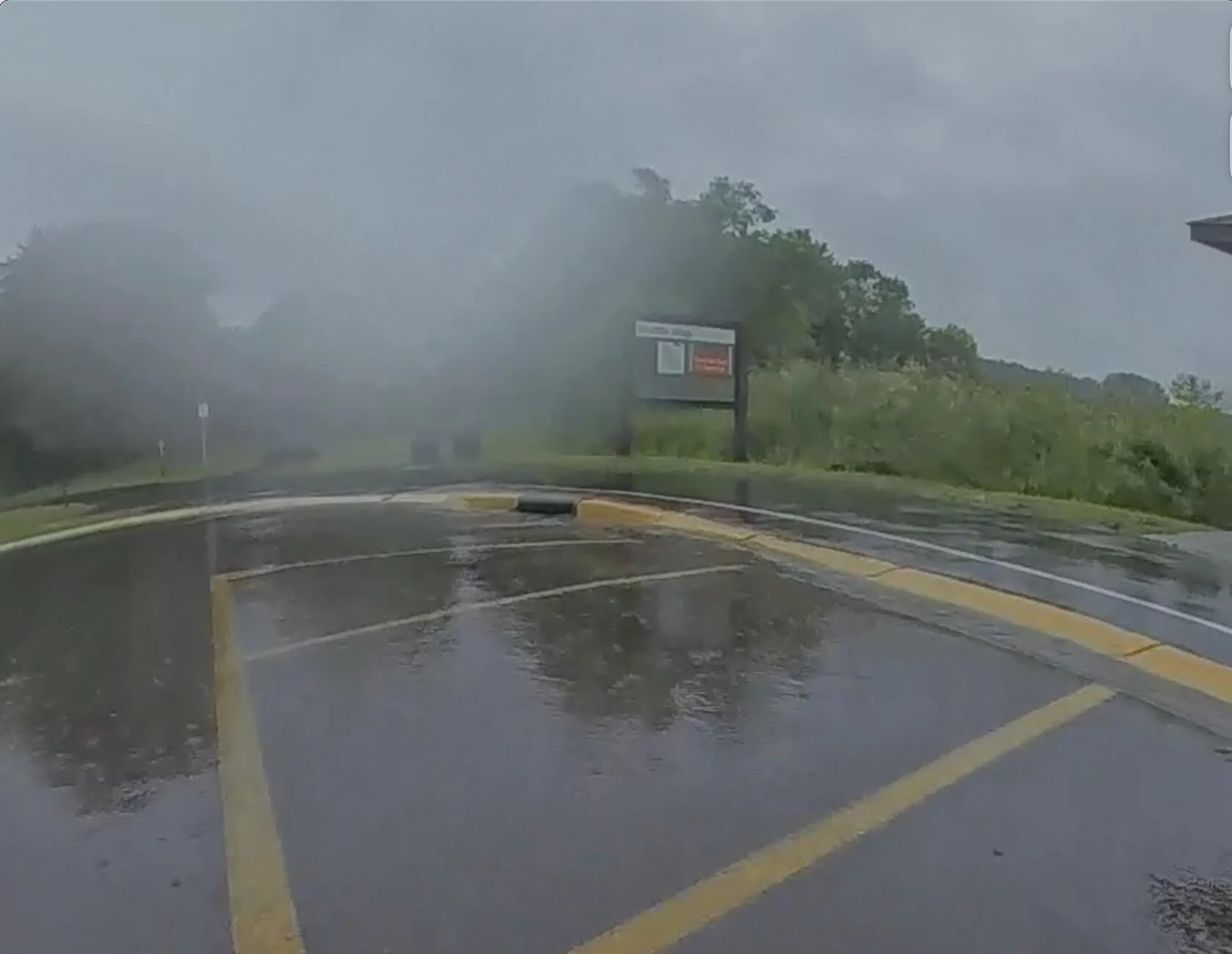
RedTiger below:
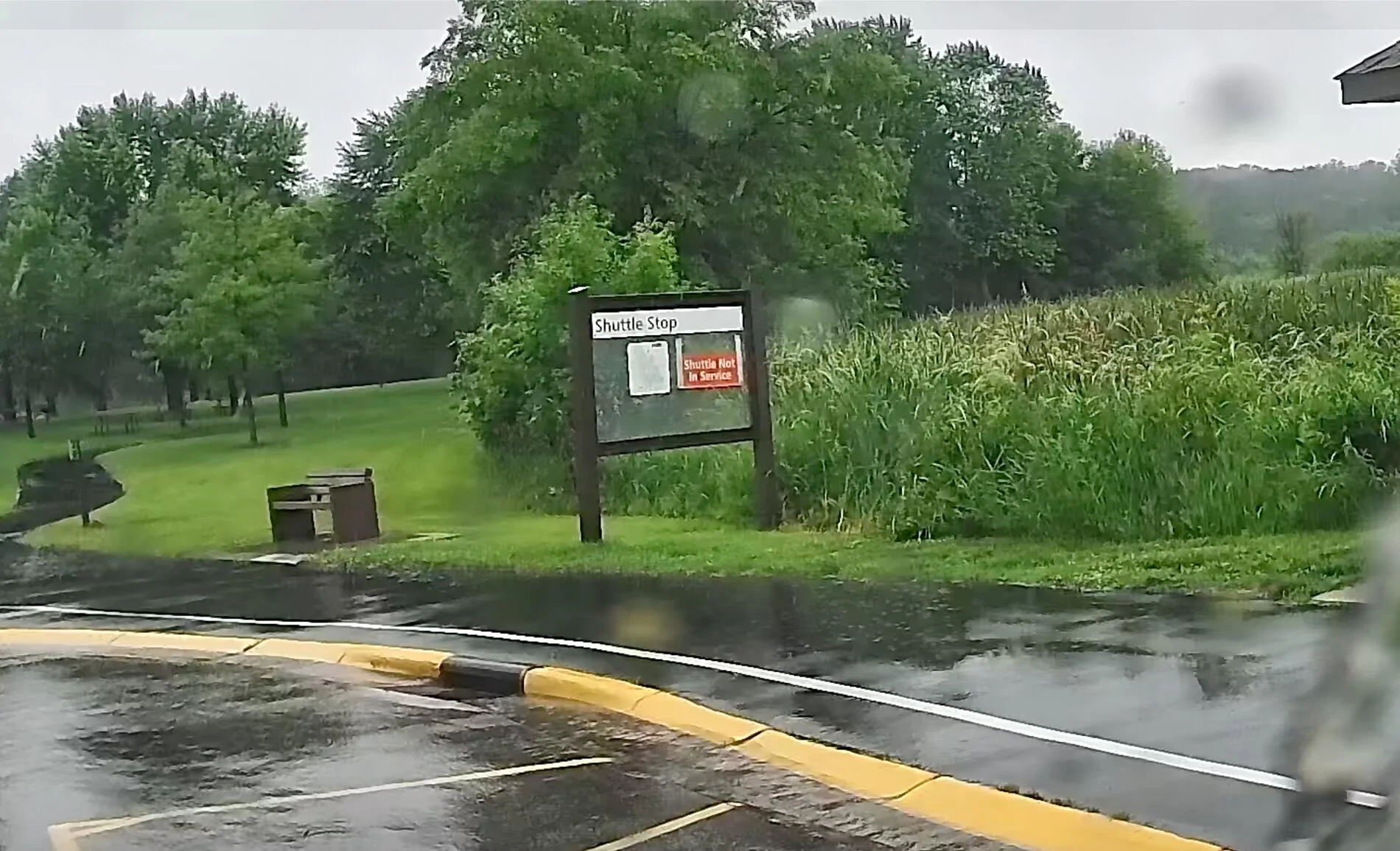
CLIP 2: HARD BRAKING IN A RAINSTORM AT NIGHT:
Rivian clip:
Redtiger clip
Photo capture by saying "take picture" vs iPhone photo
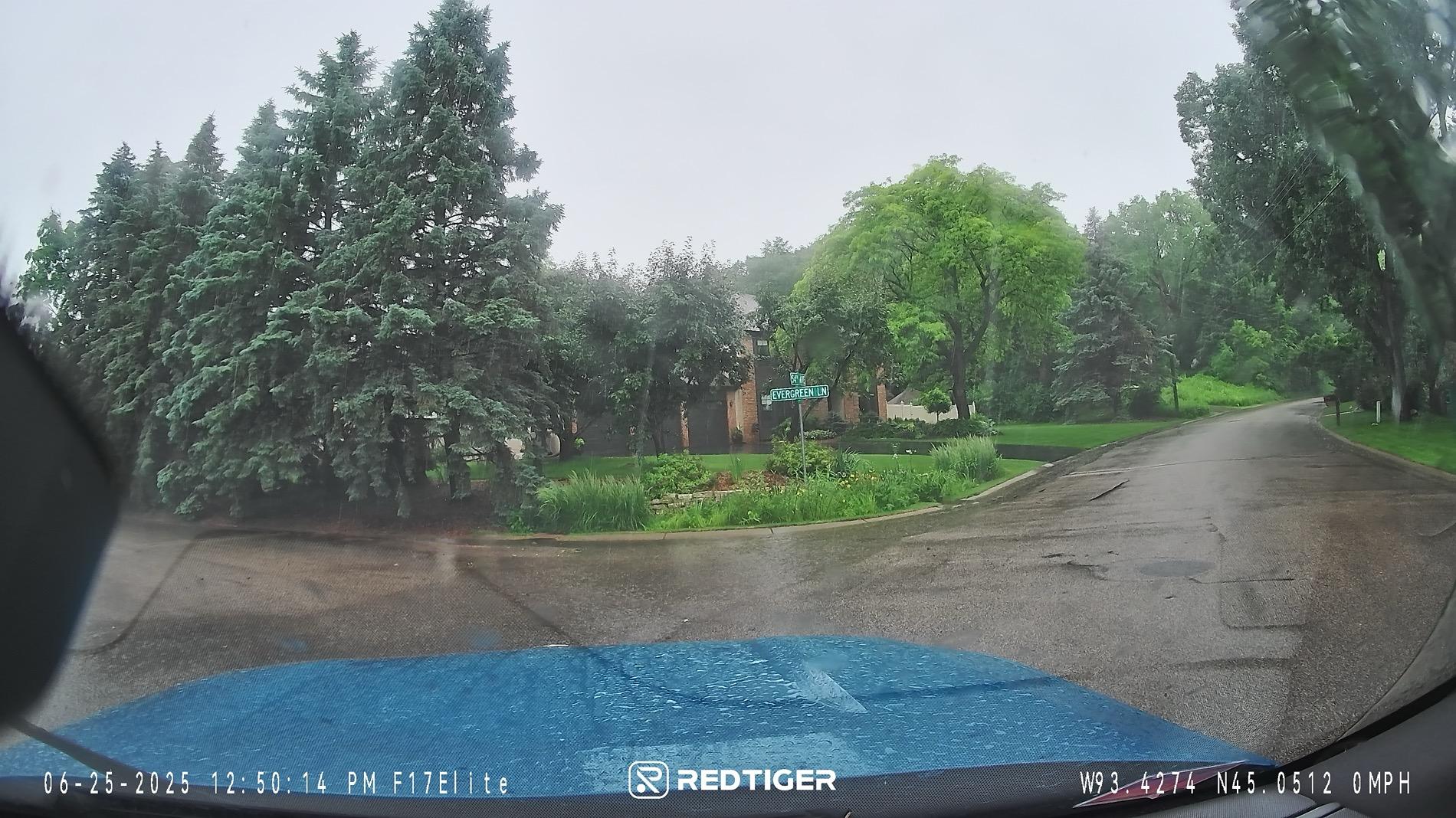
iPhone snapshot below for comparison.
A screen shot of the iPhone app showing the user interface and the GPS mapping including vehicle speed.
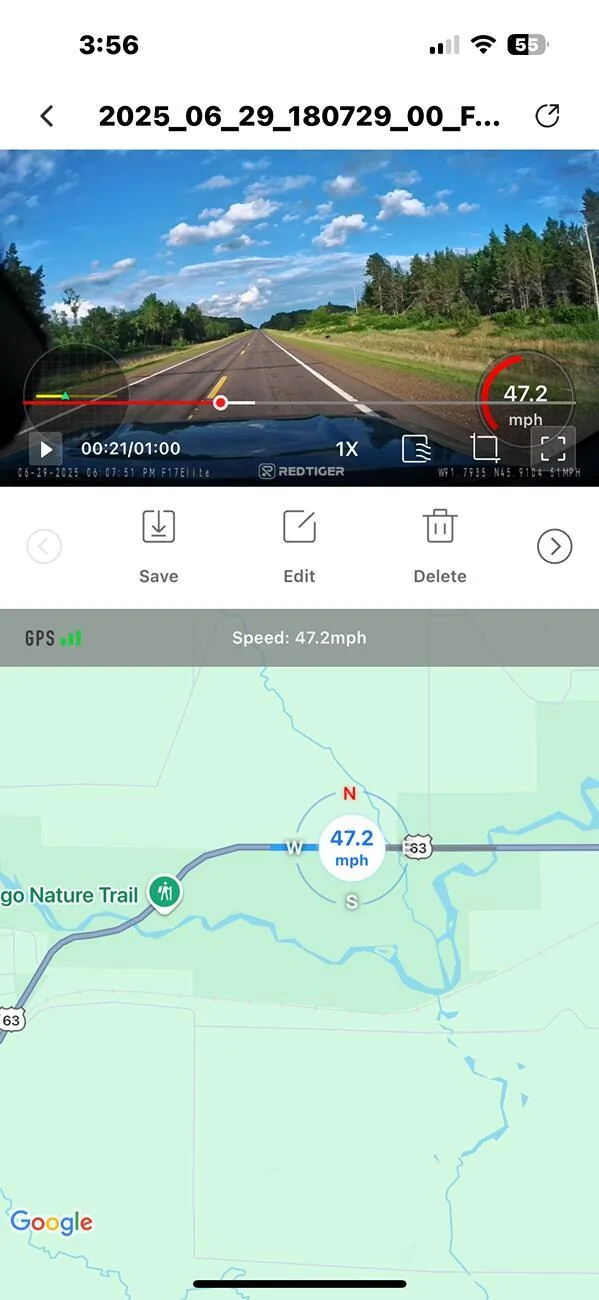
Notice about 4 highway divider datelines ahead of the R1T there is a black bear in the ditch on the right hand side. The next image is a zoomed in screen shot to demonstrate what the quality is like after zooming in a lot;
Sponsored