

shrink
Well-Known Member
- Joined
- Feb 16, 2021
- Threads
- 102
- Messages
- 1,392
- Reaction score
- 2,715
- Location
- Phoenix, AZ and Kailua-Kona, HI
- Vehicles
- '23 R1S Quad x 2; '26 Gen 2 R1T Quad Launch; '25 Ioniq 5; '24 Jeep Cherokee
- Thread starter
- #1
Just an FYI -
Reading through the release notes on the 2022.47.0 update I noticed this:
New Data and Privacy Controls
The Settings app now offers a new Data and Privacy tab to provide better visibility and control over vehicle data that is shared and used. We’ve added options to limit sharing of precise location data to support certain features and services. We’ve also added options that allow you to enable your vehicle’s interior camera to support safety features. To review and confirm your data privacy settings. go to Settings > Data and Privacy.
Note: If you limit sharing of precise location data, Highway Assist won’t be available.
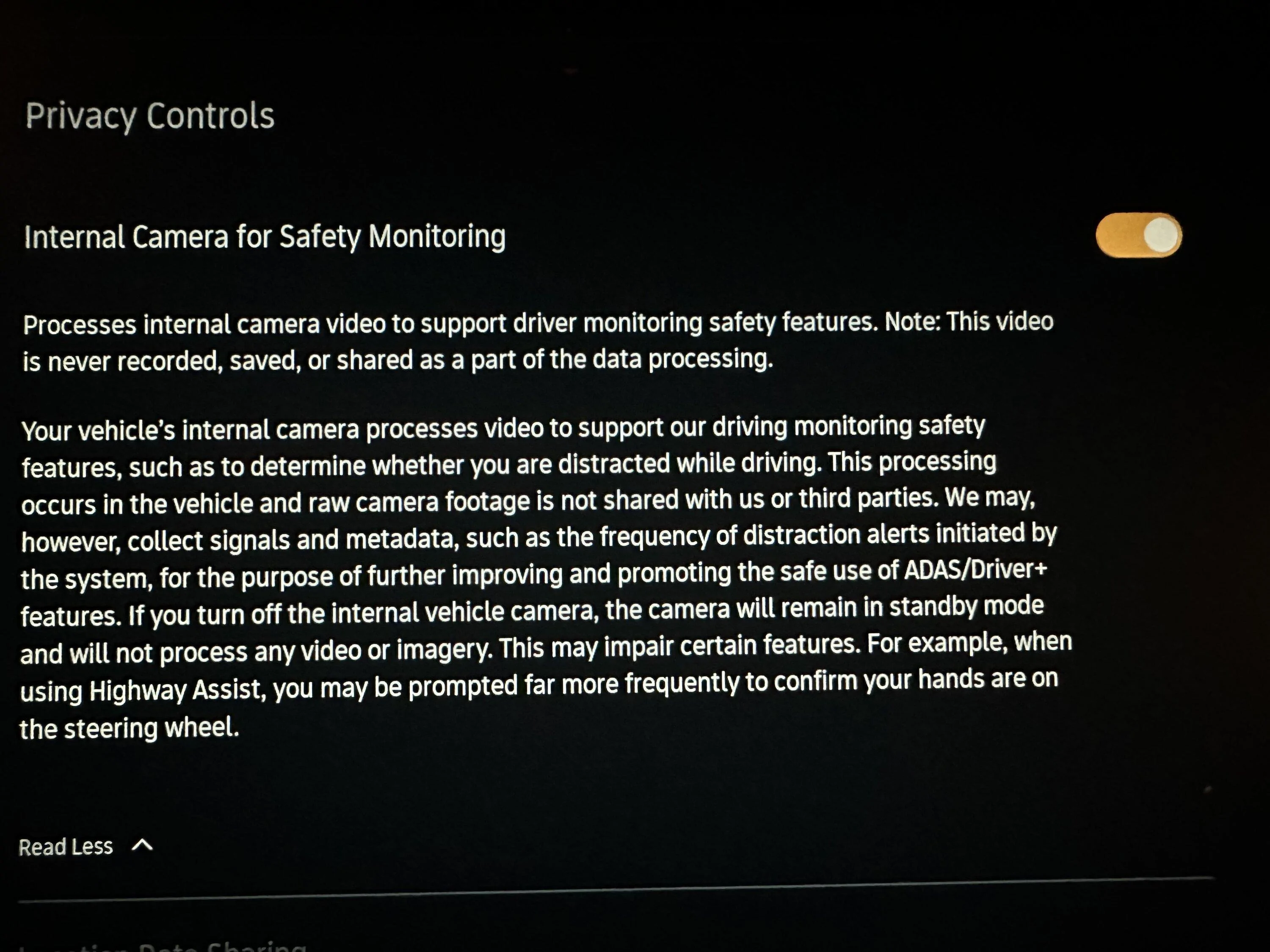
I went poking around the Data and Privacy screen and found the camera was on be default per the screenshot below. I thought it’d be off by default and that we’d manually turn it on/opt in.

Reading through the release notes on the 2022.47.0 update I noticed this:
New Data and Privacy Controls
The Settings app now offers a new Data and Privacy tab to provide better visibility and control over vehicle data that is shared and used. We’ve added options to limit sharing of precise location data to support certain features and services. We’ve also added options that allow you to enable your vehicle’s interior camera to support safety features. To review and confirm your data privacy settings. go to Settings > Data and Privacy.
Note: If you limit sharing of precise location data, Highway Assist won’t be available.
I went poking around the Data and Privacy screen and found the camera was on be default per the screenshot below. I thought it’d be off by default and that we’d manually turn it on/opt in.
Sponsored




