Sponsored

Setup digital key prompt not showing in app

kapsjt

Active Member
First Name
Justin
Joined
Jul 23, 2024
Threads
8
Messages
42
Reaction score
12
Location
MN
Vehicles
R1S
I got the software update yesterday and the mail to upgrade to the new digital key last night. I went to the vehicle to set up the digital key this morning and the prompt to set up the new key is not showing up in the Rivian app. I have the latest software version, iPhone 17 and latest ios version. It also not showing up in the vehicle under "drivers and keys". I just spent an hour chatting with Rivian service and have restarted everything and tried every troubleshooting suggestion. Anyone else having this issue or have any ideas?
Sponsored
 

Osyras

Well-Known Member
First Name
Danny
Joined
Aug 3, 2023
Threads
29
Messages
338
Reaction score
323
Location
Ontario, Canada
Vehicles
Gen 2 R1S Large pack.
Clubs
 
I got the update in the morning, and didn't get the upgrade to digital key until the afternoon. That being said, I was able to use the link in the email more than once (as I could not set it up the first time I clicked the link).

What happens when you use that? I did not have the option in the app itself oddly enough.
 
OP
OP

kapsjt

Active Member
First Name
Justin
Joined
Jul 23, 2024
Threads
8
Messages
42
Reaction score
12
Location
MN
Vehicles
R1S
I got the update in the morning, and didn't get the upgrade to digital key until the afternoon. That being said, I was able to use the link in the email more than once (as I could not set it up the first time I clicked the link).

What happens when you use that? I did not have the option in the app itself oddly enough.

When I click on "get started" in the digital key email it brings me to the Rivian App in the apple store. When I open the app it remains the same with no mention of the digital key or setup. I have signed out of the app and signed in again. Reset phone, vehicle and app. Nothing seems to work. Not a huge deal, but I am wondering if anyone else is having this issue or knows a remedy.
 

hammick

Well-Known Member
First Name
Stormy
Joined
Sep 8, 2024
Threads
26
Messages
586
Reaction score
536
Location
Montana
Vehicles
25 R1S Tri; '22 F150 Lightning Lariat ER
Occupation
retired
It took me too much time to get ours working. Restarting the iPhone seemed to help. Go into your Bluetooth settings and delete the Rivian _______. If you are trying to add additional drivers then you must do the share/invite thing.

Make the vehicle comfortable, grab a coffer or drink and get er done. Once it's setup it works great with our phone and watches.
 

ericjnewman

New Member
First Name
Eric
Joined
Mar 18, 2025
Threads
1
Messages
3
Reaction score
0
Location
leesburg, VA
Vehicles
R1S
Clubs
 
When I click on "get started" in the digital key email it brings me to the Rivian App in the apple store. When I open the app it remains the same with no mention of the digital key or setup. I have signed out of the app and signed in again. Reset phone, vehicle and app. Nothing seems to work. Not a huge deal, but I am wondering if anyone else is having this issue or knows a remedy.
I have the same issue.
 

Sponsored

OP
OP

kapsjt

Active Member
First Name
Justin
Joined
Jul 23, 2024
Threads
8
Messages
42
Reaction score
12
Location
MN
Vehicles
R1S
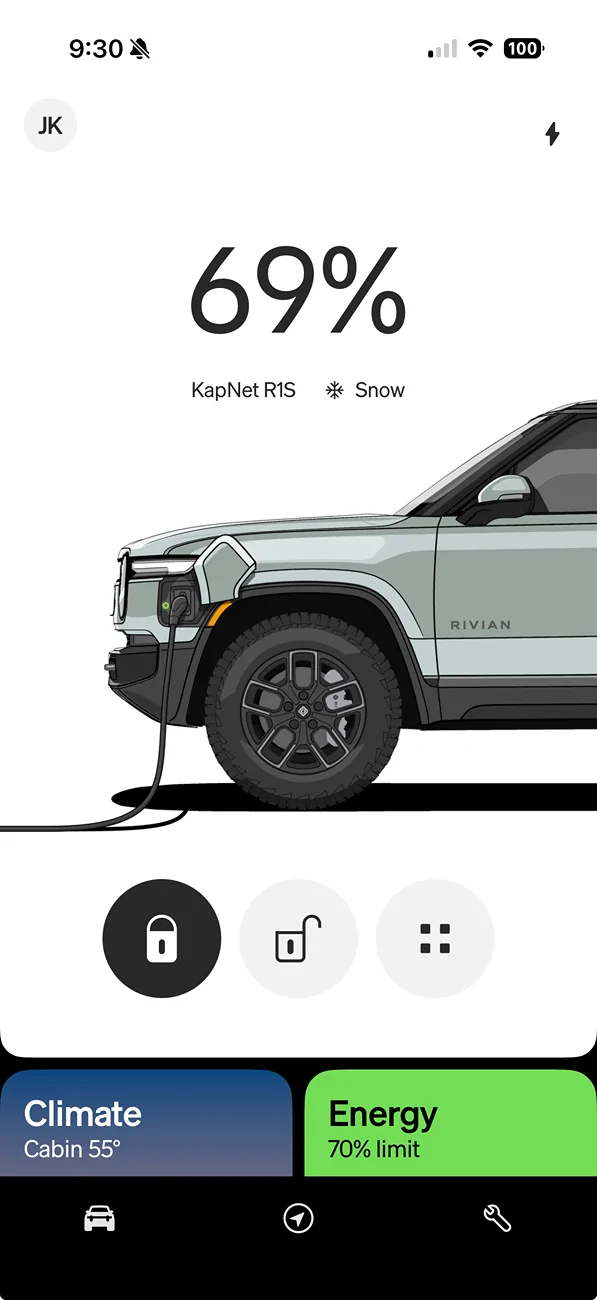
I've had the update since Friday and still cannot set up the digital key. There is no prompt in my app and the phone icon does not show up in the top right corner of the app screen. Is anyone still having a similar issue? I contacted Rivian service support Friday evening and went through all the troubleshooting steps with them. Nothing has worked. Their final solution was to wait a couple days and it should show up. It has not. Anyone have any suggestions?


Rivian R1T R1S Setup digital key prompt not showing in app Screenshot 2025-12-21 at 9.30.49 AM
 

rutiger

Well-Known Member
Joined
Jul 4, 2023
Threads
8
Messages
181
Reaction score
245
Location
WA
Vehicles
2 x '25 Tri S's, '25 750S
Your phone has UWB? And that screenshot is where you would see it. Under Security and access > Drivers and keys I believe is where a banner to upgrade to digital key was for me.
 
OP
OP

kapsjt

Active Member
First Name
Justin
Joined
Jul 23, 2024
Threads
8
Messages
42
Reaction score
12
Location
MN
Vehicles
R1S
Your phone has UWB? And that screenshot is where you would see it. Under Security and access > Drivers and keys I believe is where a banner to upgrade to digital key was for me.
Yes, iPhone 17 with UWB. Under security and access > drivers and keys there is not a banner to upgrade to the digital key. The app looks exactly the same as previous. I am on the new app version and vehicle software. I have reset everything multiple times. Very frustrating.
 

godfodder0901

Well-Known Member
First Name
Jared
Joined
Mar 12, 2019
Threads
27
Messages
5,748
Reaction score
10,137
Location
Washington
Vehicles
2022 Rivian R1T LE
Yes, iPhone 17 with UWB. Under security and access > drivers and keys there is not a banner to upgrade to the digital key. The app looks exactly the same as previous. I am on the new app version and vehicle software. I have reset everything multiple times. Very frustrating.
Make sure UWB is actually turned on as well.
 

LR4toR1S

Well-Known Member
Joined
Nov 6, 2024
Threads
22
Messages
194
Reaction score
213
Location
Remotely Happy
Vehicles
Lr4, MachE, R56s, R1S Dual Max
Occupation
Minister of Awesomeness, Professional Musician
Yes, iPhone 17 with UWB. Under security and access > drivers and keys there is not a banner to upgrade to the digital key. The app looks exactly the same as previous. I am on the new app version and vehicle software. I have reset everything multiple times. Very frustrating.
Same, the RIVIAN chatbot said they are rolling it out in phases? So we may not get the email/prompt for a bit?

I have the Update for both the APP and RIVIAN, I have a compatible phone (PIxel 9). Nothing. I have been driving with the update for nearly a week.
 

Sponsored

rogersmj

Well-Known Member
Joined
Dec 30, 2024
Threads
8
Messages
106
Reaction score
263
Location
Indianapolis
Vehicles
'25 R1S Dual Max, '23 Tesla Model Y Performance, '21 Miata RF 6MT
Clubs
 
Yes, iPhone 17 with UWB. Under security and access > drivers and keys there is not a banner to upgrade to the digital key. The app looks exactly the same as previous. I am on the new app version and vehicle software. I have reset everything multiple times. Very frustrating.
Here we are a week later… Did the option ever appear for you to upgrade your key? I am in the same situation, iPhone 17 and the option will not appear. I’ve reset the vehicle and my phone multiple times, deleted the Bluetooth keys, etc. Nothing works.

I would really like to try it because the Bluetooth key is inconsistent at best and often results in me having to pull out my phone to unlock my $100k vehicle… in three years I think I’ve had to do that only once with my Tesla. Rivian really whiffed on the key technology implementation.
 
OP
OP

kapsjt

Active Member
First Name
Justin
Joined
Jul 23, 2024
Threads
8
Messages
42
Reaction score
12
Location
MN
Vehicles
R1S
Here we are a week later… Did the option ever appear for you to upgrade your key? I am in the same situation, iPhone 17 and the option will not appear. I’ve reset the vehicle and my phone multiple times, deleted the Bluetooth keys, etc. Nothing works.

I would really like to try it because the Bluetooth key is inconsistent at best and often results in me having to pull out my phone to unlock my $100k vehicle… in three years I think I’ve had to do that only once with my Tesla. Rivian really whiffed on the key technology implementation.

No. It is still not working. The prompt to add digital key will not show up. Only the prompt to add the previous Bluetooth phone as a key. I have spent hours on chats and phone calls with Rivian and Apple support. They can't figure it out. I have done the same vehicle and software resets. Deleted and re-installed ios and Rivian app. I have tried every troubleshooting option multiple times. Rivian finally gave up yesterday said they don't know what the problem is. They gave me a mobile service appointment in two weeks for someone to look at it.
 

nyu1

Member
First Name
N
Joined
Mar 12, 2025
Threads
1
Messages
13
Reaction score
6
Location
Orange County
Vehicles
R1S
I’m having the same issue as well. I’ve tried everything from deleting keys/app to readding and restarting the car. Service said the same to me, but I haven’t heard back from them since last week.
 

rogersmj

Well-Known Member
Joined
Dec 30, 2024
Threads
8
Messages
106
Reaction score
263
Location
Indianapolis
Vehicles
'25 R1S Dual Max, '23 Tesla Model Y Performance, '21 Miata RF 6MT
Clubs
 
Update for anyone experiencing this:

After ~3 weeks on the updated software but still not getting the digital key setup (but really, really wanting it because proximity unlock via Phone Key only works about 30% of the time), I finally messaged Rivian through the app about it. I had to say "agent" multiple times to get past the stupid AI bot that had absolutely no idea what I was talking about, but then I got to a human, I used the words "UWB digital key" and they knew what I meant. They said they'd have the software team look at my account the next day (this was a Sunday) to ensure it was enabled.

3 hours later, I got the email and the digital key setup prompt in the app, and they followed up with a phone call -- my account didn't have the feature enabled. So apparently someone on the software team was working on Sunday!

So...they seem to have some gaps in their process where it's possible for your account to not get the feature enabled.
 

wyorivguy

Member
Joined
Jul 7, 2024
Threads
2
Messages
17
Reaction score
5
Location
WY
Vehicles
'26 R1T Tri
Clubs
 
Update for anyone experiencing this:

After ~3 weeks on the updated software but still not getting the digital key setup (but really, really wanting it because proximity unlock via Phone Key only works about 30% of the time), I finally messaged Rivian through the app about it. I had to say "agent" multiple times to get past the stupid AI bot that had absolutely no idea what I was talking about, but then I got to a human, I used the words "UWB digital key" and they knew what I meant. They said they'd have the software team look at my account the next day (this was a Sunday) to ensure it was enabled.

3 hours later, I got the email and the digital key setup prompt in the app, and they followed up with a phone call -- my account didn't have the feature enabled. So apparently someone on the software team was working on Sunday!

So...they seem to have some gaps in their process where it's possible for your account to not get the feature enabled.
+1 for this, worked for me
Sponsored


Top