Sponsored

Solution: Passive Entry Via Bluetooth Not working

TexasBob

Well-Known Member
First Name
Bob
Joined
Jan 15, 2022
Threads
49
Messages
1,189
Reaction score
2,632
Location
Houston
Vehicles
2024 R1T DM LRG, 2025 R1S Dune
Among several ongoing digital key issues I am experiencing today after changing "owners" on our R1S, the selection for Passive Entry Via Bluetooth* was showing as toggled on but the vehicle and the app kept saying "the owner has set to off" which was causing key sharing and other problems (iPhone). Trying to toggle would not work nor did force quitting the app, logging out, etc.

Finally I deleted the Rivian app from the phone altogether and then re-installed it. That did the trick. It then showed "Passive Entry Via Bluetooth" as toggled off and allowed me to toggle back on. (The digital key is still not working for other reasons - what a mess! - but wanted to share this in case anyone else runs into it. nothing else works, go ahead and delete the app.)

*in the app under security and access
Sponsored

 

Dasoss

Well-Known Member
First Name
David
Joined
Jul 10, 2025
Threads
2
Messages
137
Reaction score
65
Location
Utah
Vehicles
RIVIAN R1S Quad Max Launch
Occupation
Retired engineer
Among several ongoing digital key issues I am experiencing today after changing "owners" on our R1S, the selection for Passive Entry Via Bluetooth* was showing as toggled on but the vehicle and the app kept saying "the owner has set to off" which was causing key sharing and other problems (iPhone). Trying to toggle would not work nor did force quitting the app, logging out, etc.

Finally I deleted the Rivian app from the phone altogether and then re-installed it. That did the trick. It then showed "Passive Entry Via Bluetooth" as toggled off and allowed me to toggle back on. (The digital key is still not working for other reasons - what a mess! - but wanted to share this in case anyone else runs into it. nothing else works, go ahead and delete the app.)

*in the app under security and access
I tried that. Now nothing on the app works. Customer service is stumped. I have a mobile service appointment for next year.
 

Rade

Well-Known Member
First Name
Rade
Joined
Sep 19, 2024
Threads
36
Messages
601
Reaction score
768
Location
US - Rhode Island
Website
radmorningcoffee.blogspot.com
Vehicles
2025 Rivian R1T - Large. Delivered on November 23, 2024.
Occupation
Retired
I totally f[Sunshine & Happiness]ked up my key access trying to get digital keys installed. I am the vehicle owner, my phone and watch do not support UWB. My husband is a driver and his phone and watch do.

As the OWNER, I am to invite DRIVERS to add the digital key. I could only get to the add digital key function through his phone when I would log him out of the Rivian app and I logged in under my ID. Pushy buttoney / wizzy blinky crap. Key defined. Emailed him the link. The process placed the digital key on my slate of access methods both on my phone and on the R1T, added it to his mobile wallet. But the link for him to accept and activate the key would not work; met with "Key already exists", because on his PHONE it did (we do not share the phone with separate physical phone ID's). When I went back into my phone, got the "You phone is not supported for this function" when I tried to do anything with the digital key.

Then I discovered that my physical card key was deactivated on the R1T, along with the "Allow Bluetooth access" switch. After trying multiple vectors to reactivate / re-define the key to my R1T, I called Rivian tech support and worked with a very wonderful and understanding Matt. Gave him the key serial number (via photo), and the back end tech support re-defined the key to the truck in about 15 minutes.

Anyhow. All is right in the world again.


* - Sunshine & Happiness: Code of Conduct filter.
 
OP
OP
TexasBob

TexasBob

Well-Known Member
First Name
Bob
Joined
Jan 15, 2022
Threads
49
Messages
1,189
Reaction score
2,632
Location
Houston
Vehicles
2024 R1T DM LRG, 2025 R1S Dune
I tried that. Now nothing on the app works. Customer service is stumped. I have a mobile service appointment for next year.
Ours is still not right either (though passive entry fix worked). The "old" style PAAK is working on one phone (good!) but not on the other. Digital key is not able to be set up or functioning at all. So we have one phone with old style PAAK and one phone completely not working.

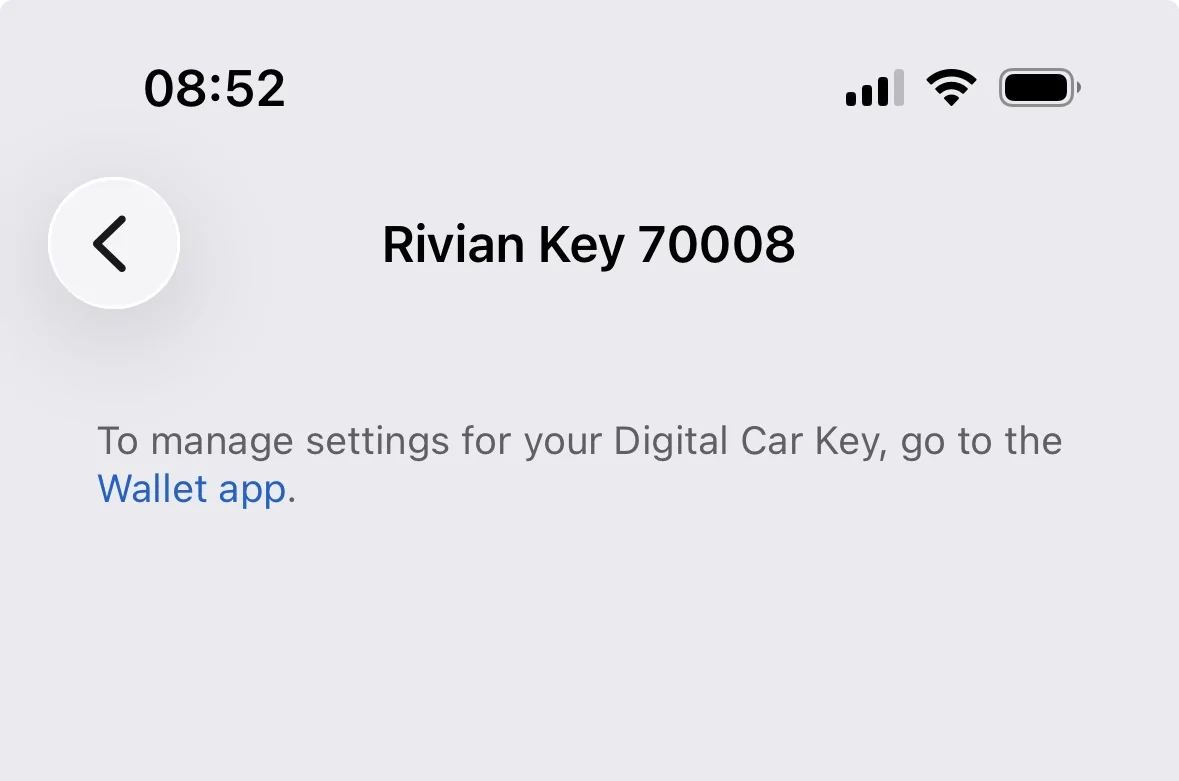
Before we swapped owners, my phone had digital key which I deleted with the Wallet app per instructions, but it appears it did not delete completely on the back end. It does not show up in the wallet and you cannot clear the bluetooth. (When you tap the "i" in the bluetotth you get this on the image.)

Service appointment scheduled but not optimistic. Rivian people i have spoken to so far have no idea and so they default to "bring it in" which wont solve anything on the phone! And they want us to bring both phones and the vehicle in (lol). I am waiting until holidays pass to re-engage. Mostly I get a lot of comments from the RIvian folks like "this is new to us" etc.

The Digital key is very much still a beta feature and not ready for roll-out.


Rivian R1T R1S Solution: Passive Entry Via Bluetooth Not working 147FC6EE-16DE-4B0A-AF80-481870B99DE0_1_201_a
Sponsored


Top