

Sponsored

Nee App Version 2.12.0

Ralph

Well-Known Member
First Name
Ralph
Joined
Jun 14, 2021
Threads
1
Messages
906
Reaction score
990
Location
Arkansas
Vehicles
R1T, Outback
This is new to the Home Screen on my iPad. I’ve never seen it before. “Allow live activities from Rivian?” What does this mean? What live activities are we talking about? I am not seeing this on my iPhone. Is this part of a new app update? I can’t seem to find any info or notification regarding such an update.

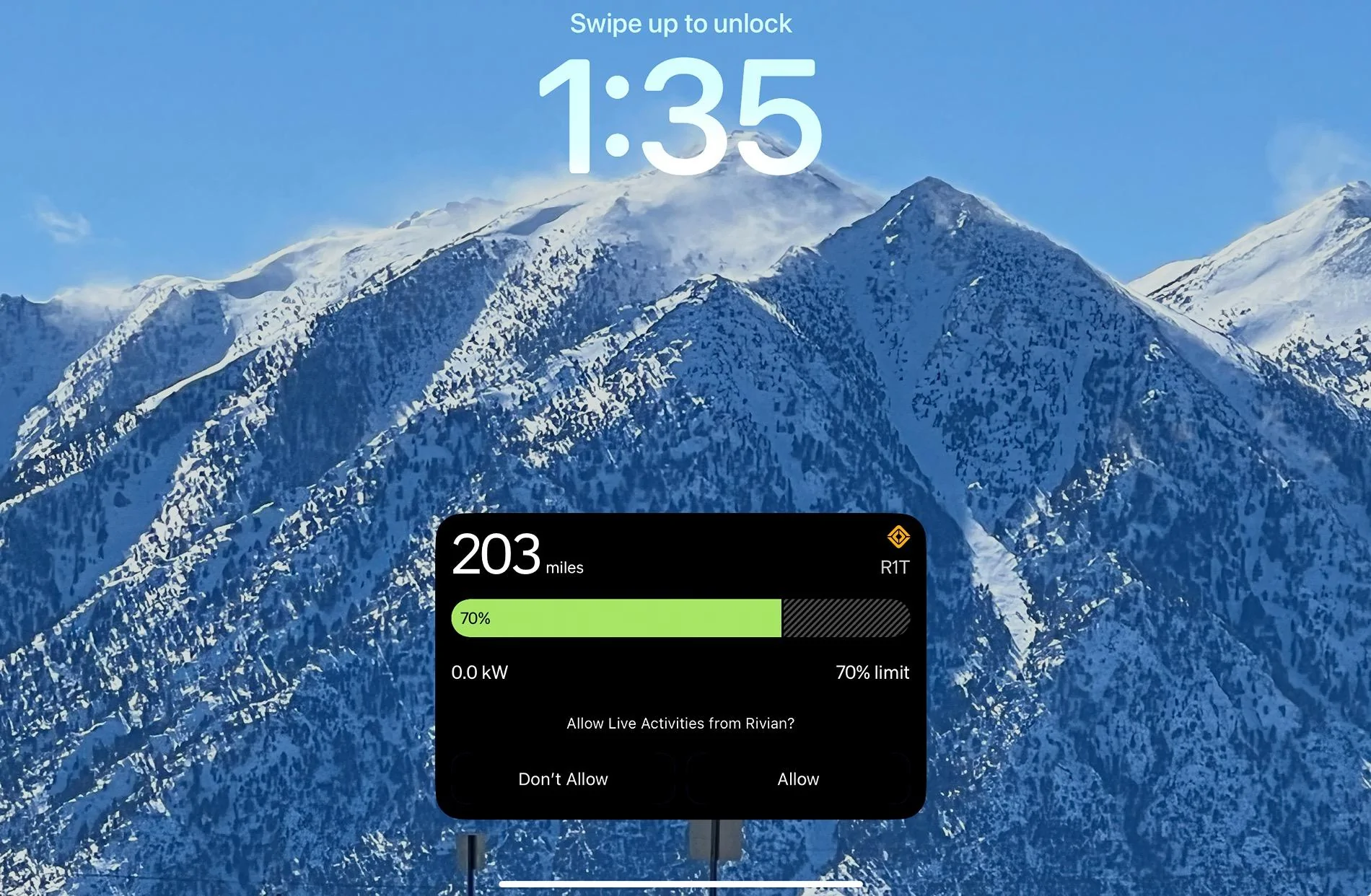
IMG_1636.jpeg
I recall somebody (Wassym?) mentioning sharing camera view to devices in the future. Perhaps the next vehicle software will enable this? More likely me wishful thinking.....
Sponsored


tate16t

Well-Known Member
First Name
Robert
Joined
Apr 7, 2022
Threads
64
Messages
1,396
Reaction score
1,181
Location
NY
Vehicles
2023 El Cap Granite R1S
Occupation
Car Enthusiast
From https://riviantrackr.com

Live Activities Updated
Before this update, when you plugged your Rivian in to charge or turned on the HVAC remotely, the live activity would only show up if you had the Rivian mobile app in the foreground. Rivian has now adjusted this so that the live activities now show up regardless of the mobile app status.
 

electrictaco

Well-Known Member
Joined
Apr 2, 2021
Threads
0
Messages
267
Reaction score
467
Location
California
Vehicles
R1S
This is new to the Home Screen on my iPad. I’ve never seen it before. “Allow live activities from Rivian?” What does this mean? What live activities are we talking about? I am not seeing this on my iPhone. Is this part of a new app update? I can’t seem to find any info or notification regarding such an update.

IMG_1636.jpeg
This has been on iPhone since the 2.7 release
 

Sponsored

Singletracker

Well-Known Member
Joined
Mar 10, 2022
Threads
39
Messages
1,303
Reaction score
1,274
Location
NV
Vehicles
2023 R1T QM w/20” A/T’s
From https://riviantrackr.com

Live Activities Updated
Before this update, when you plugged your Rivian in to charge or turned on the HVAC remotely, the live activity would only show up if you had the Rivian mobile app in the foreground. Rivian has now adjusted this so that the live activities now show up regardless of the mobile app status.
So, let me ge this straight. The Live Activities they are referring to comprise anything that is going on with the vehicle, at that point in time - charging status, environmental controls, whatever. If this is going to occur, even when the app is closed, is this just another source of vampire drain?
 

Singletracker

Well-Known Member
Joined
Mar 10, 2022
Threads
39
Messages
1,303
Reaction score
1,274
Location
NV
Vehicles
2023 R1T QM w/20” A/T’s
Check in your iOS settings to see that you allow Live Activities on your Rivian app
Checked both devices. Live Activities was already allowed on the iPad, but not the phone. I selected to Allow Live Activities on my phone, but it still doesn’t have the same Home Screen presentation as on the iPad. Related to battery drain, I have deselected the More Frequent Updates option - on both. I’m now fully expecting my vampire drain to drop to Zero ? Anyway, learn something new, every day ?
____________________

Whoa - the nice presentation that was showing on my iPad Home Screen has now vanished. Maybe this is because I changed the setting on my iPhone. Not sure why this all decided to take place out of the clear blue sky. That iPhone setting had, unbeknownst to me, been that way forever.
 

tate16t

Well-Known Member
First Name
Robert
Joined
Apr 7, 2022
Threads
64
Messages
1,396
Reaction score
1,181
Location
NY
Vehicles
2023 El Cap Granite R1S
Occupation
Car Enthusiast
I believe Live Activities has always been available via settings on the iPhone. Not sure this would impact vampire drain since the activities occur when the vehicle is awake anyway. Sounds like it’s just routing notifications to your phone. I hope.


Top

