Sponsored

DCFC while navigating a multi-point route

RD TRP EV

Active Member
Joined
Sep 6, 2024
Threads
4
Messages
29
Reaction score
24
Location
New Jersey, USA
Vehicles
'25 R1S Dual Max
Clubs
 
Went on a road trip this week and I really don't like that when you are charging, you can't see the entire route to see the battery % at each destination or even at what time you are expected to arrive without having to cancel it.

My bigger issue is the inconsistencies of what the screens tell me when I need to stop charging to continue with my route.

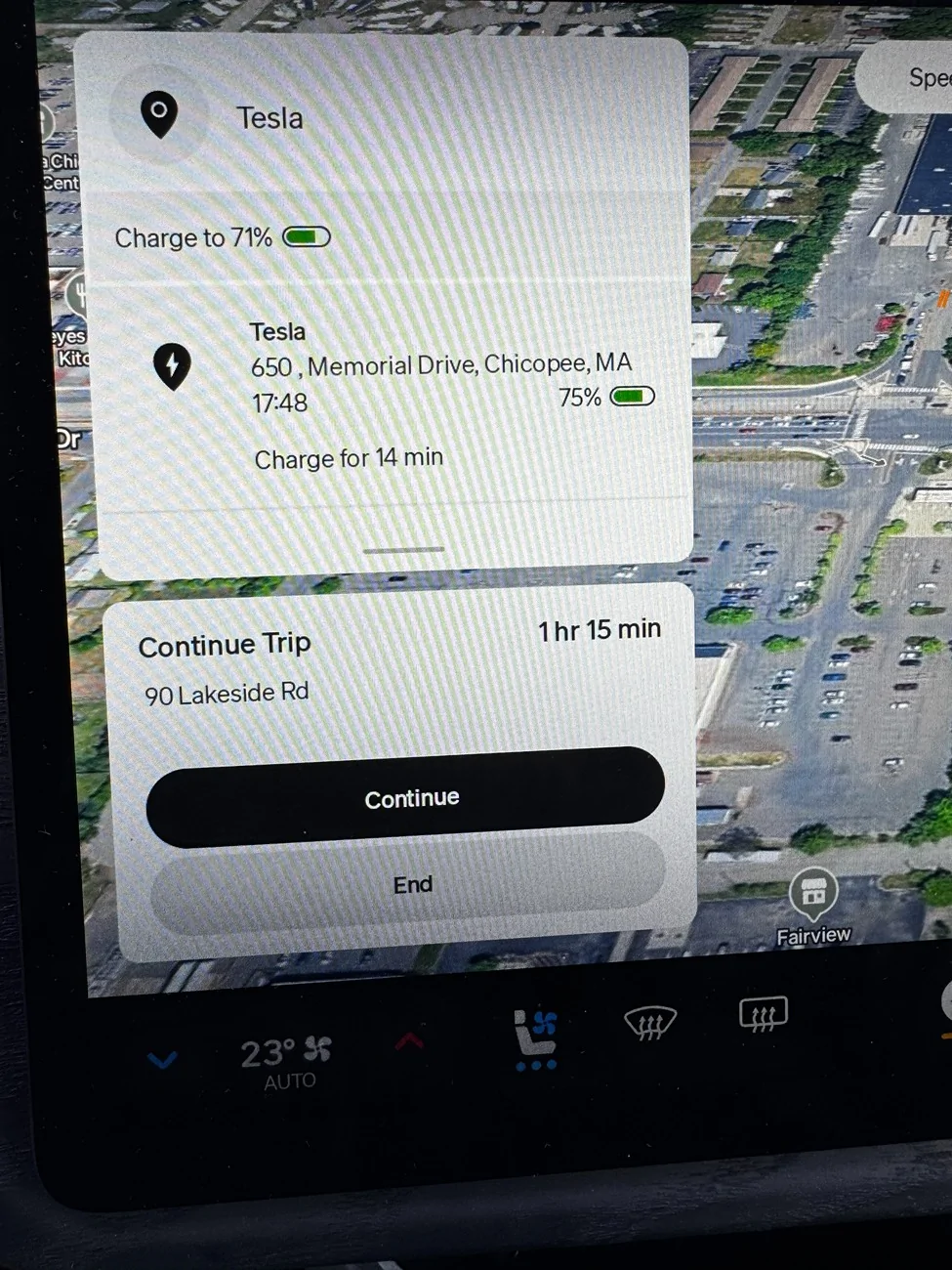
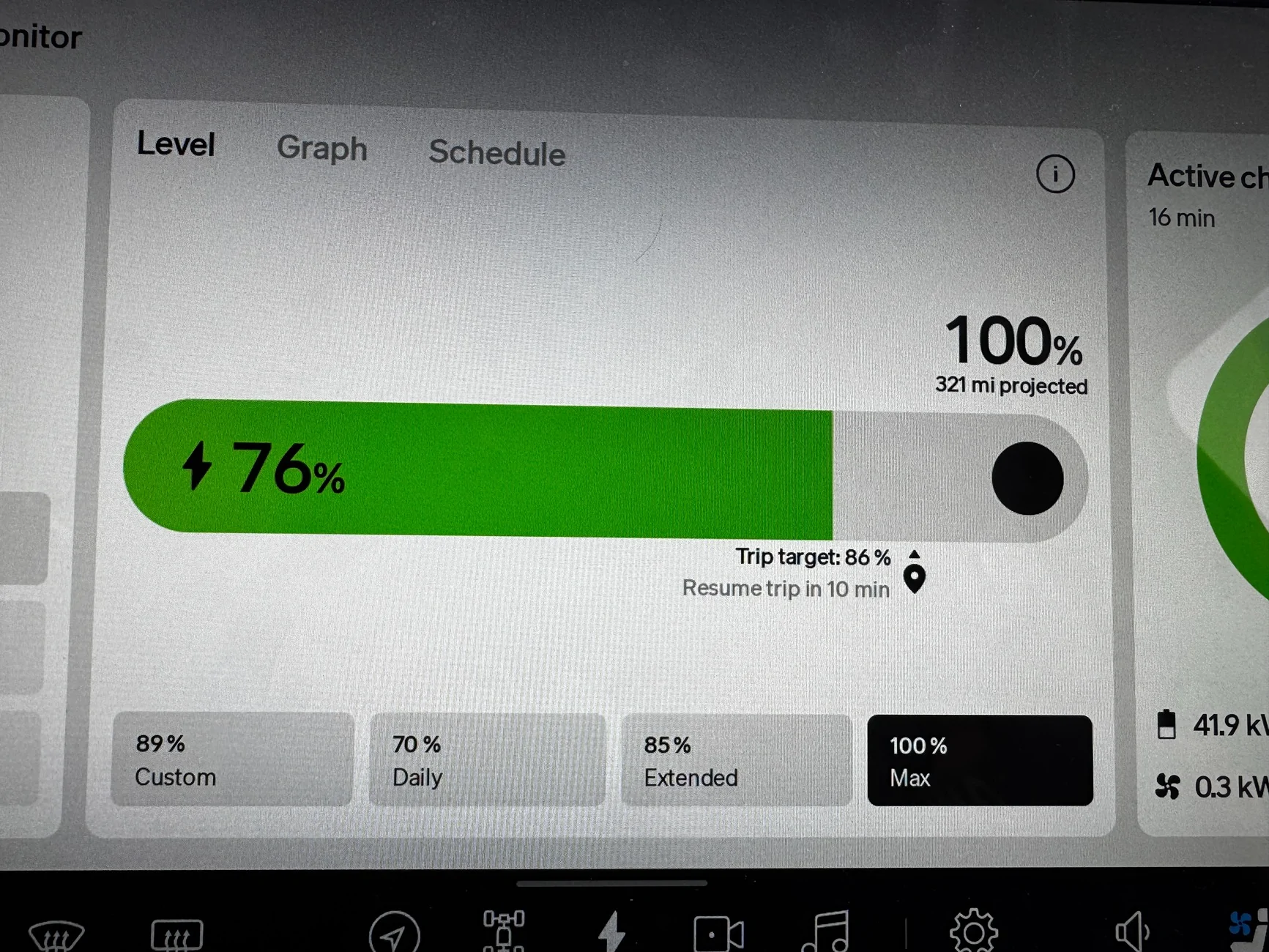
In this example, the driver screen tells me I need to charge to 71% however, the main screen tells me I need to charge to 86% to continue with my route at the same time (pictures taking within seconds of each other). Why are they not telling me the same percentage of when I need to stop charging???

Rivian R1T R1S DCFC while navigating a multi-point route IMG_2312
Rivian R1T R1S DCFC while navigating a multi-point route IMG_2313
Sponsored


DeafPug

Well-Known Member
Joined
Oct 20, 2021
Threads
6
Messages
567
Reaction score
843
Location
Kansas
Vehicles
'18 Model 3, '22 R1T
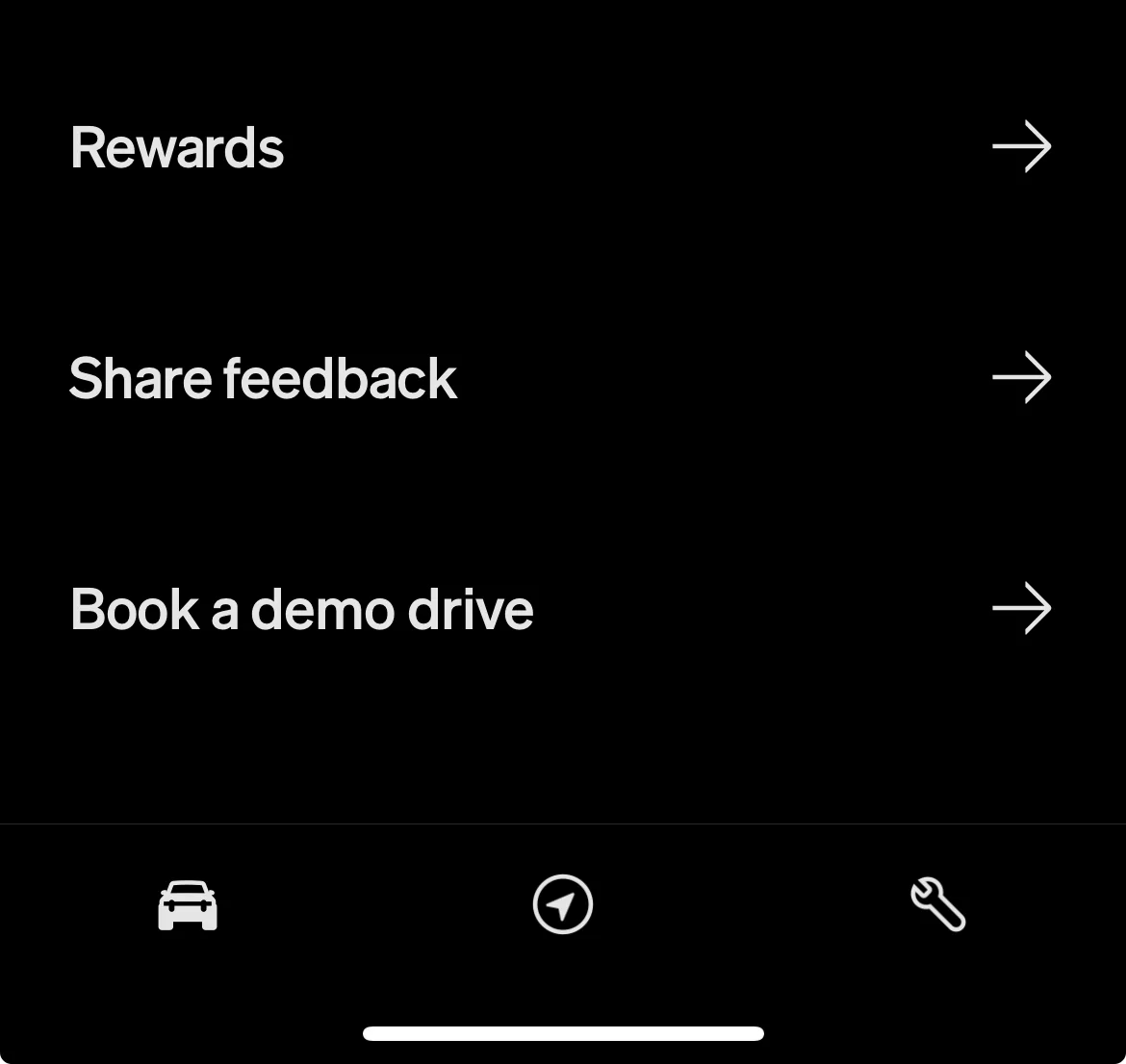
I'd report that inconsistency between the two screens to Rivian using the Share Feedback at the bottom of the main screen in the Rivian App.

Rivian R1T R1S DCFC while navigating a multi-point route 1754882973384-wy
 

CharonPDX

Well-Known Member
First Name
Charon
Joined
Jul 12, 2021
Threads
31
Messages
2,512
Reaction score
4,194
Location
Cascadia
Vehicles
'22 R1T LE, '16 Model S, '19 Arcimoto FUV
Occupation
InfoSec Geek
Clubs
 
The inability to see the next legs is somewhat annoying.

I've never seen that "% to reach next stop" mismatch before. That's wild that it's a full 15%! Report it to Rivian in the app via "Share Feedback."

But, uh… Why are you charging to 70+% anyway if your next stop is only 1 hour 15 min away? Even if you were towing, and that next destination was at 70 MPH, that's still a *HIGH* charge target! Did you tell it to have you arrive with 50% charge or something?
 

waitingonanr1s

Well-Known Member
Joined
May 18, 2023
Threads
22
Messages
755
Reaction score
1,156
Location
Colorado
Vehicles
2025 Tri-Max R1S (CA Dune Edition), 2023 QM R1S (Traded in May 2025)
I don't use Rivian nav for multi-point route planninng and navigation - I run ABRP on my phone for that. I use Rivian for navigation to the next optimal charger as determined by ABRP (which can be different than where Rivian nav will send you most of the time - especially if you're an ABRP subscriber).
 
Last edited:
OP
OP
RD TRP EV

RD TRP EV

Active Member
Joined
Sep 6, 2024
Threads
4
Messages
29
Reaction score
24
Location
New Jersey, USA
Vehicles
'25 R1S Dual Max
Clubs
 
But, uh… Why are you charging to 70+% anyway if your next stop is only 1 hour 15 min away? Even if you were towing, and that next destination was at 70 MPH, that's still a *HIGH* charge target! Did you tell it to have you arrive with 50% charge or something?
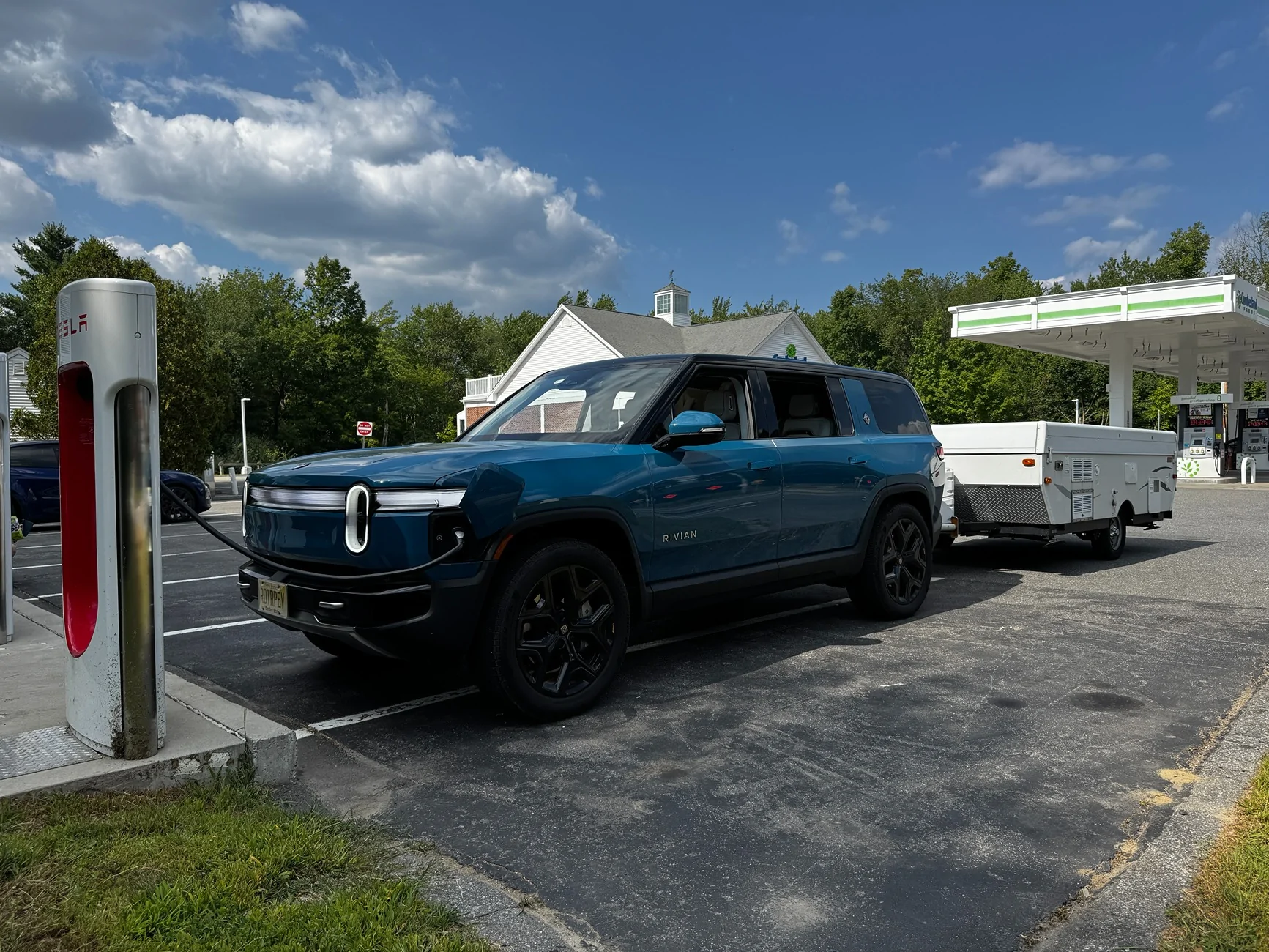
Yes, I was towing a 3,000 lbs camper and this wasn't my final destination. My final destination was 2 additional stops and I set it to arrive with 10%.
Rivian R1T R1S DCFC while navigating a multi-point route IMG_2311
 

Sponsored

OP
OP
RD TRP EV

RD TRP EV

Active Member
Joined
Sep 6, 2024
Threads
4
Messages
29
Reaction score
24
Location
New Jersey, USA
Vehicles
'25 R1S Dual Max
Clubs
 
I don't use Rivian nav for multi-point route planninng and navigation - I run ABRP on my phone for that. I use Rivian for navigation to the next optimal charger as determined by ABRP (which is different than where Rivian nav will send you most of the time - especially if you're an ABRP subscriber).
I had ABRP on my phone and the routes were nearly identical although the "charge to next destination" were a little bit different. I am glad I trusted ABRP better as the native nav would've had me arriving with < 5%.
 

CharonPDX

Well-Known Member
First Name
Charon
Joined
Jul 12, 2021
Threads
31
Messages
2,512
Reaction score
4,194
Location
Cascadia
Vehicles
'22 R1T LE, '16 Model S, '19 Arcimoto FUV
Occupation
InfoSec Geek
Clubs
 
Yes, I was towing a 3,000 lbs camper and this wasn't my final destination. My final destination was 2 additional stops and I set it to arrive with 10%.
IMG_2311.jpeg
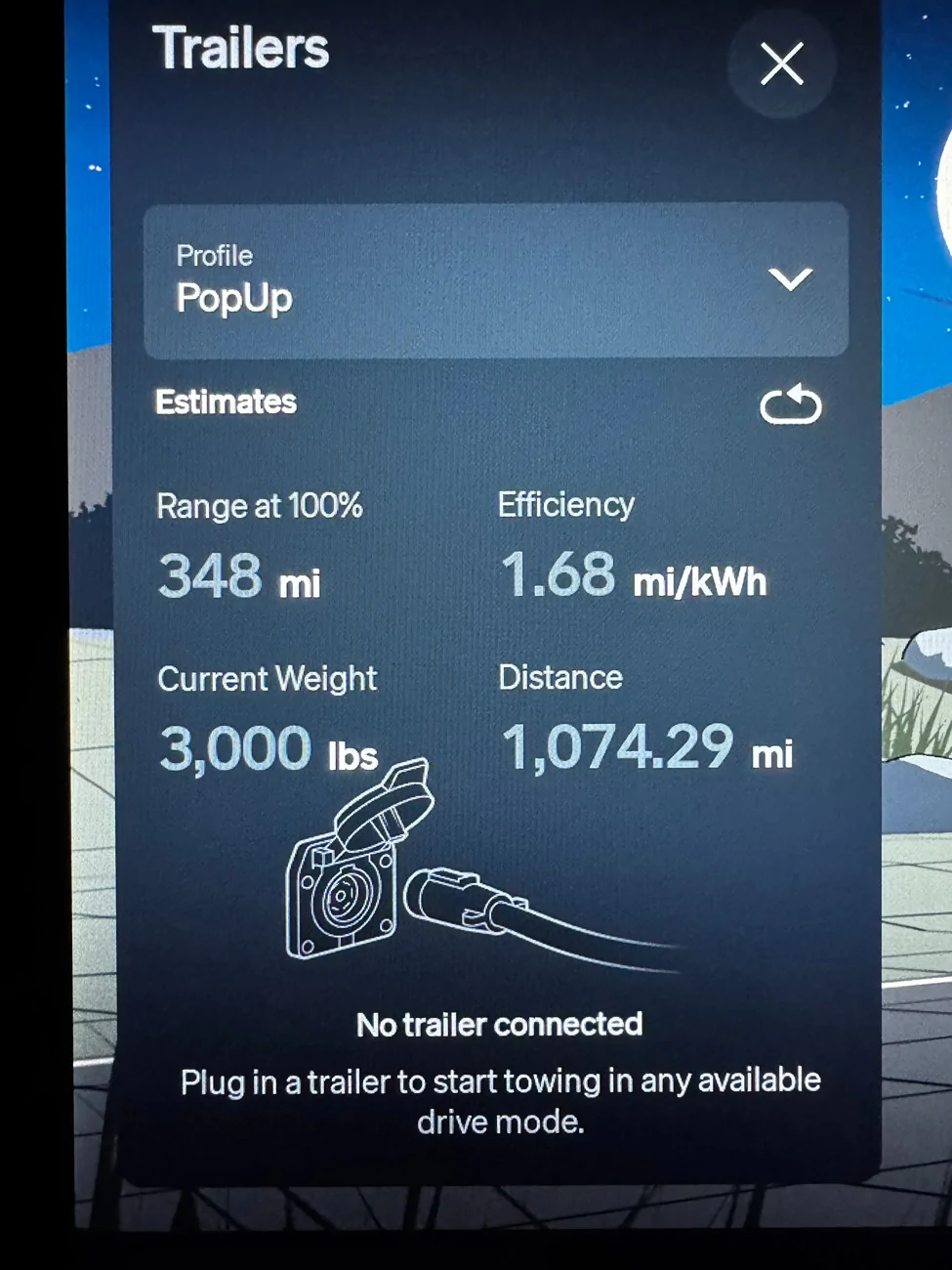
Okay, that makes a lot more sense then! Odd that it was showing 300+ miles of range at 100% when towing. Either it was very confused, or you get amazing efficiency with that trailer.
 
OP
OP
RD TRP EV

RD TRP EV

Active Member
Joined
Sep 6, 2024
Threads
4
Messages
29
Reaction score
24
Location
New Jersey, USA
Vehicles
'25 R1S Dual Max
Clubs
 
Okay, that makes a lot more sense then! Odd that it was showing 300+ miles of range at 100% when towing. Either it was very confused, or you get amazing efficiency with that trailer.
This is my lifetime efficiency pulling the trailer. Gotta love the Max pack.
Rivian R1T R1S DCFC while navigating a multi-point route IMG_2317
 

waitingonanr1s

Well-Known Member
Joined
May 18, 2023
Threads
22
Messages
755
Reaction score
1,156
Location
Colorado
Vehicles
2025 Tri-Max R1S (CA Dune Edition), 2023 QM R1S (Traded in May 2025)
I had ABRP on my phone and the routes were nearly identical although the "charge to next destination" were a little bit different. I am glad I trusted ABRP better as the native nav would've had me arriving with < 5%.
Yes, I agree - the routing usually isn't different. But the chargers it selects can be different based on its predictions - especially if you pay for the subscription which incorporates wind & temp forecasts into its estimates. I also find it easier to adjust the trip settings in ABRP than in Rivian nav.

Honestly, I don't compare them frequently since I practically never run the entire trip plan in Rivian unless I just happen to already be in the Rivian app on my phone and its convenient. Also, my planned charging stops tend to change on the fly a lot, since by the time I take my dogs out and do whatever else I need to at the charging stop, I've frequently already exceeded the recommended state of charge. So "most of the time" isn't really something that I can claim. Updated my post.
 
Last edited:

BigSkies

Well-Known Member
First Name
Brian
Joined
Sep 4, 2021
Threads
17
Messages
1,236
Reaction score
2,651
Location
Denver
Vehicles
R1T, Model Y
Clubs
 
I kinda get the bit about hiding the next leg. Many people don't charge precisely to the recommended point, which makes the next leg a moving target.

I haven't paid super close attention, but sometimes I've charged for ~45 minutes instead of the recommended 15 minutes just because I was having lunch. I think this recalculated the entire rest of my day (both locations and charging times) IIRC.
 

Sponsored

CharonPDX

Well-Known Member
First Name
Charon
Joined
Jul 12, 2021
Threads
31
Messages
2,512
Reaction score
4,194
Location
Cascadia
Vehicles
'22 R1T LE, '16 Model S, '19 Arcimoto FUV
Occupation
InfoSec Geek
Clubs
 
This is my lifetime efficiency pulling the trailer. Gotta love the Max pack.
IMG_2317.jpeg
Just be aware - the math on "Range at 100%" is *NOT* valid! If your efficiency is 1.68 mi/kWh, then to get 348 miles, you'd have to have a 200+ kWh battery pack!

Mine claimed I'd get >170 miles, at 1.1 mi/kWh. On a Large pack.
 

LivingInKaos

Well-Known Member
Joined
Jun 30, 2022
Threads
19
Messages
973
Reaction score
1,916
Location
Oregon
Vehicles
R1T Launch Green Forest Edge
Occupation
Own Fabrication Company / VP of Portland Rivian Club
Clubs
 
I never plan my trips thru the Nav- ever. I only plug in each point as I go. I've had too many instances where it will add an extra charge stop while en route, change all the charge stops down stream, etc. I just keep the planned route on ABRP and feed it one by one.

This also keeps from issues like the bug you are reporting here. Since the adaptation of the energy app 2.0, there's been wild inconsistency with many of the values. The software team is aware, so keep feeding them with more info and this will hopefully get resolved.
Sponsored


Top