Sponsored

Fully Charged... and locked out.

IGR

Well-Known Member
Joined
Jul 7, 2023
Threads
8
Messages
360
Reaction score
506
Location
SoCal
Vehicles
Rivian R1S
Occupation
I make things
Clubs
 
How could you go anywhere without your phone, I would feel like I am missing a limb lmao.
Sponsored


SoCal Rob

Well-Known Member
First Name
Rob
Joined
Apr 19, 2021
Threads
39
Messages
2,808
Reaction score
5,964
Location
Laguna Niguel / Palm Springs / Pioneertown
Vehicles
2025 Rivian R1S & 2021 VW ID.4 (2023 R1S sold)
Occupation
Information Technology
Clubs
 
Is there a write up somewhere on the forum that you followed to install it on your watch? Like I said I followed some instructions from a YouTube video and created the Shortcut but it doesn’t show up on my watch.
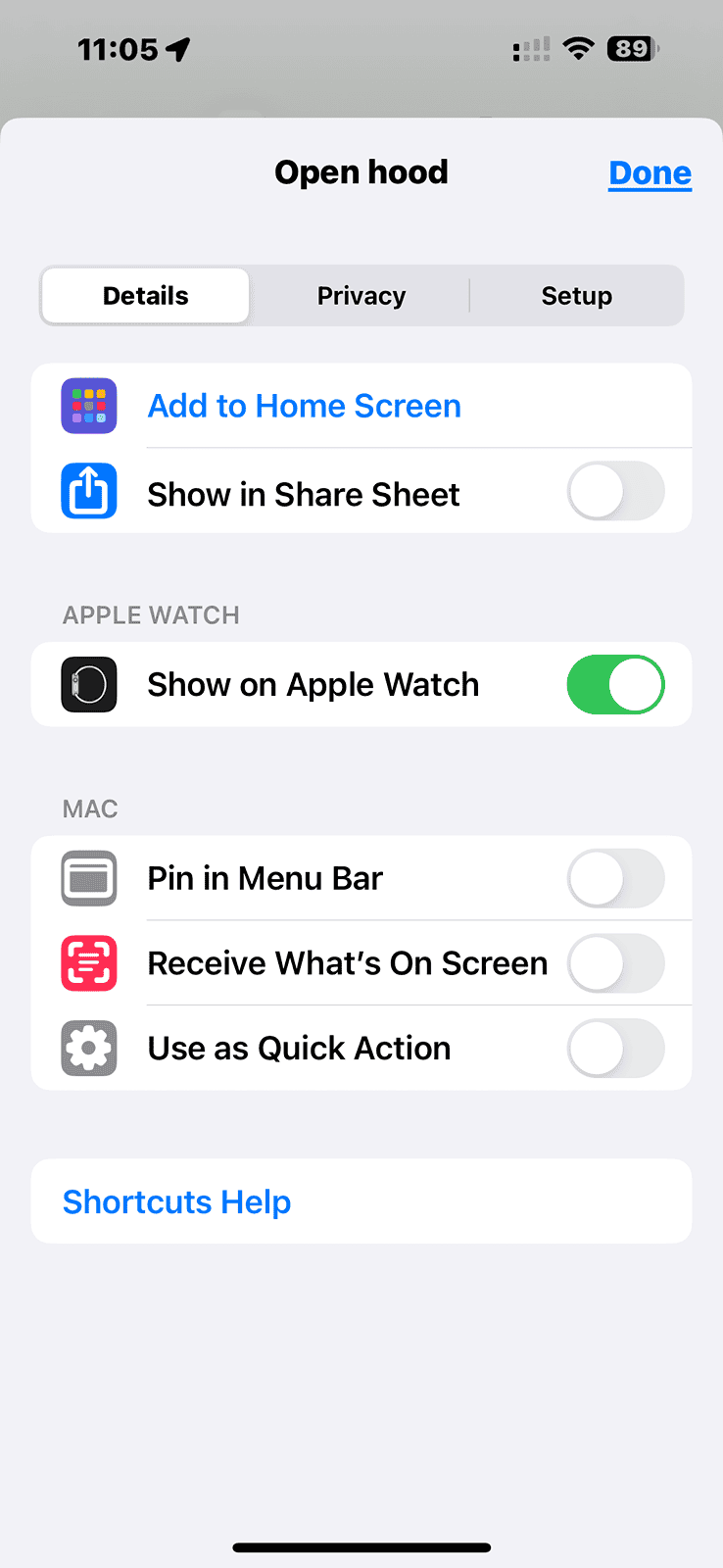
While viewing a shortcut on your phone, there should be a blue i in a circle at the bottom center:
Rivian R1T R1S Fully Charged... and locked out. IMG_5203

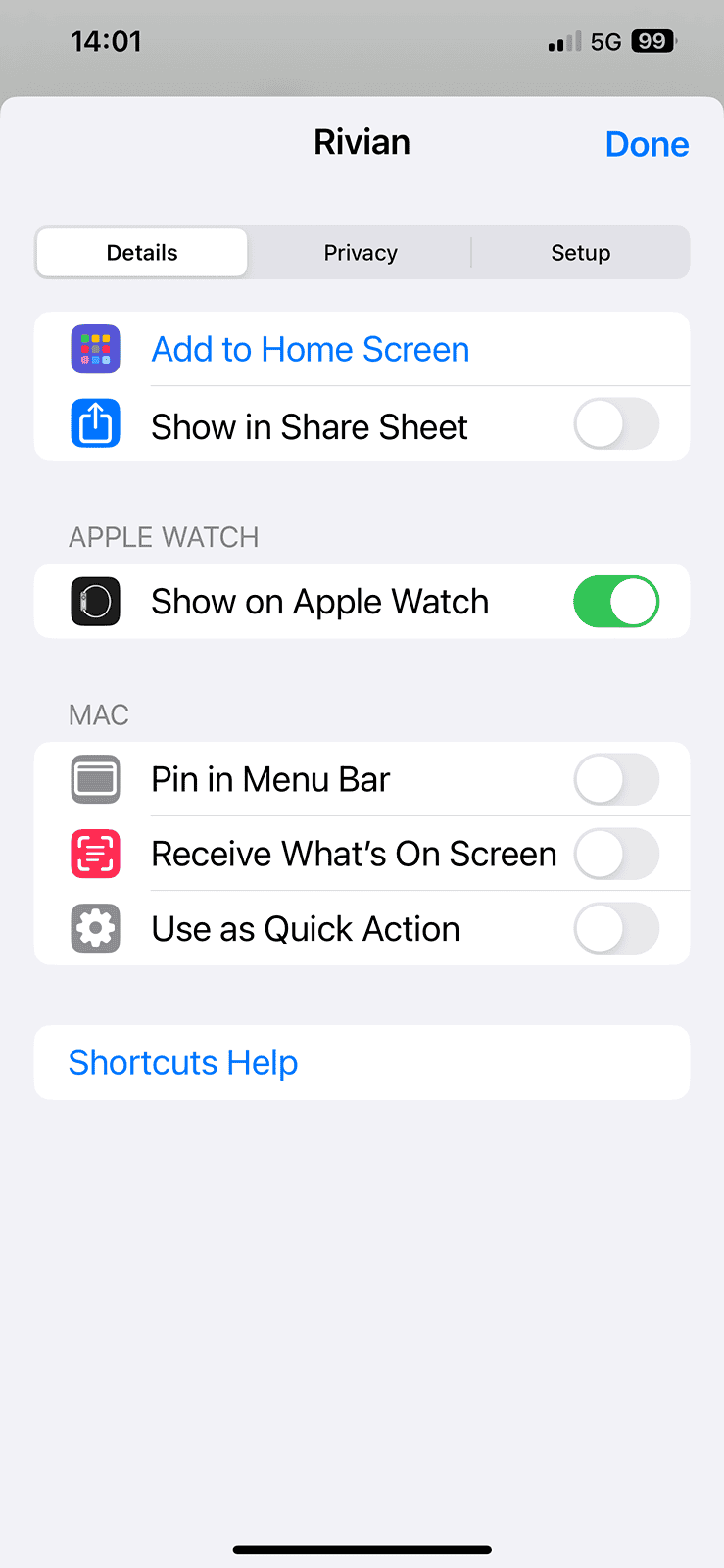
Tap that blue i in the circle and you should see more info about the shortcut, like this:
Rivian R1T R1S Fully Charged... and locked out. IMG_5202

Make sure Show on Apple Watch is green / enabled.

It’s not obvious so I’m sure you’re not the only one having trouble with it. I hope this info helps.
 

cjg817

Well-Known Member
First Name
Chris
Joined
Dec 15, 2023
Threads
5
Messages
54
Reaction score
24
Location
Northeast
Vehicles
R1T & Volvo XC40
While viewing a shortcut on your phone, there should be a blue i in a circle at the bottom center:
IMG_5203.png

Tap that blue i in the circle and you should see more info about the shortcut, like this:
IMG_5202.png

Make sure Show on Apple Watch is green / enabled.

It’s not obvious so I’m sure you’re not the only one having trouble with it. I hope this info helps.
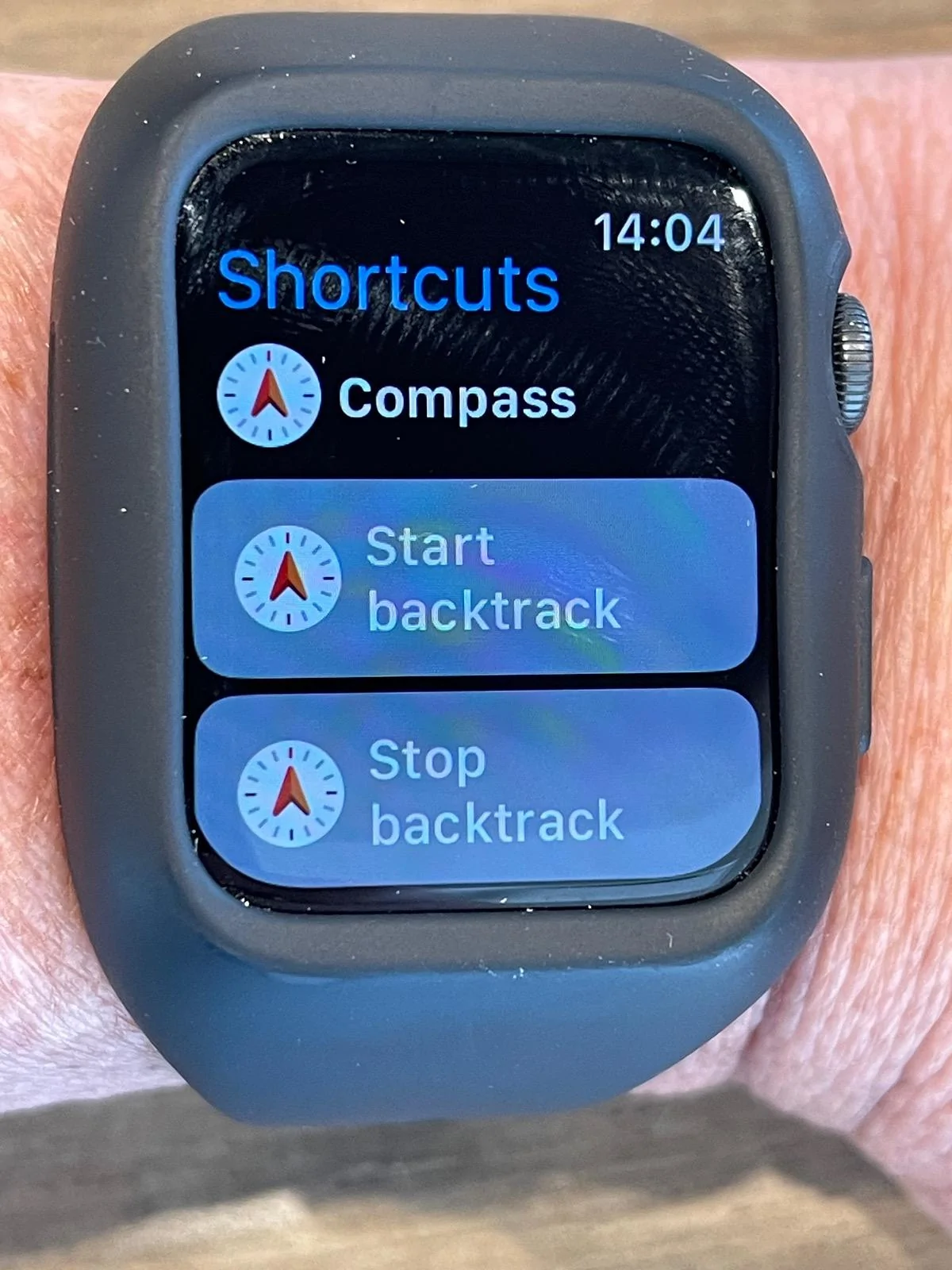
Thanks for the screenshots. I have it setup exactly like shown but on my watch all I see when I open the shortcuts icon is the Compass otions whic I never setup. I have an Series 6 watch and a 12 Pro Max so not sure if it’s possible to have it work. Seems like everyone who has posted instructions has an Ultra.
Rivian R1T R1S Fully Charged... and locked out. IMG_5422
Rivian R1T R1S Fully Charged... and locked out. IMG_5421
Rivian R1T R1S Fully Charged... and locked out. IMG_5423
 

Dark-Fx

Well-Known Member
First Name
Brian
Joined
Jul 15, 2020
Threads
147
Messages
13,522
Reaction score
27,291
Location
Michigan
Vehicles
R1T, R1S, Livewire One, Sierra EV, R1S
Occupation
Engineering
Clubs
 
My truck locked me out this morning, phone inside. Used the card in my wallet that I still had on me. Once I got in the truck, I let the 60 second timer run out on the card use before trying to start the truck. It wouldn't start, had to flap bluetooth off and back on on my phone.

I leave my truck in the "keep locked at home" mode, so in order to enter it, I have to either use the keycard or the Rivian app. I guess bluetooth never connected properly to the truck today before I flapped it.
 

SoCal Rob

Well-Known Member
First Name
Rob
Joined
Apr 19, 2021
Threads
39
Messages
2,808
Reaction score
5,964
Location
Laguna Niguel / Palm Springs / Pioneertown
Vehicles
2025 Rivian R1S & 2021 VW ID.4 (2023 R1S sold)
Occupation
Information Technology
Clubs
 
Thanks for the screenshots. I have it setup exactly like shown but on my watch all I see when I open the shortcuts icon is the Compass otions whic I never setup. I have an Series 6 watch and a 12 Pro Max so not sure if it’s possible to have it work. Seems like everyone who has posted instructions has an Ultra.
IMG_5422.webp
IMG_5421.png
IMG_5423.webp
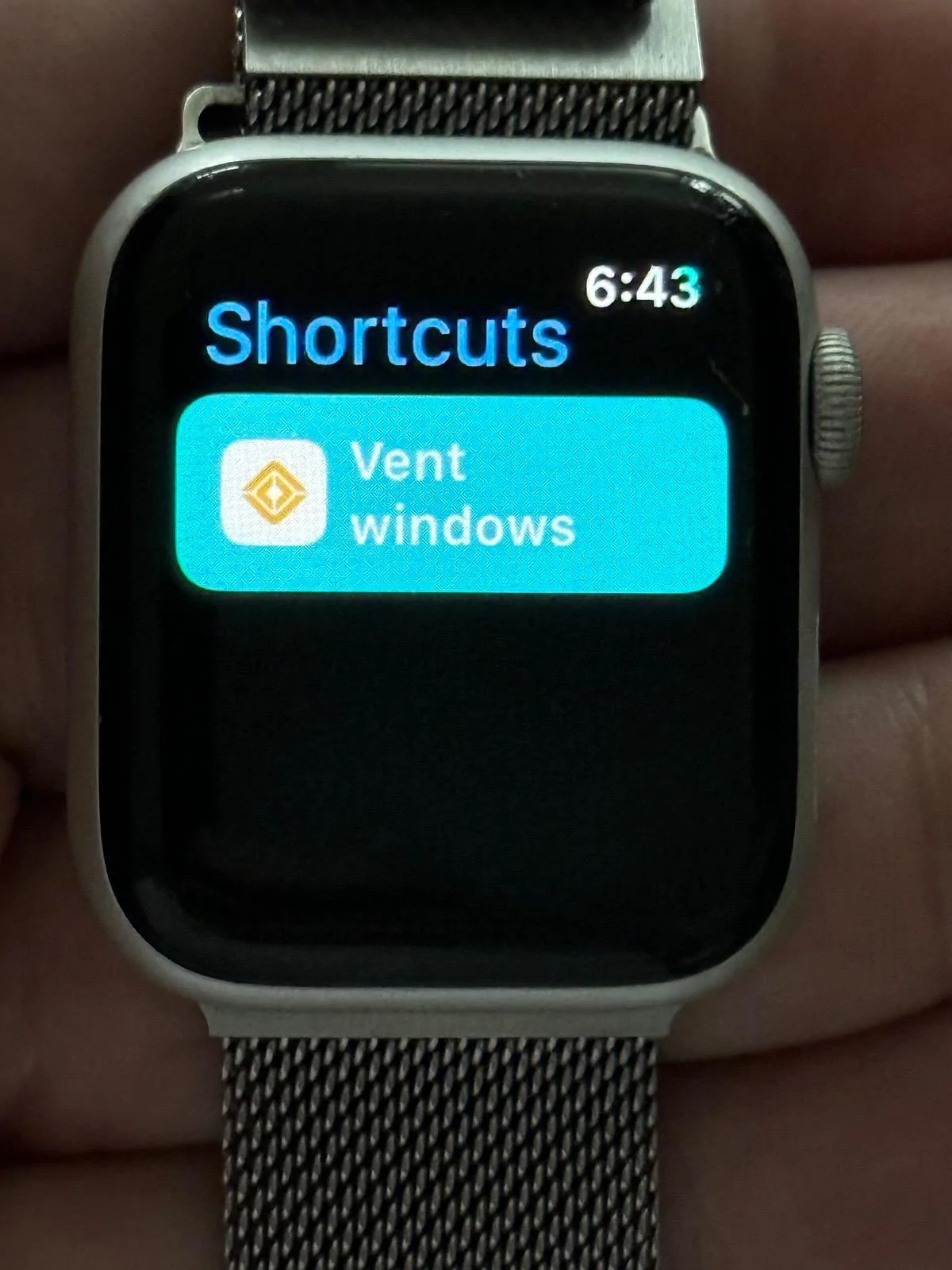
I have a newer phone and an Ultra 2 which doesn’t help you but my husband has a 12 Pro and a series 4 Watch. I just created a shortcut on the phone and it showed up fine on the watch so it is not the hardware:
Rivian R1T R1S Fully Charged... and locked out. IMG_5216

I’d verify that both devices are truly paired and both are on the latest OS.

Beyond that:

Do the compass shortcuts (which you didn’t create) on your watch also show on your phone? If not then I think there’s a pairing issue.

If they do show on your phone and you don’t use them then try deleting one on your phone. Did it get removed from the watch?

If it didn’t then I still think pairing issue and if it did then I’d restart both devices and see if that doesn’t help.


edit: typo
Sponsored


Top