
Sponsored

iPhone stand by mode feature

Billyt1963

Well-Known Member
First Name
William
Joined
Feb 13, 2024
Threads
19
Messages
213
Reaction score
151
Location
Tennessee
Vehicles
Acura MDX, R1T
Occupation
Retired
I just got my charging plug installed in my carport and last night was the inaugural charge on the new plug. I also had to charge my iPhone. I have stand by mode active, so when charging i have an easy way to check time at night. Last night I noticed a new addition to the stand by screen. When it is touched it shows the status of the charge. I had the app open in the background, so that may have been the reason it was available.

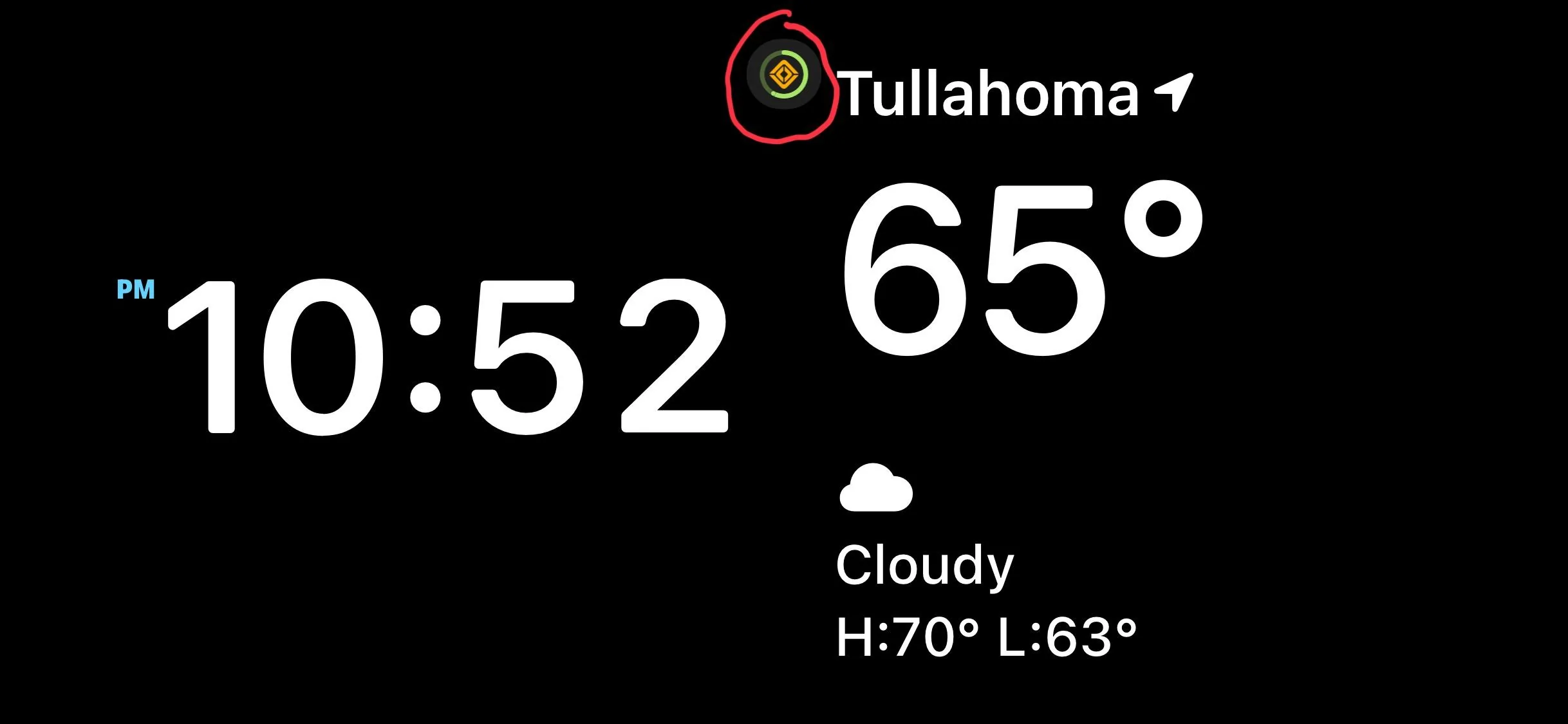
Rivian R1T R1S iPhone stand by mode feature IMG_2844
Sponsored

 
OP
OP
Billyt1963

Billyt1963

Well-Known Member
First Name
William
Joined
Feb 13, 2024
Threads
19
Messages
213
Reaction score
151
Location
Tennessee
Vehicles
Acura MDX, R1T
Occupation
Retired
if you have an iphone with the dynamic island, charging status should always show up in there
Thanks for that. I have an a older phone without the Dynamic Island, but it is good to know they are using the features of the phones.
 

Riviaenz

Well-Known Member
Joined
Jul 27, 2023
Threads
3
Messages
313
Reaction score
156
Location
US
Vehicles
Boxster, XC90 R-Design, XC90 T8, R1T Adventure
Thanks for that. I have an a older phone without the Dynamic Island, but it is good to know they are using the features of the phones.
There’s also Live Activities in the Lock Screen that will actively show you Rivian charging activity if you open the Rivian app during the charge session and then lock your iPhone. You can also add a Lock Screen widget that will constantly show you the SoC of your Rivian battery. It stays current. There are also Siri Shortcuts you can add. CarPlay still missing though.
 
OP
OP
Billyt1963

Billyt1963

Well-Known Member
First Name
William
Joined
Feb 13, 2024
Threads
19
Messages
213
Reaction score
151
Location
Tennessee
Vehicles
Acura MDX, R1T
Occupation
Retired
There’s also Live Activities in the Lock Screen that will actively show you Rivian charging activity if you open the Rivian app during the charge session and then lock your iPhone. You can also add a Lock Screen widget that will constantly show you the SoC of your Rivian battery. It stays current. There are also Siri Shortcuts you can add. CarPlay still missing though.
I have seen some of those and I do miss CarPlay, but getting used to not having it.

i have turned off the Lock Screen widget and live tile, they seem to keep the truck awake.
 

Sponsored

Riviaenz

Well-Known Member
Joined
Jul 27, 2023
Threads
3
Messages
313
Reaction score
156
Location
US
Vehicles
Boxster, XC90 R-Design, XC90 T8, R1T Adventure
I have seen some of those and I do miss CarPlay, but getting used to not having it.

i have turned off the Lock Screen widget and live tile, they seem to keep the truck awake.
How do you mean/have you noticed they keep your Rivian awake? It doesn’t seem any different for ours than without them. While charging it doesn’t have a noticeable impact to charge activity and does lag a little bit. The SoC widget is great and has a longer lag so they’re not 100% real time like an app check.
 
OP
OP
Billyt1963

Billyt1963

Well-Known Member
First Name
William
Joined
Feb 13, 2024
Threads
19
Messages
213
Reaction score
151
Location
Tennessee
Vehicles
Acura MDX, R1T
Occupation
Retired
How do you mean/have you noticed they keep your Rivian awake? It doesn’t seem any different for ours than without them. While charging it doesn’t have a noticeable impact to charge activity and does lag a little bit. The SoC widget is great and has a longer lag so they’re not 100% real time like an app check.
It may just be a bad perception on my part and not owning the truck long. Before turning on those features the truck didn’t seem to use charge at night, but after turning it on the charge seemed to go down a couple of percent at night.

May just be my imagination.
Sponsored


Top