
Sponsored

Navigation Volume Control Issue

tjrivian

Well-Known Member
Joined
Oct 4, 2024
Threads
9
Messages
211
Reaction score
184
Location
san diego
Vehicles
Tesla Model X
I was using Navigation, but was in an area that I know very well and don't need to hear the voice instructions and the associated dropouts of playing music. So when a voice instruction came, I manually lowered the volume to zero via the scroll wheel. This appeared to show a muted icon on the nav display where the audio is. However, clicking that muted icon did nothing, it didn't restore navigation audio to any non-zero value.

The only way i found that i could get navigation audio to a non-zero volume again was to click the main volume icon in the bottom dashbar, then scroll over so that all 4 audio volume sliders were available on the screen, and then manually scroll the navigation audio slider up. That is a very challenging thing to do while driving!

Has anyone else seen this behavior? Is there any easier way to get navigation volume back in a situation like this?
Sponsored
 

DeanB1452

Well-Known Member
First Name
Dean
Joined
Jun 12, 2023
Threads
12
Messages
394
Reaction score
622
Location
Milpitas, CA
Vehicles
'22 R1T LE/LG/BM
Occupation
IT Administrator
Clubs
 
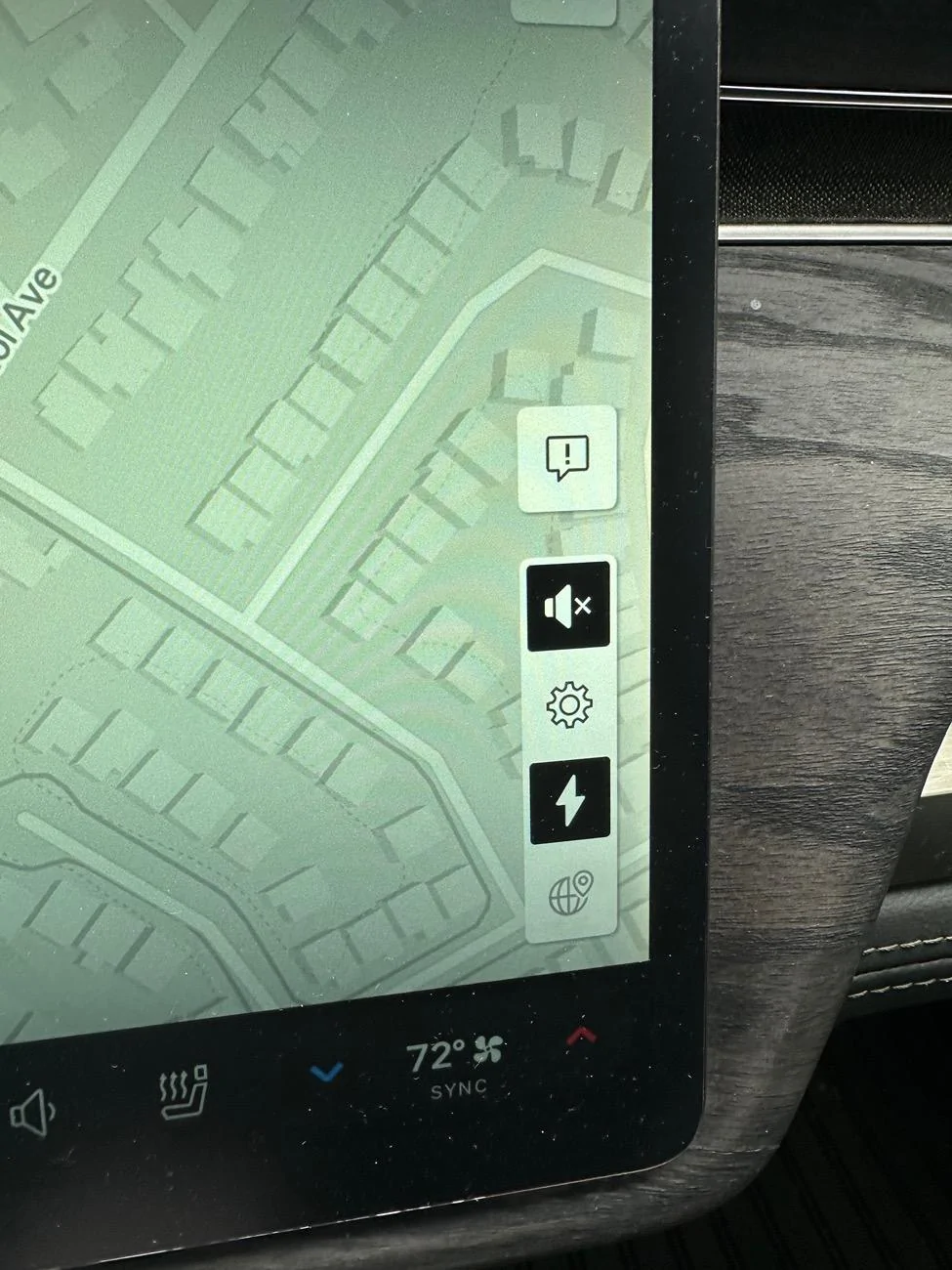
When navigation is on, tap the speaker icon on the right side of your screen and it will mute navigation audio and nothing else. All other audio won’t be affected by navigation alerts. Turn it back on and it will turn navigation audio back to preset level. No need to go into the audio sub-menus in the dock.
Rivian R1T R1S Navigation Volume Control Issue IMG_4270
 
OP
OP

tjrivian

Well-Known Member
Joined
Oct 4, 2024
Threads
9
Messages
211
Reaction score
184
Location
san diego
Vehicles
Tesla Model X
Yeah I guess now that I know about that, I can do that in the future. But if I happen to decrease navigation volume to zero via scroll wheel again, is there any way out of that other than calling up and using the sliders?
 

DeanB1452

Well-Known Member
First Name
Dean
Joined
Jun 12, 2023
Threads
12
Messages
394
Reaction score
622
Location
Milpitas, CA
Vehicles
'22 R1T LE/LG/BM
Occupation
IT Administrator
Clubs
 
Nope. Scrolling will keep it set at that level. The mute button just toggles it on and off. You can control the volume with the buttons on your steering wheel while that particular audio is being played. When music is playing, buttons work for music volume. When navigation is playing, buttons work to control navigation audio. Phone volume and Alexa volume can be controlled with the steering wheel buttons when they are on too. No need to take your eyes off the road to navigate the screen to fiddle with audio controls.
 

VSG

Well-Known Member
Joined
Oct 3, 2022
Threads
4
Messages
3,207
Reaction score
6,004
Location
WA
Vehicles
R1T LE/RB/OC/20
You can also push in (not scroll) the left scroll wheel to mute, then push again to unmute.
 

Sponsored

coney129

Well-Known Member
First Name
John
Joined
Jun 16, 2024
Threads
10
Messages
49
Reaction score
40
Location
Philadelphia
Vehicles
2025 Rivian R1S
I think there’s a bug with the software regarding the nav volume. I’ve experienced it going in and out lately since last update without changing any settings on my Gen 2
 

Tony R1S

Well-Known Member
First Name
Tony
Joined
Mar 1, 2022
Threads
22
Messages
246
Reaction score
130
Location
San Jose
Vehicles
Pacifica Hybrid, R1S G1 QM 20
When navigation is on, tap the speaker icon on the right side of your screen and it will mute navigation audio and nothing else. All other audio won’t be affected by navigation alerts. Turn it back on and it will turn navigation audio back to preset level. No need to go into the audio sub-menus in the dock.
IMG_4270.jpeg
So that's where it went, I though it was removed. Many many releases ago it was conveniently placed on the left side grouped along with the other navigation controls.
Sponsored


Top