Sponsored

New Phone Mount Dash Anchor with 2.5" Riser for R1T & R1S

dleepnw

Well-Known Member
Joined
May 13, 2021
Threads
148
Messages
3,011
Reaction score
3,417
Location
WA
Vehicles
Rivian, Toyota, Lexus
Clubs
 
Assuming you mean the screw that locks it in place, that one doesn't affect the fit, it just moves a bump on the anchor into a slot on the back of the screen to keep it from sliding out.

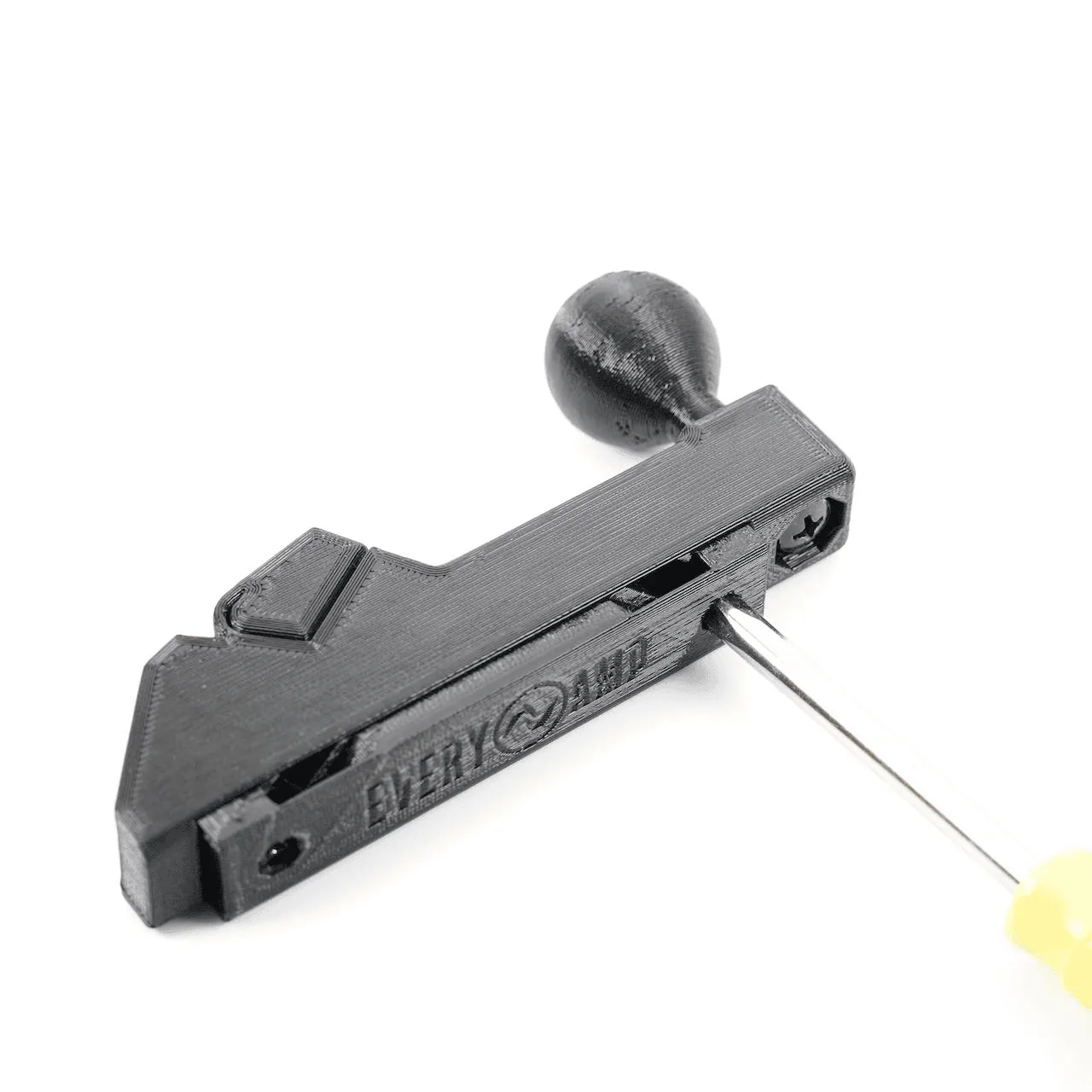
To fine tune the fit, there are two screws on the back side that adjust the depth if you'd like: https://everyamp.com/instructions/instructions-dash-anchor-rivian-r1ts-2022/

1707669360229.webp


Ultimately, the more weight you add and the farther it is from the anchor point magnifies any movement, but a rigid arm vs an adjustable arm does at least reduce the points where it can move.
Don’t know what you mean. Everything is screwed down at right as possible. It vibrates, and I don’t mean it just shakes. It’s like high frequency vibration such that I can’t read text on my phone when’s using it for navigation. Something is not right. I don’t know if it’s my specific unit or it’s a design issue but it’s there.
Sponsored

 
OP
OP
EveryAmp

EveryAmp

Well-Known Member
Site Sponsor
First Name
EveryAmp
Joined
Sep 15, 2021
Threads
21
Messages
151
Reaction score
234
Location
Atascadero, CA
Website
everyamp.com
Vehicles
Rivian R1T, Tesla Model 3, & Model Y
Occupation
3D-Printing
Don’t know what you mean. Everything is screwed down at right as possible. It vibrates, and I don’t mean it just shakes. It’s like high frequency vibration such that I can’t read text on my phone when’s using it for navigation. Something is not right. I don’t know if it’s my specific unit or it’s a design issue but it’s there.
In the case of the adjustment screws shown in the photo and instructions I linked, you're actually loosening the screws to expand the anchor for a tighter fit behind the screen, so when you say everything is screwed down as tight as possible, it sounds like you're not going the correct direction with your depth adjustment.

In any case, we can help you out over a video call if the instructions aren't getting you there. Just reach out at [email protected].
 

dleepnw

Well-Known Member
Joined
May 13, 2021
Threads
148
Messages
3,011
Reaction score
3,417
Location
WA
Vehicles
Rivian, Toyota, Lexus
Clubs
 
In the case of the adjustment screws shown in the photo and instructions I linked, you're actually loosening the screws to expand the anchor for a tighter fit behind the screen, so when you say everything is screwed down as tight as possible, it sounds like you're not going the correct direction with your depth adjustment.

In any case, we can help you out over a video call if the instructions aren't getting you there. Just reach out at [email protected].
i see. ok. i will try to adjust the screws for the anchor and see if that helps. thanks for clarifying.
 

dleepnw

Well-Known Member
Joined
May 13, 2021
Threads
148
Messages
3,011
Reaction score
3,417
Location
WA
Vehicles
Rivian, Toyota, Lexus
Clubs
 
I’ve tried every adjustment and it still vibrates. Maybe it’s the specific unit I have. Could you send me another one to replace the one I have?
 
OP
OP
EveryAmp

EveryAmp

Well-Known Member
Site Sponsor
First Name
EveryAmp
Joined
Sep 15, 2021
Threads
21
Messages
151
Reaction score
234
Location
Atascadero, CA
Website
everyamp.com
Vehicles
Rivian R1T, Tesla Model 3, & Model Y
Occupation
3D-Printing
I’ve tried every adjustment and it still vibrates. Maybe it’s the specific unit I have. Could you send me another one to replace the one I have?
We can give you a refund if you'd like to return it, but there's not going to be anything different about another one we would send.

As I offered before, we can do a video call to make sure you're adjusting it as best as it can be adjusted. Just reach out at [email protected]. We've been able to help 100% of the customers who have reached out.

If you'd like to continue to try to make this one work on your own, you might try a bit of double-sided tape between the anchor and the back of the screen. If the anchor is even close to being adjusted optimally, that should stop any movement that's left.
 

Sponsored

dleepnw

Well-Known Member
Joined
May 13, 2021
Threads
148
Messages
3,011
Reaction score
3,417
Location
WA
Vehicles
Rivian, Toyota, Lexus
Clubs
 
We can give you a refund if you'd like to return it, but there's not going to be anything different about another one we would send.

As I offered before, we can do a video call to make sure you're adjusting it as best as it can be adjusted. Just reach out at [email protected]. We've been able to help 100% of the customers who have reached out.

If you'd like to continue to try to make this one work on your own, you might try a bit of double-sided tape between the anchor and the back of the screen. If the anchor is even close to being adjusted optimally, that should stop any movement that's left.
ok, so i dont think you understand the issue. the issue isnt the anchor being tight with the back of the screen, the issue is the extension vibrates/shakes. the anchor is solid and doesnt move. the extension seems solid but once i mount my phone and start driving, it shakes.

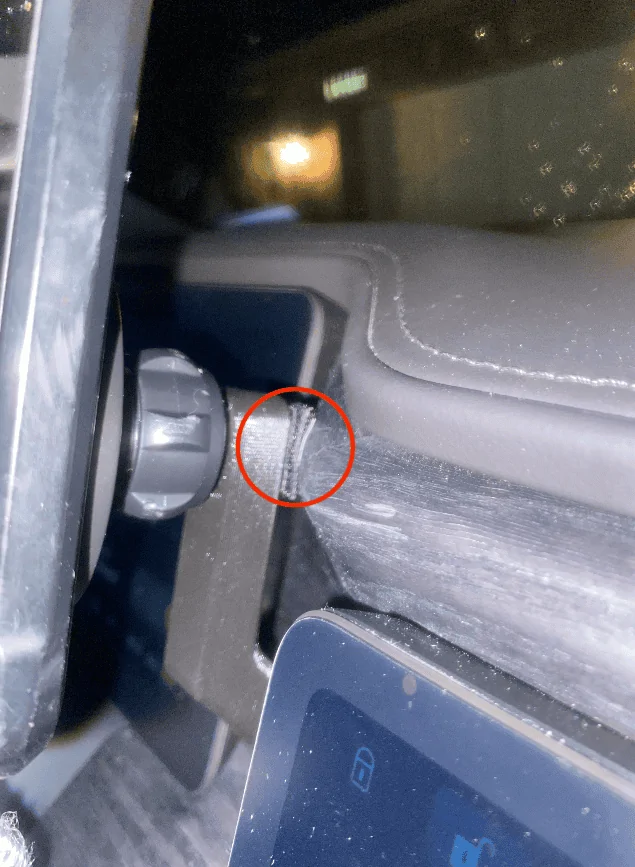
i've resolved this by putting a couple of 3m rubber double-sided sticky pads on the back of the extension so that it makes contact with the wood trim. it no longer shakes.
Rivian R1T R1S New Phone Mount Dash Anchor with 2.5" Riser for R1T & R1S Screenshot 2024-02-24 at 11.25.01 PM
 

WattTruckMatt

Well-Known Member
First Name
Matt
Joined
Oct 4, 2021
Threads
8
Messages
355
Reaction score
559
Location
Austin
Vehicles
2022 Rivian R1T
ok, so i dont think you understand the issue. the issue isnt the anchor being tight with the back of the screen, the issue is the extension vibrates/shakes. the anchor is solid and doesnt move. the extension seems solid but once i mount my phone and start driving, it shakes.

i've resolved this by putting a couple of 3m rubber double-sided sticky pads on the back of the extension so that it makes contact with the wood trim. it no longer shakes.
Screenshot 2024-02-24 at 11.25.01 PM.png
Exactly this. I had the same issue. I mounted the mount and promptly took it off because of the shaking. You'd almost need a small "hook" that grabs onto the edge off the wooden dash just under the pad.
 

Jaxel

New Member
Joined
May 5, 2024
Threads
0
Messages
1
Reaction score
0
Location
Georgia, USA
Vehicles
Rivian R1s
ok, so i dont think you understand the issue. the issue isnt the anchor being tight with the back of the screen, the issue is the extension vibrates/shakes. the anchor is solid and doesnt move. the extension seems solid but once i mount my phone and start driving, it shakes.

i've resolved this by putting a couple of 3m rubber double-sided sticky pads on the back of the extension so that it makes contact with the wood trim. it no longer shakes.
Screenshot 2024-02-24 at 11.25.01 PM.png
I too liked how the arm allows phone to not be blocked by the steering wheel but I was somewhat annoyed by the shaking. I saw your work-around and tried it. I used a couple of tiny adhesive felt pads (the kind you put under table legs to keep them from scratching the floor). So far, it has worked great, thanks. Much less shaking.
 

@Andoo117

Well-Known Member
First Name
andy
Joined
Jul 24, 2024
Threads
3
Messages
45
Reaction score
23
Location
illinois
Vehicles
R1S gen2, jaguar fpace
Occupation
Cancer Care
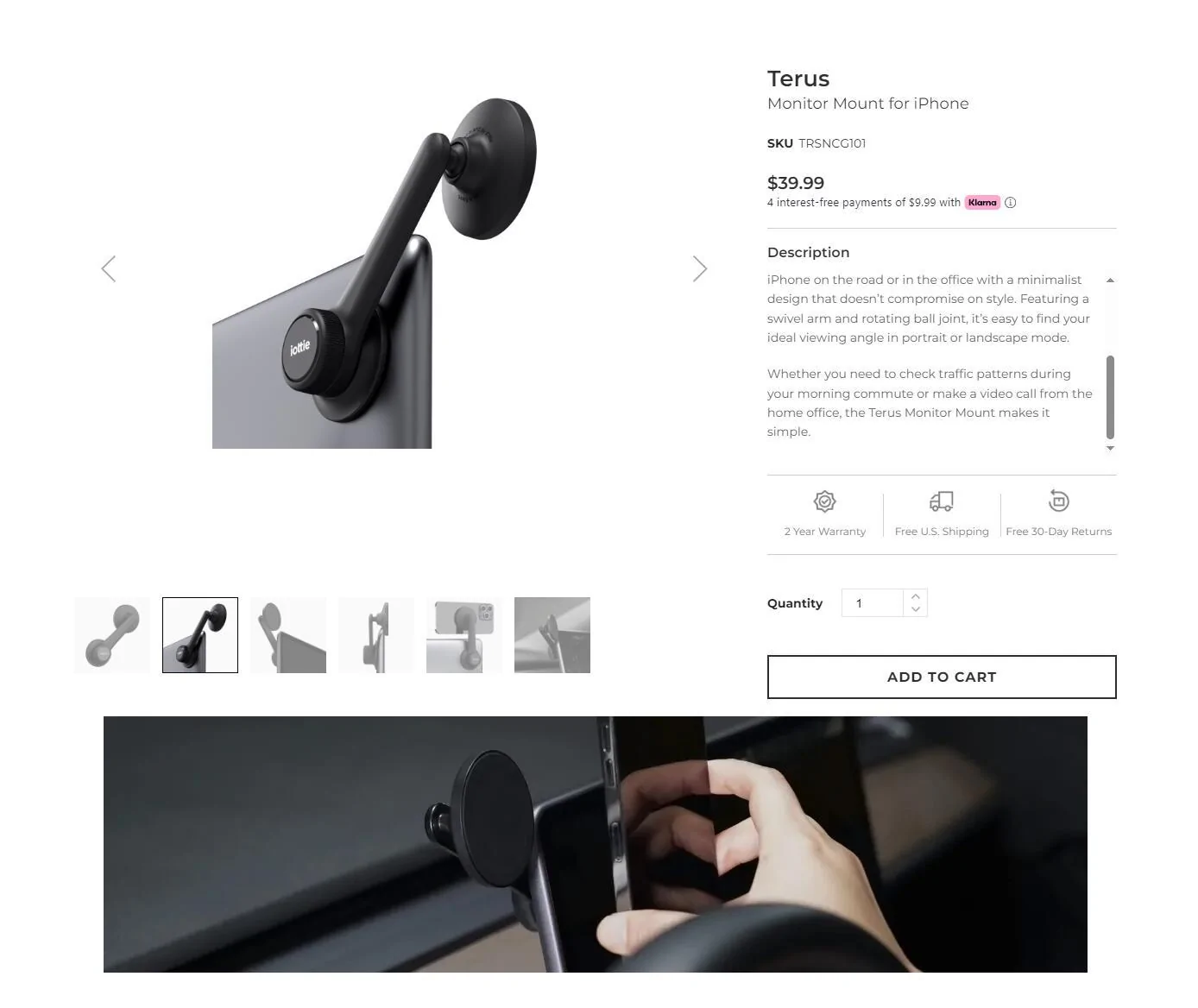
Anyone ever try this? Its for tesla screens it says but i don't see why it would work for Rivian. My Rivian doesn't arrive until Nov/Dec so i can't speak to if this would mount to the screen? Seems like a fairly amazing idea.
Rivian R1T R1S New Phone Mount Dash Anchor with 2.5" Riser for R1T & R1S 1727442971733-h8
 

RD TRP EV

Active Member
Joined
Sep 6, 2024
Threads
4
Messages
29
Reaction score
24
Location
New Jersey, USA
Vehicles
'25 R1S Dual Max
Clubs
 
If you use the Apple magsafe charger, where do you route the cable to power it? Also, are there any compatible ones with black cables (instead of the white Apple Magsafe charger one)?
 
OP
OP
EveryAmp

EveryAmp

Well-Known Member
Site Sponsor
First Name
EveryAmp
Joined
Sep 15, 2021
Threads
21
Messages
151
Reaction score
234
Location
Atascadero, CA
Website
everyamp.com
Vehicles
Rivian R1T, Tesla Model 3, & Model Y
Occupation
3D-Printing
If you use the Apple magsafe charger, where do you route the cable to power it? Also, are there any compatible ones with black cables (instead of the white Apple Magsafe charger one)?
Very early builds have a 12v power output below the center screen, but most would need to run a cable to an alternate power source like the fuse box area.

We're working on an easier solution/kit but it's still at least a month out from being ready.
Sponsored


Top