
ElGuano
Well-Known Member
- Thread starter
- #1
A few weeks back I responded to an offer to try out a Red Tiger dashcam, and they were kind enough to select me and send me an F7NA, along with a 128GB card and a hardwire kit. I get to keep it, and write up some impressions, but they don't see/review it beforehand and I don't have any affiliate links or any kind of monetization for doing so. So I've been running the cam for the last few weeks and reviewing the footage and features against the standard Rivian drivecam, which has been my main drive/incident recording setup.
Background:
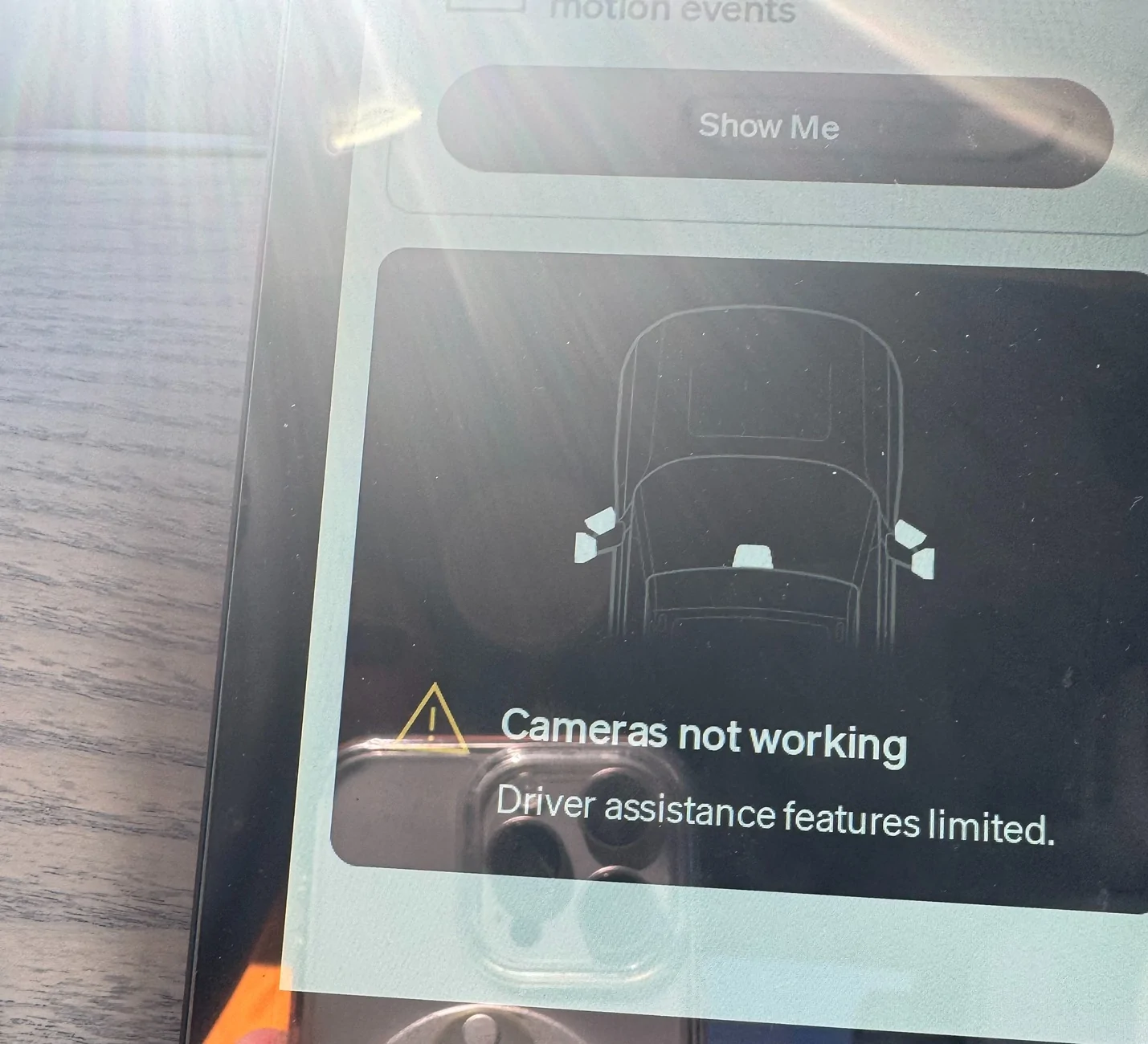
So our Rivians already come with many, many cameras, Facing front, back, to the sides, etc. I have a Gen2 R1T, which has the improved 1536x1920 2K-ish cameras (for everything except the truck bed cam), and the quality is pretty great to begin with. In addition to this, I have a 2TB SSD connected to it for drive recording. So why bother with a separate dashcam? That's definitely something I wanted to answer for myself, but importantly, I've had a few minor instances that were missed by the Rivian cams, once because the service folks turned off the cameras while the truck was in service, and another because the SDD just spontaneously disconnected, and I had no idea until I needed the footage. In fact, as I was finishing the setup of the F7NA, I got this warning during a random drive:

So generally, one thing you can say is that when the standard Rivian cameras work, it's great. But they sometimes don't work, and you're not always lucky enough to get a notice when that happens.
Installation:
The F7NA comes with the main front camera/LCD touchscreen display, a rear camera that you mount on your rear windshield, and a 12v accessory plug (the cigarette lighter). I think most Rivian owners by now no longer have the 12 accessory power port in the passenger area, so there's also a multi-size wiring kit available, that has the added benefit of simultaneous hookups for accessory (ACC) power and constant (B+) power, the latter of which you connect to a circuit that draws power straight from the battery, so the camera can remain powered for parking monitor mode (i.e., recording incidents when it detects your car has been hit while parked).
I already had GMRS and amatuer radios connected to my battery, and if I was going to add more, I'd want a power block or switch. So instead I used a portable battery with an accessory power jack, that I could independently turn on/off and also leave on while parked. It would do for now.
Oh, as to power draw while recording, I took a quick reading from a battery bank and saw pretty constant 6.5-6.9w draw.

And yes, that means you can apparently power it via USB too. I couldn't get it to work with any USB-C power brick or anything that requires a PD handshake, but if you have a USB-A adapter with sufficient amperage (5V with anything over 1.5A) I suspect it would work. I could power this off of my 2-way radio.
Here's the basic camera contents (AA battery just there for scale):
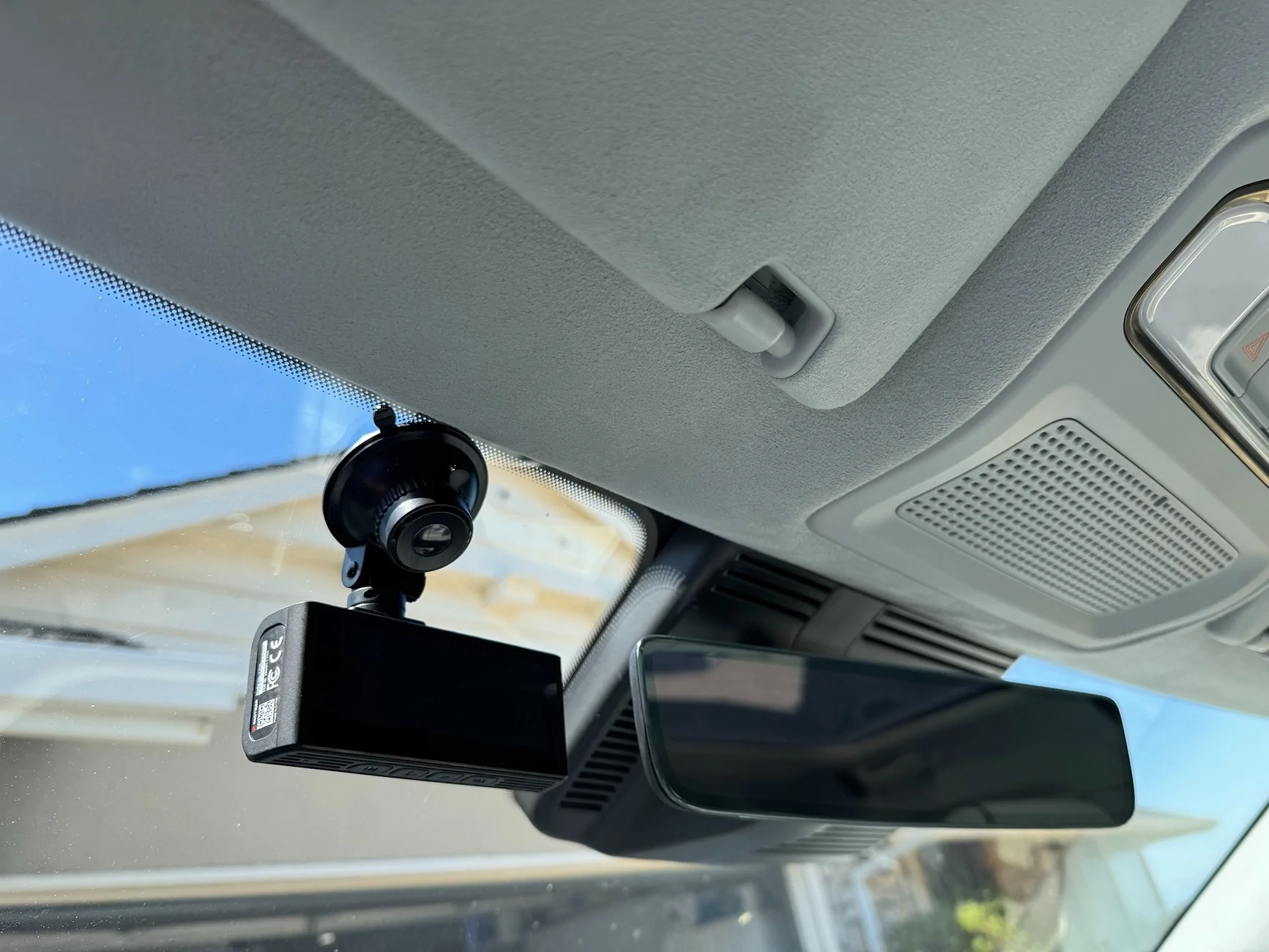
There are a number of options for positioning the front camera, and they're all clustered up close to the Driver+ cameras by the center rear view mirror. I opted to mount it high and close to the driver's side, so it would be easier to access the touchscreen. This thing has the strongest suction mechanism I've ever used, it's not going anywhere.

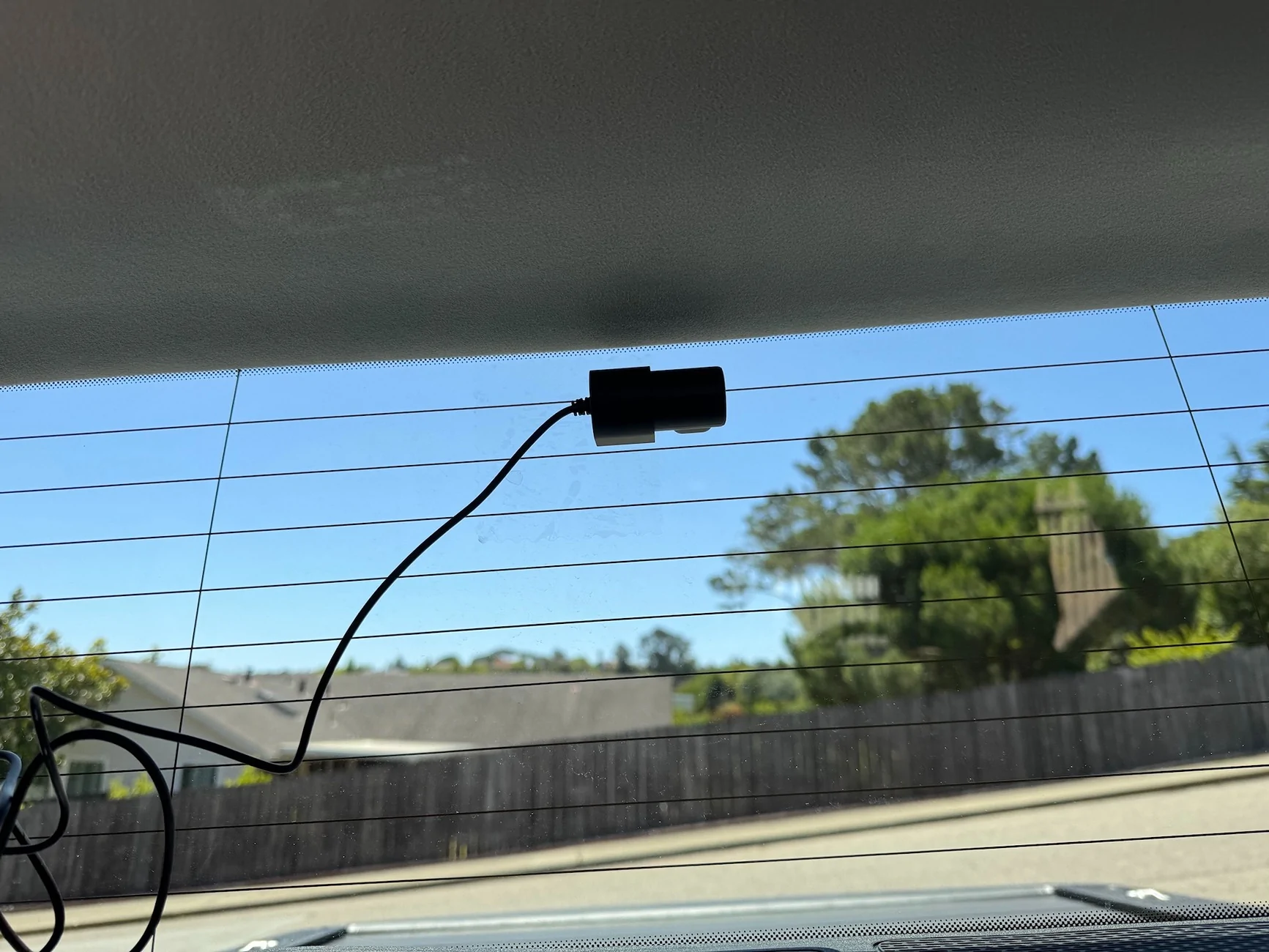
The rear camera is even easier. They include a few small squares of clear plastic static-cling stickers. You affix that to your rear window, and the rear camera mount has adhesive tape that sticks to the stickers, so you don't have to stick it directly to the glass. Nice touch, and after several days of 95-100F heat, nothing's come loose. Excuse the cable mess, it hasn't been tucked under the liner yet. And note, the camera lens doesn't look through the sticker, which is just there for the adhesive mount.
Performance:
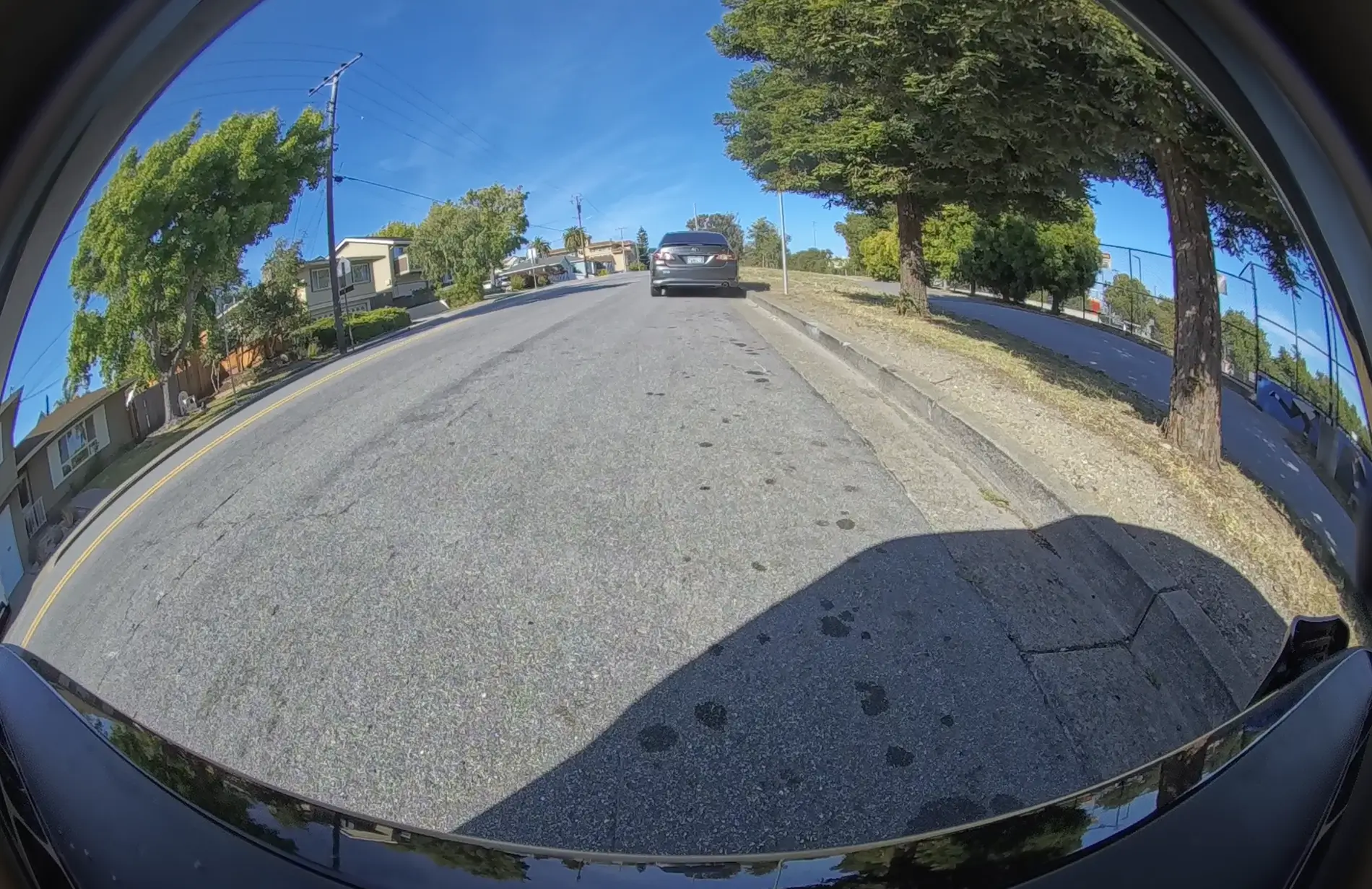
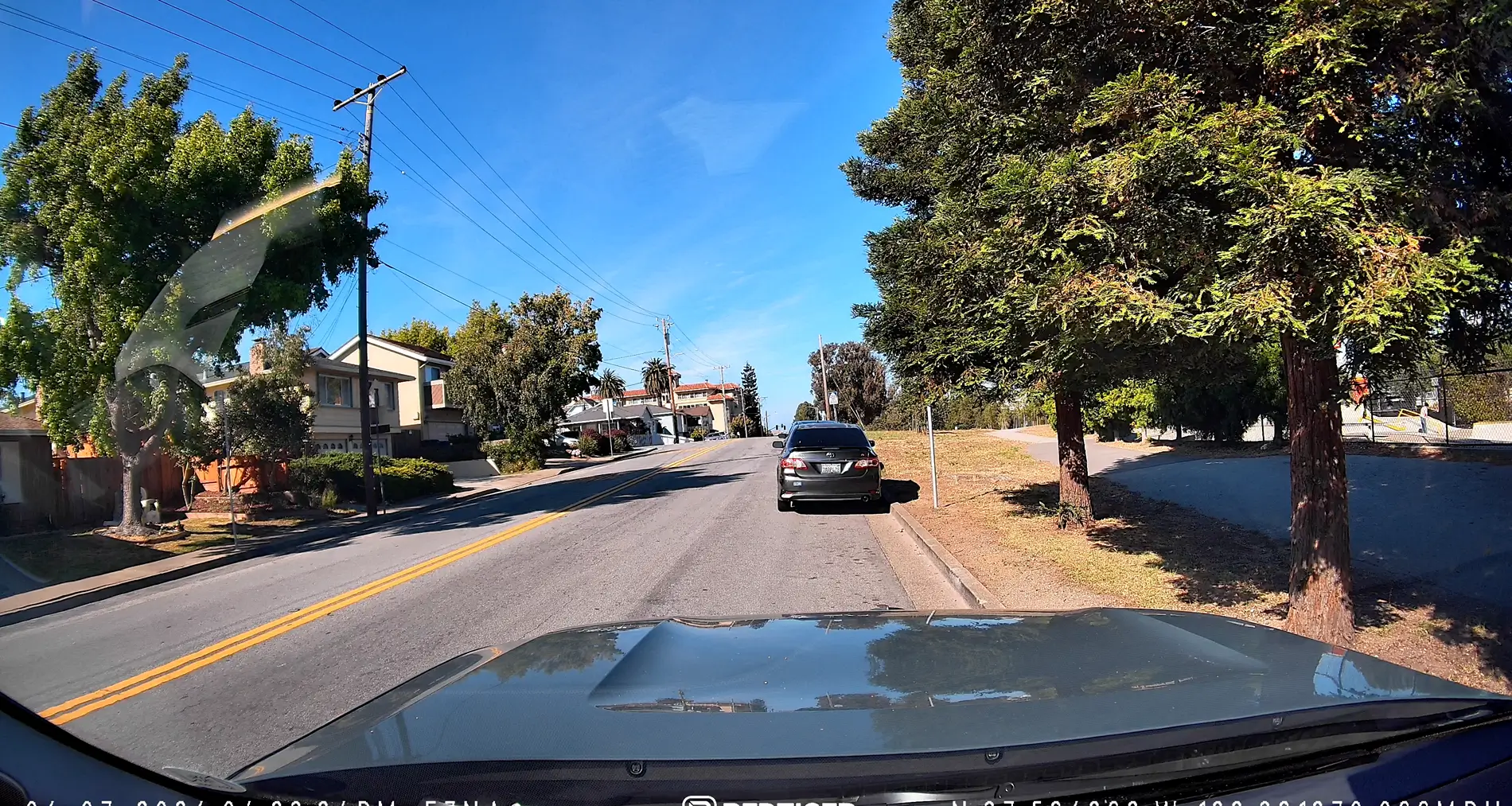
So the Red Tiger's front camera is 4K. That's 3840x2160, compared to the Gen2 Rivian cams' 1920x1536 resolution. But the real headliner here is the bitrate. The F7NA records to continuous 60-second files, each 250MB. That's over 4MB per second of footage. By contrast, the Rivian front bumper cam records at about 1.25MB per second. And the difference is stark:
First shot is the Rivian front bumper cam (which is like 3ft closer due to its placement at the very front nose of the truck:

Compared to the Red Tiger mounted in the windshield:

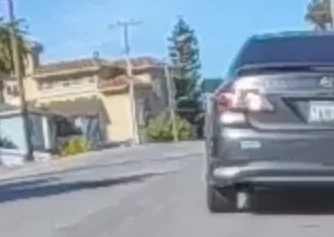
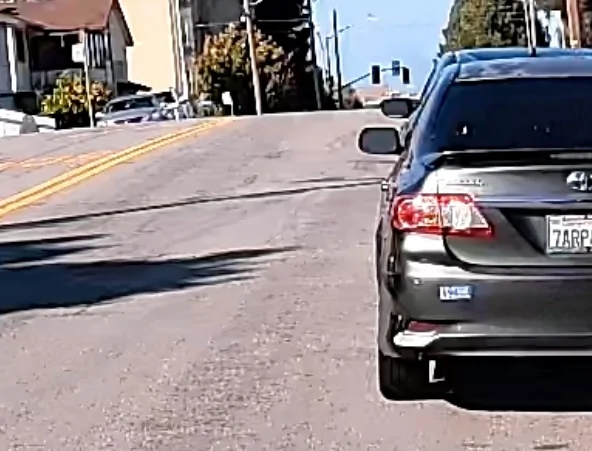
The forum is compressing/resizing the screenshots a bit, but on a zoomed in comparison, you can easily see the difference (these are 100% zoom screenshot captures, no sharpening or processing):
Rivian:

F7NA:

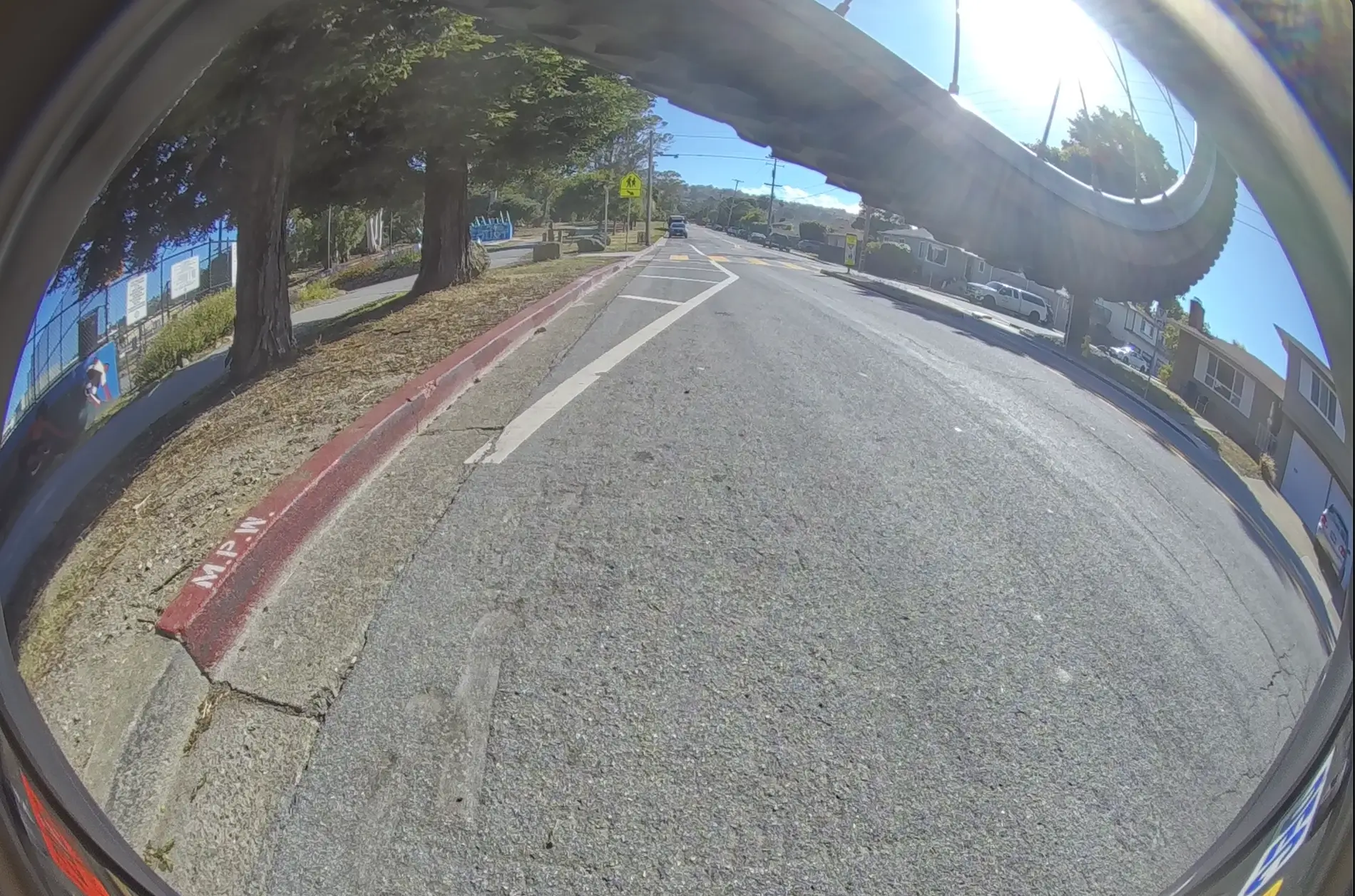
Rear camera:
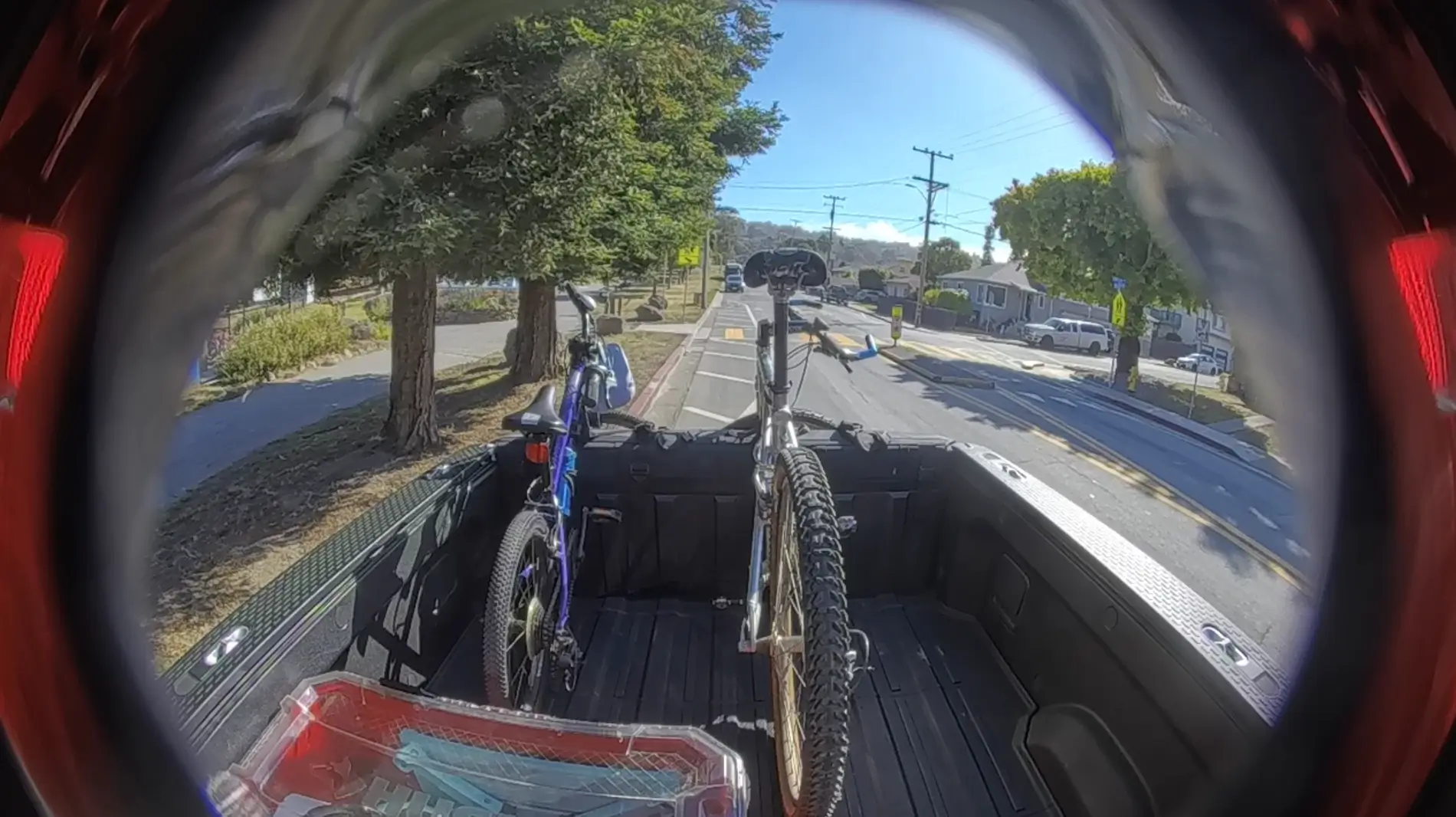
The F7NA's rear camera is a bit more of a mixed bag, partly because the resolution is lower (FHD or 1920x1080), and also because the factory tint on the rear window means it's always going to be a bit darker than the front. Of course, maybe it's just my truck, but the rear bed cam on the Rivian is ALSO lower resolution (720p or 1280x720).
In the end, I'd say it's a bit of a wash between the two--the higher resolution of the F7NA is offset by the dimness of having to shoot through the tinted Rivian glass, and in the end, the higher-res rear bumper cam is just better:
Rivian bed cam:

F7NA Rear cam:

Rivian rear bumper cam:

Given this, I wonder if there's a benefit to repurposing the rear camera to serve as an in-cabin cam or possibly a cam pointed at the feet/pedals, if you're so inclined. The cable is certainly long enough to route to whatever you want to record.
One note, yes the image/video is mirrored on the Red Tiger (this is a setting you can toggle), it's this way so it looks "right" in the LCD live view.
Note on Positioning:
Focusing again on the main front camera, one thing I found very beneficial is the higher on-windshield mounting position for the F7NA, versus the front bumper cam (I don't know if we have access to footage from the windshield-mounted Driver+ camera). This may be relevant when recording incidents on the road that don't just happen right in front of you.
As an example, check out this clip. It starts with a view from the Rivian camera. Before it switches to the F7NA, try to see what happened on the road that prompted me to save/select this clip. Then, watch the rest of the clip with the Red Tiger footage, and I bet you can see much more clearly what the interesting event was:
App, obtaining footage, etc.
I'll be honest, I didn't spend too much time yet with the other features of the camera. But a few things I'll note that I liked or didn't like:
1. You can connect to the F7NA with your phone and download video straight to your phone storage, which is great for "on the go video saving." You can also pull out the microSD and bring it to a laptop if you want.
2. The Red Tiger footage embeds time, date, GPS coordinates and GPS-derived speed, which is very important metadata/context IMHO. When you load and view footage in the app, it even loads up a Google map with a GPS trace of the route driven for the video segment.
3. The camera has some ancillary features like lane departure warning. I didn't find these very useful, and I suspect there must be some calibration routine because it was triggering CONSTANTLY. I think being mounted in a high-riding truck is throwing off the line/lane detection. I just turned it off.
Night time Performance:
Reserved for now, this is one of the things the Sony Starvis sensor in the F7NA should do very well, but I didn't get good Rivian cam footage so will update this.
Conclusion:
Overall, I found having the F7NA to be a very insightful experience. As a plug and play dashcam, it's great. I'm not sure how many times I've noticed after-the-drive that Rivian DriveCam wasn't working, but that was never a concern with the F7NA, you can see the live LCD view right in front of you anytime. And the 4K front camera is just miles better than Rivian's already excellent driver cams. The rear camera is less so, and I think the main benefit there is again just redundancy (in case Drive cam just decides not to work).
Overall, my take-away thus far is this: If you haven't really thought about a dashcam, you get a lot out of the stock Rivian cameras, they're some of the best on cars out there today, and having seamless recordings you can download (and live-view with Connect+) is great. But if you actually need a dashcam, or consider having one a higher priority, I've found I just can't rely on the Rivian cams working or providing the most information/angle/footage. The main front camera of the F7NA is noticeably higher resolution, nearly 4x the bitrate for greater sharpness and clarity, its mounting position gives you a better view of the road, it records sound (not sure if I mentioned that), and embeds metadata like time/date/location/speed. And if you need the footage, you can grab it on-the-go with the app.
As for me, I'm going to wire it in more permanently and I'm also going to see if I can use the rear camera somewhere else, starting as an in-cabin camera. I'll also update with some night vision shots/videos when I get my act together.
Background:
So our Rivians already come with many, many cameras, Facing front, back, to the sides, etc. I have a Gen2 R1T, which has the improved 1536x1920 2K-ish cameras (for everything except the truck bed cam), and the quality is pretty great to begin with. In addition to this, I have a 2TB SSD connected to it for drive recording. So why bother with a separate dashcam? That's definitely something I wanted to answer for myself, but importantly, I've had a few minor instances that were missed by the Rivian cams, once because the service folks turned off the cameras while the truck was in service, and another because the SDD just spontaneously disconnected, and I had no idea until I needed the footage. In fact, as I was finishing the setup of the F7NA, I got this warning during a random drive:
So generally, one thing you can say is that when the standard Rivian cameras work, it's great. But they sometimes don't work, and you're not always lucky enough to get a notice when that happens.
Installation:
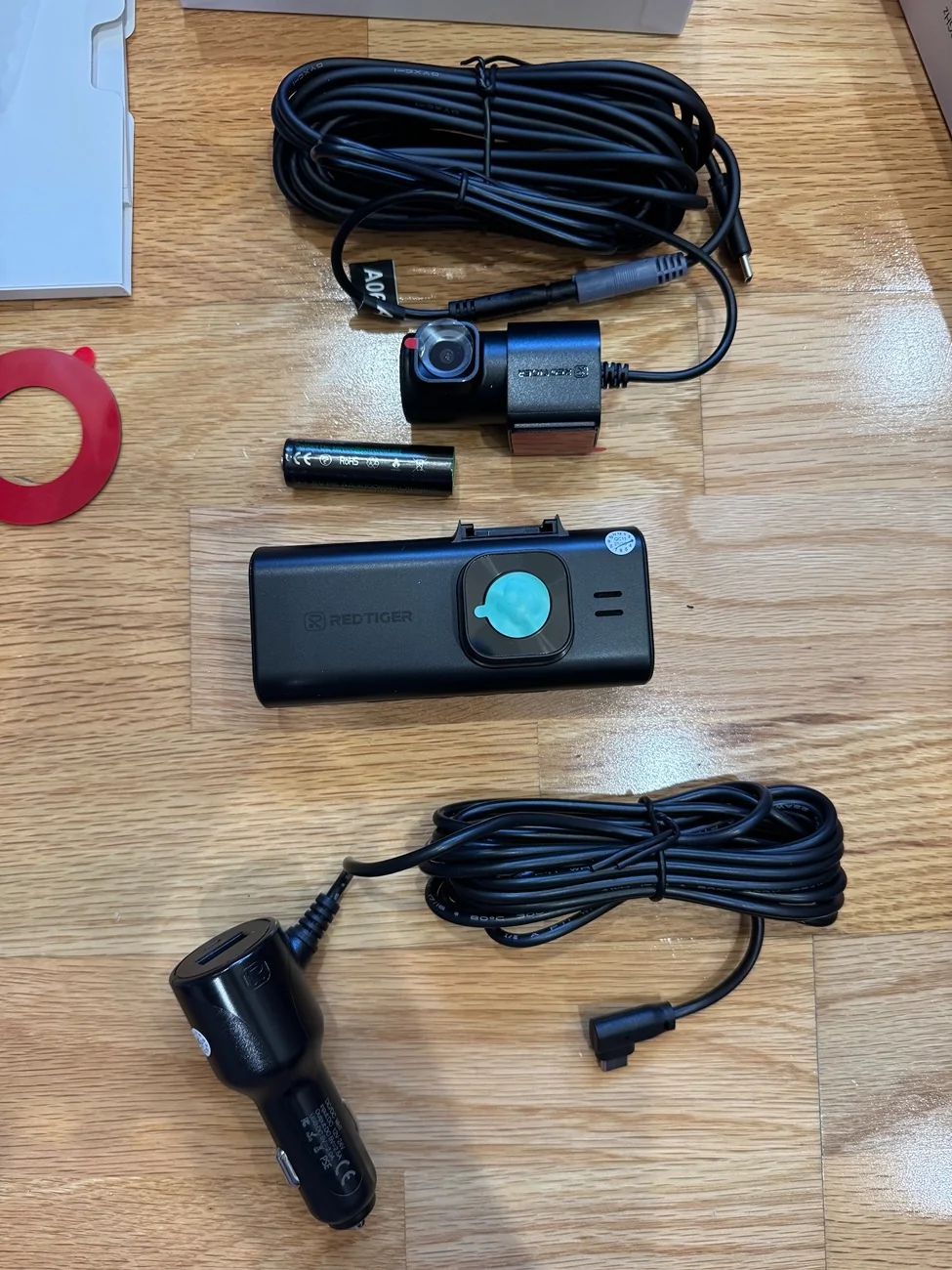
The F7NA comes with the main front camera/LCD touchscreen display, a rear camera that you mount on your rear windshield, and a 12v accessory plug (the cigarette lighter). I think most Rivian owners by now no longer have the 12 accessory power port in the passenger area, so there's also a multi-size wiring kit available, that has the added benefit of simultaneous hookups for accessory (ACC) power and constant (B+) power, the latter of which you connect to a circuit that draws power straight from the battery, so the camera can remain powered for parking monitor mode (i.e., recording incidents when it detects your car has been hit while parked).
I already had GMRS and amatuer radios connected to my battery, and if I was going to add more, I'd want a power block or switch. So instead I used a portable battery with an accessory power jack, that I could independently turn on/off and also leave on while parked. It would do for now.
Oh, as to power draw while recording, I took a quick reading from a battery bank and saw pretty constant 6.5-6.9w draw.
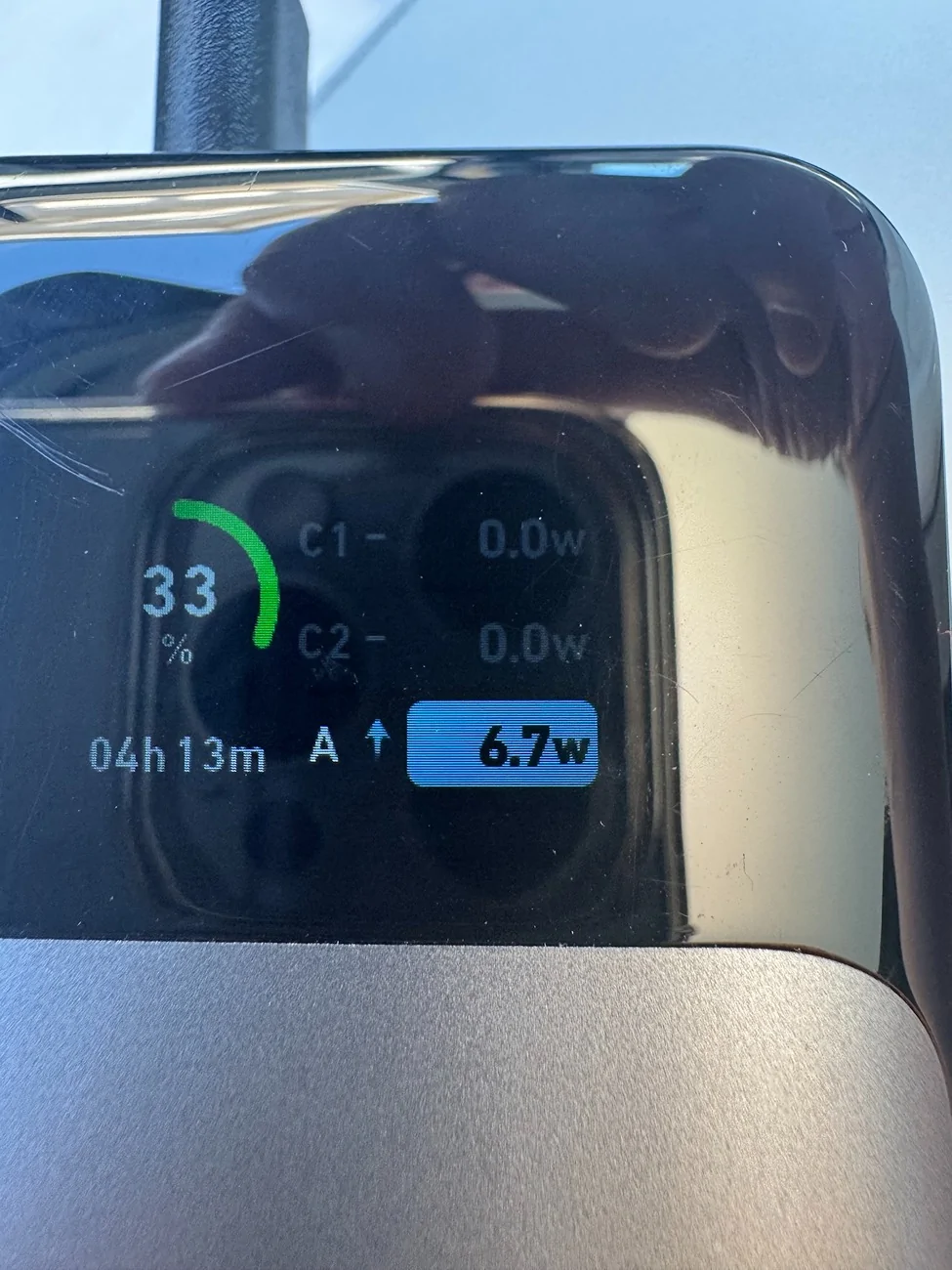
And yes, that means you can apparently power it via USB too. I couldn't get it to work with any USB-C power brick or anything that requires a PD handshake, but if you have a USB-A adapter with sufficient amperage (5V with anything over 1.5A) I suspect it would work. I could power this off of my 2-way radio.
Here's the basic camera contents (AA battery just there for scale):
There are a number of options for positioning the front camera, and they're all clustered up close to the Driver+ cameras by the center rear view mirror. I opted to mount it high and close to the driver's side, so it would be easier to access the touchscreen. This thing has the strongest suction mechanism I've ever used, it's not going anywhere.
The rear camera is even easier. They include a few small squares of clear plastic static-cling stickers. You affix that to your rear window, and the rear camera mount has adhesive tape that sticks to the stickers, so you don't have to stick it directly to the glass. Nice touch, and after several days of 95-100F heat, nothing's come loose. Excuse the cable mess, it hasn't been tucked under the liner yet. And note, the camera lens doesn't look through the sticker, which is just there for the adhesive mount.
Performance:
So the Red Tiger's front camera is 4K. That's 3840x2160, compared to the Gen2 Rivian cams' 1920x1536 resolution. But the real headliner here is the bitrate. The F7NA records to continuous 60-second files, each 250MB. That's over 4MB per second of footage. By contrast, the Rivian front bumper cam records at about 1.25MB per second. And the difference is stark:
First shot is the Rivian front bumper cam (which is like 3ft closer due to its placement at the very front nose of the truck:
Compared to the Red Tiger mounted in the windshield:
The forum is compressing/resizing the screenshots a bit, but on a zoomed in comparison, you can easily see the difference (these are 100% zoom screenshot captures, no sharpening or processing):
Rivian:
F7NA:
Rear camera:
The F7NA's rear camera is a bit more of a mixed bag, partly because the resolution is lower (FHD or 1920x1080), and also because the factory tint on the rear window means it's always going to be a bit darker than the front. Of course, maybe it's just my truck, but the rear bed cam on the Rivian is ALSO lower resolution (720p or 1280x720).
In the end, I'd say it's a bit of a wash between the two--the higher resolution of the F7NA is offset by the dimness of having to shoot through the tinted Rivian glass, and in the end, the higher-res rear bumper cam is just better:
Rivian bed cam:
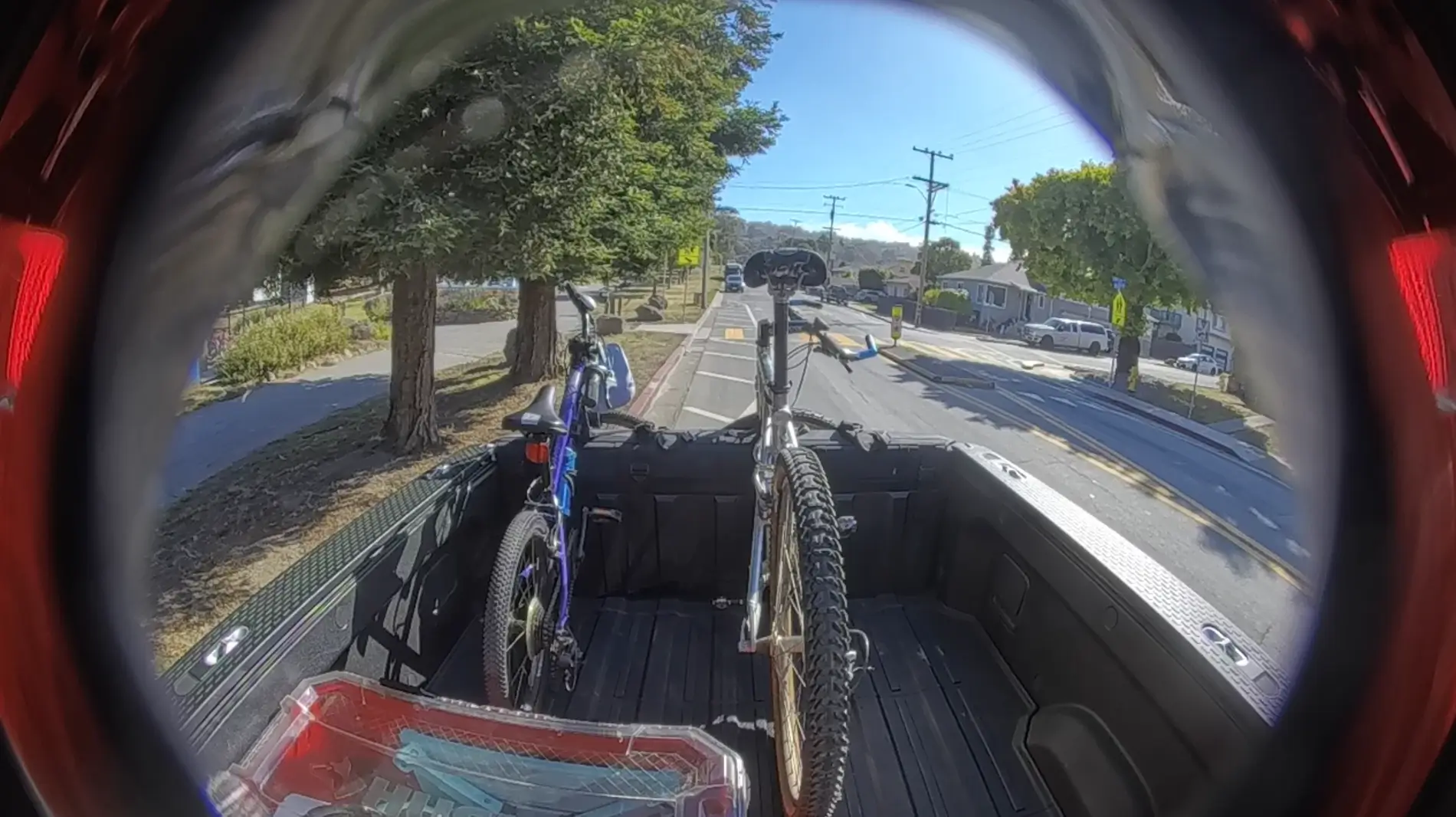
F7NA Rear cam:
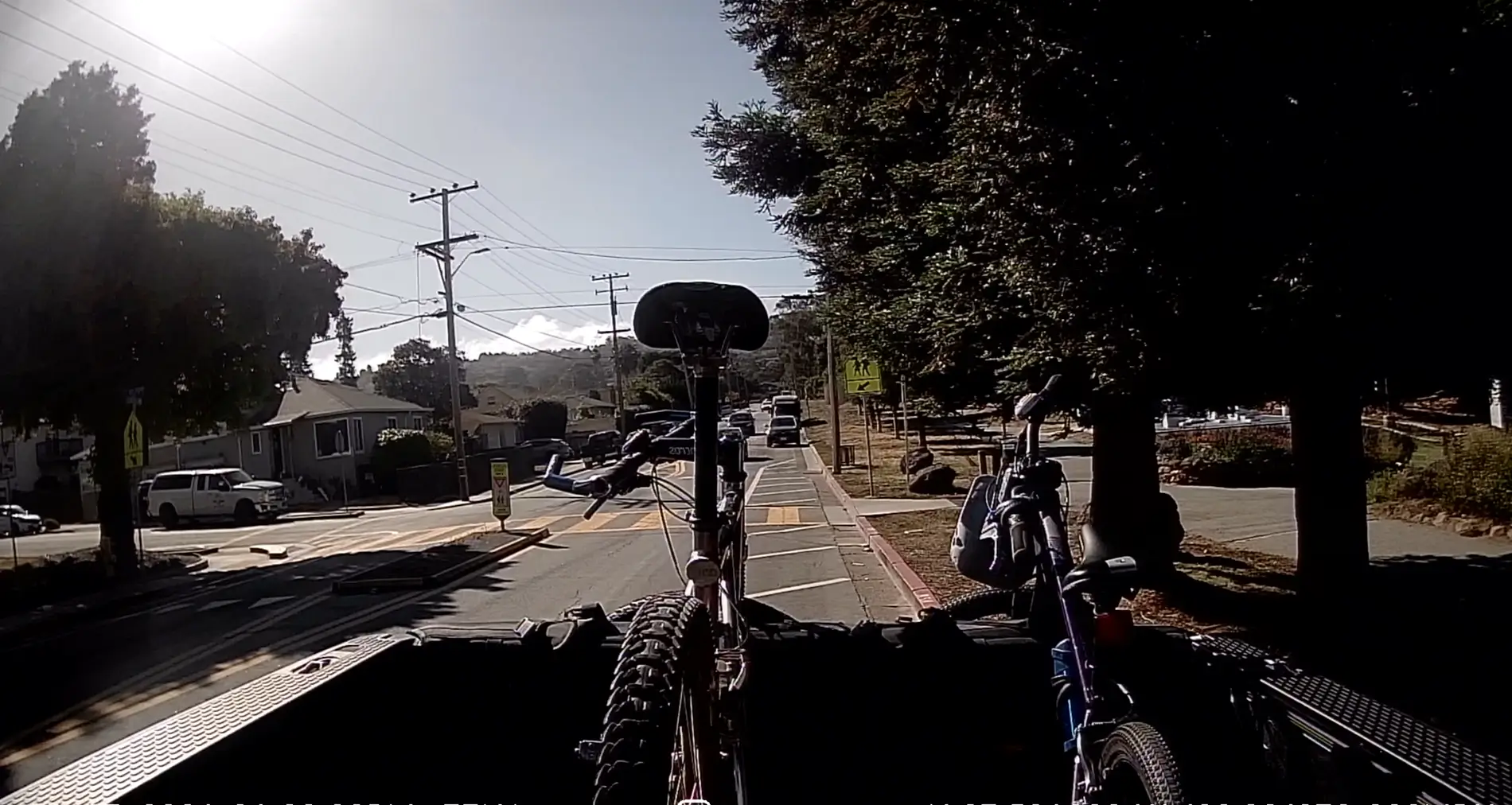
Rivian rear bumper cam:
Given this, I wonder if there's a benefit to repurposing the rear camera to serve as an in-cabin cam or possibly a cam pointed at the feet/pedals, if you're so inclined. The cable is certainly long enough to route to whatever you want to record.
One note, yes the image/video is mirrored on the Red Tiger (this is a setting you can toggle), it's this way so it looks "right" in the LCD live view.
Note on Positioning:
Focusing again on the main front camera, one thing I found very beneficial is the higher on-windshield mounting position for the F7NA, versus the front bumper cam (I don't know if we have access to footage from the windshield-mounted Driver+ camera). This may be relevant when recording incidents on the road that don't just happen right in front of you.
As an example, check out this clip. It starts with a view from the Rivian camera. Before it switches to the F7NA, try to see what happened on the road that prompted me to save/select this clip. Then, watch the rest of the clip with the Red Tiger footage, and I bet you can see much more clearly what the interesting event was:
App, obtaining footage, etc.
I'll be honest, I didn't spend too much time yet with the other features of the camera. But a few things I'll note that I liked or didn't like:
1. You can connect to the F7NA with your phone and download video straight to your phone storage, which is great for "on the go video saving." You can also pull out the microSD and bring it to a laptop if you want.
2. The Red Tiger footage embeds time, date, GPS coordinates and GPS-derived speed, which is very important metadata/context IMHO. When you load and view footage in the app, it even loads up a Google map with a GPS trace of the route driven for the video segment.
3. The camera has some ancillary features like lane departure warning. I didn't find these very useful, and I suspect there must be some calibration routine because it was triggering CONSTANTLY. I think being mounted in a high-riding truck is throwing off the line/lane detection. I just turned it off.
Night time Performance:
Reserved for now, this is one of the things the Sony Starvis sensor in the F7NA should do very well, but I didn't get good Rivian cam footage so will update this.
Conclusion:
Overall, I found having the F7NA to be a very insightful experience. As a plug and play dashcam, it's great. I'm not sure how many times I've noticed after-the-drive that Rivian DriveCam wasn't working, but that was never a concern with the F7NA, you can see the live LCD view right in front of you anytime. And the 4K front camera is just miles better than Rivian's already excellent driver cams. The rear camera is less so, and I think the main benefit there is again just redundancy (in case Drive cam just decides not to work).
Overall, my take-away thus far is this: If you haven't really thought about a dashcam, you get a lot out of the stock Rivian cameras, they're some of the best on cars out there today, and having seamless recordings you can download (and live-view with Connect+) is great. But if you actually need a dashcam, or consider having one a higher priority, I've found I just can't rely on the Rivian cams working or providing the most information/angle/footage. The main front camera of the F7NA is noticeably higher resolution, nearly 4x the bitrate for greater sharpness and clarity, its mounting position gives you a better view of the road, it records sound (not sure if I mentioned that), and embeds metadata like time/date/location/speed. And if you need the footage, you can grab it on-the-go with the app.
As for me, I'm going to wire it in more permanently and I'm also going to see if I can use the rear camera somewhere else, starting as an in-cabin camera. I'll also update with some night vision shots/videos when I get my act together.
Sponsored

 Redtiger Mega Sale (June 23–26): Up to 50% OFF Site-wide!
  Extra 15% Code: RTF7NA4K
  :
: 

