Sponsored

Locking Access to Rivian App with FaceID in iOS 18

ThumprMN

Well-Known Member
First Name
Simon
Joined
Dec 17, 2019
Threads
3
Messages
427
Reaction score
1,119
Location
Richfield, MN
Vehicles
Rivian R1T
Occupation
IT Professional
Clubs
 
Noticed something other iOS users might want to know about. In iOS 18, you have the ability to lock any app using FaceID. I tried this out and added the requirement to my Rivian app thinking I was helping add a layer of security to prevent car theft if my phone was stolen/hacked. Unfortunately, this feature disables the ability to use the Widgets to access shortcuts to the car features.

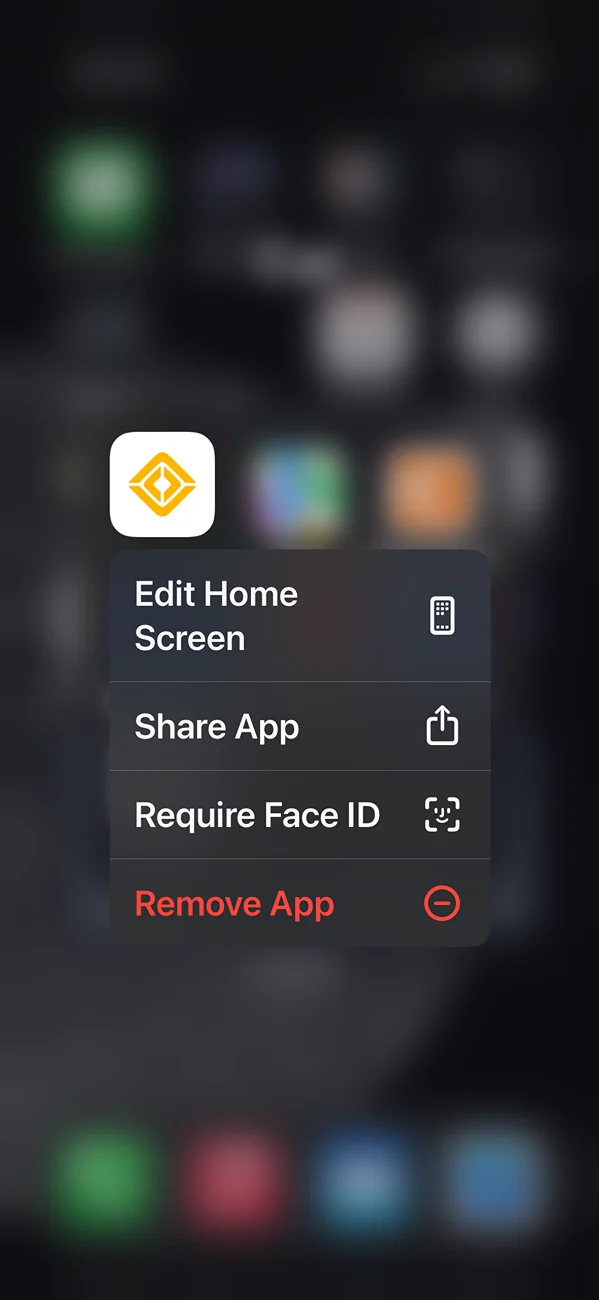
Rivian R1T R1S Locking Access to Rivian App with FaceID in iOS 18 1730687882009-o2

Rivian R1T R1S Locking Access to Rivian App with FaceID in iOS 18 1730688186441-vs
Sponsored


HapticWagon

Well-Known Member
Joined
Aug 9, 2024
Threads
19
Messages
290
Reaction score
294
Location
PNW
Vehicles
R1S Gen2
Rivian should add faceid for unlocking!

How did you change the widget last button to vent windows instead of tailgate?? I am paranoid that I’m going to accidentally hit the open tailgate button on the widget and have it hit my garage door in my garage ?
 

DeafPug

Well-Known Member
Joined
Oct 20, 2021
Threads
6
Messages
573
Reaction score
853
Location
Kansas
Vehicles
'18 Model 3, '22 R1T
Rivian should add faceid for unlocking!

How did you change the widget last button to vent windows instead of tailgate?? I am paranoid that I’m going to accidentally hit the open tailgate button on the widget and have it hit my garage door in my garage ?
Mine has the same icons on the widget. If you're don't match, maybe the app behavior changed from when you added the widget and when we did the same. Long press on the Home Screen to get the icons/widgets to jiggle, remove your current widget, add the desired Rivian widget back to your screen.

Bummer on this iOS feature disabling the widget, but that makes sense because the widget is just a quick view into the application status. Without a way to specifically authenticate for the widget, it can't' obtain data from the app.
 

HapticWagon

Well-Known Member
Joined
Aug 9, 2024
Threads
19
Messages
290
Reaction score
294
Location
PNW
Vehicles
R1S Gen2
Hmmm maybe it’s the difference between R1T vs R1S. Kinda bummer you can’t customize that!
 

emoore

Well-Known Member
Joined
Nov 29, 2020
Threads
4
Messages
3,815
Reaction score
4,240
Location
Colorado
Vehicles
2022 R1T
Rivian should add faceid for unlocking!

How did you change the widget last button to vent windows instead of tailgate?? I am paranoid that I’m going to accidentally hit the open tailgate button on the widget and have it hit my garage door in my garage ?
It will ask if you really want to drop the tailgate. So there is an extra protection.
 

Sponsored

HapticWagon

Well-Known Member
Joined
Aug 9, 2024
Threads
19
Messages
290
Reaction score
294
Location
PNW
Vehicles
R1S Gen2
It will ask if you really want to drop the tailgate. So there is an extra protection.
Sorry, I meant to say the R1S’s lift gate. I don’t think there is confirmation for that.
 

BTOR

Well-Known Member
First Name
Brad
Joined
Dec 2, 2024
Threads
15
Messages
234
Reaction score
146
Location
Oregon
Vehicles
2023 Bolt, 2025 R1S
Noticed something other iOS users might want to know about. In iOS 18, you have the ability to lock any app using FaceID. I tried this out and added the requirement to my Rivian app thinking I was helping add a layer of security to prevent car theft if my phone was stolen/hacked. Unfortunately, this feature disables the ability to use the Widgets to access shortcuts to the car features.
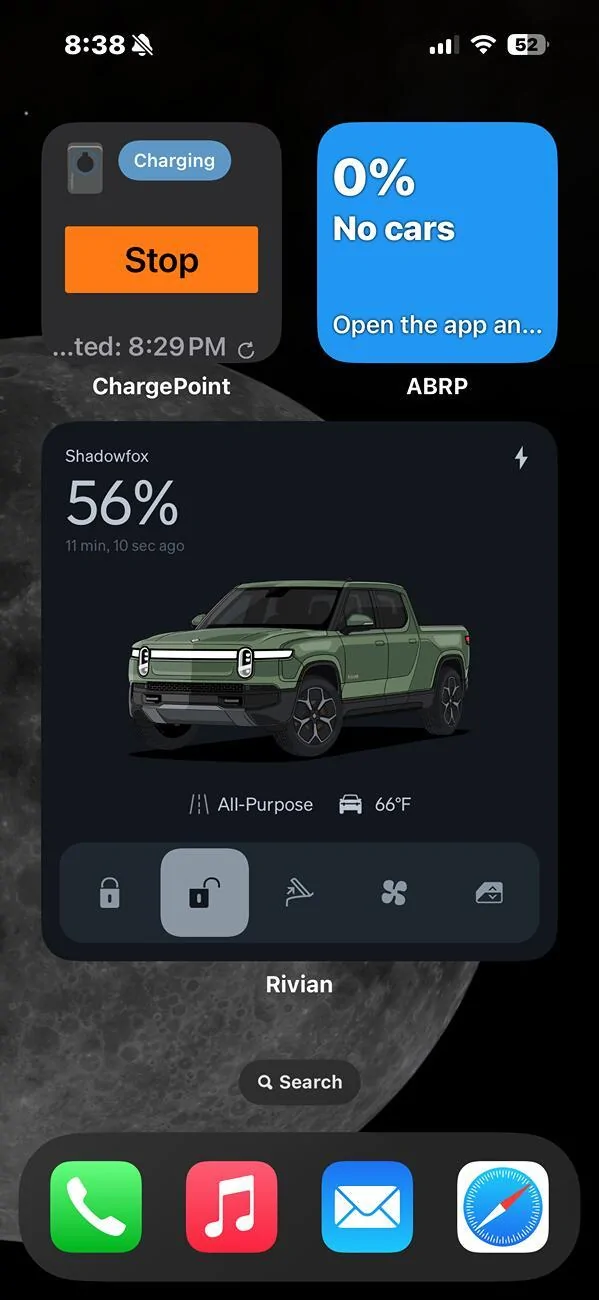
1730687882009-o2.png

1730688186441-vs.jpg
Thank you for the conformation. I noticed the same thing. Once I enabled Touch ID, the ability add Rivian controls to Control Center disappeared. I figured it was due to the app requiring Touch ID. So I thought if I required Touch ID to access Control Center, it would come back. I was wrong. It would seem to me if you need security access for Control Center, then that should override the security access to the app. That doesn't seem to be the case.
 

tate16t

Well-Known Member
First Name
Robert
Joined
Apr 7, 2022
Threads
67
Messages
1,439
Reaction score
1,232
Location
NY
Vehicles
2023 El Cap Granite R1S
Occupation
Car Enthusiast
With iOS 18.2 you can now change the default buttons on the Lock Screen. For example, you can replace the flashlight with the Rivian lock/unlock or other. With a hard press and FaceID you can unlock your Rivian. I almost like this better than walking up to the vehicle and often times waiting for proximity to do its thing.
Sponsored


Top