JSports
Member
- Thread starter
- #1
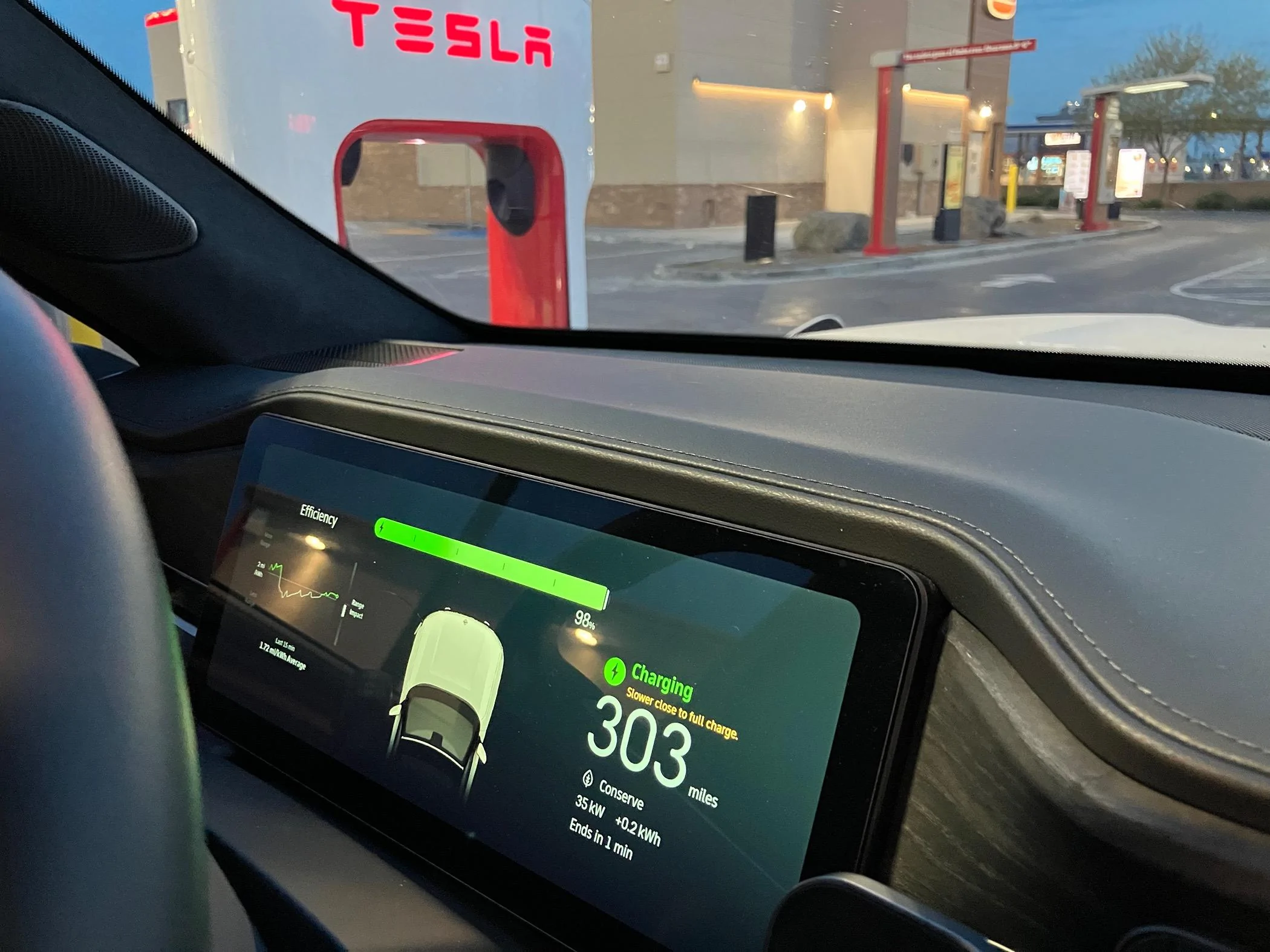
Just got back from a trip from NorCal to SoCal and back. Had a chance to use the A2Z adapter at several Tesla supercharger sites in both NorCal and SoCal. It worked great!
Until yesterday, I would pull right up to a tesla charger, connect and within 20-30 seconds I was charging. The Plug & Charge feature connected and started charging as fast as a RAN charger.
However, yesterday I pulled into to a Tesla Supercharger site and when I connected to the charger I just got a spinning “STARING…” status on the dash and it would not start charging.
After a second try I decided there must be something wrong with the charger and moved one charger over and tried to again. Same thing, just “STARTING…” but nothing would ever happen.
Finally, I started up the Tesla app, entered my credit card, initiated the charge from the Tesla App, and then plugged in to the charger. The truck started charging immediately.
So, for everyone getting their A2Z adapters this week, make sure you have your Tesla App ready to go just in case the Plug & Charge is not working.
Until yesterday, I would pull right up to a tesla charger, connect and within 20-30 seconds I was charging. The Plug & Charge feature connected and started charging as fast as a RAN charger.
However, yesterday I pulled into to a Tesla Supercharger site and when I connected to the charger I just got a spinning “STARING…” status on the dash and it would not start charging.
After a second try I decided there must be something wrong with the charger and moved one charger over and tried to again. Same thing, just “STARTING…” but nothing would ever happen.
Finally, I started up the Tesla app, entered my credit card, initiated the charge from the Tesla App, and then plugged in to the charger. The truck started charging immediately.
So, for everyone getting their A2Z adapters this week, make sure you have your Tesla App ready to go just in case the Plug & Charge is not working.
Sponsored