Sponsored

Video External Storage - How To

Effopec

Well-Known Member
Joined
Jul 18, 2022
Threads
14
Messages
106
Reaction score
86
Location
Dallas
Vehicles
'23 R1T Gen 1 DM Large, Tesla 3
Occupation
Engineer
Clubs
 
Rivian says they need a minimum of 128gB and 20mb/s write speed. I bought a usb C flash drive that claims 1 TB and 25-50 mb/s, put it in the truck and had it format it. Now I’m getting the drive too slow error ?. I guess I’ll try one of the recommendations here. I don’t want to have to buy 10 drives trying to find one that works.
Sponsored

 

electruck

Well-Known Member
Joined
Oct 6, 2019
Threads
74
Messages
4,160
Reaction score
7,739
Location
Dallas, TX
Vehicles
2023 Rivian R1S
I just went with a 1 TB Samsung T9. Probably overkill but works like a champ.
 

Polar

Well-Known Member
First Name
Scott
Joined
Feb 16, 2022
Threads
33
Messages
1,098
Reaction score
2,039
Location
WA
Vehicles
C40, LE CY R1S
Occupation
IT
Clubs
 
Rivian says they need a minimum of 128gB and 20mb/s write speed. I bought a usb C flash drive that claims 1 TB and 25-50 mb/s, put it in the truck and had it format it. Now I’m getting the drive too slow error ?. I guess I’ll try one of the recommendations here. I don’t want to have to buy 10 drives trying to find one that works.
$100 all in - not the multiples (those were for other tasks)
is recording all of my triggered videos and has recorded every 15 minute drivers cam from all four cameras (yes, I have already filled up the one terabyte card and it is overwriting the oldest videos).
Rivian R1T R1S Video External Storage - How To IMG_0844
 

DadDawg814

Member
Joined
Jan 15, 2023
Threads
0
Messages
6
Reaction score
2
Location
State College, PA
Vehicles
R1S
Occupation
Medicine
Clubs
 
Good how to!

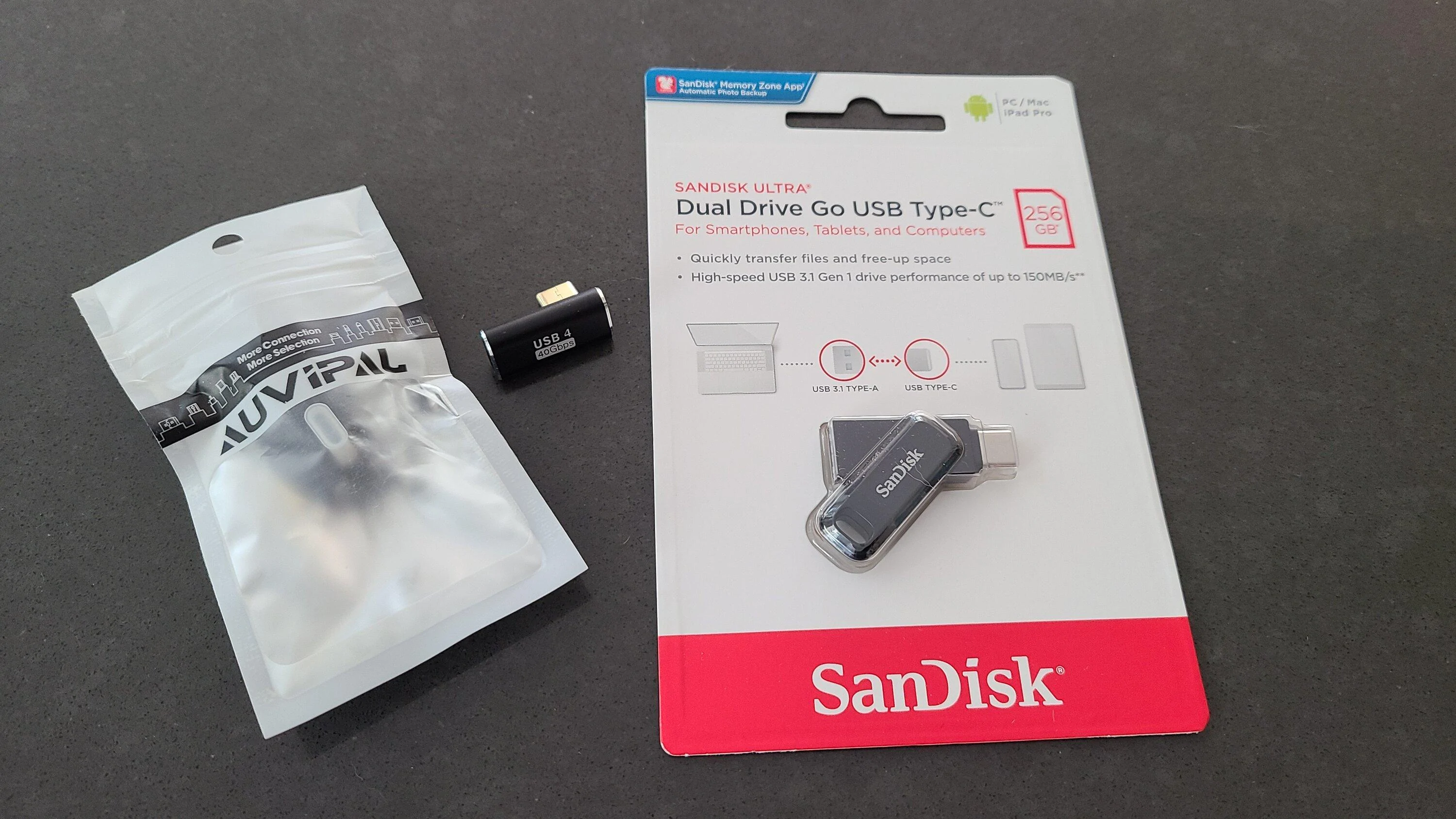
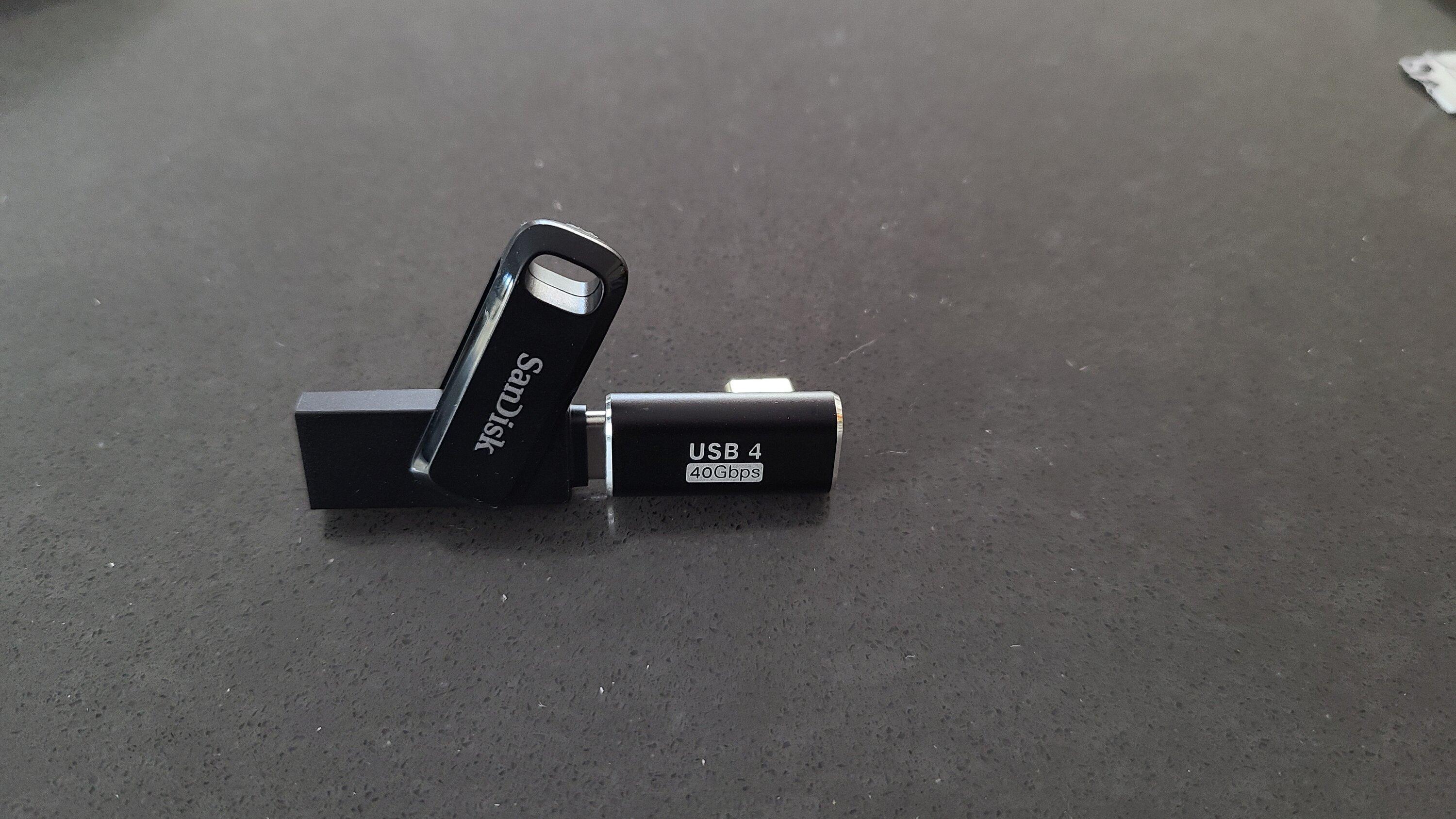
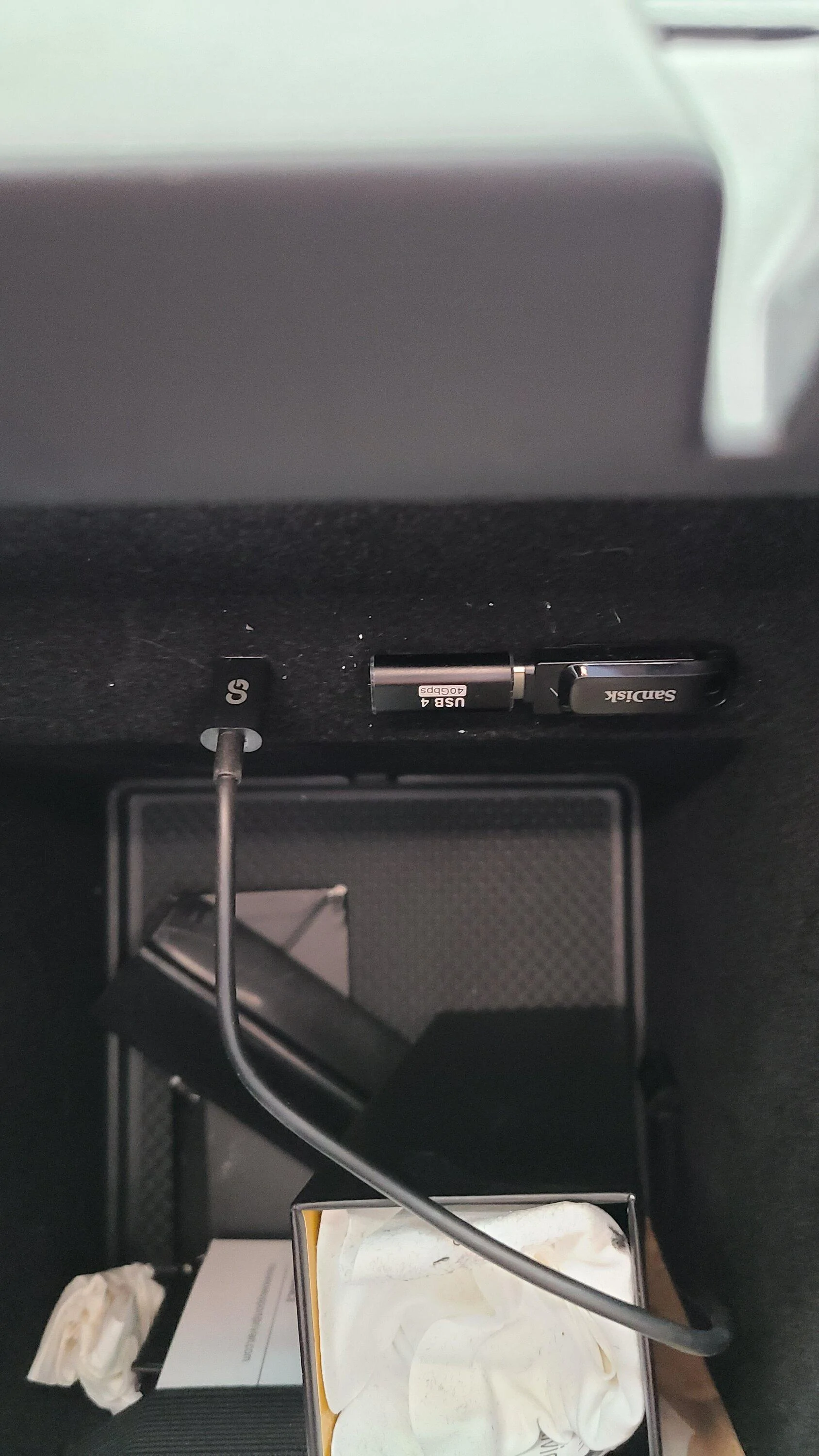
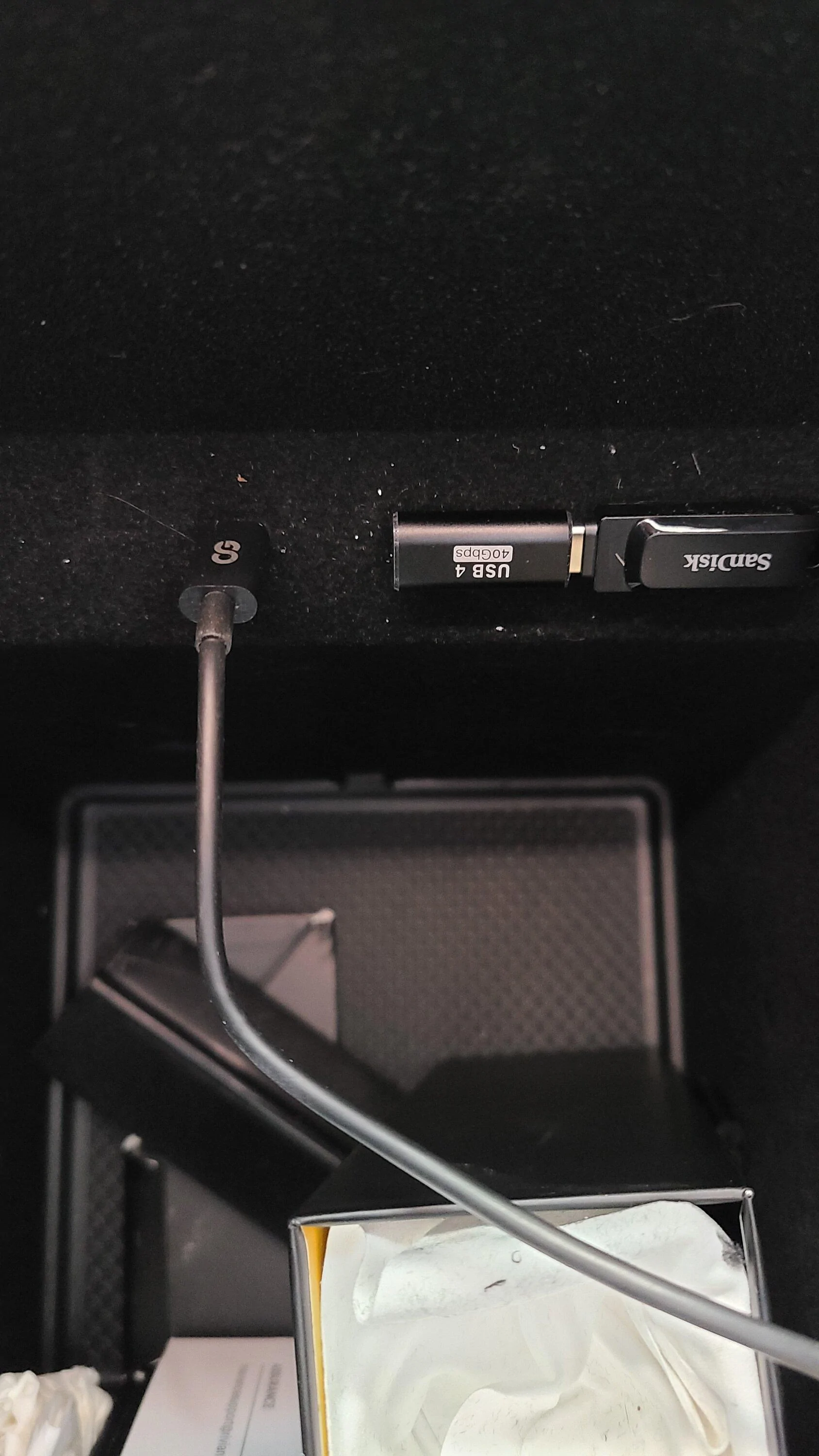
This was the flash setup I ended up using for gear guard and dash cam storage. Provided a clean, catch free connection. I've included a top down photo to show the ledge clearance.

Total was about 60 bucks Canadian, but can be cheaper with a 128 GB stick.

Drive
https://www.amazon.com/SanDisk-256GB-Ultra-Drive-Type-C/dp/B07YYJL21Z

90 degree angled adapter
https://www.amazon.com/AuviPal-Adapter-Thunderbolt-Extender-MacBook/dp/B0B8X7FF34


20230419_172458.jpg


20230419_172714.jpg


20230419_173216.jpg


20230419_173246.jpg
I bought this same set-up for my R1S. Followed the re-formatting directions including the case sensitive folder (GearGuardvideo). No luck - tells me Speed Test Failure. I did a SOFT reboot (twice) and still no luck. Any suggestions?? TIA....
 

tcaron3097

Member
First Name
Tony
Joined
Jun 2, 2021
Threads
14
Messages
24
Reaction score
11
Location
Poulsbo, WA
Vehicles
R1T, BMW 330
Occupation
Retired
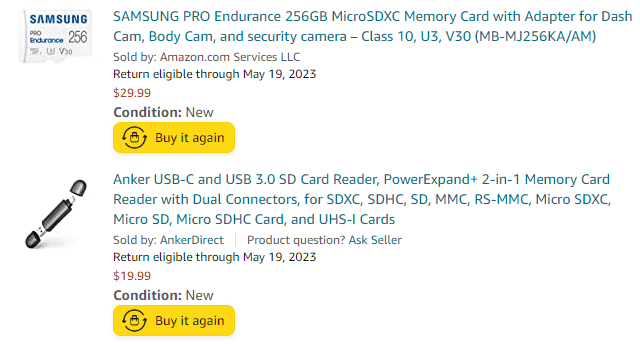
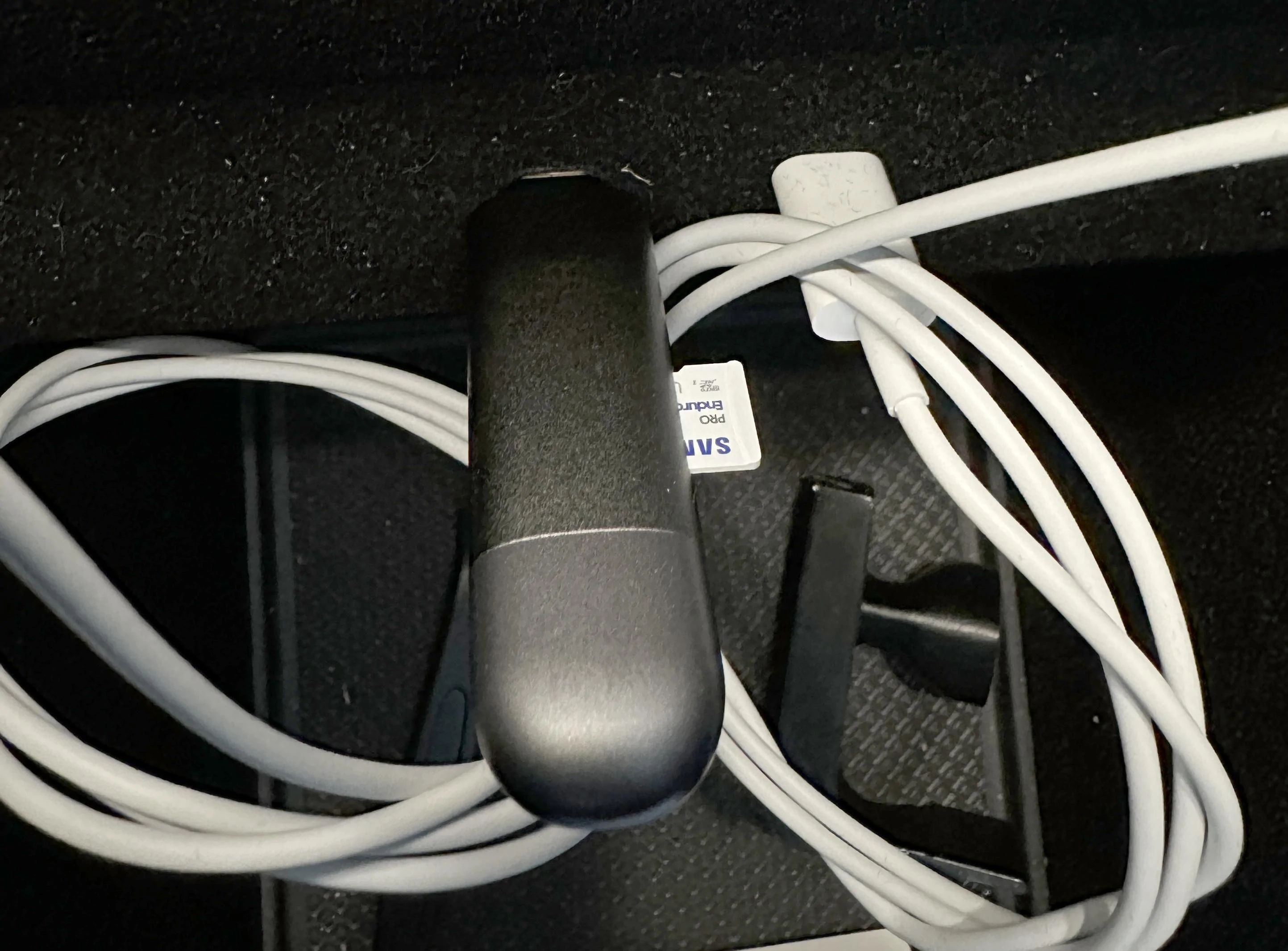
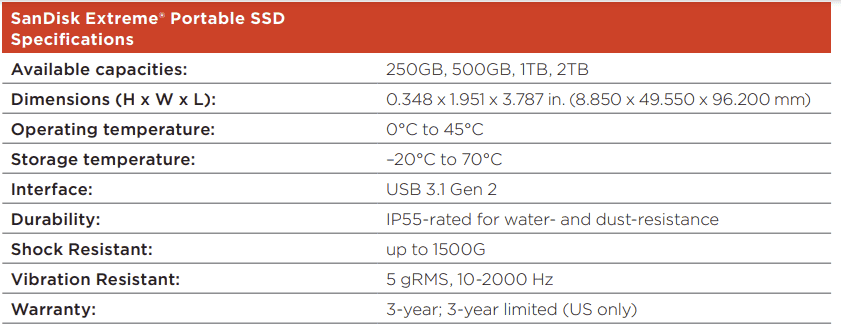
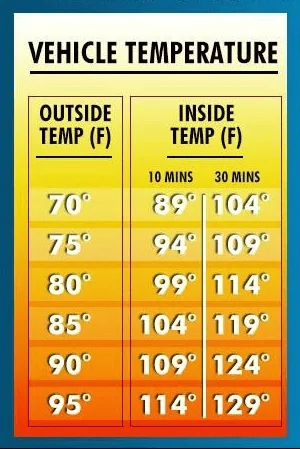
To get external storage to work in your Rivian, you need a FAT32 formatted drive. I recommend SD cards specifically designed for dashcams, they are designed for constant re-writes and can operate at high temperatures. Use small external drives with caution, they contain NVME SSDs, which operate at high temperatures and can easily get to 150F when writing. Not a good combination when locked in a hot car.

This is what I went with:
1681950195135.png

https://www.amazon.com/gp/product/B09WB3D5GQ/ref=ppx_od_dt_b_asin_title_s00?ie=UTF8&th=1
https://www.amazon.com/gp/product/B08VDWFSSX/ref=ppx_od_dt_b_asin_title_s00?ie=UTF8&psc=1

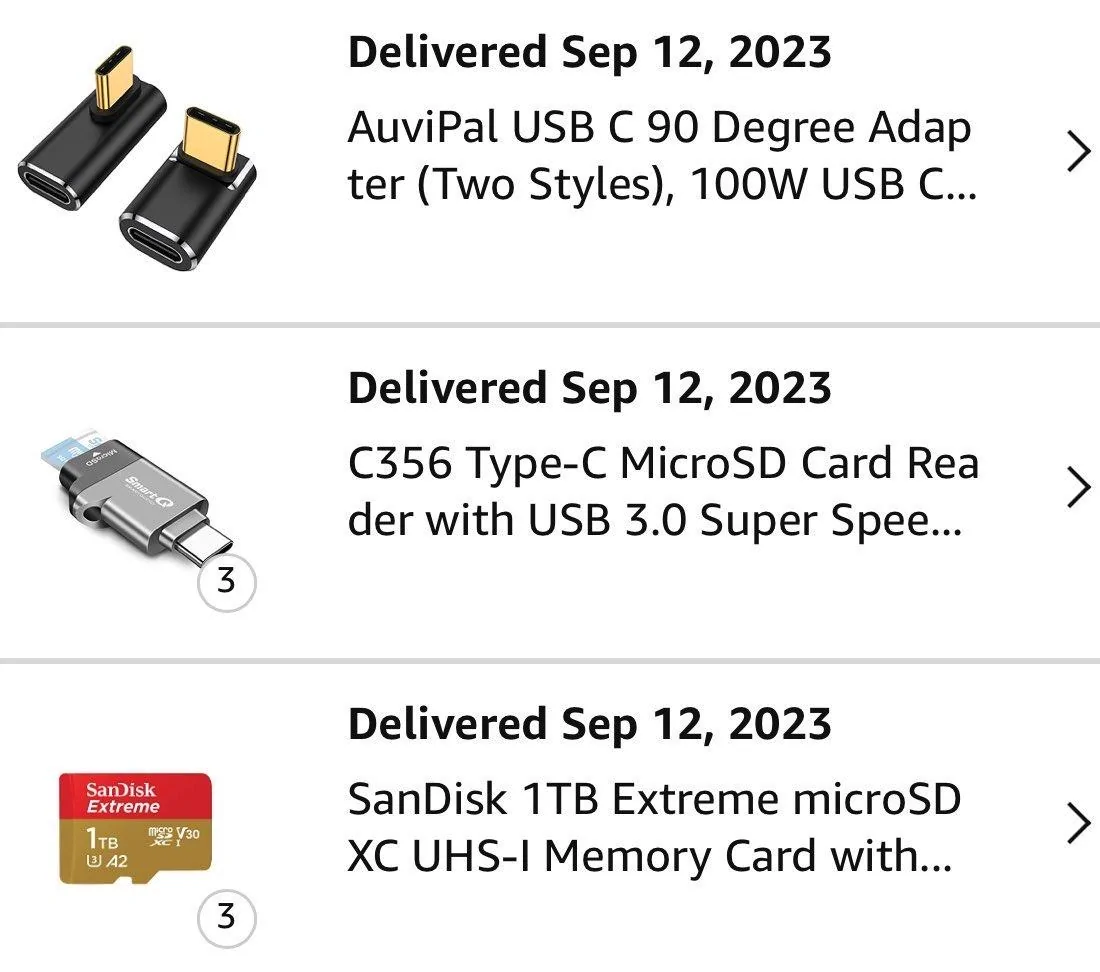
I went with this reader since it can be used with USB-C (in the R1) and USB 3 on your computer.

The SD card came formatted to exFat, which is not supported in the vehicle. You can download EaseUS free formatting app here (Don't sign up for the email list, the download will start without it). Select the drive you want to format and make sure to format it to FAT32.
https://www.easeus.com/partition-master/format-usb-flash-drive-in-windows-10.html

After formatting, make an empty folder on the drive named GearGuardvideo
It is case-sensitive!

I plugged my drive and adapter into the left USB-C port. To test that it works, open Gear Guard and click the download button on the bottom right of the screen, you will get a prompt to download. You know if the drive is not detected because you will see instructions about plugging a drive in.
20230419_221518351_iOS.jpg
20230419_221531479_iOS.jpg
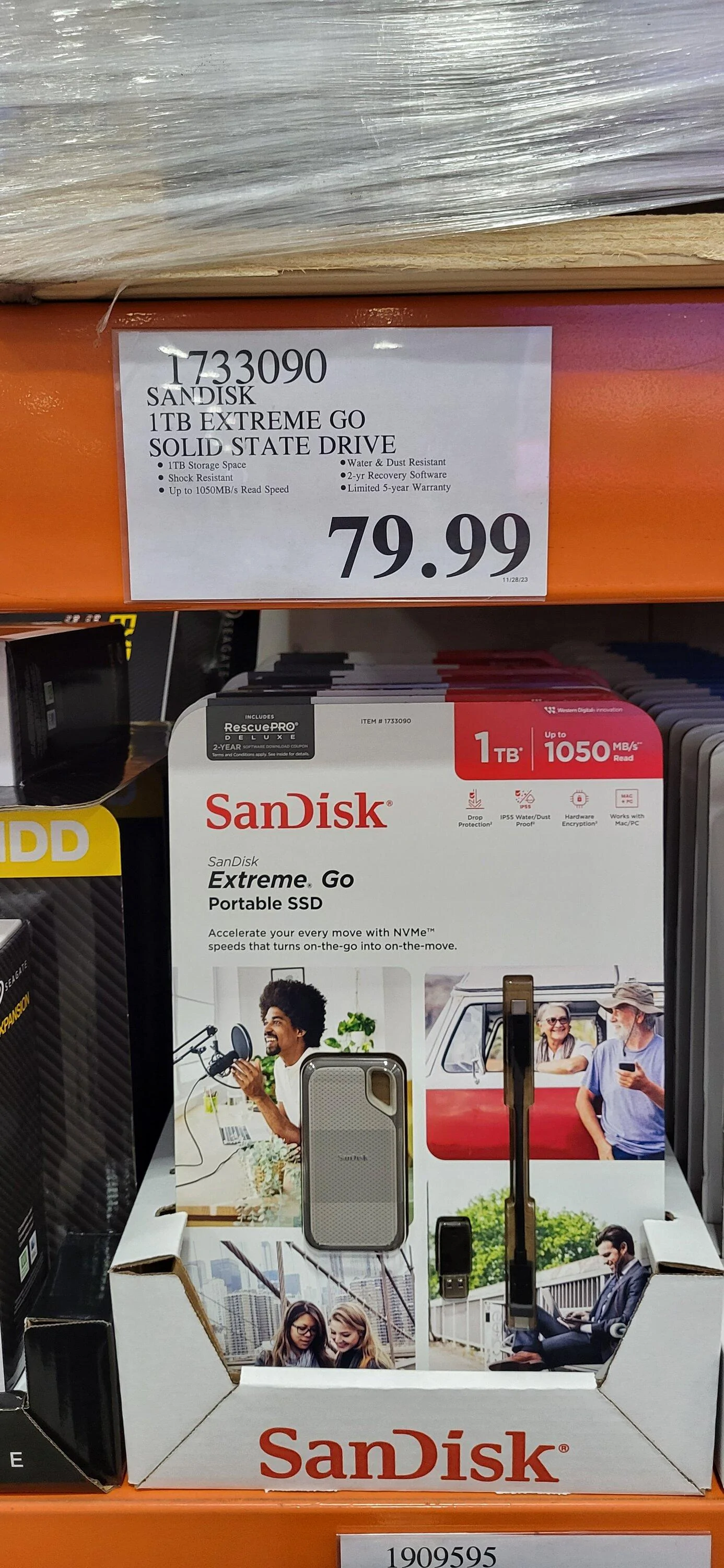
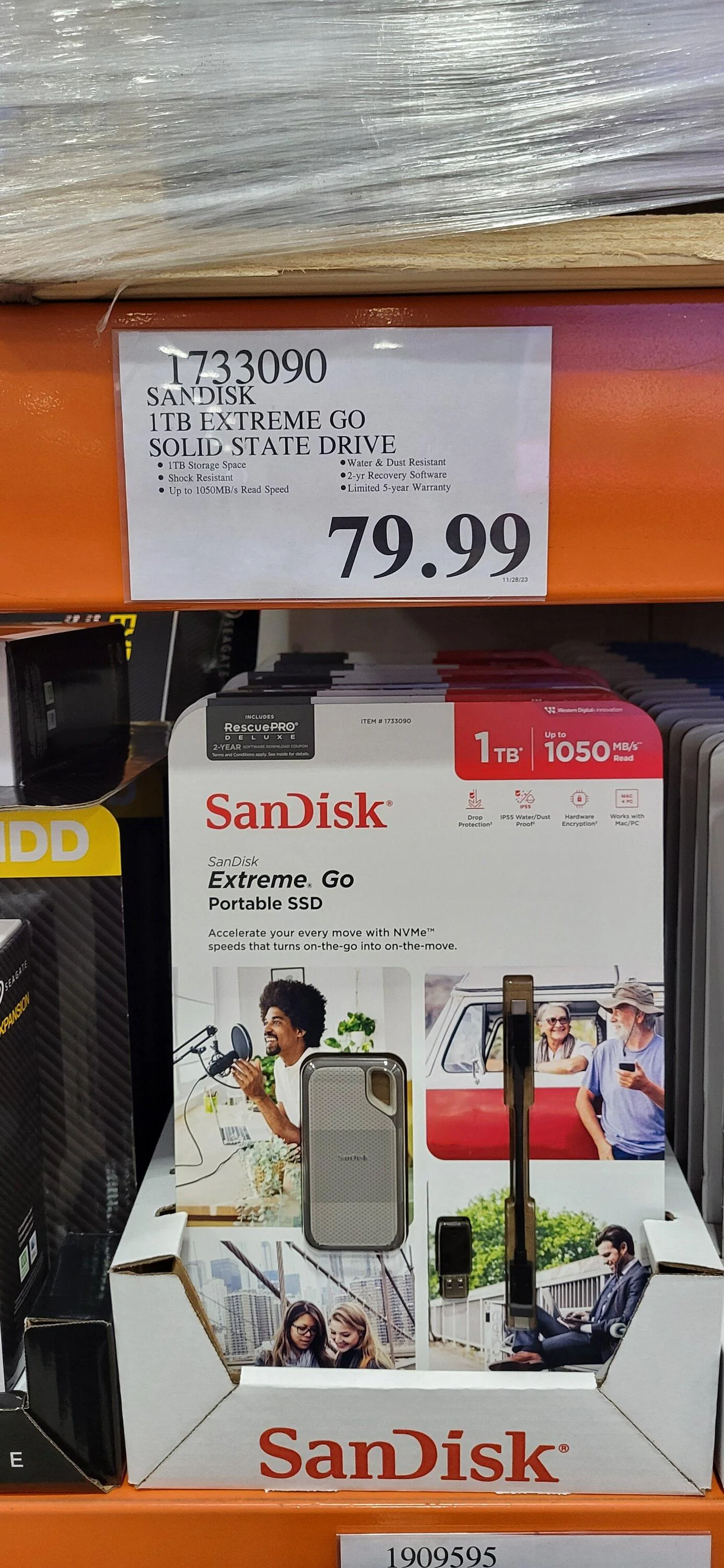
What are your thoughts about this Costco drive?
Rivian R1T R1S Video External Storage - How To 20231201_095639

SanDisk
 

Sponsored

tcaron3097

Member
First Name
Tony
Joined
Jun 2, 2021
Threads
14
Messages
24
Reaction score
11
Location
Poulsbo, WA
Vehicles
R1T, BMW 330
Occupation
Retired
To get external storage to work in your Rivian, you need a FAT32 formatted drive. I recommend SD cards specifically designed for dashcams, they are designed for constant re-writes and can operate at high temperatures. Use small external drives with caution, they contain NVME SSDs, which operate at high temperatures and can easily get to 150F when writing. Not a good combination when locked in a hot car.

This is what I went with:
1681950195135.png

https://www.amazon.com/gp/product/B09WB3D5GQ/ref=ppx_od_dt_b_asin_title_s00?ie=UTF8&th=1
https://www.amazon.com/gp/product/B08VDWFSSX/ref=ppx_od_dt_b_asin_title_s00?ie=UTF8&psc=1

I went with this reader since it can be used with USB-C (in the R1) and USB 3 on your computer.

The SD card came formatted to exFat, which is not supported in the vehicle. You can download EaseUS free formatting app here (Don't sign up for the email list, the download will start without it). Select the drive you want to format and make sure to format it to FAT32.
https://www.easeus.com/partition-master/format-usb-flash-drive-in-windows-10.html

After formatting, make an empty folder on the drive named GearGuardvideo
It is case-sensitive!

I plugged my drive and adapter into the left USB-C port. To test that it works, open Gear Guard and click the download button on the bottom right of the screen, you will get a prompt to download. You know if the drive is not detected because you will see instructions about plugging a drive in.
20230419_221518351_iOS.jpg
20230419_221531479_iOS.jpg

Any thoughts on the Costco drive?
Rivian R1T R1S Video External Storage - How To 20231201_095639
 

ohadios

New Member
First Name
Ohad
Joined
Dec 30, 2023
Threads
0
Messages
4
Reaction score
6
Location
Richmond, VA
Vehicles
R11
Occupation
CEO
Did you ever get the speed error to resolve? I’m also using the exact same flash drive (256 GB) and getting speed error.
I figured out a way around the speed test, though I dont know if there'll be any actual issues with it... Will report back after some real world testing.

  1. Take your formatted usb drive, which Rivian tells you is too slow, and connect to your computer.
  2. On the root folder there is a file called 'Benchmark.log'. Open it in your favorite text editor. You will probably see something like 'VERY_SLOW'
  3. Replace the content with the word 'READY' (no quotes), save and close the file.
  4. Reconnect to your Rivian.
  5. Win
 

Hammy

Member
First Name
Marc
Joined
Jan 2, 2024
Threads
1
Messages
6
Reaction score
11
Location
Denver
Vehicles
2024 R1S
I figured out a way around the speed test, though I dont know if there'll be any actual issues with it... Will report back after some real world testing.

  1. Take your formatted usb drive, which Rivian tells you is too slow, and connect to your computer.
  2. On the root folder there is a file called 'Benchmark.log'. Open it in your favorite text editor. You will probably see something like 'VERY_SLOW'
  3. Replace the content with the word 'READY' (no quotes), save and close the file.
  4. Reconnect to your Rivian.
  5. Win
This worked for me! I had tried software resets, reformatting, etc with no luck, but your fix did the trick. Will update if I see any gliches. Thanks!
 

Sponsored

SPITmadFIRE

Well-Known Member
Joined
Jul 27, 2021
Threads
10
Messages
842
Reaction score
1,388
Location
CA
Vehicles
2024 R1S PDM Max Pack 20" AT
I figured out a way around the speed test, though I dont know if there'll be any actual issues with it... Will report back after some real world testing.

  1. Take your formatted usb drive, which Rivian tells you is too slow, and connect to your computer.
  2. On the root folder there is a file called 'Benchmark.log'. Open it in your favorite text editor. You will probably see something like 'VERY_SLOW'
  3. Replace the content with the word 'READY' (no quotes), save and close the file.
  4. Reconnect to your Rivian.
  5. Win
While this will trick the car into using the drive, there's no guarantee it will work reliably when the time comes to actually use that dashcam footage for something important like an accident report. It's possible the Rivian firmware is preventing data corruption issues by assuming all drives are fast enough if they pass the initial benchmark, and not allowing ones that aren't.
 

ohadios

New Member
First Name
Ohad
Joined
Dec 30, 2023
Threads
0
Messages
4
Reaction score
6
Location
Richmond, VA
Vehicles
R11
Occupation
CEO
While this will trick the car into using the drive, there's no guarantee it will work reliably when the time comes to actually use that dashcam footage for something important like an accident report. It's possible the Rivian firmware is preventing data corruption issues by assuming all drives are fast enough if they pass the initial benchmark, and not allowing ones that aren't.
I completely agree - use this workaround with the caveat that it isn't really clear why Rivian is deeming your drive incompatible and that it may be for a reason.
What annoyed me is that the requirements in Rivian's release notes we're simply usb 3 and at least 20mb/sec random write time, and the drive I purchased advertised 400 mb/sec random write time (though to be candid I have not tested it)

Here are the release notes to whomever cares to review
https://stories.rivian.com/r1s-software-update-2023-14-0
 

mx327

New Member
First Name
Dan
Joined
Jan 5, 2024
Threads
0
Messages
4
Reaction score
1
Location
Rhode Island
Vehicles
R1S Limestone 2023
Can you use any of the usb c ports in the vehicle to record from? if yes, why doesn't anybody use the third row usb port? Out of the way, hardly used, frees up the front 2 ports.
 

Polar

Well-Known Member
First Name
Scott
Joined
Feb 16, 2022
Threads
33
Messages
1,098
Reaction score
2,039
Location
WA
Vehicles
C40, LE CY R1S
Occupation
IT
Clubs
 
Can you use any of the usb c ports in the vehicle to record from? if yes, why doesn't anybody use the third row usb port? Out of the way, hardly used, frees up the front 2 ports.
I do not believe data is supported on any but the two inside console ports - however give it a shot and let us know.
 

zenphx

Member
First Name
Steve
Joined
Aug 13, 2022
Threads
1
Messages
21
Reaction score
10
Location
Phoenix, AZ
Vehicles
Land Rover LR4
Occupation
Computer Consultant
To get external storage to work in your Rivian, you need a FAT32 formatted drive. I recommend SD cards specifically designed for dashcams, they are designed for constant re-writes and can operate at high temperatures. Use small external drives with caution, they contain NVME SSDs, which operate at high temperatures and can easily get to 150F when writing. Not a good combination when locked in a hot car.

This is what I went with:
1681950195135.png

https://www.amazon.com/gp/product/B09WB3D5GQ/ref=ppx_od_dt_b_asin_title_s00?ie=UTF8&th=1
https://www.amazon.com/gp/product/B08VDWFSSX/ref=ppx_od_dt_b_asin_title_s00?ie=UTF8&psc=1

I went with this reader since it can be used with USB-C (in the R1) and USB 3 on your computer.

The SD card came formatted to exFat, which is not supported in the vehicle. You can download EaseUS free formatting app here (Don't sign up for the email list, the download will start without it). Select the drive you want to format and make sure to format it to FAT32.
https://www.easeus.com/partition-master/format-usb-flash-drive-in-windows-10.html

After formatting, make an empty folder on the drive named GearGuardvideo
It is case-sensitive!

I plugged my drive and adapter into the left USB-C port. To test that it works, open Gear Guard and click the download button on the bottom right of the screen, you will get a prompt to download. You know if the drive is not detected because you will see instructions about plugging a drive in.
20230419_221518351_iOS.jpg
20230419_221531479_iOS.jpg
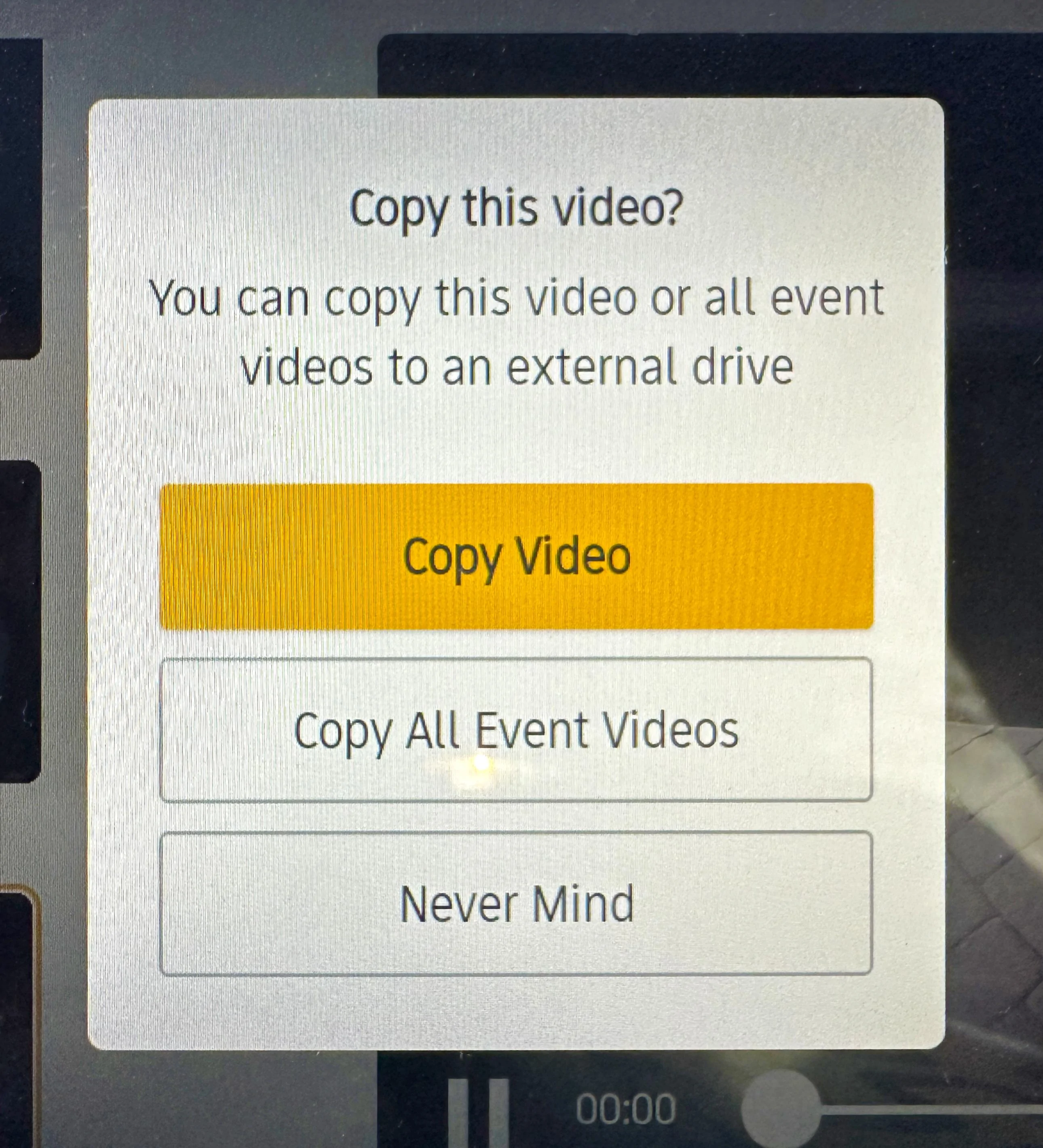
Hi. I attached a microSDXC flash drive (via a USB-C adapter) in the center console after formatting it for FAT32 with the EaseUS utility. It shows the correct format on my PC. (And I had created the GearGuardvideo folder as you suggested).
When I tried to download an Incident video that had been recorded, and clicked on 'Copy Video', I got the message indicating that I needed to attach an external storage device. So, it doesn't look like the Riv is recognizing the flash drive. (However, when re-attached it to my PC, and verified the format, I also noticed a Lost.DIR folder on the drive, so the Riv at least created that.....)
Any ideas for me??
Thanks in advance
Steve
Sponsored


Top