
Sponsored

Way less vampire drain since recent software updates?

ryunited

Well-Known Member
Joined
Dec 21, 2023
Threads
9
Messages
165
Reaction score
146
Location
New Jersey
Vehicles
R1S
Clubs
 
Folks - are you seeing your battery drain improve since the recent software update with the energy app?

I used to see 3-5 miles go away overnight and lately I come back to the exact range I left the car with.

It's too the point I am starting to worry about whether my 12V is recharging correctly!
Sponsored
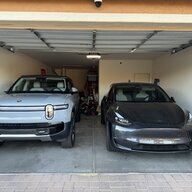

 

PaythePiper

Banned
Well-Known Member
Joined
Sep 2, 2024
Threads
5
Messages
587
Reaction score
697
Location
Phx AZ
Vehicles
Model Y, R1S Dual Max
3-5 miles per night? Gen 1? My Gen 2 sat at the airport and lost 4-5 miles over 8 days
 

Singletracker

Well-Known Member
Joined
Mar 10, 2022
Threads
39
Messages
1,303
Reaction score
1,274
Location
NV
Vehicles
2023 R1T QM w/20” A/T’s
My 24 hr drain rate has dropped to just over 1 kWh, down from 1.5+. Definitely a significant improvement, if it holds.

May I suggest reporting these things in kWh, not in miles. Mileage reporting can vary from vehicle to vehicle, depending how each vehicle calculates that figure. kWh are kWh, no matter what. kWh are what we are really talking about.
 

Sponsored

RedRaiderRivian

Well-Known Member
Joined
Dec 23, 2022
Threads
0
Messages
358
Reaction score
535
Location
San Antonio
Vehicles
2022 Rivian R1T - Canyon Red, 2016 Nissan Leaf
Clubs
 
Yeah I just made sure not to open the app. Was happy with that drain or lack thereof
Something has definitely changed for the positive. Gen 1 R1T 0.7 kWh in 24 hrs. No percentage drop in over 48 hours while unplugged and sitting in a hot garage
 

DeafPug

Well-Known Member
Joined
Oct 20, 2021
Threads
6
Messages
564
Reaction score
842
Location
Kansas
Vehicles
'18 Model 3, '22 R1T
My 2022 R1T upgraded from 2025.18.01 to 2025.22.01 on Jul 17. Last week, I was out of town for 5 days and came back to the vehicle being at 70% state-of-charge, exactly what it was when it was last plugged into the EVSE 7 days earlier. Amazing to see zero apparent drain over a whole week! This was obviously with Gear Guard disabled. During that time out of town, I never launched the Rivian app to check on the vehicle status. No 3rd party monitoring tools are configured to ping the vehicle either.

Since returning from my trip, I'm seeing a little more vampire drain (down 2% in 4 days) as I walk past the vehicle with my phone as a key and potentially wake it up from deep sleep.
 

mkhuffman

Well-Known Member
First Name
Mike
Joined
Nov 9, 2020
Threads
14
Messages
2,829
Reaction score
3,192
Location
Virginia
Vehicles
2025 R1T Tri-Max, Jeep GC-L, VW Jetta
My 2022 R1T upgraded from 2025.18.01 to 2025.22.01 on Jul 17. Last week, I was out of town for 5 days and came back to the vehicle being at 70% state-of-charge, exactly what it was when it was last plugged into the EVSE 7 days earlier. Amazing to see zero apparent drain over a whole week! This was obviously with Gear Guard disabled. During that time out of town, I never launched the Rivian app to check on the vehicle status. No 3rd party monitoring tools are configured to ping the vehicle either.

Since returning from my trip, I'm seeing a little more vampire drain (down 2% in 4 days) as I walk past the vehicle with my phone as a key and potentially wake it up from deep sleep.
I suppose you are not using the app widget?
 

DeafPug

Well-Known Member
Joined
Oct 20, 2021
Threads
6
Messages
564
Reaction score
842
Location
Kansas
Vehicles
'18 Model 3, '22 R1T
I suppose you are not using the app widget?
I've got an iPhone running iOS 18.6 (now, was 18.5 until an hour ago). I have the widget loaded on the screen to the left of the main springboard app page, not on the Lock Screen or on a main page with app icons. It seems to only update the widget contents a couple times a day if I don't interact with it or launch the underlying Rivian app. The widget is currently showing "8hr, 50 min ago", which should be the last time the truck woke up.
 

mkhuffman

Well-Known Member
First Name
Mike
Joined
Nov 9, 2020
Threads
14
Messages
2,829
Reaction score
3,192
Location
Virginia
Vehicles
2025 R1T Tri-Max, Jeep GC-L, VW Jetta
I've got an iPhone running iOS 18.6 (now, was 18.5 until an hour ago). I have the widget loaded on the screen to the left of the main springboard app page, not on the Lock Screen or on a main page with app icons. It seems to only update the widget contents a couple times a day if I don't interact with it or launch the underlying Rivian app. The widget is currently showing "8hr, 50 min ago", which should be the last time the truck woke up.
Every time I unlock my phone it resets that time. But that reset does not appear to wake up the truck. The truck seems to stay asleep unless I send a command to start climate. It does not appear to wake if I am looking at the widget. Or even if I open the app, actually. The truck stays asleep.

I think that last refresh time is refresh from the Rivian servers, not the truck. At least that is how it appears to work on my Android phone.
Sponsored


Top
