Oldsmobile_Mike
Well-Known Member
- First Name
- Mike
- Joined
- Mar 24, 2022
- Threads
- 63
- Messages
- 2,427
- Reaction score
- 3,916
- Location
- Manassas Park, VA
- Vehicles
- FG/FE R1T recv'd 3/31/2023
- Occupation
- I build stuff
- Thread starter
- #1
Hate to ask what may be a dumb question, but nothing "obvious" seems to be coming up.
In the Rivian mobile app, if you click on Vehicle maintenance --> Request service --> Resources | Service history --> it shows all of your service history.
Then if you click on a particular date and click on Resources --> Invoice PDF, it opens a PDF document of the service performed, like you would expect.
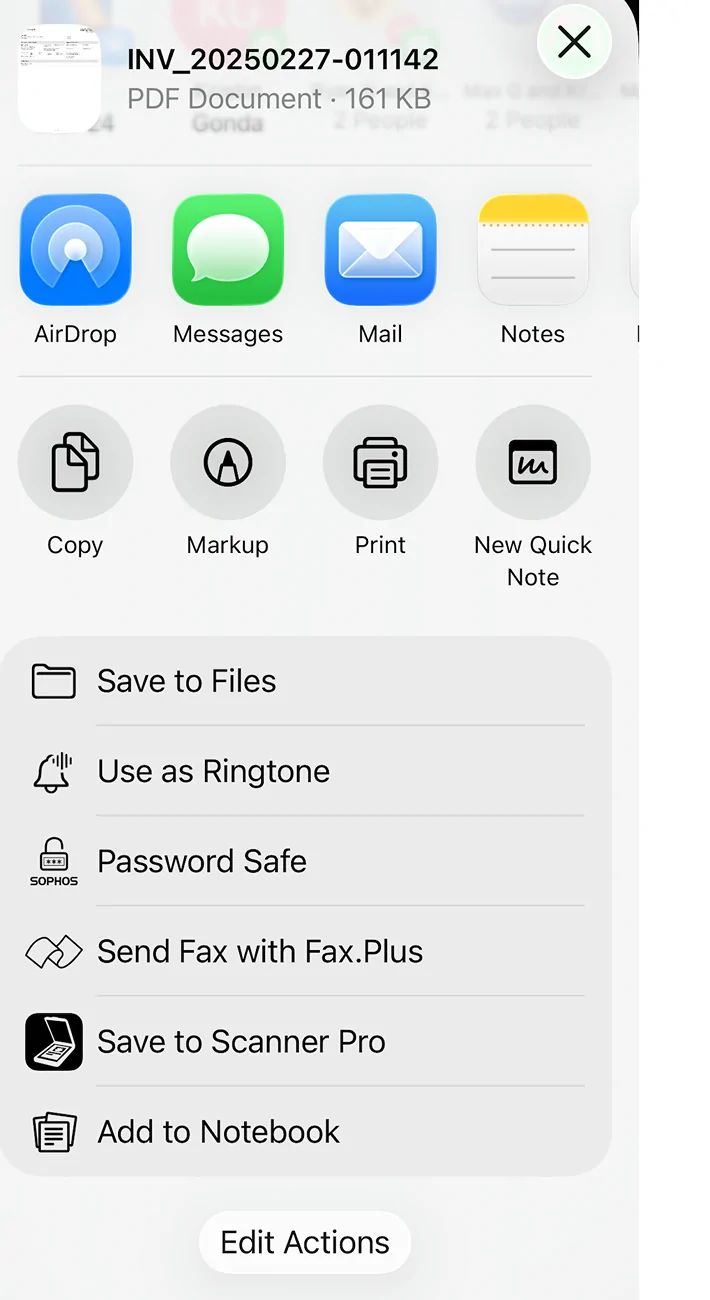
Then in the top-right corner of the document there's a button to download it. And if you click that, it says "PDF successfully downloaded":

So my question is: where does the app save that file? Nothing obvious coming up on the device File Browser, or in any folder on the device. What am I missing? Where'd the PDF go?
In the Rivian mobile app, if you click on Vehicle maintenance --> Request service --> Resources | Service history --> it shows all of your service history.
Then if you click on a particular date and click on Resources --> Invoice PDF, it opens a PDF document of the service performed, like you would expect.
Then in the top-right corner of the document there's a button to download it. And if you click that, it says "PDF successfully downloaded":
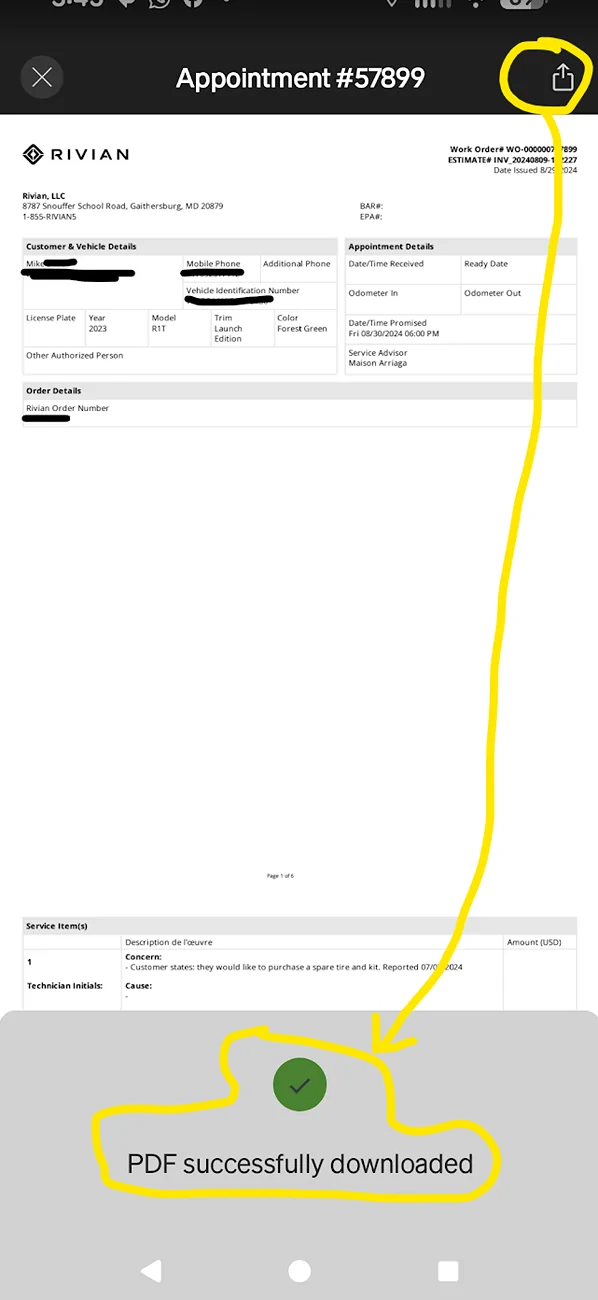
So my question is: where does the app save that file? Nothing obvious coming up on the device File Browser, or in any folder on the device. What am I missing? Where'd the PDF go?
Sponsored







 1. The short answer
 2. Depending on your device
 3. How to get the actual PDF file
 Summary:
 Step-by-step: Access Rivian’s hidden download folder
 Option 1 — Using X-Plore File Manager (recommended)
 Note: On some Android builds (Samsung, Pixel, etc.), you may first need to enable “Show hidden files” in X-Plore settings.
 Bonus Tip
 Why it’s hard (or impossible) now
 Download from Google:
  Step 1 — Enable Developer Mode
 Then Rivian has locked it down (many production apps do).