usofrob
Well-Known Member
Here are the slightly more detailed steps I followed that anyone could follow in their own vehicle:On my one week old gen2 R1S with premium audio:
I used a pink noise generator on my phone over Bluetooth, then used a frequency analyzer with A-weighting and adjusted until it generally looked flattish. Sorry, I didn't take a screenshot on my phone. But, it definitely sounds better than flat EQ. I'll probably play around with it more after giving the speakers time to break in, but it definitely helped some of the thinness of the sound.

(Edited to add with premium audio)
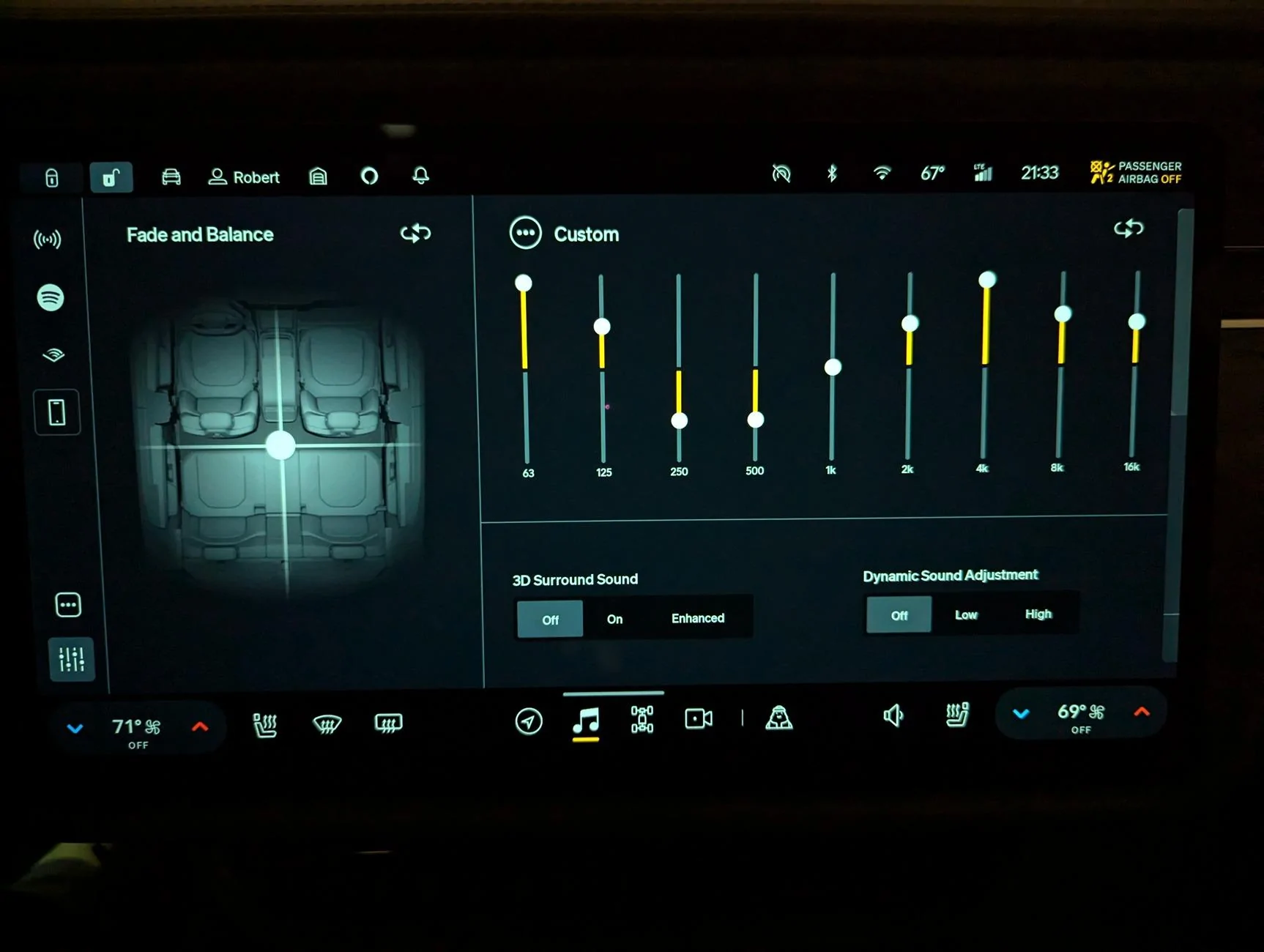
I connected my Android phone via BT, then used this app to play Pink Noise:
https://play.google.com/store/apps/details?id=info.vazquezsoftware.whitenoise
Then I put my phone near my head and used this app to analyze the sound trying to make the bars relatively flat, using A-weighting:
https://play.google.com/store/apps/details?id=com.dom.audioanalyzer
There isn't anything special about these apps, but that's what worked for me.
I've been driving around for a few days now, and it sounds very good to me. I still don't like that the sound sounds like it's coming from the middle, aka to the right of me. So, I put my head in the middle and liked the centering better, but the EQ sounded different. So, maybe they're optimizing for the middle? Either way, test where your head is, as it'll change as you move around.
Sponsored

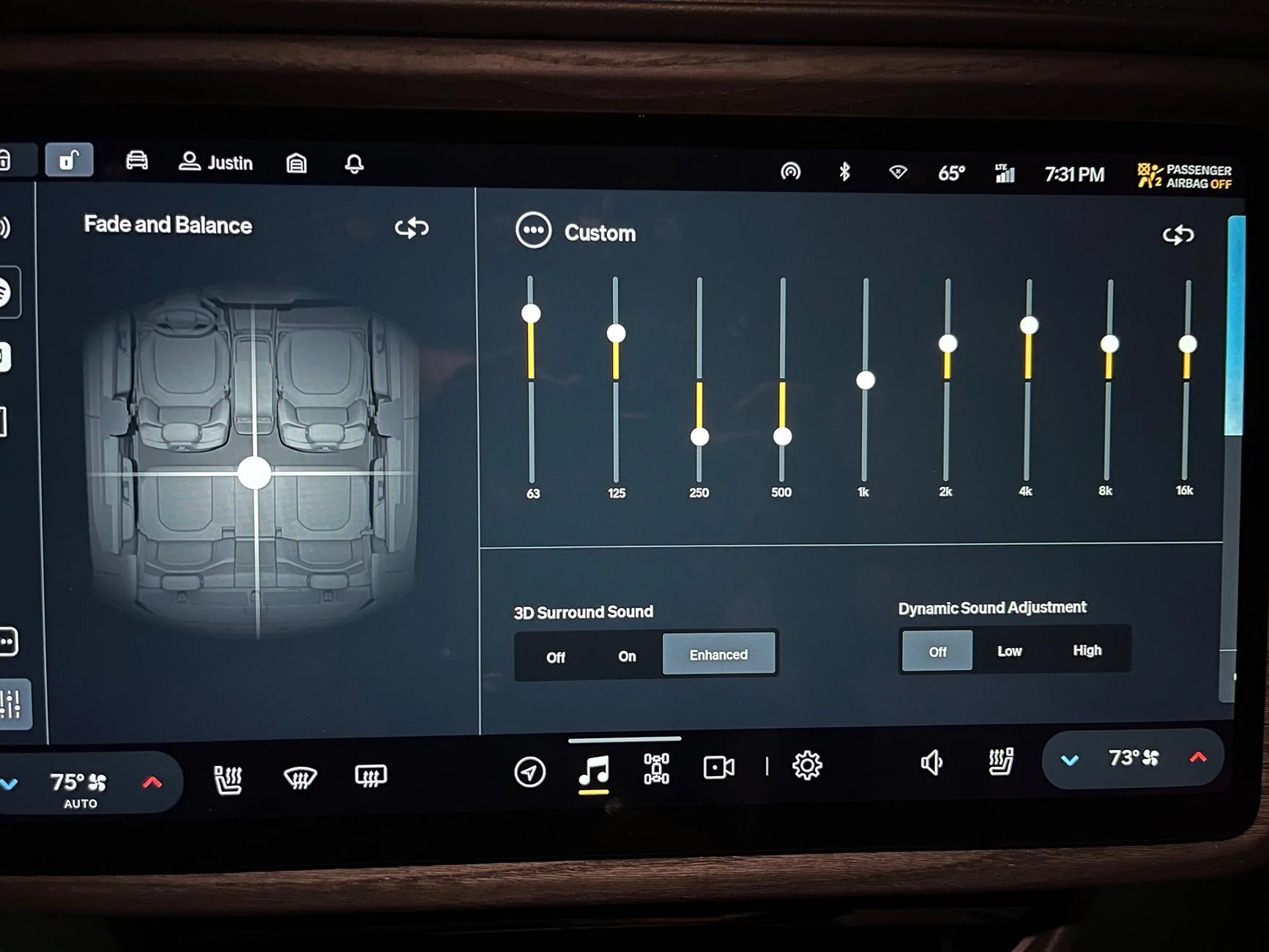
 ) I used 1/3 bands because I like to see more data. I'd use even narrower if it was available. For the fast vs slow weighting, slow is probably better, but then you have to wait 8 times longer to see the results and keep the mic in exactly the same position. I assume the built in mic is good enough, but you could get a BT mic with a known frequency response for better accuracy. I was just using this to get it pretty close. It's very likely that cell phone mics would filter the really low and high frequencies to match the human voice. But we also record music with our phones too, sooo Meh.
 does it sound any less muddy?