Sponsored

Yellow Buddy

Well-Known Member
Joined
Apr 10, 2022
Threads
26
Messages
939
Reaction score
1,440
Location
Behind You
Vehicles
Rivian R1T, F-150 Lightning Pro, Model S, Model X
Occupation
Smart Ass
Got it on my Gen1. Driver display nice. Driver+ ….well….. hardware with headroom! /s
I feel like a dunce with mine. The speed limit display on the right is much better. Same with the drivers assist blue bar. But how do you move the maps to the middle? Holding the right thumb wheel down doesn’t do anything for me. Does it work for you?
Sponsored


Yossarian

Well-Known Member
Joined
Oct 20, 2020
Threads
45
Messages
934
Reaction score
922
Location
SE Pennsylvania
Vehicles
R1T,Telluride, Wee-Strom, Lynskey Cooper
Very informative OTA roadmap - thanks @Rivian Roamer.

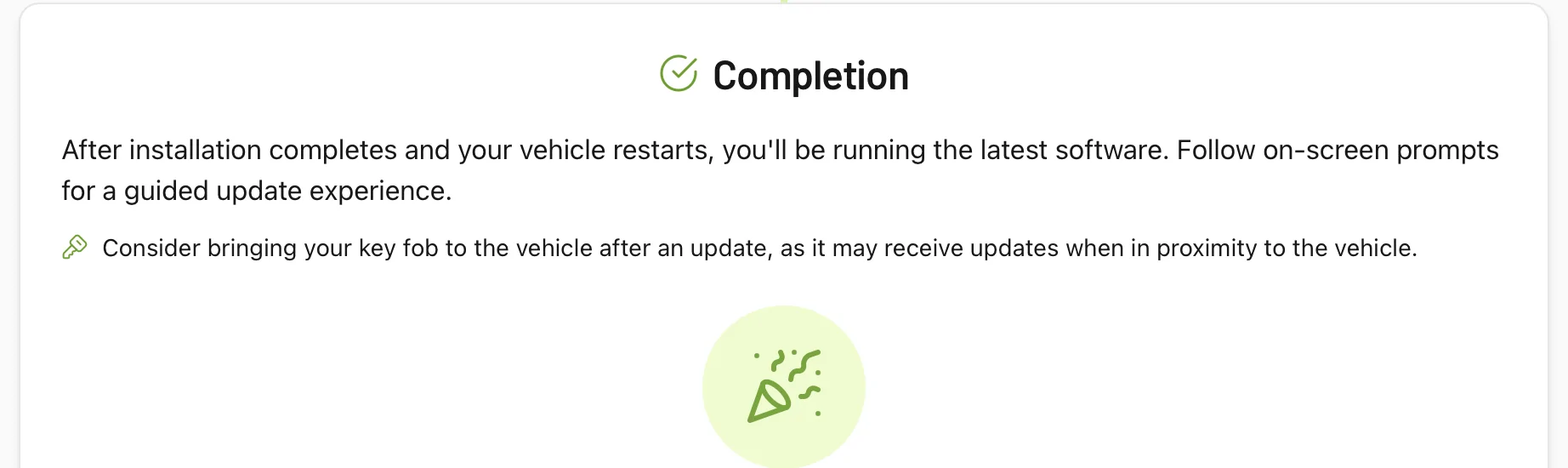
This may not be the thread for my question about the key fob update that your OTA Roadmap spurred (snip below) , but I'll ask it anyway. I've often gotten a prompt about a fob update, coincident with a scheduled OTA update. Yet even with the fob in the car during and after the OTA push, at least ss far as I can tell, there was no impact on the fob. Almost certainly user error; what am I doing wrong?

On a related note, as a non-Connect+ Rivian owner, per the download schedule outlined by @Rivian Roamer, it looks like I should expect the update on Boxing Day.

Rivian R1T R1S 2025.46 Update (Release Notes). OTA pushing out now! 1766239797001-tu
 

tnots

Member
Joined
Dec 8, 2025
Threads
0
Messages
8
Reaction score
6
Location
PA
Vehicles
Rivian R1S California Dune
Cross posting an issue that's affecting some of us where the Follow Distance lines never appear (i.e. the distance you can adjust using the right scroll wheel after activating ACC/ECC). In this review video, when he gets on the highway, the follow distance lines never appear. Anyone else seeing this? https://www.rivianforums.com/forum/threads/how-to-set-follow-distance.47071/post-910568
happy to report all the issues I noticed before have been resolved with this update.
 
OP
OP
tate16t

tate16t

Well-Known Member
First Name
Robert
Joined
Apr 7, 2022
Threads
64
Messages
1,396
Reaction score
1,181
Location
NY
Vehicles
2023 El Cap Granite R1S
Occupation
Car Enthusiast
Very informative OTA roadmap - thanks @Rivian Roamer.

This may not be the thread for my question about the key fob update that your OTA Roadmap spurred (snip below) , but I'll ask it anyway. I've often gotten a prompt about a fob update, coincident with a scheduled OTA update. Yet even with the fob in the car during and after the OTA push, at least ss far as I can tell, there was no impact on the fob. Almost certainly user error; what am I doing wrong?

On a related note, as a non-Connect+ Rivian owner, per the download schedule outlined by @Rivian Roamer, it looks like I should expect the update on Boxing Day.

1766239797001-tu.webp
I saw the keyfob update prompt moments ago when entering the update menu. I don’t carry my keyfob and the first time I saw this I went in the house to grab it but the prompt was no longer present. I went through this at least three times and gave up. Rivian needs to fix this.
 

elektrode

Well-Known Member
First Name
Bran
Joined
Jul 11, 2022
Threads
42
Messages
979
Reaction score
1,602
Location
NC
Vehicles
Honda Ridgeline to R1T
Holding the right thumb wheel down doesn’t do anything for me. Does it work for you?
press and release right button to get selection menu. Scroll to select. Press right button to confirm and exit selection menu.

Was not obvious.
 

Sponsored

Yellow Buddy

Well-Known Member
Joined
Apr 10, 2022
Threads
26
Messages
939
Reaction score
1,440
Location
Behind You
Vehicles
Rivian R1T, F-150 Lightning Pro, Model S, Model X
Occupation
Smart Ass
press and release right button to get selection menu. Scroll to select. Press right button to confirm and exit selection menu.

Was not obvious.
My mistake was holding it down like we do on the left side. Not sure why they would make us learn something else..
 

VandalSibs

Well-Known Member
First Name
Andrew
Joined
Dec 27, 2023
Threads
15
Messages
1,380
Reaction score
2,391
Location
Eastern Washington State
Website
www.sibulskymusic.com
Vehicles
R1T Dual Motor Large Pack
Occupation
Composer, IT Service Desk Analyst
Clubs
 
press and release right button to get selection menu. Scroll to select. Press right button to confirm and exit selection menu.

Was not obvious.
It says how to do in right in the release notes.
 

iforbes

Well-Known Member
First Name
Ian
Joined
Oct 24, 2022
Threads
9
Messages
515
Reaction score
883
Location
Connecticut
Vehicles
R1T
Occupation
APRN
Clubs
 
It says how to do in right in the release notes.
Unless I am an idiot (and I often am), I respectfully disagree.

From the notes “Press the right thumb wheel on the steering wheel to swap”.

The scrolling up and down is not mentioned (but this part was intuitive) and certainly no indication that a second press was required (I thought it might “take” after a few seconds but it just disappears).
 

Sponsored

elektrode

Well-Known Member
First Name
Bran
Joined
Jul 11, 2022
Threads
42
Messages
979
Reaction score
1,602
Location
NC
Vehicles
Honda Ridgeline to R1T
It says how to do in right in the release notes.
The Jerk Store called and wanted to ask for your expert clarification regarding:
  • Customizable driver display that lets you switch between the Driver Assistance view and a full Maps and Navigation view using the right steering wheel thumbwheel​
Where are the additional steps I wrote out for the person asking for help?

Yeah.
 

VandalSibs

Well-Known Member
First Name
Andrew
Joined
Dec 27, 2023
Threads
15
Messages
1,380
Reaction score
2,391
Location
Eastern Washington State
Website
www.sibulskymusic.com
Vehicles
R1T Dual Motor Large Pack
Occupation
Composer, IT Service Desk Analyst
Clubs
 
The Jerk Store called and wanted to ask for your expert clarification regarding:
  • Customizable driver display that lets you switch between the Driver Assistance view and a full Maps and Navigation view using the right steering wheel thumbwheel​
Where are the additional steps I wrote out for the person asking for help?

Yeah.
https://stories.rivian.com/r1t-gen1-software-update-2025-46

This page is literally the release notes that you can view in the vehicle or the Rivian app.

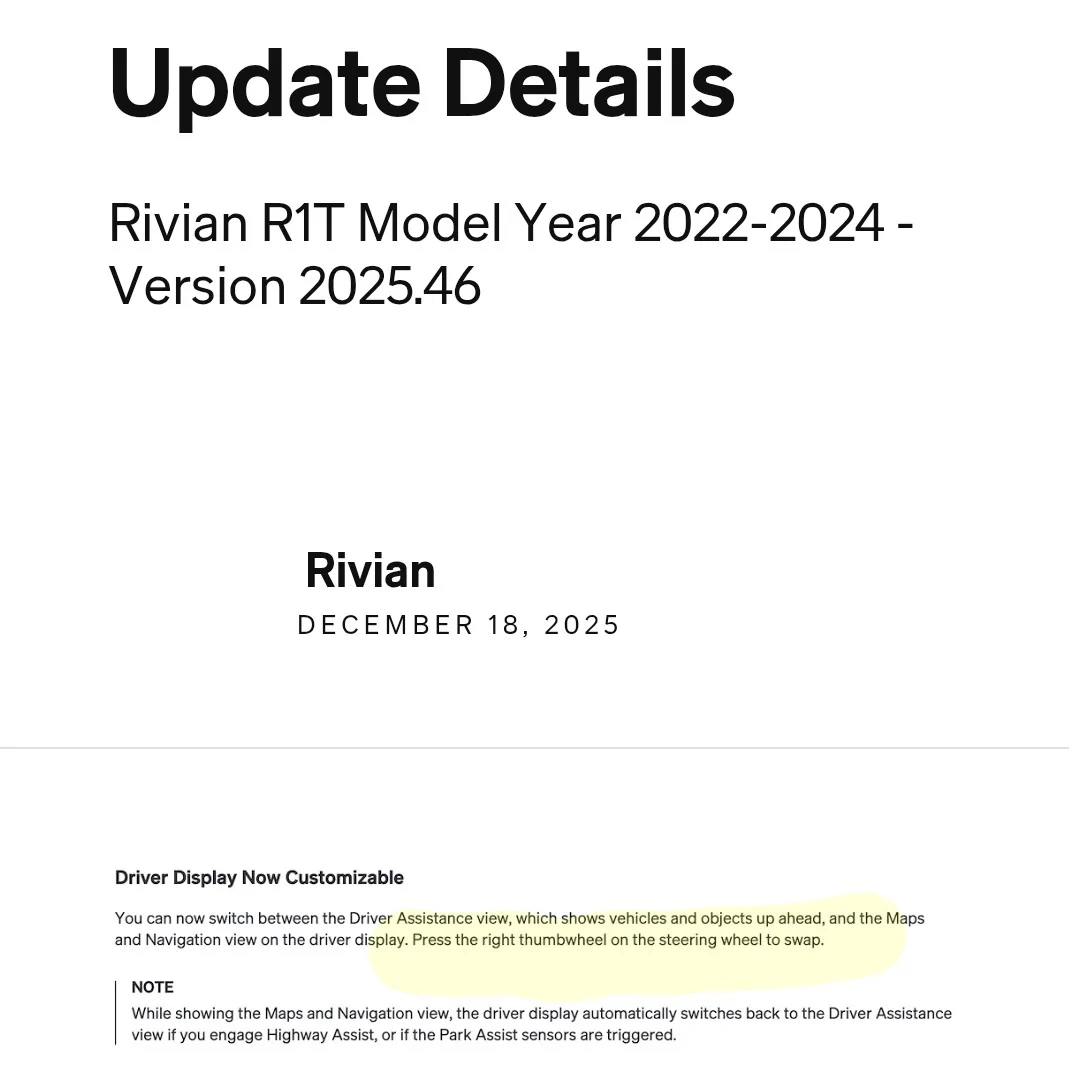
The very first part of the release notes, highlight mine:

Rivian R1T R1S 2025.46 Update (Release Notes). OTA pushing out now! 54428


Now yes, technically it doesn't say "then scroll to select your choice and press the wheel again", but considering that's how most scroll wheel and screen interactions work, it can be reasonably assumed the end user can do thise steps on their own.
 

iforbes

Well-Known Member
First Name
Ian
Joined
Oct 24, 2022
Threads
9
Messages
515
Reaction score
883
Location
Connecticut
Vehicles
R1T
Occupation
APRN
Clubs
 
https://stories.rivian.com/r1t-gen1-software-update-2025-46

This page is literally the release notes that you can view in the vehicle or the Rivian app.

The very first part of the release notes, highlight mine:

54428.webp


Now yes, technically it doesn't say "then scroll to select your choice and press the wheel again", but considering that's how most scroll wheel and screen interactions work, it can be reasonably assumed the end user can do thise steps on their own.
I love how you just repeat yourself and then paste a picture of what two other people have directly referenced.

Do it once and you can do it forever. But either way you cut it, the instructions are neither complete nor clear. And off the top of my head, I can think of no other instance where I have to select multiple times on the Rivian scroll wheel to complete a single change. But I’m sure you’ll enjoy pointing out where I’m wrong.
 

Rivian Roamer

Well-Known Member
Joined
Jul 18, 2024
Threads
2
Messages
470
Reaction score
659
Location
Seattle, WA
Website
rivianroamer.com
Vehicles
2024 R1S Quad Large, 2025 R1T Tri Max
Occupation
Adventurer
Very informative OTA roadmap - thanks @Rivian Roamer.

This may not be the thread for my question about the key fob update that your OTA Roadmap spurred (snip below) , but I'll ask it anyway. I've often gotten a prompt about a fob update, coincident with a scheduled OTA update. Yet even with the fob in the car during and after the OTA push, at least ss far as I can tell, there was no impact on the fob. Almost certainly user error; what am I doing wrong?

On a related note, as a non-Connect+ Rivian owner, per the download schedule outlined by @Rivian Roamer, it looks like I should expect the update on Boxing Day.

1766239797001-tu.webp
I'll be honest, I never remember to bring my fob with me. I've never seen it actually work.
 

VandalSibs

Well-Known Member
First Name
Andrew
Joined
Dec 27, 2023
Threads
15
Messages
1,380
Reaction score
2,391
Location
Eastern Washington State
Website
www.sibulskymusic.com
Vehicles
R1T Dual Motor Large Pack
Occupation
Composer, IT Service Desk Analyst
Clubs
 
I love how you just repeat yourself and then paste a picture of what two other people have directly referenced.

Do it once and you can do it forever. But either way you cut it, the instructions are neither complete nor clear. And off the top of my head, I can think of no other instance where I have to select multiple times on the Rivian scroll wheel to complete a single change. But I’m sure you’ll enjoy pointing out where I’m wrong.
The person I quoted second asked for where in the release notes it said to press the scroll wheel. I was showing him that.

I admit I was a bit.... brusque about it, but I've been seeing so many people, both here and in other places where technology is a big part of things, not bothering to read instructions, owners manuals, patch/release notes, etc and just going to a forum and saying "how do I do this" or "it doesn't work" without doing some of the most basic troubleshooting or research themselves.

I fell victim to my worst online behavior of "being too blunt and rude" about things. Apologies on my behalf to both you and elektrode.
Sponsored


Top