Sponsored

sd250

Active Member
Joined
Nov 20, 2022
Threads
2
Messages
43
Reaction score
95
Location
NJ
Vehicles
Ford F-250, Acura MDX, F-150 Lightning, Rivian R1T
Clubs
 
Now I probably did something wrong. But it shouldn't be that hard. This "route" is hot garbage. ? I'll stick to Google Maps.
Click on that blue circular button. Then it will calculate the actual route including any charging stops. :)
Sponsored


Oldsmobile_Mike

Well-Known Member
First Name
Mike
Joined
Mar 24, 2022
Threads
63
Messages
2,428
Reaction score
3,925
Location
Manassas Park, VA
Vehicles
FG/FE R1T recv'd 3/31/2023
Occupation
I build stuff
Clubs
 
Click on that blue circular button. Then it will calculate the actual route including any charging stops. :)
Thanks. I figured that out after I posted. Nothing in the "blue circle with a squiggly line" tells me I need to press it to calcuate a route. Google Maps doesn't require any other buttons. Imma call it "bad UI", and "maybe I should have more coffee", LOL. ?
 

Dark-Fx

Well-Known Member
First Name
Brian
Joined
Jul 15, 2020
Threads
148
Messages
13,619
Reaction score
27,564
Location
Michigan
Vehicles
R1T, R1S, Livewire One, Sierra EV, R1S
Occupation
Engineering
Clubs
 
Porsche has figured out how to use CarPlay and preconditioning plus all nav through Apple Maps
Carplay does absolutely not support preconditioning right now.
 

HarryBrowne

Member
First Name
Harry
Joined
Jul 6, 2023
Threads
1
Messages
14
Reaction score
19
Location
Silver City, NM
Vehicles
R1T, Volt
Occupation
Retired
This is something we're brainstorming on, actually. I don't want to promise too much, but we have some ideas on how to automatically avoid underperforming chargers.
I appreciate the work you are doing on the automatic routing, but I would LOVE to see some expanded manual options! Let us manually add charging stops we know we want to use, and how many miles we want to add there, and then fill in areas we don’t know automatically.
Also, I can’t convince my trip planner to allow me to drive from home directly to Albuquerque, some 248 miles, even if I start on full miles and tell it I’m okay ending with zero miles of charge. I have done it easily in real life. The trip planner tells me to add another 90 minutes of driving on a very stupid route.
 

emoore

Well-Known Member
Joined
Nov 29, 2020
Threads
4
Messages
3,815
Reaction score
4,240
Location
Colorado
Vehicles
2022 R1T
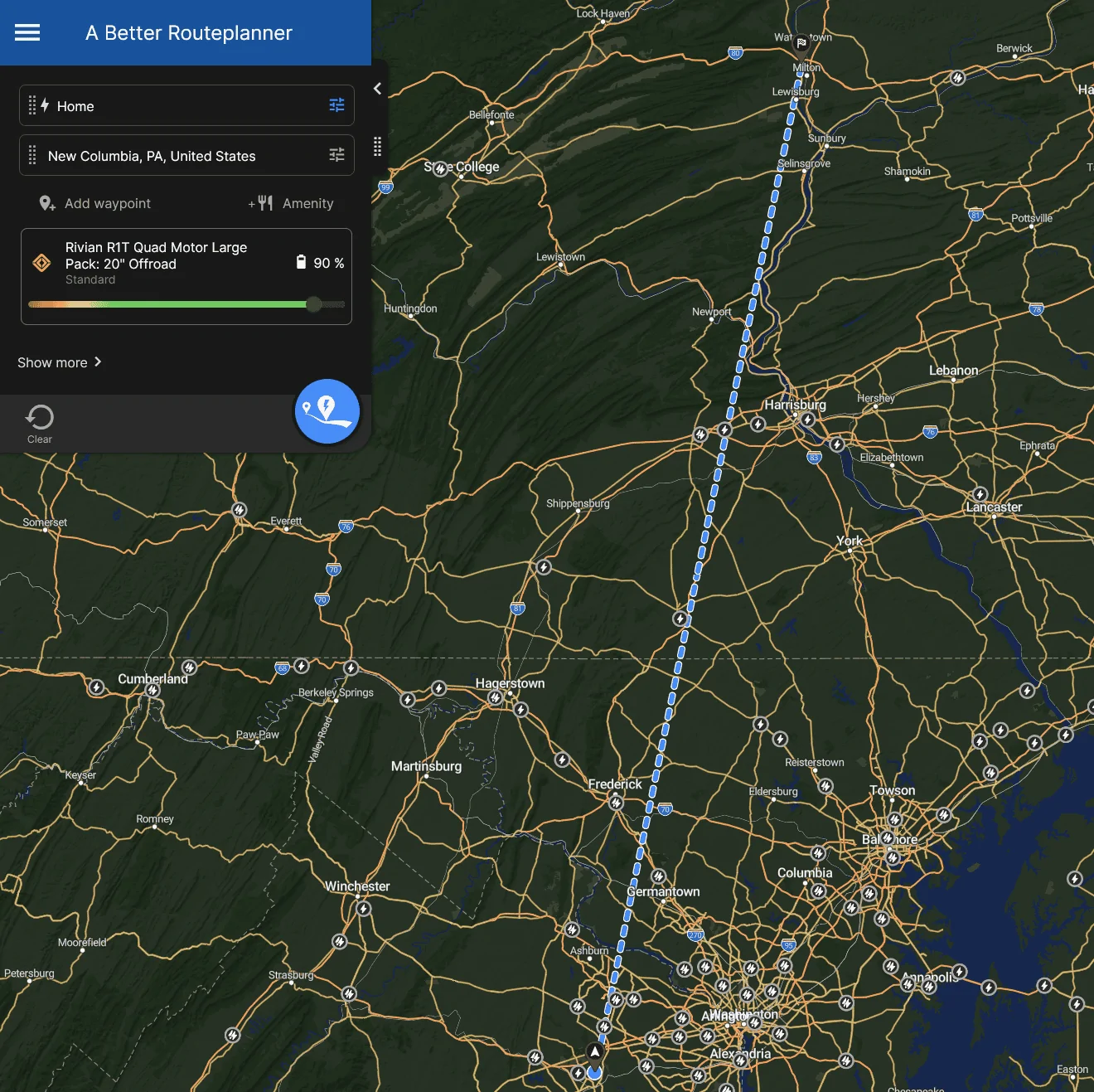
I will admit to not ever having used ABRP to plan a trip. I will also admit that I only ever looked at the site a couple times. But seeing this thread, I thought I'd give it another look. Let's tell it to plan a trip to grandma's house, in Pennsylvania:

1692308360712.png


WTaF.

It thinks my Rivian is a plane, or something?

Now I probably did something wrong. But it shouldn't be that hard. This "route" is hot garbage. ? I'll stick to Google Maps.
Ummm you actually need to start the route. Just like google or Apple Maps.
 

Sponsored

SANZC02

Well-Known Member
First Name
Bob
Joined
Feb 11, 2021
Threads
50
Messages
7,451
Reaction score
12,758
Location
California
Vehicles
Tesla Model S, LE - R1S
Occupation
Retired
.
Also, I can’t convince my trip planner to allow me to drive from home directly to Albuquerque, some 248 miles, even if I start on full miles and tell it I’m okay ending with zero miles of charge. I have done it easily in real life. The trip planner tells me to add another 90 minutes of driving on a very stupid route.
This a tough one, I think probably better to not allow a route that could potentially strand a user, especially if they are not as familiar with the route or the vehicle.

For you it is a familiar route and you know you can make it so you can just make the drive. I do this sometimes when I’m sure I can make a destination I’m familiar with.
 

shap

Well-Known Member
Joined
Nov 18, 2021
Threads
16
Messages
870
Reaction score
765
Location
Austin,TX
Vehicles
BMW 45e, R1T
Clubs
 
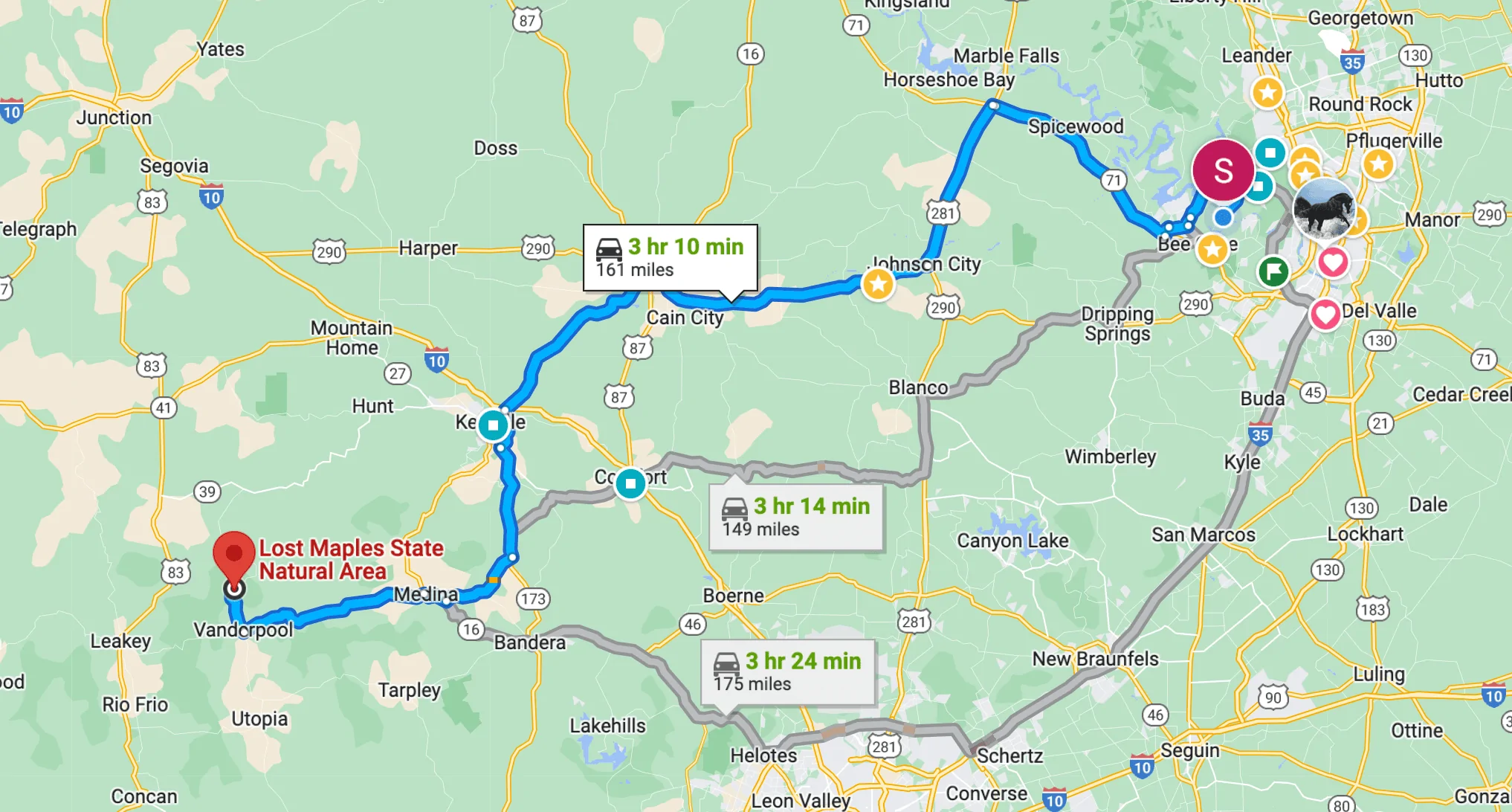
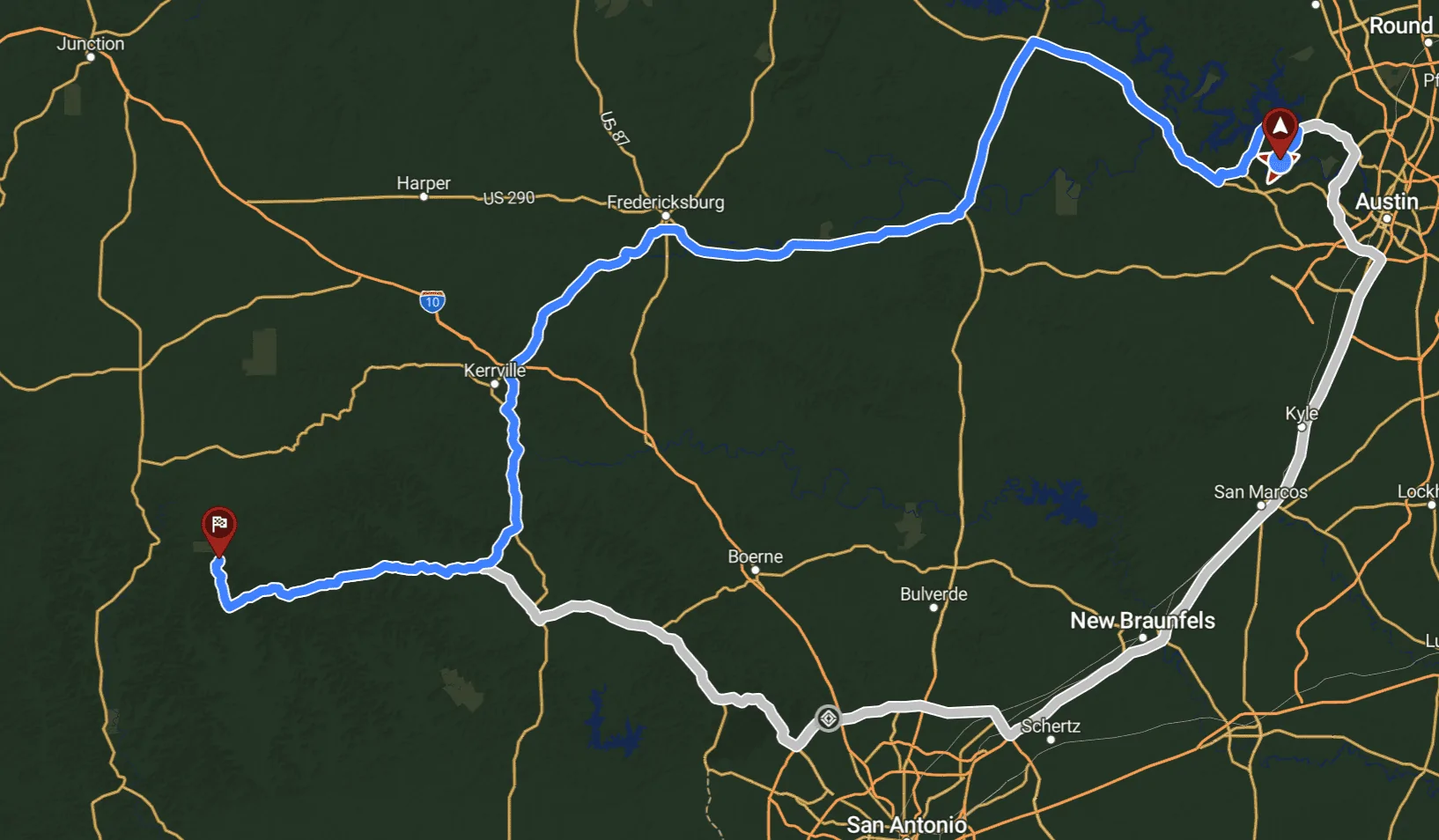
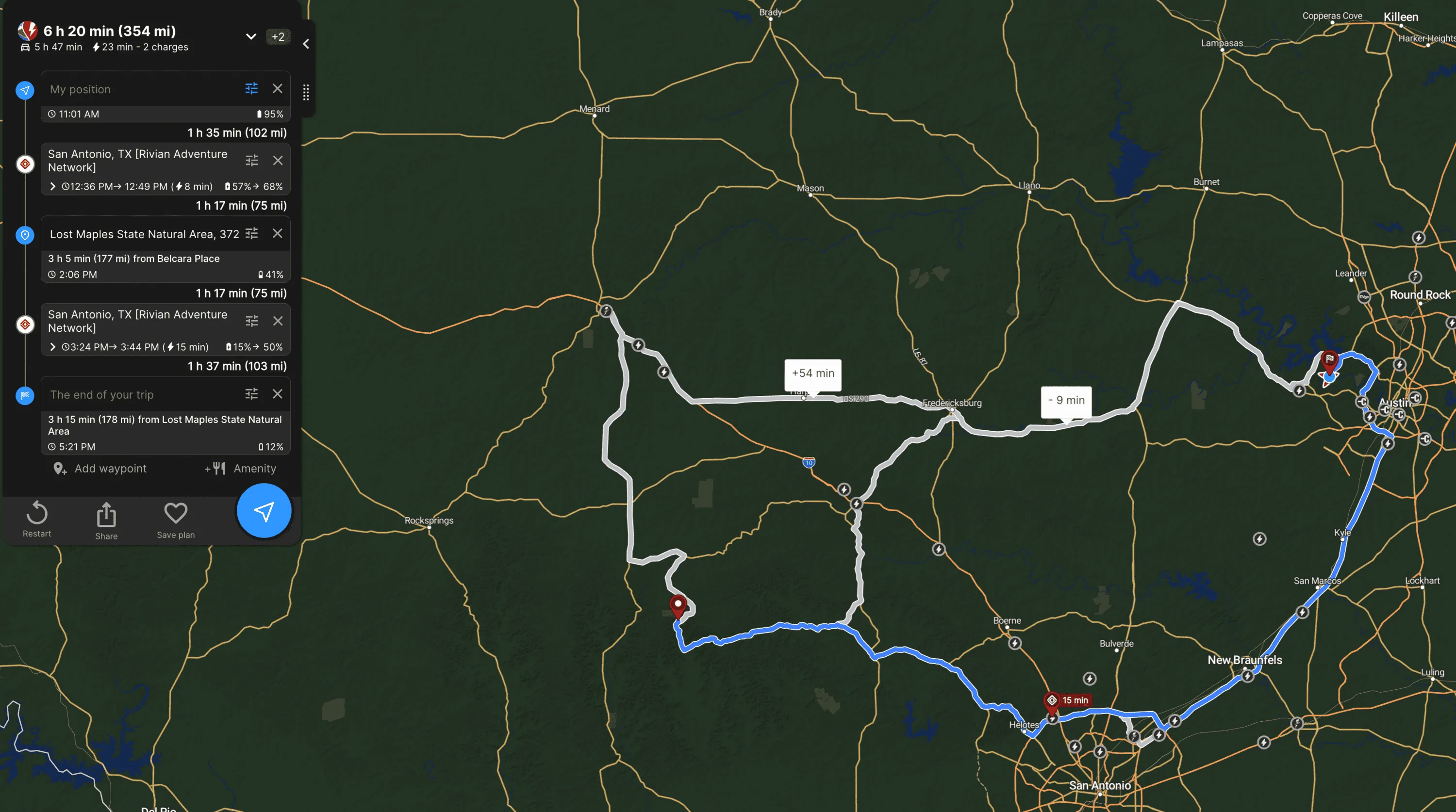
Just to follow up on route selection - no problem with a range in this case, but seems one of the routes is not shown even as an alternative. Instead, the "long" alternative is shown:

Austin to Lost Maples:
Google:
Rivian R1T R1S ABRP 4.5.0. gets a major upgrade 1694611348948


ABRP:
Rivian R1T R1S ABRP 4.5.0. gets a major upgrade 1694611394950


Things will be more complex if I specify the round trip:
ABRP:
Rivian R1T R1S ABRP 4.5.0. gets a major upgrade 1694611729722


The really effective route will be the Google 3h14m one (in the middle), and it also allows you to charge in Comfort, TX if needed (despite you can do a round trip on 1 charge using this route if not speeding on conserve, but it will be a stretch in some cases).

Using I-35 is a casino game, in my experience, you have a 30% of chance to stuck in traffic due to an accident. And this is where AI should help to predict this, and it would be really great if you could configure this setting in ABRP - like avoid tolls, having something like "avoid roads with high probability for traffic jams".
Sponsored


Top