Sponsored

Driver Display shows only Lead Car (Gen 2)

OP
OP
mpshizzle

mpshizzle

Well-Known Member
Joined
Jun 16, 2024
Threads
76
Messages
1,307
Reaction score
2,183
Location
Utah
Vehicles
2025 R1S Dual Max (Baymax)
@mpshizzle so picked up my vehicle today and drove it the two hours back from the service center. My drivers display still only shows the one lead vehicle in front of me, but yes drivers assist appears to still work fine. i believe this is because they weren't able to fully rectify the issue. From my service report: "this is a rare firmware issue. It has been mitigated for now, but the more permanent solution will be released in a future update".

I'm going to call in to Rivian service just to confirm that my assumption that all the vehicle visibility from the drivers display will come back in a future update. (I'm almost assuming they did a software patch to just remove the warning/indication, but it was going to take longer to do a larger software fix to the radars).

How is your vehicle working, still just the single vehicle ahead of you as well?
Thanks for the update! I'm glad that they got your driver's assistance working at least. I dropped mine off for service on thursday, and it's still there (as far as I can tell they actually haven't done anything with it yet LOL.)

Driver's assistance was working fine for me when I dropped it off though.

That being said, I did see the update that's coming out soon (2024.39.0) mentioned an update to the driver's visualization. Hopefully that fixes it!
Sponsored
 

krb1183

Well-Known Member
Joined
Mar 2, 2022
Threads
4
Messages
226
Reaction score
167
Location
Huntsville, AL
Vehicles
2025 R1S
Thanks for the update! I'm glad that they got your driver's assistance working at least. I dropped mine off for service on thursday, and it's still there (as far as I can tell they actually haven't done anything with it yet LOL.)

Driver's assistance was working fine for me when I dropped it off though.

That being said, I did see the update that's coming out soon (2024.39.0) mentioned an update to the driver's visualization. Hopefully that fixes it!
Yeah i saw that too and i'm hopeful for 39.0! When i picked up my vehicle today they told me 35.0 is buggy, so it hasn't surprised me to see we may get another update so soon hopefully. I did talk to Rivian Service support, they did say they kept a "technical ticket" (or something like) that open to make sure my issue gets fully resolved/they can track it. They had me do a vehicle reset and check it out on another drive. Service did tell me though that per my ticket a permanent fix is in development, but they rely on people like me letting them know what they are seeing, and suggested i capture diagnostics by holding the icon button next to my profile name when i notice it to capture a log for them to use in the future. Especially when some of these instances are rare. So they appreciated me cooperating and helping out with that.
 
OP
OP
mpshizzle

mpshizzle

Well-Known Member
Joined
Jun 16, 2024
Threads
76
Messages
1,307
Reaction score
2,183
Location
Utah
Vehicles
2025 R1S Dual Max (Baymax)
Yeah i saw that too and i'm hopeful for 39.0! When i picked up my vehicle today they told me 35.0 is buggy, so it hasn't surprised me to see we may get another update so soon hopefully. I did talk to Rivian Service support, they did say they kept a "technical ticket" (or something like) that open to make sure my issue gets fully resolved/they can track it. They had me do a vehicle reset and check it out on another drive. Service did tell me though that per my ticket a permanent fix is in development, but they rely on people like me letting them know what they are seeing, and suggested i capture diagnostics by holding the icon button next to my profile name when i notice it to capture a log for them to use in the future. Especially when some of these instances are rare. So they appreciated me cooperating and helping out with that.
Oh interesting. I didn't know that there's a way to capture logs like that! I'm gonna remember that. Thanks for keeping me in the loop as well! I'll let you know what I hear from my SC team as well
 

krb1183

Well-Known Member
Joined
Mar 2, 2022
Threads
4
Messages
226
Reaction score
167
Location
Huntsville, AL
Vehicles
2025 R1S
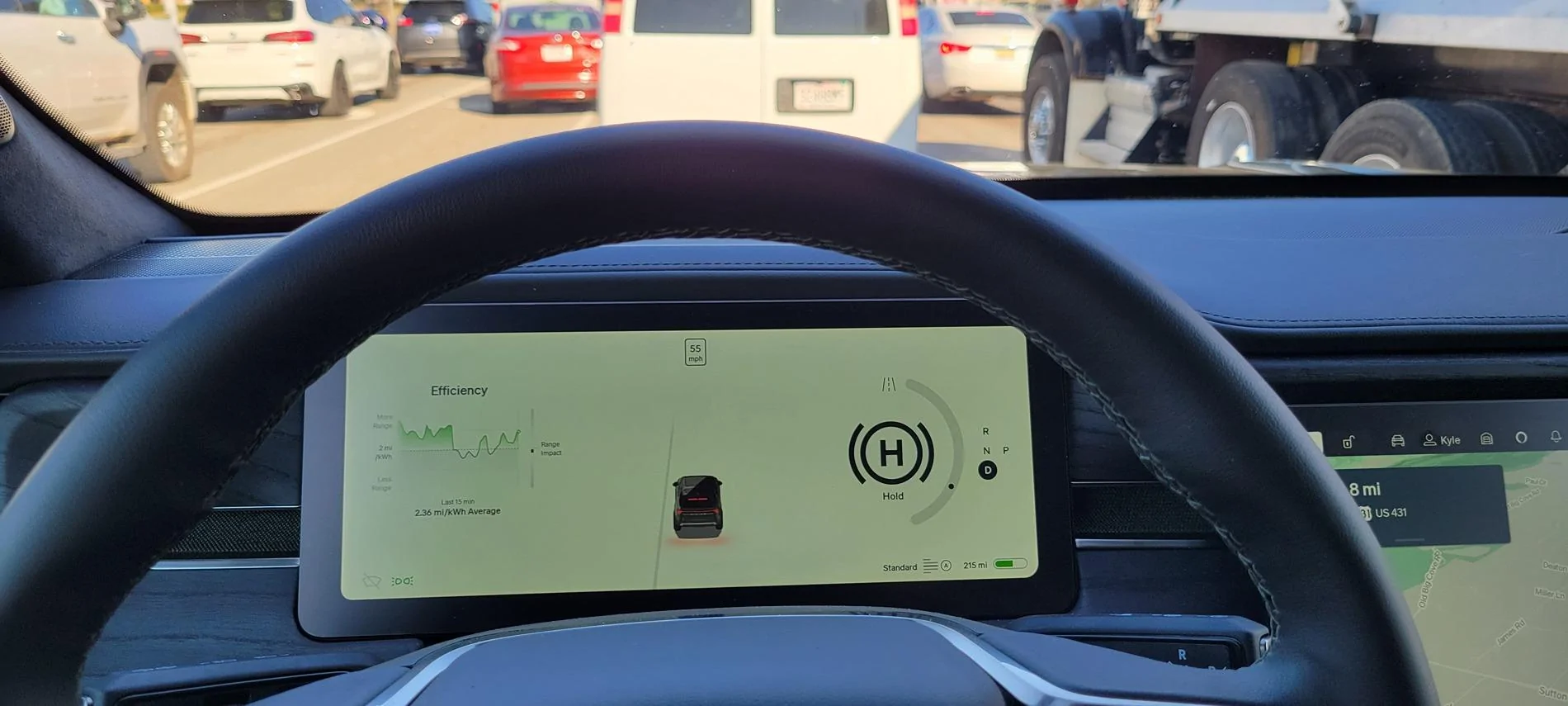
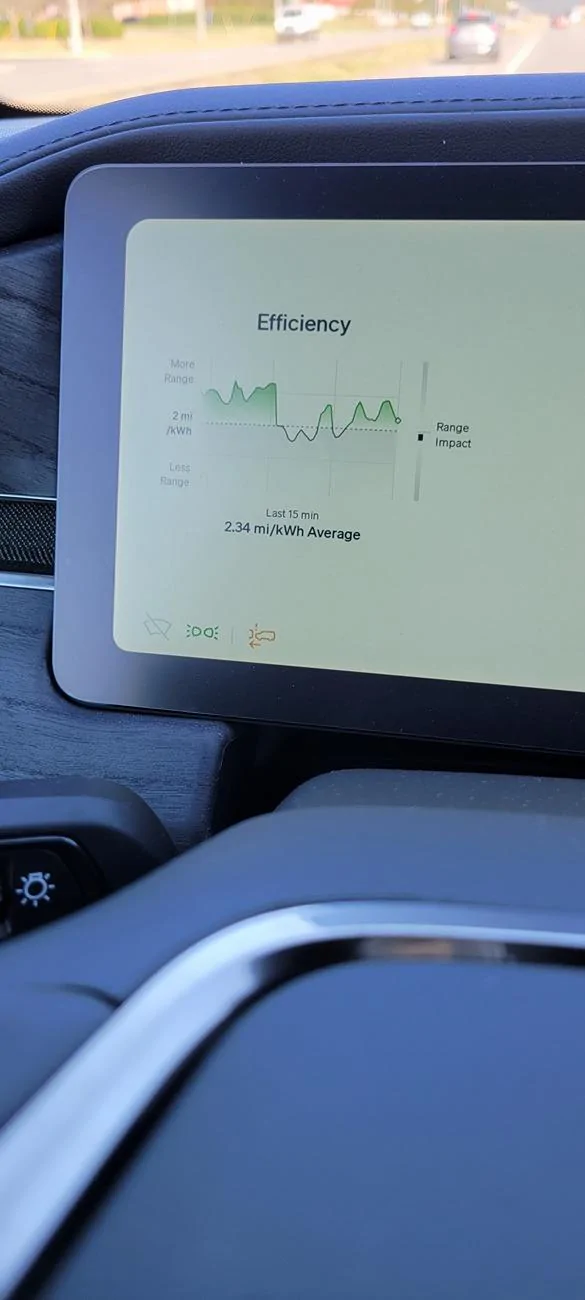
@mpshizzle I noticed this morning all my radar imaging was gone, with an associated front collision light on main screen. No other notifications. Then a little while later the radar started 'seeing' the front vehicle again. Strange. I can't wait for version 39 to get pushed. Please let me know if you have better visibility in your radar after you update. I'll be curious if yours gets better.

Rivian R1T R1S Driver Display shows only Lead Car (Gen 2) 20241016_093739


Rivian R1T R1S Driver Display shows only Lead Car (Gen 2) 20241016_093850
 
OP
OP
mpshizzle

mpshizzle

Well-Known Member
Joined
Jun 16, 2024
Threads
76
Messages
1,307
Reaction score
2,183
Location
Utah
Vehicles
2025 R1S Dual Max (Baymax)
@mpshizzle I noticed this morning all my radar imaging was gone, with an associated front collision light on main screen. No other notifications. Then a little while later the radar started 'seeing' the front vehicle again. Strange. I can't wait for version 39 to get pushed. Please let me know if you have better visibility in your radar after you update. I'll be curious if yours gets better.

20241016_093739.webp


20241016_093850.webp
I've had that warning appear from time to time as well (the lead car visual and cruise control/highway assist also quit working when that happens) - for me it always went away after letting the vehicle go to sleep.

Yeah I'm curious about if .39 fixes it or not, as well! It's still in the SC, but last night I got a notification on my Rivian app that .39 was ready to install, and about an hour later another notification that the install was complete. The SC told me they'd give me a status update today so I'll keep you posted!
 

Sponsored

krb1183

Well-Known Member
Joined
Mar 2, 2022
Threads
4
Messages
226
Reaction score
167
Location
Huntsville, AL
Vehicles
2025 R1S
I've had that warning appear from time to time as well (the lead car visual and cruise control/highway assist also quit working when that happens) - for me it always went away after letting the vehicle go to sleep.

Yeah I'm curious about if .39 fixes it or not, as well! It's still in the SC, but last night I got a notification on my Rivian app that .39 was ready to install, and about an hour later another notification that the install was complete. The SC told me they'd give me a status update today so I'll keep you posted!
Awesome thank you!
 
OP
OP
mpshizzle

mpshizzle

Well-Known Member
Joined
Jun 16, 2024
Threads
76
Messages
1,307
Reaction score
2,183
Location
Utah
Vehicles
2025 R1S Dual Max (Baymax)
Awesome thank you!
Just got off the phone with the SC regarding one of the other issues they were addressing with a door trim piece.

He said they were able to fix it, and that it was caused by a software version mis-match. Not sure if .39 was the only fix, or if they also re-installed other software as well. But it definitely seems to have been a factor. Given that your SC was working with your driver assistance software I'm guessing chances are pretty good .39 will be the final part of your fix
 
OP
OP
mpshizzle

mpshizzle

Well-Known Member
Joined
Jun 16, 2024
Threads
76
Messages
1,307
Reaction score
2,183
Location
Utah
Vehicles
2025 R1S Dual Max (Baymax)
@krb1183

Definitely worth the upgrade, I just picked it up and the visuals are much better than the previous software version. It can now differentiate between vehicles more than just "semi truck" or "not semi truck" lol.

It's can differentiate between sedans, suvs, and pickup trucks.
 

krb1183

Well-Known Member
Joined
Mar 2, 2022
Threads
4
Messages
226
Reaction score
167
Location
Huntsville, AL
Vehicles
2025 R1S
@krb1183

Definitely worth the upgrade, I just picked it up and the visuals are much better than the previous software version. It can now differentiate between vehicles more than just "semi truck" or "not semi truck" lol.

It's can differentiate between sedans, suvs, and pickup trucks.
Awesome, my software is freshly installed. Gonna take my son on a drive to Petsmart to test it out!
 

krb1183

Well-Known Member
Joined
Mar 2, 2022
Threads
4
Messages
226
Reaction score
167
Location
Huntsville, AL
Vehicles
2025 R1S
Awesome, my software is freshly installed. Gonna take my son on a drive to Petsmart to test it out!
@mpshizzle unfortunately no joy. I still see only one car, the lead car in front of me. On the bright side I did see more detail on the road lines and they seemed to be more accurate, so the cameras must be working better.
I did put in a service request and I did take two diagnostic logs at spots when I was surrounded by cars at a stop light but only one car ahead was showing.
 

Sponsored

iansriv

Well-Known Member
Joined
Feb 12, 2022
Threads
20
Messages
2,804
Reaction score
3,817
Location
US
Vehicles
R1S
I don't see the point of that particular display information. For example, today it displayed a motorcycle (it was a post) to my right as I was parking.
 
OP
OP
mpshizzle

mpshizzle

Well-Known Member
Joined
Jun 16, 2024
Threads
76
Messages
1,307
Reaction score
2,183
Location
Utah
Vehicles
2025 R1S Dual Max (Baymax)
@mpshizzle unfortunately no joy. I still see only one car, the lead car in front of me. On the bright side I did see more detail on the road lines and they seemed to be more accurate, so the cameras must be working better.
I did put in a service request and I did take two diagnostic logs at spots when I was surrounded by cars at a stop light but only one car ahead was showing.
Dang it... That sucks that you'll have to go back in for service a second time for this. Hopefully they can get you in quick. That's so frustrating. In the meantime I guess you can enjoy the push to open Feature actually working for once lol
 
OP
OP
mpshizzle

mpshizzle

Well-Known Member
Joined
Jun 16, 2024
Threads
76
Messages
1,307
Reaction score
2,183
Location
Utah
Vehicles
2025 R1S Dual Max (Baymax)
Weird that it's only visual and not affecting functionality.
Very weird indeed! Further proof that the drivers assistance is currently running on Mobile Eye and not Rivians open system I guess. At least not YET
 

krb1183

Well-Known Member
Joined
Mar 2, 2022
Threads
4
Messages
226
Reaction score
167
Location
Huntsville, AL
Vehicles
2025 R1S
Yeah honestly I don't know what the point of it is. Does it affect auto lane change or any drivers+ features I don't really know. Haven't driven or tested it yet enough. Never had auto lane change work. I don't think I'm going to bring it up to service, I'm going to have then look at the diagnostics and if it's not critical to driver+ I'm not going to make a separate 2 hour trip up for it. I could try a vehicle reset I guess. I'm not to turned up about it. I love driving the vehicle regardless. I'm excited for the Halloween themes hah.
Sponsored


Top