Sponsored

Home Wifi connection trouble

ESS

Member
Joined
Jun 30, 2023
Threads
1
Messages
10
Reaction score
3
Location
WA.
Vehicles
Rivian R1S
Just got my R1S yesterday needless to say very happy. Having trouble connecting my home wifi to vehicle. It finds other wifi in the area just not mine. Tried to manually connect, no go. Assuming it has something to due with my router from what I researched online. My problem is I am clueless when it comes to routers. Anybody have a step by step tutorial on how to change the router settings so the Rivian can see it without messing up my network?
Thanks in advance
Sponsored


redantpile

Well-Known Member
First Name
Chris
Joined
May 10, 2020
Threads
8
Messages
173
Reaction score
200
Location
allen, tx
Vehicles
2018 EDGE, 2023 R1S red adventure 20"
Occupation
Retired telephone engineer
Clubs
 
You did not say what type/model router you have, but most of them work this way. Many people have issues connecting because of the 5 ghz part of your wifi, vs the 2.4 ghz. Try either turning off the 5 completely to see if it can connect, or you can also just turn off the SSID broadcast(name) of the 5 ghz instead. That is what I did so both 2.4 and 5 are still working, but only 2.4 will send out the name of the wifi network. I'm guessing that may be the issue. If you can share the model/manufacturer of the router, someone can give more specific info.
 
OP
OP

ESS

Member
Joined
Jun 30, 2023
Threads
1
Messages
10
Reaction score
3
Location
WA.
Vehicles
Rivian R1S
Thanks for the reply. Is a Centurylink DSL router. I know dumb question but said was clueless with routers. How do I access the router to change or remove the 5g name.
 

scmrivian

Active Member
Joined
Mar 1, 2023
Threads
0
Messages
30
Reaction score
21
Location
Los Gatos, CA
Vehicles
R1T, R1S
Some routers have a toggle to split 2.4 and 5. If you see that option it will give you to separate SSID (network names). I had the same issue with Teslas and many other devices.
 

redantpile

Well-Known Member
First Name
Chris
Joined
May 10, 2020
Threads
8
Messages
173
Reaction score
200
Location
allen, tx
Vehicles
2018 EDGE, 2023 R1S red adventure 20"
Occupation
Retired telephone engineer
Clubs
 
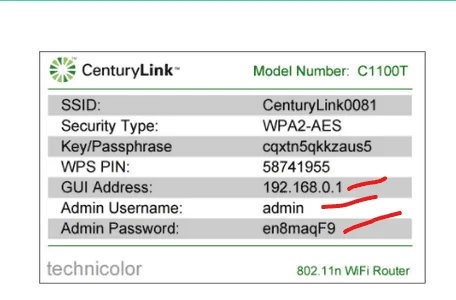
Not familiar with those but this link says to use 192.168.0.1. Open a web browser and put in 192.168.0.1. At least that looks their default address. If someone else has one, they can post the correct info.

You have to go thru the menus and find the settings for the wifi section. You should be able to turn off either 2.4 or 5, and/or turn off the "broadcast SSID", and/or rename the SSID.

https://www.centurylink.com/home/help/internet/modems-and-routers.html

One of their routers for example.

Rivian R1T R1S Home Wifi connection trouble Screenshot 2023-06-30 113654
 

Sponsored

OP
OP

ESS

Member
Joined
Jun 30, 2023
Threads
1
Messages
10
Reaction score
3
Location
WA.
Vehicles
Rivian R1S
Thanks will give it a try
 
OP
OP

ESS

Member
Joined
Jun 30, 2023
Threads
1
Messages
10
Reaction score
3
Location
WA.
Vehicles
Rivian R1S
Well I got into the router but couldn't figure it out. I found DSL 1 and DSL 2 but couldn't tell which one was 2.4 or 5. I really appreciate all your help and would like to keep going on this but have to get wife to an appointment. Will check in later.
 
OP
OP

ESS

Member
Joined
Jun 30, 2023
Threads
1
Messages
10
Reaction score
3
Location
WA.
Vehicles
Rivian R1S
I did find the mfg/model Actiontec C1900A Is an old one.
 

redantpile

Well-Known Member
First Name
Chris
Joined
May 10, 2020
Threads
8
Messages
173
Reaction score
200
Location
allen, tx
Vehicles
2018 EDGE, 2023 R1S red adventure 20"
Occupation
Retired telephone engineer
Clubs
 
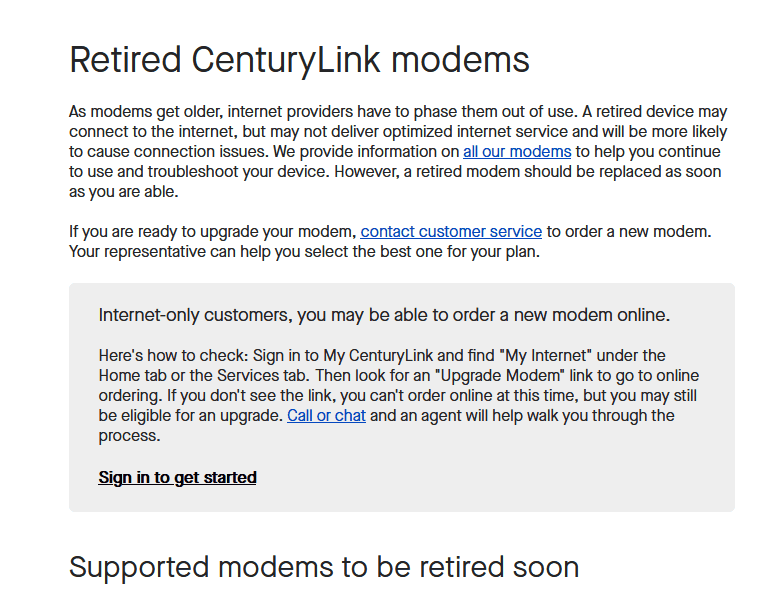
Understood. Just so you know dsl 1 and 2 is the feed coming from the phone company. From outside the house. The WAN connection. There should be a wifi section and maybe it's under the LAN portion? Look for for the model number on the label of your router, and they have instructions for each model.

edit, try this.

https://www.centurylink.com/home/help/internet/modems-and-routers/actiontec-c1900a.html

edit again, oh it says it does not even have 5 ghz, so this may be of no help.

Rivian R1T R1S Home Wifi connection trouble Screenshot 2023-06-30 120417
 

andisimose

Well-Known Member
First Name
Andy
Joined
Oct 4, 2021
Threads
10
Messages
185
Reaction score
221
Location
Southern VA
Vehicles
VW Atlas
Clubs
 
I found that I needed to disable WPA1 Authentication on my SSID and it found it right away. You would do that in your centruylink routers wifi settings as well.
 

Sponsored

Electrified Outdoors

Well-Known Member
First Name
Ken
Joined
Jan 30, 2023
Threads
63
Messages
3,683
Reaction score
3,980
Location
Mount Airy, Maryland
Website
EVoutdoors.org
Vehicles
2024 Rivian R1S Quad, 2024 Silverado EV RST First Edition
Occupation
Real Estate
Clubs
 
I found that I needed to disable WPA1 Authentication on my SSID and it found it right away. You would do that in your centruylink routers wifi settings as well.
When you disable WPA1 are you changing that to WPA2? If the WoFi password is removed or if your using WEP that's not good. I would consider getting an updated router if possible.
 

andisimose

Well-Known Member
First Name
Andy
Joined
Oct 4, 2021
Threads
10
Messages
185
Reaction score
221
Location
Southern VA
Vehicles
VW Atlas
Clubs
 
When you disable WPA1 are you changing that to WPA2? If the WoFi password is removed or if your using WEP that's not good. I would consider getting an updated router if possible.
My router has options for wpa2 only. I was surprised just unchecking wpa1 made it visible to the r1s. But I took that off a Facebook post around problems someone else had
 

Electrified Outdoors

Well-Known Member
First Name
Ken
Joined
Jan 30, 2023
Threads
63
Messages
3,683
Reaction score
3,980
Location
Mount Airy, Maryland
Website
EVoutdoors.org
Vehicles
2024 Rivian R1S Quad, 2024 Silverado EV RST First Edition
Occupation
Real Estate
Clubs
 
My router has options for wpa2 only. I was surprised just unchecking wpa1 made it visible to the r1s. But I took that off a Facebook post around problems someone else had
Good to know. I always prefer to use my own router/AP instead of the ISP supplied hardware. Better feature set and more frequent security updates. I recommend folks go with EERO or Google/Nest WiFi. Those systems work so well, are easy to expand, east to setup, and are compatible with just about every device out there.
 

Tim-in-CA

Well-Known Member
Joined
Sep 30, 2021
Threads
46
Messages
1,795
Reaction score
3,434
Location
So Cal
Vehicles
Gen 1 R1S, Lucid Air, T-Bird
Good to know. I always prefer to use my own router/AP instead of the ISP supplied hardware. Better feature set and more frequent security updates. I recommend folks go with EERO or Google/Nest WiFi. Those systems work so well, are easy to expand, east to setup, and are compatible with just about every device out there.
+1 for Eero. If you can use Ethernet backhaul, even better. I repurposed the coax I have In every room of my house with MoCA. My system is bulletproof. Also helps to have a node in the garage for the growing number of connected devices in there.
Sponsored


Top