UnsungZero_OldTimeAdMan
Well-Known Member
I wouldn't even go below 20% unless extraordinary circumstances.I was following the suggestions of the service operator. I usually never go below 10% SOC
Sponsored
I wouldn't even go below 20% unless extraordinary circumstances.I was following the suggestions of the service operator. I usually never go below 10% SOC
I already have a Lightning (Ford) and my wife loves driving it!!! Soooo Big Cadillac ride and quiet.When my HV battery was starting to fail I had similar issues, with it not wanting to L3 charge, but then while driving it in the weeks before my service appointment it would charge fine for a couple weeks before having the same issue again.
I hesitate to say that is your problem now since you already had that replaced, but I suppose it’s possible lightning could strike twice? Maybe the BMS this time?
I will check that if there is a next time but when the Rivian arrived at the service center I pulled it into level 2 charger bay and it started charging right away.Has nothing to do with scheduling. It's the charge limit that you have to check.
Ever since this happened I only charge Level 3 near home to 75%....Time will tell. I was at the Tesla Diner last week and was the only non-Tesla at the 49 spots.Do you L3 charge frequently or just on these longer trips?
If not I would start charging L3 maybe once a month at different places to get a feel for what works when not under stress.
And I assume it charged beautifully. I have an inkling it could be a heat issue. By the time it gets to service all is OK again.Ever since this happened I only charge Level 3 near home to 75%....Time will tell. I was at the Tesla Diner last week and was the only non-Tesla at the 49 spots.
isn't the minimum SOC the app lets you set 50%?Checked and found an EA 5 miles away at the next exit so decided to go there. Same issue, just would not start charging, just as I was about to call Rivian support I happened to see my charge limit was set to 20% and I had 28% in the battery. I never figured out how it got set to 20%, I assume I must have accidentally set it on my phone. Since then it is the first thing I look at if charging does not start.
 thought you meant the EA app but you said the problem happened at a Tesla SC too.
I've seen the solid red charger port light when there is an error (usually an associated error message on the dash, usually just says to unplug and plug again). I've never seen a flashing red charger light. I'm surprised Rivian couldn't pull some sort of error code from the logs. I'd second hitting your name on the screen next time it happens to capture diagnostics. Pretty sure they can do this live on the phone if you call when you're having trouble too.Another point is that i was getting the flashing red light after failure to charge each time.

I recently had my charge limit get set to 54%, completely randomly. But when this happened it would not charge on L2 either. I was at home and it would not charge, so I looked at the settings and found it set to 54%.I happened to see my charge limit was set to 20% and I had 28% in the battery. I never figured out how it got set to 20%, I assume I must have accidentally set it on my phone. Since then it is the first thing I look at if charging does not start.
I won’t pretend to diagnose, but I experienced similar symptoms, intermittent failures L3 charging, with my R1T DPM. It is now at the Colorado Springs Service Center awaiting a replacement charging port wirng harness, which they diagnosed to be at fault. I will say that service has been excellent, with a loaner ready to drive and telephone progress updates. My capture of vehicle diagnostics via my icon on the screen was cited as a huge help.I have a Launch Edition 2022 R1S Quad. Last year, it would not charge at either Rivian or Electrify America Level 3 chargers along Hwy 395 between Los Angeles and Mammoth Lakes. This was in August 2024, and I didn’t have the adapter yet. Since it’s about 300 miles to my house, I needed at least one charge along the way.
I stopped at the Olancha Adventure Network charger and tried all three stations, assuming the site was down. I tiptoed to the Inyokern RAM chargers and experienced the same issue. I called Rivian Service and was told to perform the usual reboot, but it didn’t work. Rivian and I agreed that maybe a Level 2 charger was the solution, so I switched to Conserve Mode and drove 45 mph to Palmdale, where the hospital had a faster 21 kW Level 2 charger.
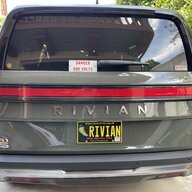
Unfortunately, due to the 110-degree heat, the chargers had been downgraded to 8.6 kW. We ended up sitting there for five hours, ordered Uber Eats, and went into the hospital to cool off. My wife and I took turns holding our Catahoula Leopard Dog under the shade in the drop-off area. After drinking about a gallon of bottled water each, we were back on the road.
I dropped the R1S off at the El Segundo Service Center for a “Sunshine Treatment” so they could run diagnostics. I was given a rental car—thank you, Rivian. It turned out the HV battery and/or the BMS was defective. They installed a re-manufactured HV battery pack at no cost to me.
Now, almost exactly a year later, I had the same problem on my way back from the Bluesapalooza. I started charging at the new Tesla V4 chargers in Coso Junction—no luck. I tried three other stands, then went to the EA chargers next door. Still no luck. I performed four hard reboots, waiting five minutes each time. Nothing worked.
Back on the road to Inyokern, limping along with the GOM (guess-o-meter) showing just 4% battery left upon arrival. Again, no luck at either the Tesla or RAM chargers. I hoped the Level 2 Rivian chargers there would save the day—but they were out of order. Now I was stuck in what felt like hell.
Rivian set up a tow for the next day and arranged a taxi to Lancaster, followed by an Uber home. The total was close to $600, which they said they'd cover, but they only provided a $300 Uber voucher. I had to pay $250 for the taxi out of pocket.
The next day, I met with Rivian at the Havenhurst Service Center and explained the problem. We hooked up to a Level 2 charger in the lot—it charged just fine. They then took it to Burbank the following day, which has a Level 3 charger, and again—it charged without issue. They comped the tow and inspection, but nothing was resolved.
Anybody have an answer???
The only things I can come up with are:
All of my payment cards were up to date on Tesla, EA, and RAN.
- Something to do with the altitude (from 8,000 feet),
- The extreme heat,
- A software glitch,
- A fault triggered by the new Tesla V4 chargers,
- Bad luck,
- Or maybe the Bermuda Triangle…
So far, I’ve used Level 3 charging successfully about seven times without issue. One other oddity: I’ve seen my motor temps spike over 200 degrees while going down the mountain to Bishop. This only happened once and was noted via a data drop to Rivian for review.
Any ideas would help. Rivian hasn’t reached out since, and I get the sense they’ve swept it under the rug because the vehicle is “working now.”
p.s. thanks chat GPT
One more point. I noticed that after trying to charge at the NEW Coso Junction Tesla charger I pulled out the charge cable and went to another stand, the app told me that the bank of #4 -A, B, C and D were out of order. I was at 4 A. I don't know if the Rivian caused it or they were already out of order.


I just checked and appears you are correct on the APP and in the vehicle you can only go to 50%. This was nearly 2 years ago, not sure if those limits changed since or not. Just adds to my mystery now as to how it got set so low.isn't the minimum SOC the app lets you set 50%?
The screen you are referring to is the center display I presume? Just want to confirm. I was not aware this was a “feature” for capturing error messages or performing “screen shots”.When it does not charge, make sure to press your name on the screen to save whatever is going on to the service log. This might help Rivian diagnose exactly what is going on at the moment when it will not charge.
Maybe I need to perform a search in the owners manual for this detail on screen captures. It sounds like a very handly TS tool.I won’t pretend to diagnose, but I experienced similar symptoms, intermittent failures L3 charging, with my R1T DPM. It is now at the Colorado Springs Service Center awaiting a replacement charging port wirng harness, which they diagnosed to be at fault. I will say that service has been excellent, with a loaner ready to drive and telephone progress updates. My capture of vehicle diagnostics via my icon on the screen was cited as a huge help.
I have 8 years experience driving to Mammoth with 3 different EVs. I know all the chargers and remember all the EA problems. When I was looking at the Jag. I-Pace, I asked the dealer how to drive it all the way to Mammoth from LA when there were no CCS-1 Level 3 chargers on 395. I said it would take about 12 hours plus an overnight stop. He had no answer. So I bought the Tesla in 2018. Never looked back.Something is very wrong. I have a 2023 R1S and go to Mammoth from LA twice a summer and have used all the chargers you mentioned along the way and never had any issues. It was very hot also a few times. There are some chargers in Mojave also…Tesla and EA that I have used. They worked fine.