Sponsored

Lars24

Well-Known Member
First Name
John
Joined
Jan 4, 2022
Threads
0
Messages
46
Reaction score
67
Location
Vermont
Vehicles
2023 R1T
Clubs
 
Did they remove (or just move) the vehicle's GPS location (on Apple/Google maps)?
Sponsored


TollKeeper

Well-Known Member
First Name
Brian
Joined
Feb 1, 2022
Threads
12
Messages
1,440
Reaction score
1,449
Location
Brighton, CO
Vehicles
24 Rivian R1S, 04 GMC Envoy XUV, 12 Toyota Sienna
Occupation
Ast HR Director
I agree.. It certainly isnt a 2 row app..
 

defcon888

Well-Known Member
First Name
Keith
Joined
May 23, 2023
Threads
6
Messages
1,222
Reaction score
923
Location
Auburn, Ca
Vehicles
2023 R1T, 2021 Toyota RAV4 Prime
Occupation
Making money
Clubs
 
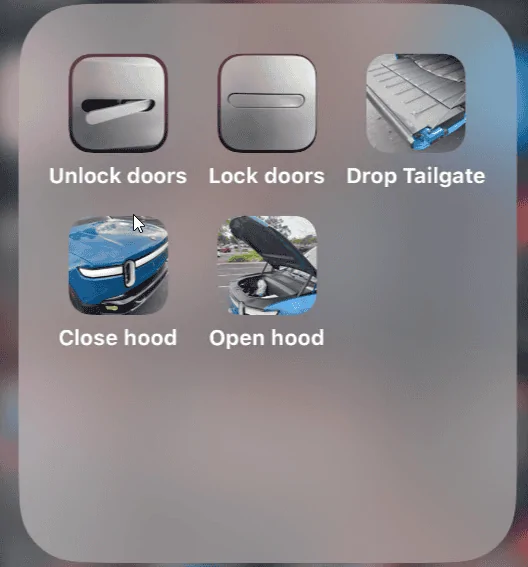
Love the new update.

I did this using SHORTCUTS on the Iphone 14Pro running the latest iOS. Doing this makes it easier to do things without opening the app.

Going to play with the widget.

Rivian R1T R1S Rivian App updated version released for iOS and Android 1707950511945
 
Last edited:

godfodder0901

Well-Known Member
First Name
Jared
Joined
Mar 12, 2019
Threads
27
Messages
5,749
Reaction score
10,139
Location
Washington
Vehicles
2022 Rivian R1T LE
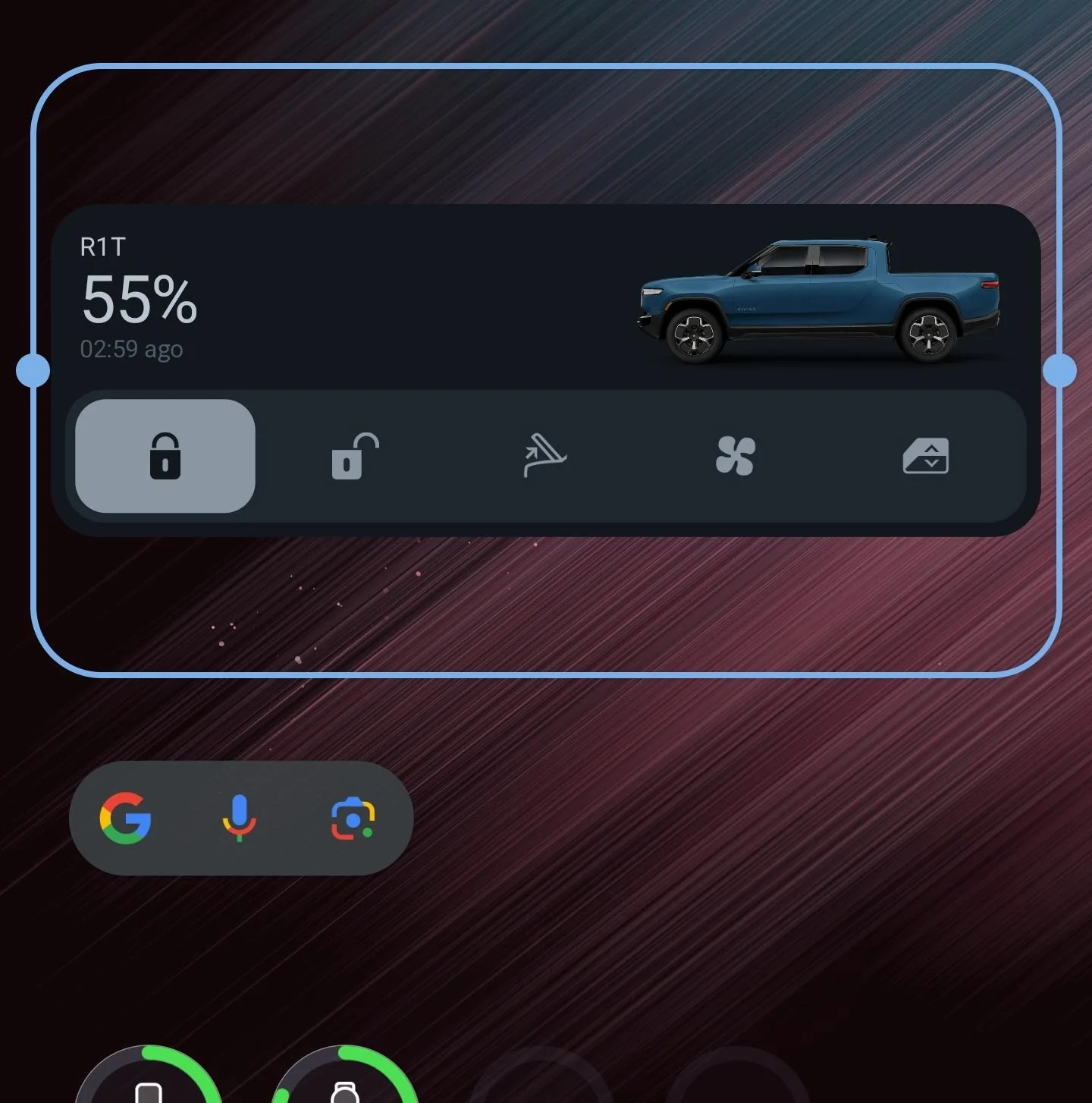
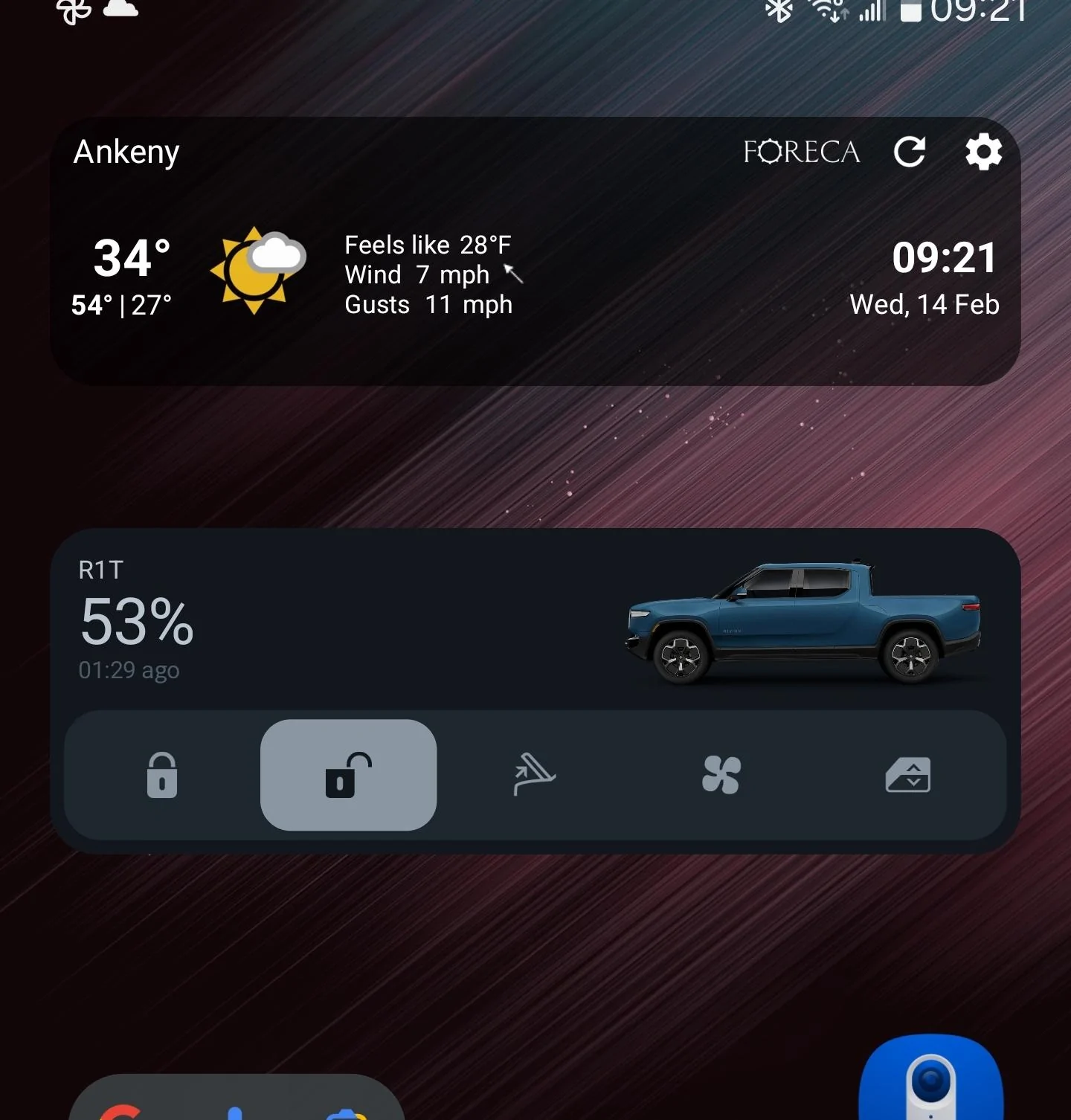
I'm on Android (Galaxy S22 Ultra) and while I like the widget, the vertical size doesn't make a lot of sense to me. It takes two rows of screen layout, which is fine, but why is there so much wasted space here?
1000008963.webp


And for a comparison, here it is with a 1-row widget from Foreca. They're nearly the same height:
1000008970.webp


Since the Rivian widget has buttons to interact with, I think 2 rows is good, but I'd like to see it use up a little more of that space.
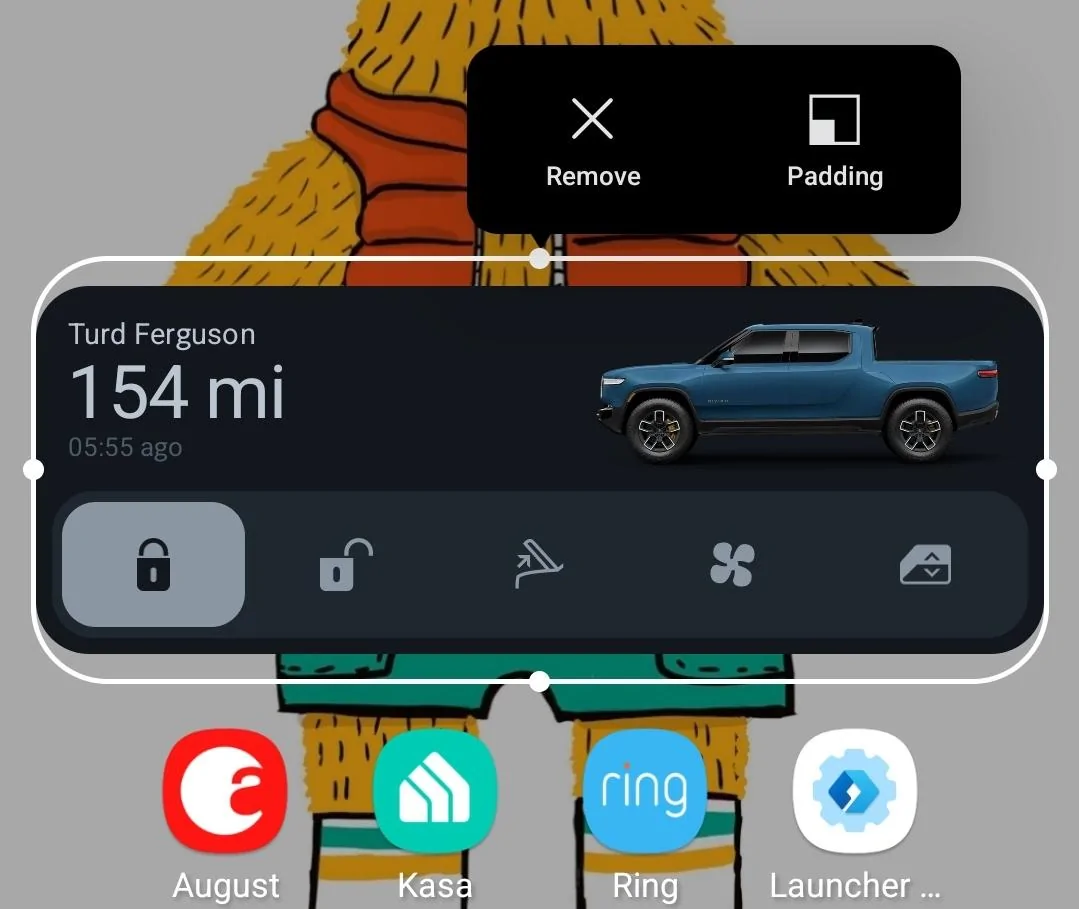
Hmm... Mine doesn't take up that much room. S24 Ultra
Rivian R1T R1S Rivian App updated version released for iOS and Android Screenshot_20240214_153302_Microsoft Launcher
 

TollKeeper

Well-Known Member
First Name
Brian
Joined
Feb 1, 2022
Threads
12
Messages
1,440
Reaction score
1,449
Location
Brighton, CO
Vehicles
24 Rivian R1S, 04 GMC Envoy XUV, 12 Toyota Sienna
Occupation
Ast HR Director
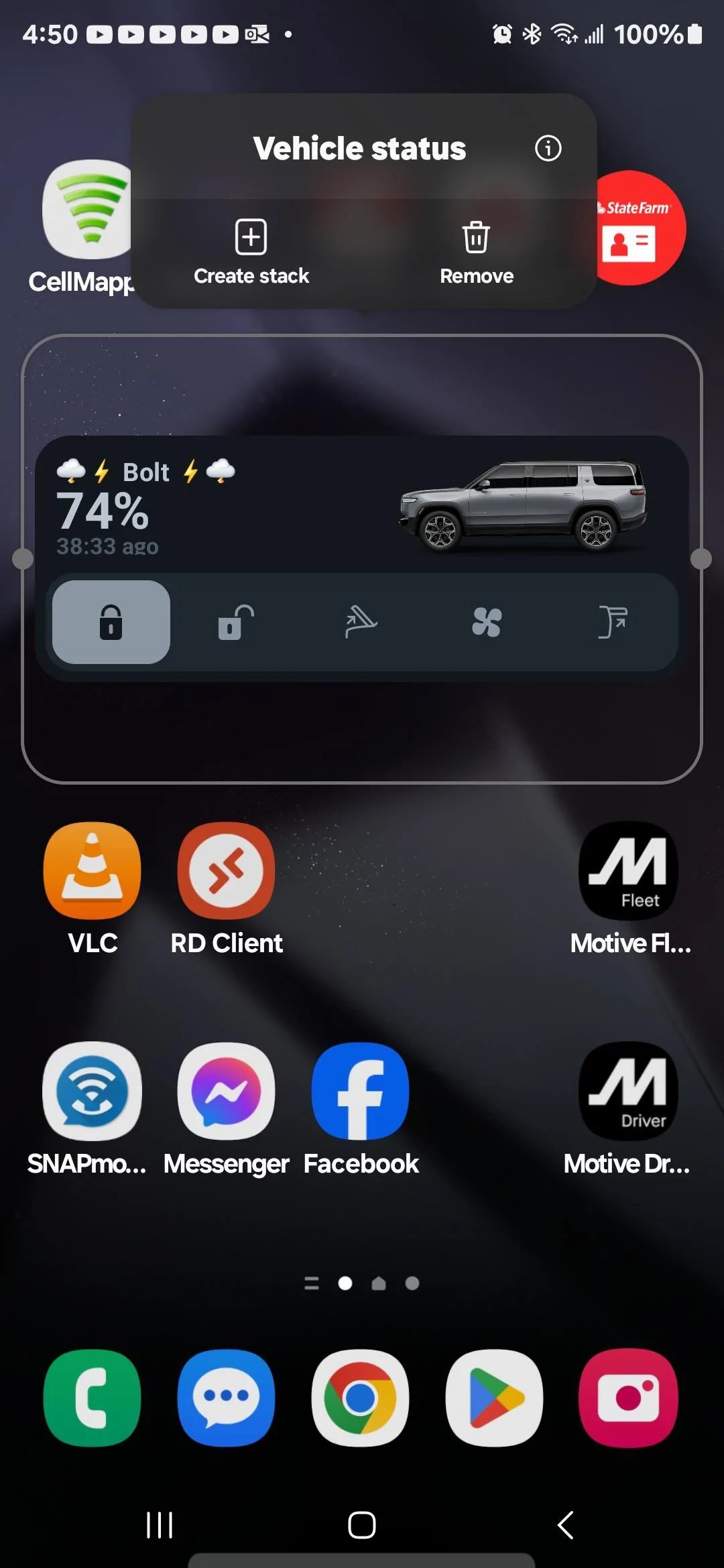
Im also on a S24 Ultra... 2 row for sure on mine. Looks like you have your set to 4 columns. Mine is set for 5 columns.

Rivian R1T R1S Rivian App updated version released for iOS and Android Screenshot_20240214_165026_One UI Hom
 
Last edited:

Sponsored

godfodder0901

Well-Known Member
First Name
Jared
Joined
Mar 12, 2019
Threads
27
Messages
5,749
Reaction score
10,139
Location
Washington
Vehicles
2022 Rivian R1T LE
Im also on a S24 Ultra... 2 row for sure on mine. Looks like you have your set to 4 columns. Mine is set for 5 columns.

Screenshot_20240214_165026_One UI Home.webp
Mine is 5 as well.
 

SSteveEV

Well-Known Member
First Name
Spencer
Joined
Nov 3, 2022
Threads
7
Messages
1,319
Reaction score
1,795
Location
Michigan
Vehicles
R1T, etc
Clubs
 
Very cool, but could Rivian allow us to edit/disable some buttons on the widget? I'm paranoid about accidentally opening the tailgate and have it crash against a closed garage door.
I know this probably isn't a good work around/solution but you can disable the power tailgate in the in truck settings menu. I was happy when I found that for towing but don't think it would be as useful for your case.

Agree it would be nice to customize the widget and I'm sure that'll come eventually
 

ozziegt

Well-Known Member
Joined
Aug 17, 2023
Threads
14
Messages
207
Reaction score
258
Location
Northern VA
Vehicles
23 R1S Quad, 15 Macan Turbo, 94 MR2 Turbo
That’s the time since last update. You don’t want the widget to wake the vehicle when you are simply looking at it. Lucid and Tesla do the same thing.
I know what it is. Having a second ticker that updates every second is poor UX. It should be something like "1m ago", "30m ago", "1h 30m ago". Updating every minute would a lot better than updating every second.
 

Grajjie

Well-Known Member
Joined
Aug 29, 2022
Threads
0
Messages
90
Reaction score
108
Location
NYC
Vehicles
BMW M340i, Ioniq Electric, Rivian R1T
Occupation
IT
Clubs
 
While the widget is cool there is room for improvement:

1. I tried to turn on climate from the widget and no matter how many times I tap it the "Turning climate on" text did not show nor did the bottom change color indicating it is on. However when I open the app it does show that it's running the climate. Seems like the widget didn't update until after I opened the app and once I did then I see the widget change.

2. I would like to change the range display to be battery SOC % instead.

3. When I turn on climate it only sets the temperature and no seat/wheel heating. Since Rivian is adding additional ways to turn on the climate controls I would like to see a climate preset option where I can set what I normally want the car to precondition to like what my parent's Hyundai has.

In the winter I almost always want to heat the cabin to 70 and set the seat heat to max and turn on the wheel heat. In the summer I would set the preset to cool to 68 and also set the seat to max cool.

 

YellowR1T

Well-Known Member
First Name
Brian
Joined
Oct 12, 2020
Threads
3
Messages
131
Reaction score
99
Location
83704
Vehicles
R1T
Occupation
Retired Air Force
Clubs
 
How do you add the Home Screen widget in iOS? - Never mind. I found it!
How did you find it on iOS? I tried holding lock screen, customize, searching the pick list options but Rivian was not listed.
 

Sponsored


Top