Sponsored

godfodder0901

Well-Known Member
First Name
Jared
Joined
Mar 12, 2019
Threads
27
Messages
5,748
Reaction score
10,138
Location
Washington
Vehicles
2022 Rivian R1T LE
Folder name, again? "GearGuardVideo"???

I'm at just the reverse....2% after 10 minutes.... 512GB MicroSD
GearGuardvideo and case matters
Sponsored


Firewired

Well-Known Member
First Name
Richard
Joined
Aug 6, 2022
Threads
13
Messages
108
Reaction score
131
Location
San Antonio
Vehicles
2022 El Cap Quad R1T, 2025 Storm Blue Tri R1T
Has anyone found a solution for a usbc splitter cable for the other port for one of the after market charging pads? I currently have both usbc ports occupied with plugs for the two MagSafe cables.
 

JerseyGreens

Well-Known Member
Joined
Nov 7, 2019
Threads
3
Messages
681
Reaction score
838
Location
NJ
Vehicles
2023 R1S ADV
Occupation
CAT Property Underwriter
1TB T7. Have been using these in my Teslas for years.
20230420_211230287_iOS.jpg
Looks good. Just got my T7 Shield. Going to install it later today...trying to figure out the cleanest option to tuck away the wire/velcro the SSD to the side of the console, etc.
 

Sponsored

jebinc

Well-Known Member
First Name
John
Joined
Oct 5, 2022
Threads
49
Messages
2,310
Reaction score
2,134
Location
Seattle, WA
Vehicles
2021+ Tesla MS Plaid, R1T Adventure
Occupation
Retired
Yes, failed also, use EaseUS free FAT32 formatter. Works in a few seconds.
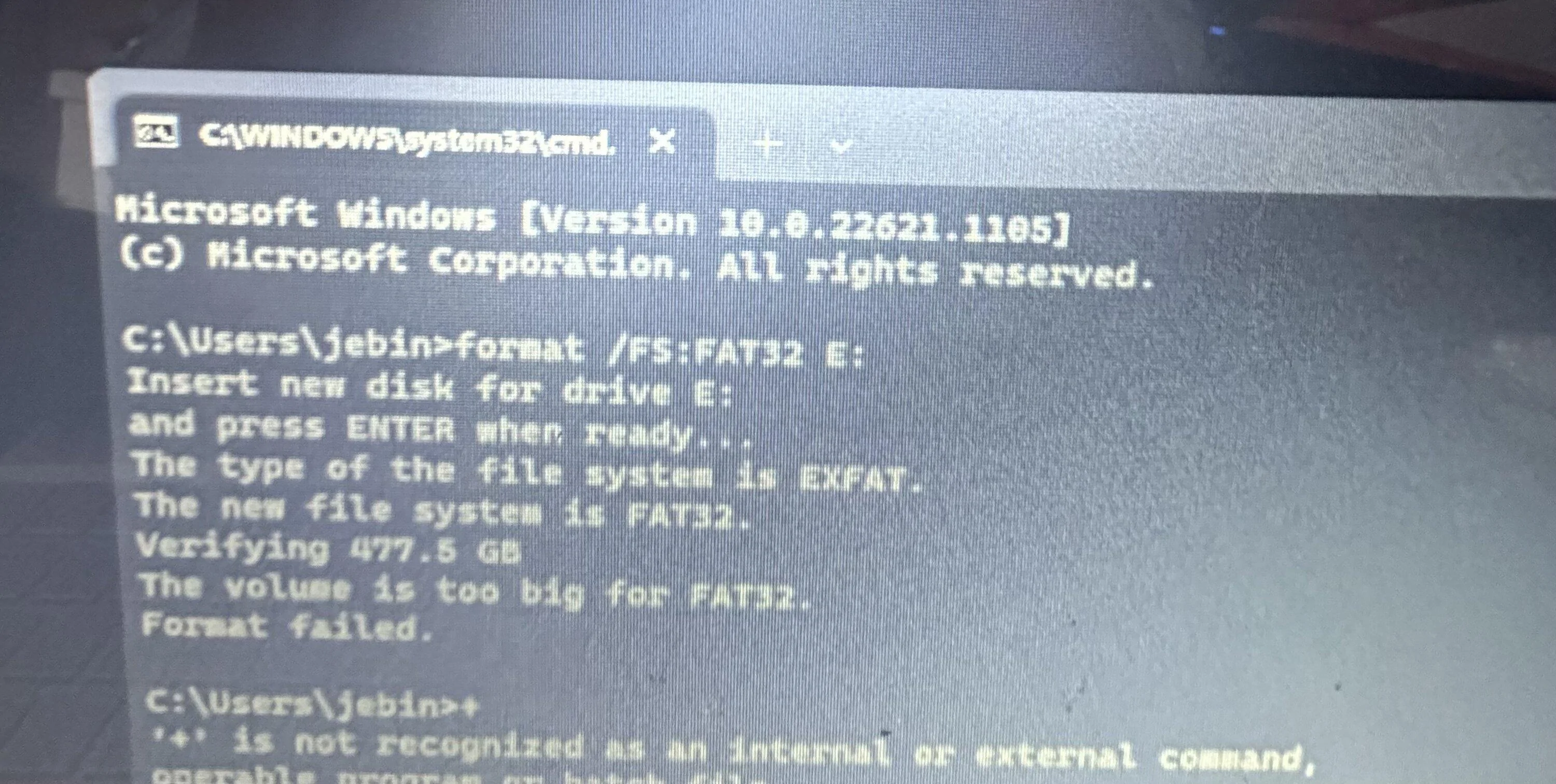
FAT32 format fails as 512GB is too large a partition. My drive was formatted with "ExFAT," but of course, that doesn't work. So, Rivian says use "at least 128GB" and requires FAT32 formatting - an oxymoron, so to say as there is only a small range of sizes that meet both requirements..... Pretty disappointing...

What other non third party solutions are there?
 

JerseyGreens

Well-Known Member
Joined
Nov 7, 2019
Threads
3
Messages
681
Reaction score
838
Location
NJ
Vehicles
2023 R1S ADV
Occupation
CAT Property Underwriter
FAT32 format fails as 512GB is too large a partition. My drive was formatted with "ExFAT," but of course, that doesn't work. So, Rivian says use "at least 128GB" and requires FAT32 formatting - an oxymoron, so to say as there is only a small range of sizes that meet both requirements..... Pretty disappointing...

What other non third party solutions are there?
Wait for the update from Rivian. They seem to be deploying an in vehicle option to format these drives.
 

godfodder0901

Well-Known Member
First Name
Jared
Joined
Mar 12, 2019
Threads
27
Messages
5,748
Reaction score
10,138
Location
Washington
Vehicles
2022 Rivian R1T LE
FAT32 format fails as 512GB is too large a partition. My drive was formatted with "ExFAT," but of course, that doesn't work. So, Rivian says use "at least 128GB" and requires FAT32 formatting - an oxymoron, so to say as there is only a small range of sizes that meet both requirements..... Pretty disappointing...

What other non third party solutions are there?
The max partition size for FAT32 is 2tb. On Windows, try the diskpart utility. https://learn.microsoft.com/en-us/windows-server/administration/windows-commands/diskpart
 

RWerksman

Well-Known Member
Site Sponsor
First Name
Rob @ OSEV
Joined
Nov 13, 2020
Threads
81
Messages
1,773
Reaction score
3,737
Location
Pittsburgh
Website
opensourceev.com
Vehicles
Jeep & R1T & Silverado EV
Clubs
 
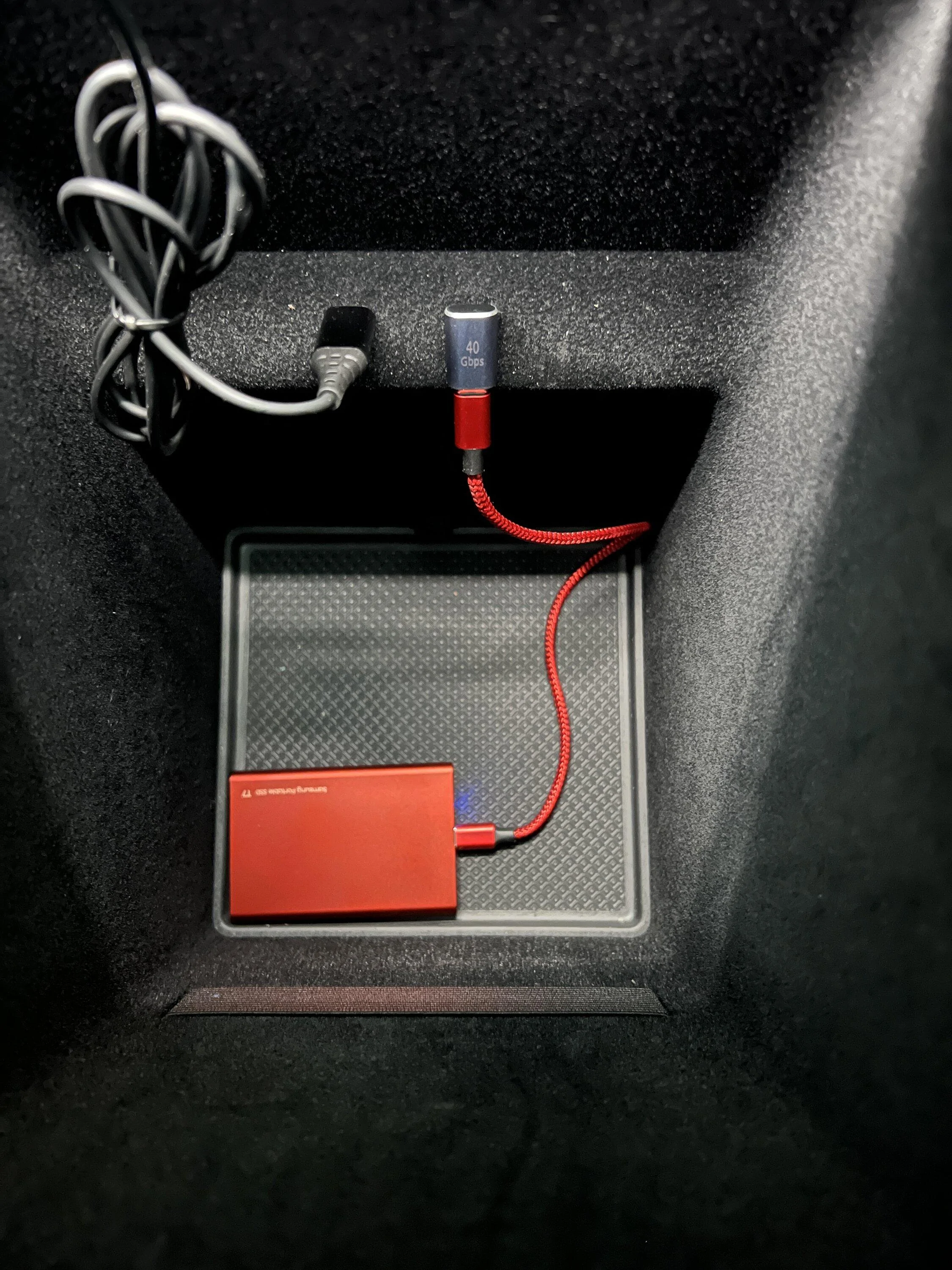
Looks good. Just got my T7 Shield. Going to install it later today...trying to figure out the cleanest option to tuck away the wire/velcro the SSD to the side of the console, etc.
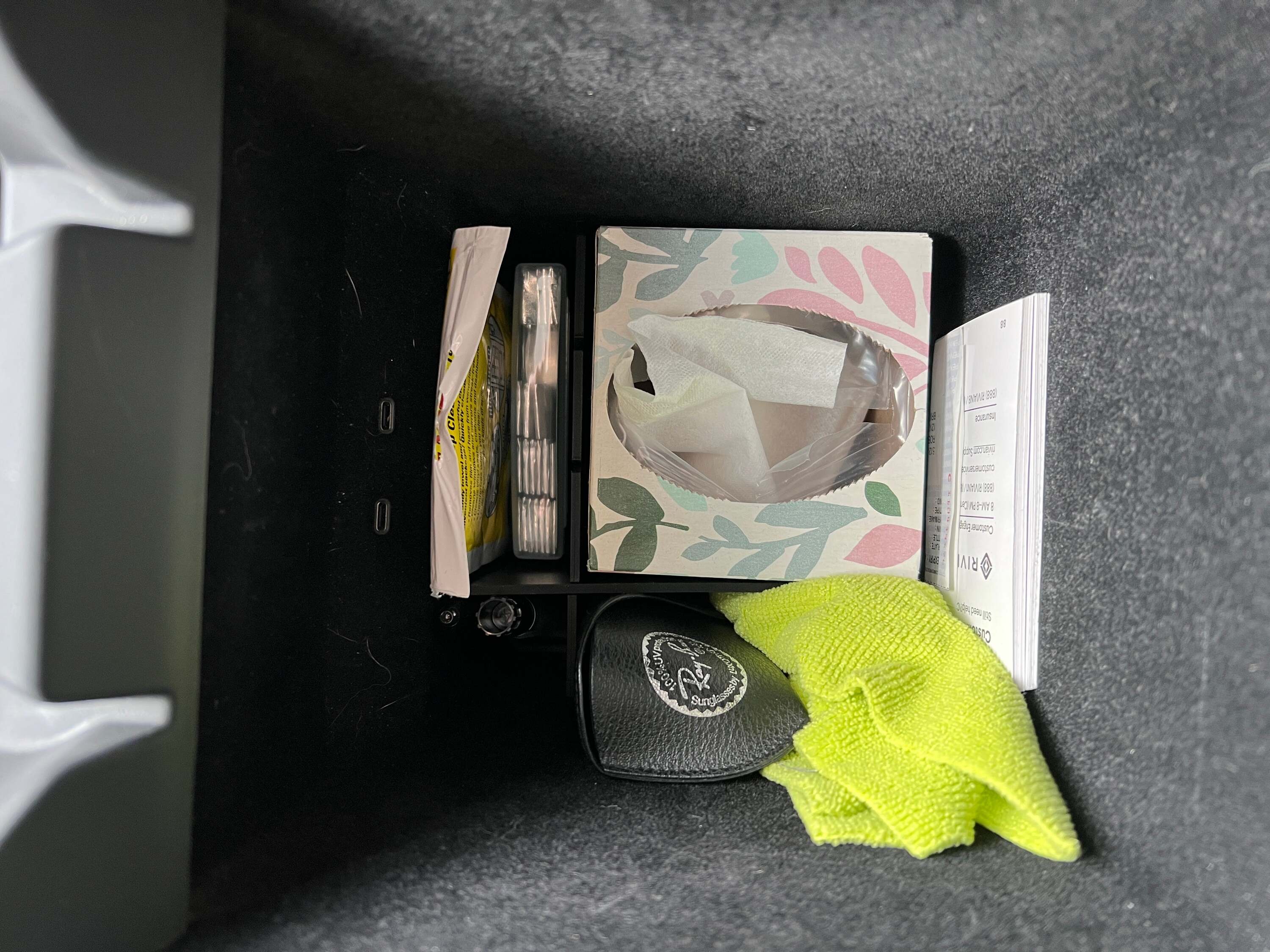
I'm planning on tucking mine in the smaller front compartments of the Adjustable Center Console Divider with a right angle adapter and a short cord. Right behind the gum (top left) or in the small section with the pens (bottom left).

Rivian R1T R1S Show off your dashcam memory card install IMG_1396
 

mkennedy1996

Well-Known Member
First Name
Max
Joined
Nov 18, 2020
Threads
41
Messages
437
Reaction score
744
Location
North Georgia
Vehicles
R1S, Model X, Model Y

Sponsored

TexasCrane

Well-Known Member
Joined
Sep 2, 2021
Threads
9
Messages
145
Reaction score
262
Location
Austin, TX
Vehicles
'26 Quad R1T, '24 Ineos Grenadier
Do we know of there any point to a larger drive size? On Teslas the dash cam just runs in a 1 hour loop and overwrites the old footage so there’s no point in a 512gb or 1tb drive.
 

mkennedy1996

Well-Known Member
First Name
Max
Joined
Nov 18, 2020
Threads
41
Messages
437
Reaction score
744
Location
North Georgia
Vehicles
R1S, Model X, Model Y
FAT32 format fails as 512GB is too large a partition. My drive was formatted with "ExFAT," but of course, that doesn't work. So, Rivian says use "at least 128GB" and requires FAT32 formatting - an oxymoron, so to say as there is only a small range of sizes that meet both requirements..... Pretty disappointing...

What other non third party solutions are there?
I have used this software for my Tesla and now Rivian dashcams and it works well:
FAT32 Format - Download (softonic.com)
 

godfodder0901

Well-Known Member
First Name
Jared
Joined
Mar 12, 2019
Threads
27
Messages
5,748
Reaction score
10,138
Location
Washington
Vehicles
2022 Rivian R1T LE
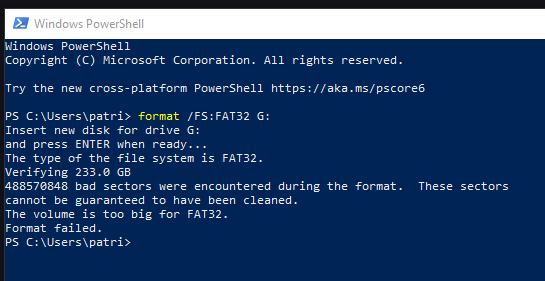
Windows... Is it lying to me?

IMG_7246.webp
In short, yes. That utility, as well as right clicking and selecting format, have limitations caused by their specific implementation.
Sponsored


Top