Sponsored

No Internet Connection after 2026.15.0 Update

lmerani

Active Member
Joined
Nov 26, 2023
Threads
6
Messages
33
Reaction score
28
Location
Indiana
Vehicles
R1T Dual Perf. Max | 3rd Gen 4Runner 5spd Manual
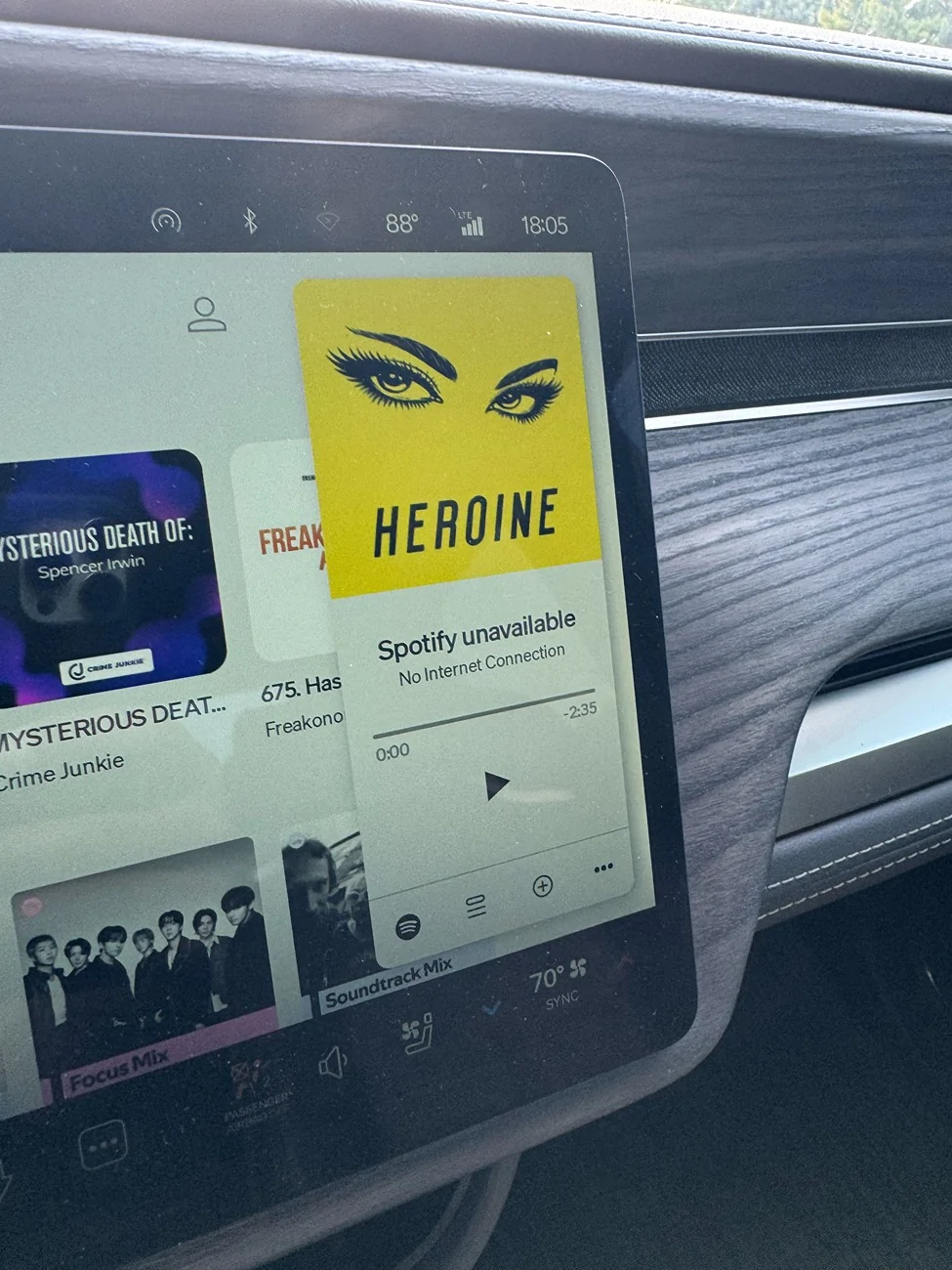
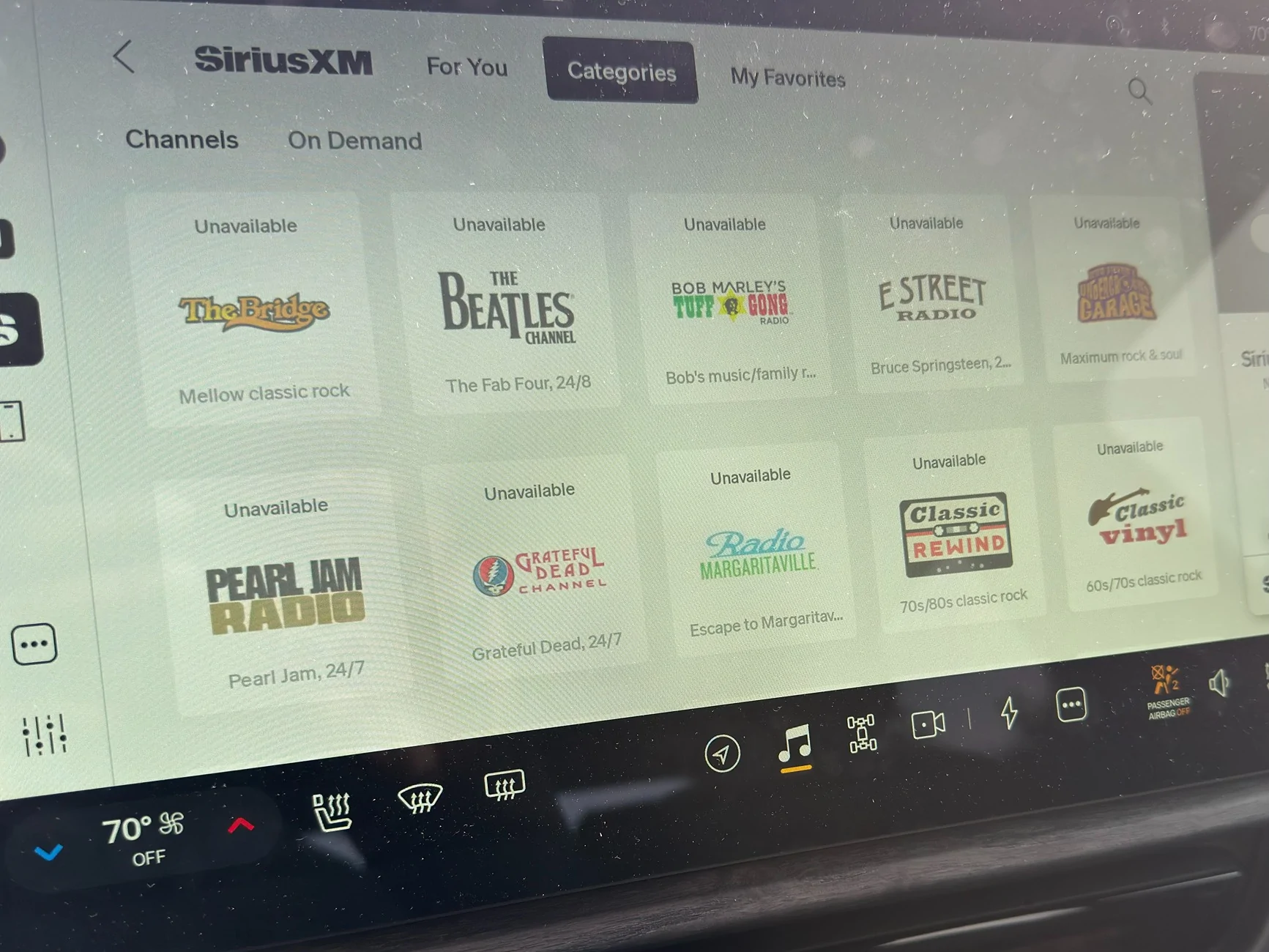
After the 2026.15.0 update, my R1T starting having intermittent internet connection issues that affects everything from the nav to the hotspot. I am wondering if this is likely a bug in 2026.15.0 or something else that is a known issue of which already has a known fix for. It is odd that I never had this issue prior to the update though.
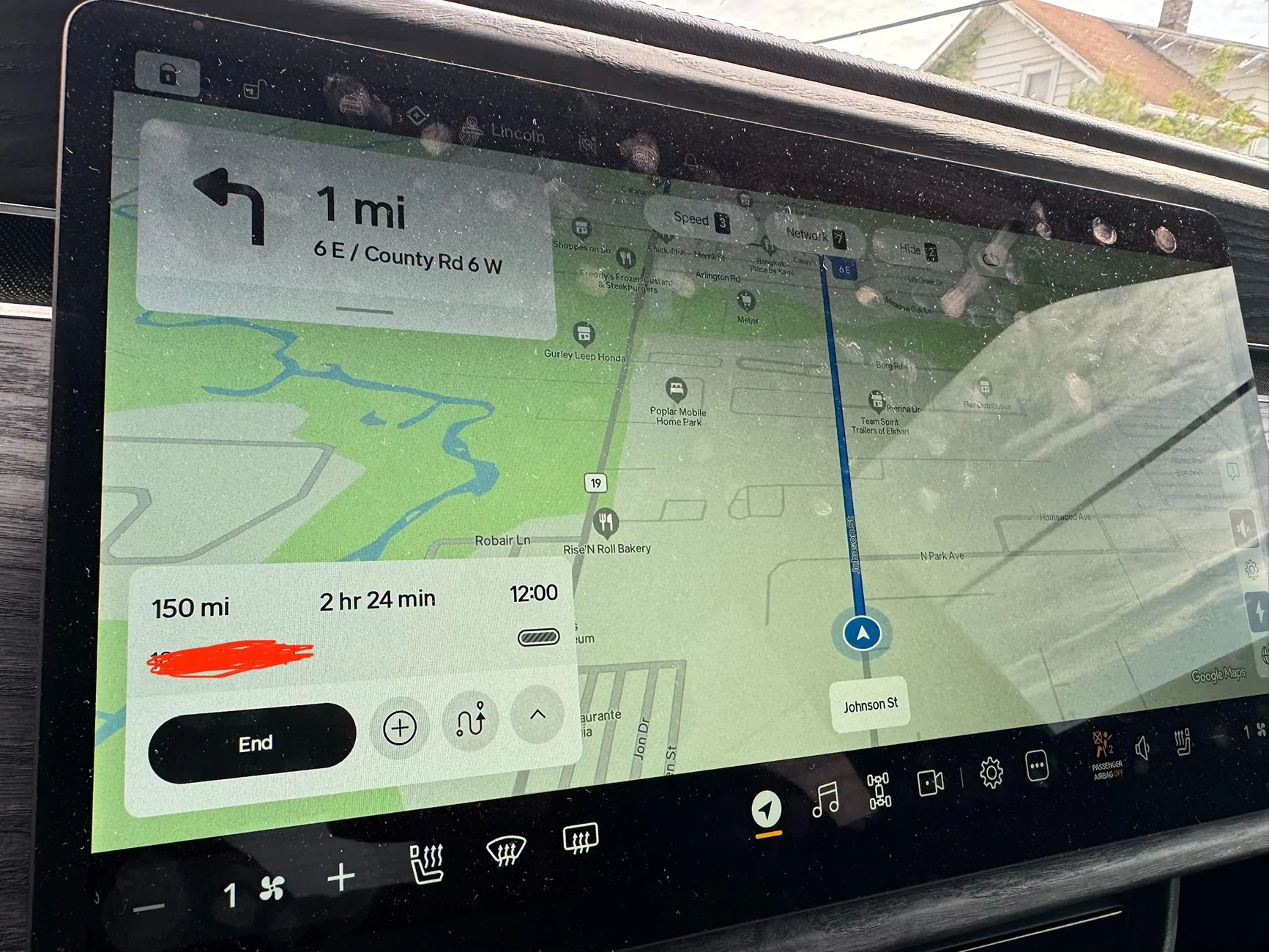
Anyway, I run into this issue on every drive. At multiple random times during the drive, the system will show no internet connection for 5 - 10 min or so and then it comes back, maybe for 10 min, then it goes out again, etc. The other thing to note is that the LTE coverage in my area is good and despite the No Internet Connection status, my truck always seem to have good cell reception.

It also affects my navigation and battery calculations. Throughout a trip, the connection will come and go which affects all of the above, but all the while, the LTE signal bars are showing good signal.

This is especially annoying since I am also paying for Connect+.

Anyway, is anyone else having a similar issue?

Rivian R1T R1S No Internet Connection after 2026.15.0 Update IMG_4466
Rivian R1T R1S No Internet Connection after 2026.15.0 Update IMG_4414
Rivian R1T R1S No Internet Connection after 2026.15.0 Update IMG_4513
Sponsored


VandalSibs

Well-Known Member
First Name
Andrew
Joined
Dec 27, 2023
Threads
15
Messages
1,377
Reaction score
2,383
Location
Eastern Washington State
Website
www.sibulskymusic.com
Vehicles
R1T Dual Motor Large Pack
Occupation
Composer, IT Service Desk Analyst
Clubs
 
First troubleshooting step with a Rivian - have you done a soft (infotainment) reboot? And if so, did that help or not?
 
OP
OP
lmerani

lmerani

Active Member
Joined
Nov 26, 2023
Threads
6
Messages
33
Reaction score
28
Location
Indiana
Vehicles
R1T Dual Perf. Max | 3rd Gen 4Runner 5spd Manual
First troubleshooting step with a Rivian - have you done a soft (infotainment) reboot? And if so, did that help or not?
Yes I have done both a soft and hard reset, but no difference.
 

UnsungZero_OldTimeAdMan

Well-Known Member
First Name
Barnum
Joined
Mar 20, 2023
Threads
66
Messages
8,536
Reaction score
11,722
Location
SoCal
Vehicles
'23 GW Quad-Large R1T "Ghost"
Occupation
Advertising Circus
If you've done the most basic thing a owner could do, the resets, it's time to contact Rivian. Fellow owners don't have visibility of vehicle logs to diagnose and fix. This isn't normal. And if you do a forum search and find no other examples, you'd see that it's not a common behavior that is associated with this particular OTA and you could be the first to share your findings from Rivian.
 
Last edited:

Rivian Owner

Well-Known Member
First Name
Mark
Joined
Sep 15, 2024
Threads
1
Messages
221
Reaction score
282
Location
Pacific North West
Vehicles
1971 GTO, 2019 F150,
Clubs
 
Interesting, I've been having "No Cloud Connection" issues with the Rivian app since the update. I tried to reinstall the app just to see if ti would clear and I'm still getting the same error. Similar to you, it will connect for a short time and then give me the error again. I haven't checked with my wife yet and I wouldn't be surprised if she is getting the same error, she just isn't as in tune with the app as I am. I'll try a reset and if that doesn't work, I'll give Rivian a shout.
 

Sponsored

Forest Edge

Active Member
Joined
Jan 3, 2024
Threads
1
Messages
40
Reaction score
70
Location
Denver
Vehicles
2023 R1T
I'm having the same issue. I do not have Connect+ and instead run a shortcut using my phone as a hotspot. It's always worked perfectly and instantly connected until the most recent OTA update. Now it takes 10+ minutes to connect and then after connecting, will frequently disconnect or otherwise get disrupted. I've done a soft reset and it hasn't fixed the issue. I figured it was an attempt to force me into Connect+.
 

Rivian Owner

Well-Known Member
First Name
Mark
Joined
Sep 15, 2024
Threads
1
Messages
221
Reaction score
282
Location
Pacific North West
Vehicles
1971 GTO, 2019 F150,
Clubs
 
Interesting, I've been having "No Cloud Connection" issues with the Rivian app since the update. I tried to reinstall the app just to see if ti would clear and I'm still getting the same error. Similar to you, it will connect for a short time and then give me the error again. I haven't checked with my wife yet and I wouldn't be surprised if she is getting the same error, she just isn't as in tune with the app as I am. I'll try a reset and if that doesn't work, I'll give Rivian a shout.
I called service, they had me do a hard reset. It came back up and I still can't access location of the vehicle. The cloud error was intermittent so it might pop up later rather than sooner? They scheduled an appointment for me for Friday at the local SC. We will see what service has to say. I wonder if I get a loaner phone along with an R2 while they look at my R1T??? :p
 
OP
OP
lmerani

lmerani

Active Member
Joined
Nov 26, 2023
Threads
6
Messages
33
Reaction score
28
Location
Indiana
Vehicles
R1T Dual Perf. Max | 3rd Gen 4Runner 5spd Manual
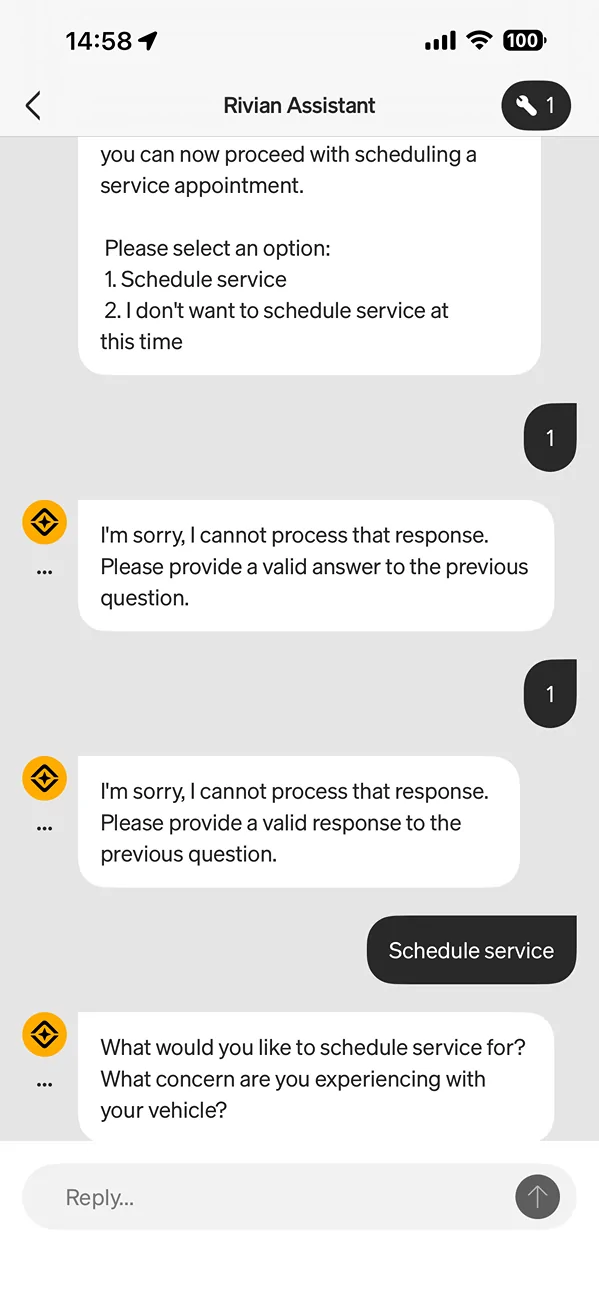
Yeah it's probably best to hit up service for this, although based on the replies here, I'm leaning more towards a software related thing. But I have some other issues that need to addressed anyway. I'll give them a call since the app is being buggy for me.

Rivian R1T R1S No Internet Connection after 2026.15.0 Update IMG_4526
 

UnsungZero_OldTimeAdMan

Well-Known Member
First Name
Barnum
Joined
Mar 20, 2023
Threads
66
Messages
8,536
Reaction score
11,722
Location
SoCal
Vehicles
'23 GW Quad-Large R1T "Ghost"
Occupation
Advertising Circus
Yeah it's probably best to hit up service for this, although based on the replies here, I'm leaning more towards a software related thing. But I have some other issues that need to addressed anyway. I'll give them a call since the app is being buggy for me.

IMG_4526.webp
It's not that it's buggy. It's that it, like most LLM based AI chat bots, it is expecting a conversation-like response. It understood "schedule service", but not numeral 1, which would have been how a traditional phone-based automated operator system works. There's been multiple threads/posts expressing similar frustration, all based on the same misunderstanding.
 
OP
OP
lmerani

lmerani

Active Member
Joined
Nov 26, 2023
Threads
6
Messages
33
Reaction score
28
Location
Indiana
Vehicles
R1T Dual Perf. Max | 3rd Gen 4Runner 5spd Manual
Update!! So I had a random thought to turn off the Wifi in the truck. Previously, it was on, but not connected to a network. I turned it off and had no connection interruptions or issues during the entire drive! So maybe there is a bug with the wifi being on, but not connected to a network? Maybe the truck is trying to prioritize the wifi over LTE even though the wifi is disconnected? That could explain why this is so noticeable while driving. Maybe I should try connecting my starlink mini to the truck to have Wifi in motion or phone hotspot and see if it makes a difference.
Anyway, interested indeed! This is my experience, but for the others having similar issues, this could be something to look into...
 

Sponsored

OP
OP
lmerani

lmerani

Active Member
Joined
Nov 26, 2023
Threads
6
Messages
33
Reaction score
28
Location
Indiana
Vehicles
R1T Dual Perf. Max | 3rd Gen 4Runner 5spd Manual
It could also explain the structured pattern of connection loss, then good connection, then loss and so on. That may line with when when the system switches to wifi as the internet source, doesn't find a good network, then switches back to LTE and continues to repeat.
 

SANZC02

Well-Known Member
First Name
Bob
Joined
Feb 11, 2021
Threads
50
Messages
7,397
Reaction score
12,677
Location
California
Vehicles
Tesla Model S, LE - R1S
Occupation
Retired
Update!! So I had a random thought to turn off the Wifi in the truck. Previously, it was on, but not connected to a network. I turned it off and had no connection interruptions or issues during the entire drive! So maybe there is a bug with the wifi being on, but not connected to a network? Maybe the truck is trying to prioritize the wifi over LTE even though the wifi is disconnected? That could explain why this is so noticeable while driving. Maybe I should try connecting my starlink mini to the truck to have Wifi in motion or phone hotspot and see if it makes a difference.
Anyway, interested indeed! This is my experience, but for the others having similar issues, this could be something to look into...
Would be interested if you turn it back on how it behaves.

I have not had connectivity issues driving around but after the update my WiFi only connected to the 2.4 gHz signal at my house. I turned WiFi off, waited a bit and turned it back on and it now it connects to the 5 gHz signal.
 

UnsungZero_OldTimeAdMan

Well-Known Member
First Name
Barnum
Joined
Mar 20, 2023
Threads
66
Messages
8,536
Reaction score
11,722
Location
SoCal
Vehicles
'23 GW Quad-Large R1T "Ghost"
Occupation
Advertising Circus
Come to think of it... Many moons and OTAs ago, I did experience similar... WiFi was turned on to download OTA with my phone as WiFi hotspot. After OTA was installed, WiFi was left turned on in the truck, but the phone had moved range with me. The next day the truck behaved like it was still looking for the network that was NLA and did not default back to its own LTE.

My iPhone 12 Pro has done the same when power goes out at home and the home WiFi out with it. It just kept attempting to connect to the home mesh router instead of automatically switching to 5G.
 
Last edited:
OP
OP
lmerani

lmerani

Active Member
Joined
Nov 26, 2023
Threads
6
Messages
33
Reaction score
28
Location
Indiana
Vehicles
R1T Dual Perf. Max | 3rd Gen 4Runner 5spd Manual
Would be interested if you turn it back on how it behaves.

I have not had connectivity issues driving around but after the update my WiFi only connected to the 2.4 gHz signal at my house. I turned WiFi off, waited a bit and turned it back on and it now it connects to the 5 gHz signal.
That's a good point. I don't have past experience to compare this to since I've always driven around with the wifi off until this recently. But I'll try this on my next drive.
 
OP
OP
lmerani

lmerani

Active Member
Joined
Nov 26, 2023
Threads
6
Messages
33
Reaction score
28
Location
Indiana
Vehicles
R1T Dual Perf. Max | 3rd Gen 4Runner 5spd Manual
Come to think of it... Many moons and OTAs ago, I did experience similar... WiFi was turned on to download OTA with my phone as WiFi hotspot. After OTA was installed, WiFi was left turned on in the truck, but the phone had moved range with me. The next day the truck behaved like it was still looking for the network that was NLA and did not default back to its own LTE.

My iPhone 12 Pro has done the same when power goes out at home and the home WiFi out with it. It just kept attempting to connect to the home mesh router instead of automatically switching to 5G.
Interesting. Sounds just like me! I turned wifi on when I got the notification that 2026.15.0 was ready for download only because I didn't want to wait for it to download over LTE. But I left the wifi on after the OTA installed and from then is when my issues started. I just forgot I left it on, but usually, I leave it off.
Sponsored


Top