Sponsored

DoubleTake

Banned
Well-Known Member
First Name
Anthony
Joined
Oct 8, 2023
Threads
12
Messages
239
Reaction score
315
Location
New York
Vehicles
2022 Rivian R1T
Occupation
Military
Figured out only way I can get the screen to not turn on when I walk by vehicle is to ensure I force close the Rivian app. If it is running in background the screen will turn on if I’m near the vehicle
Sponsored

 

PhatDaddy

Well-Known Member
First Name
Jim
Joined
Apr 11, 2023
Threads
8
Messages
410
Reaction score
401
Location
Coastal Central Florida
Vehicles
2025 G2 R1T El Cap PDM; (RIP: 2024 G1 R1T RC PDM)
Occupation
Retired IT
Figured out only way I can get the screen to not turn on when I walk by vehicle is to ensure I force close the Rivian app. If it is running in background the screen will turn on if I’m near the vehicle
OK, so as long as the app is closed (not running in background) AND you have phone location settings set to 'When Using' and not set to 'Always Allow', correct? Others have indicated if app is closed but 'Always Allow' is on, it will still wake the vehicle.
But what about the physical button on the top of the display? Does it or does it not turn the unit off - completely - until it is physically turned on again (regardless of time duration, vehicle wake/sleep mode, etc.)?
 

pangpang77

Well-Known Member
First Name
Dan
Joined
Feb 22, 2022
Threads
20
Messages
172
Reaction score
313
Location
New Jersey
Vehicles
2022 Hyundai Ioniq 5, 2023 Chevy Bolt EUV Premier
Occupation
Systems Exec
But what about the physical button on the top of the display? Does it or does it not turn the unit off - completely - until it is physically turned on again (regardless of time duration, vehicle wake/sleep mode, etc.)?
Turns the unit off and won’t turn on unless you hit the power button again.
 

kylealden

Well-Known Member
First Name
Kyle
Joined
Feb 25, 2021
Threads
20
Messages
1,458
Reaction score
4,461
Location
Seattle
Vehicles
2022 Rivian R1T LE (QM/L), 2024 Zero DSR/X
Occupation
Product Management
Figured out only way I can get the screen to not turn on when I walk by vehicle is to ensure I force close the Rivian app. If it is running in background the screen will turn on if I’m near the vehicle
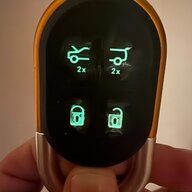
Unfortunately the key fob seems to trigger it too (I don't use phone key but am not willing to give up the fob).

Turns the unit off and won’t turn on unless you hit the power button again.

This wasn't my experience. Whether I press once to sleep the display or hold if off and fully shut the display down, it will turn back on as soon as the car does a sleep/wake cycle.
 

NineElectrics

Well-Known Member
Joined
Aug 7, 2022
Threads
49
Messages
915
Reaction score
1,125
Location
US
Vehicles
R1S
FYI, I compared the lag of this unit to the wired CarPlay of my other EV. My word, wired CarPlay is fast and wireless CarPlay is… not so much. The unit is useable, but the difference is night and day. @EV Sportline, if you have a chance, the experience would be much improved if the cause of this lag was tracked down.

I don’t have any other wireless CarPlay units to compare with, unfortunately.
 

Sponsored

PhatDaddy

Well-Known Member
First Name
Jim
Joined
Apr 11, 2023
Threads
8
Messages
410
Reaction score
401
Location
Coastal Central Florida
Vehicles
2025 G2 R1T El Cap PDM; (RIP: 2024 G1 R1T RC PDM)
Occupation
Retired IT
PhatDaddy said:
But what about the physical button on the top of the display? Does it or does it not turn the unit off - completely - until it is physically turned on again (regardless of time duration, vehicle wake/sleep mode, etc.)?
Turns the unit off and won’t turn on unless you hit the power button again.
Well that would be GREAT... HOWEVER kylealden says...
"This wasn't my experience. Whether I press once to sleep the display or hold if off and fully shut the display down, it will turn back on as soon as the car does a sleep/wake cycle."

So that does not sound great (or intuitive) at all.

?
So are we back to "as long as the app is closed (not running in background) AND you have phone location settings set to 'When Using' and not set to 'Always Allow'... then does THAT, as DoubleTake says "get the screen to not turn on when I walk by vehicle" (with PAAK in pocket)?

Can others verify this accurately describes EV Sportline CarPlay unit behavior? Need to lock down a way to stop (if possible) the 'wake the screen' downside many are reporting.
Thanks all.
 

Cycliste

Well-Known Member
First Name
Scott
Joined
Jul 7, 2023
Threads
11
Messages
1,192
Reaction score
1,674
Location
Solano County, California
Vehicles
2023 R1T/20AT Brights, BMC TMR01/SRAM AXS/454 NSW
Occupation
Amateur aero weenie
Clubs
 
If you're able to, can you play some music from the iphone and click on the music control panel and show what speaker/output it's got active?
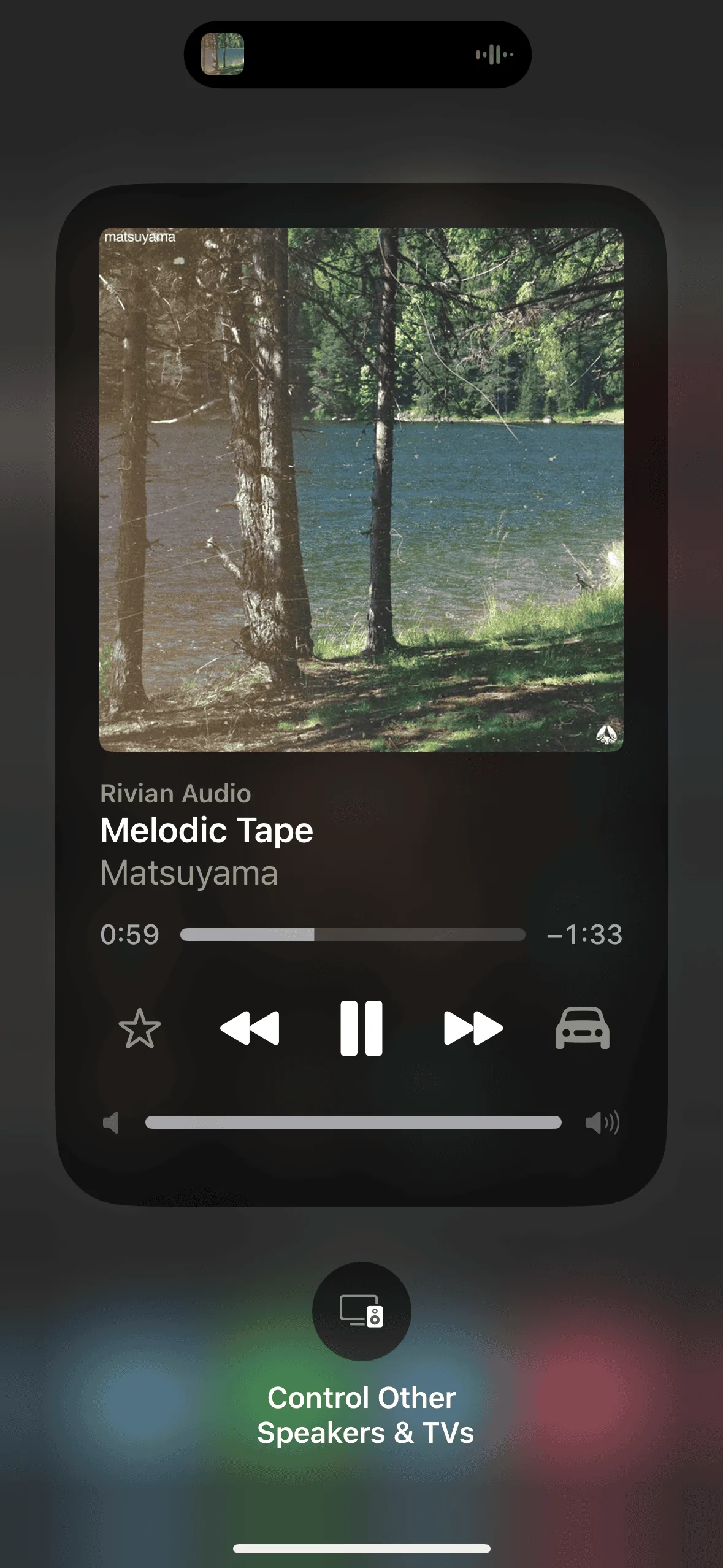
Here you go

Rivian R1T R1S CarPlay & Android Auto Smart Dash Screen has arrived!  New from EVSportline.com IMG_0146
 

pangpang77

Well-Known Member
First Name
Dan
Joined
Feb 22, 2022
Threads
20
Messages
172
Reaction score
313
Location
New Jersey
Vehicles
2022 Hyundai Ioniq 5, 2023 Chevy Bolt EUV Premier
Occupation
Systems Exec
PhatDaddy said:
But what about the physical button on the top of the display? Does it or does it not turn the unit off - completely - until it is physically turned on again (regardless of time duration, vehicle wake/sleep mode, etc.)?


Well that would be GREAT... HOWEVER kylealden says...
"This wasn't my experience. Whether I press once to sleep the display or hold if off and fully shut the display down, it will turn back on as soon as the car does a sleep/wake”

Can others verify this accurately describes EV Sportline CarPlay unit behavior? Need to lock down a way to stop (if possible) the 'wake the screen' downside many are reporting.
Thanks all.

I can confirm that shutting it down by holding the button does not stop it from waking up. I was mistaken. My previous Ottocast device would stay shut down and I must have confused the two.

Maybe this can be updated through a firmware or just unplug the unit each time. That will definitely do it.
 

vandy1981

Well-Known Member
Joined
Jul 25, 2023
Threads
22
Messages
756
Reaction score
1,526
Location
USA
Vehicles
2023 R1S PDM MP, 2019 Jaguar I-Pace HSE
Unfortunately the key fob seems to trigger it too (I don't use phone key but am not willing to give up the fob).


This wasn't my experience. Whether I press once to sleep the display or hold if off and fully shut the display down, it will turn back on as soon as the car does a sleep/wake cycle.
You will need to either physically unplug the display or buy an inline usb-c on/off switch to prevent it from waking up.
 

vandy1981

Well-Known Member
Joined
Jul 25, 2023
Threads
22
Messages
756
Reaction score
1,526
Location
USA
Vehicles
2023 R1S PDM MP, 2019 Jaguar I-Pace HSE
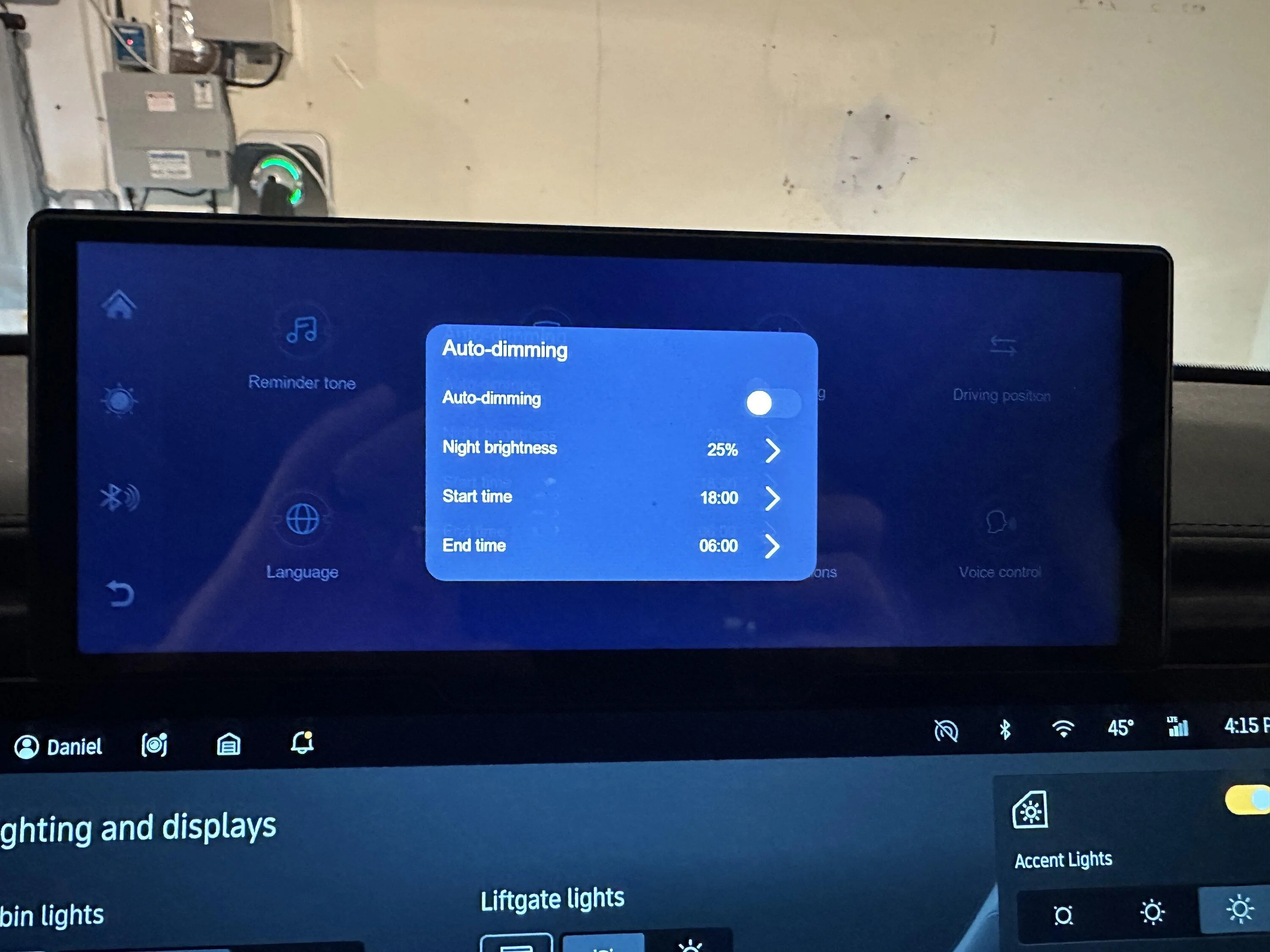
I posted these on another thread but here are the screens showing how the brightness can be adjusted.


IMG_9116.jpeg
That's neat--the $70 display I bought looks similar but doesn't have settings for auto dimming or screen savers. Can you upload a custom photo as a screensaver?
 

Sponsored

NY_Rob

Well-Known Member
First Name
Rob
Joined
Feb 9, 2022
Threads
23
Messages
5,407
Reaction score
7,983
Location
long island
Vehicles
Model 3 LR AWD, BMW i3 REX, 2024 Rubicon 4xe
Occupation
IT
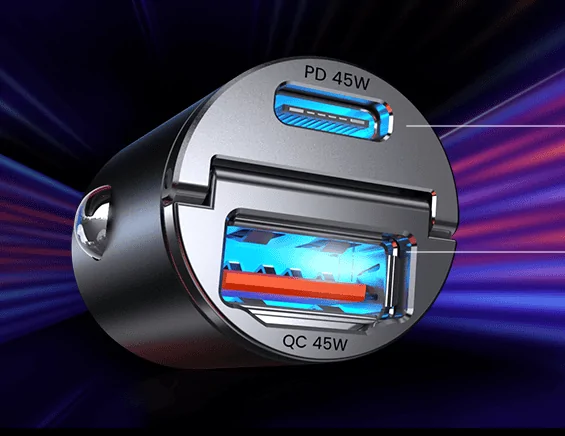
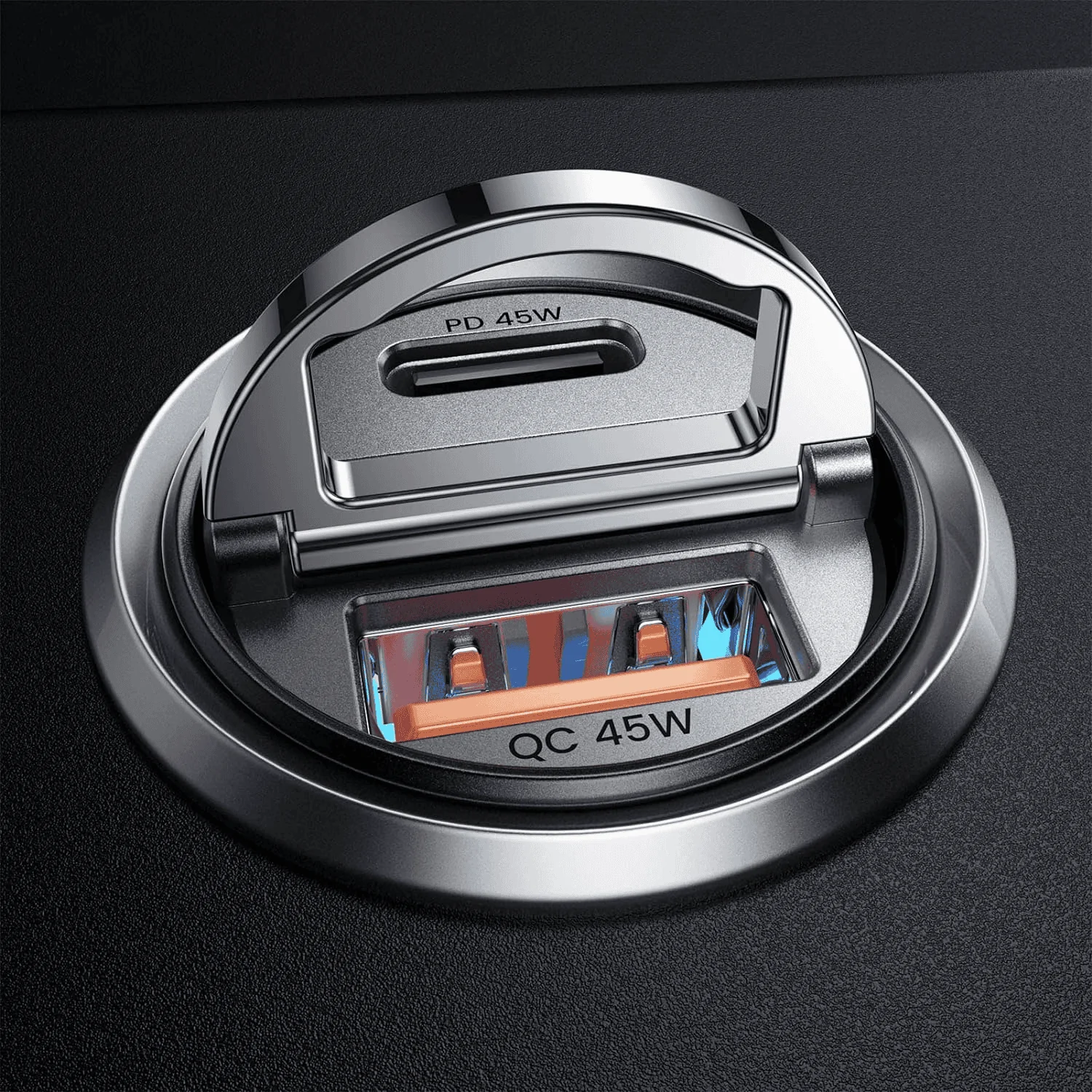
FYI.. there was a post a few pages back mentioning a particular 12v lighter adapter was not working with the Smart Screen. I received my Smart Screen today and I can confirm the 12V adapter below has no problem powering the unit through the adapter's USB-C port:

https://www.amazon.com/dp/B0BLYX8SHZ?psc=1&ref=ppx_yo2ov_dt_b_product_details

Rivian R1T R1S CarPlay & Android Auto Smart Dash Screen has arrived!  New from EVSportline.com 1704922835484


Rivian R1T R1S CarPlay & Android Auto Smart Dash Screen has arrived!  New from EVSportline.com 1704923260338


I'll probably install the hard-wired permanent 12V to USB-C buck converter that comes with the unit eventually, but till then I'll use the 12V lighter socket under the dash. That method also offers the ability to easily unplug the unit from power to prevent the frequent Rivian wake up events from starting it up several times per day.
 

NY_Rob

Well-Known Member
First Name
Rob
Joined
Feb 9, 2022
Threads
23
Messages
5,407
Reaction score
7,983
Location
long island
Vehicles
Model 3 LR AWD, BMW i3 REX, 2024 Rubicon 4xe
Occupation
IT
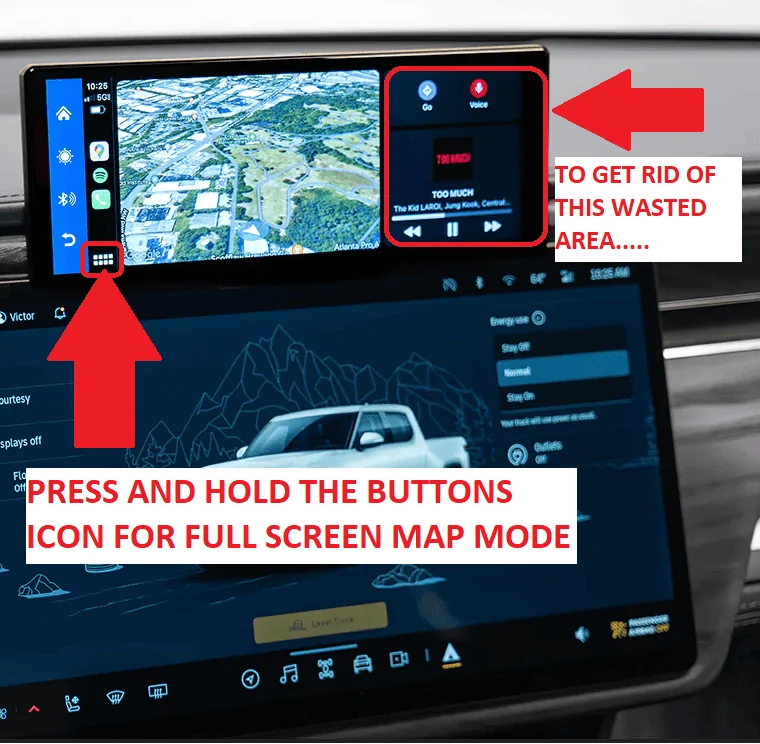
If you prefer "full screen" map mode for a larger map vs. the smaller map with the media control box at the right, follow the directions below, to change back to the smaller map mode, press and hols the "buttons" icon again.

Rivian R1T R1S CarPlay & Android Auto Smart Dash Screen has arrived!  New from EVSportline.com 1704925098983
 

Supraman16

Well-Known Member
Joined
Apr 26, 2022
Threads
10
Messages
75
Reaction score
86
Location
California
Vehicles
Supra TT, Lexus ISF, Forester XT, Odyssey
Occupation
Professional
Anyone do the latest Rivian OTA Update with this unit plugged in? Any issues? I'm a bit paranoid and therefore unplugged the EV1 Unit before doing the latest OTA. Just checking if there as been any issues doing the Rivian OTA updates with this unit plugged in.
 

pangpang77

Well-Known Member
First Name
Dan
Joined
Feb 22, 2022
Threads
20
Messages
172
Reaction score
313
Location
New Jersey
Vehicles
2022 Hyundai Ioniq 5, 2023 Chevy Bolt EUV Premier
Occupation
Systems Exec
Anyone do the latest Rivian OTA Update with this unit plugged in? Any issues? I'm a bit paranoid and therefore unplugged the EV1 Unit before doing the latest OTA. Just checking if there as been any issues doing the Rivian OTA updates with this unit plugged in.
I left mine plugged in and did the update. No issues that I'm aware of.
 

jebinc

Well-Known Member
First Name
John
Joined
Oct 5, 2022
Threads
49
Messages
2,310
Reaction score
2,134
Location
Seattle, WA
Vehicles
2021+ Tesla MS Plaid, R1T Adventure
Occupation
Retired
I left mine plugged in and did the update. No issues that I'm aware of.
Same. No issues, nor would I expect any. It's simply a display that connects to your phone via the 12v plug. No co-mingling with Rivian's firmware. @EV Sportline
Sponsored


Top