Jeep Addict
Well-Known Member
- Thread starter
- #16
I thought the same thing, she will have it tonight!Does your wife have the Rivian app? Could she have unlocked remotely?
Sponsored

I thought the same thing, she will have it tonight!Does your wife have the Rivian app? Could she have unlocked remotely?
Great advice!I had something similar to this happen to me expect when I was in the middle of the Mojave desert about 50 miles from the nearest town…luckily the person I was with had their phone with one bar of reception. Called my wife and she was able to remotely unlock the car using the app on her phone and I was able to get in.
You could try that next time instead of having someone drive out to you?
But I do agree this is a terribly annoying behavior where a phone in the car also allows the car to lock. Though i thought there was a setting to disable automatic locking.
Pretty much any major metro area in the US. Personally, unless at home, I’m too paranoid to leave phone or wallet unattended or in the car.You must not live in the PNW. If you leave your phone in the car anywhere in Seattle or it's suburbs, some crackhead will break the windows and take it......![]()
Can you add the shortcut to an Apple Watch that isn’t an Ultra? I have a 6 Series and after following all the shortcut-Rivian App Unlock Doors-steps the shortcut on my watch only shows Compass functions.Yeah, as above, I can lock/unlock and do most other functions from my Apple Watch. I know Android is often pretty stupid but it can't be that far behind. (Can't wait to hear the fanboy responses!) And your wife could have just unlocked remotely. I also wonder if Rivian would choose to unlock remotely if you called them. You can do this with Tesla. And you can remote-start it also, so even if you have NO key at all, any person with the app can make the Tesla go. We need Rivian to add this too.
Yes.Can you add the shortcut to an Apple Watch that isn’t an Ultra? I have a 6 Series and after following all the shortcut-Rivian App Unlock Doors-steps the shortcut on my watch only shows Compass functions.
Is there a write up somewhere on the forum that you followed to install it on your watch? Like I said I followed some instructions from a YouTube video and created the Shortcut but it doesn’t show up on my watch.Yes.
I wonder if this would work for a Rivian and if one could convince Rivian to program it to your vehicle... I know the keycards are EV3 but I don't know if that completely matters.Don't leave vehicle without any of the 4 key options in your pocket? Damn vehicles.
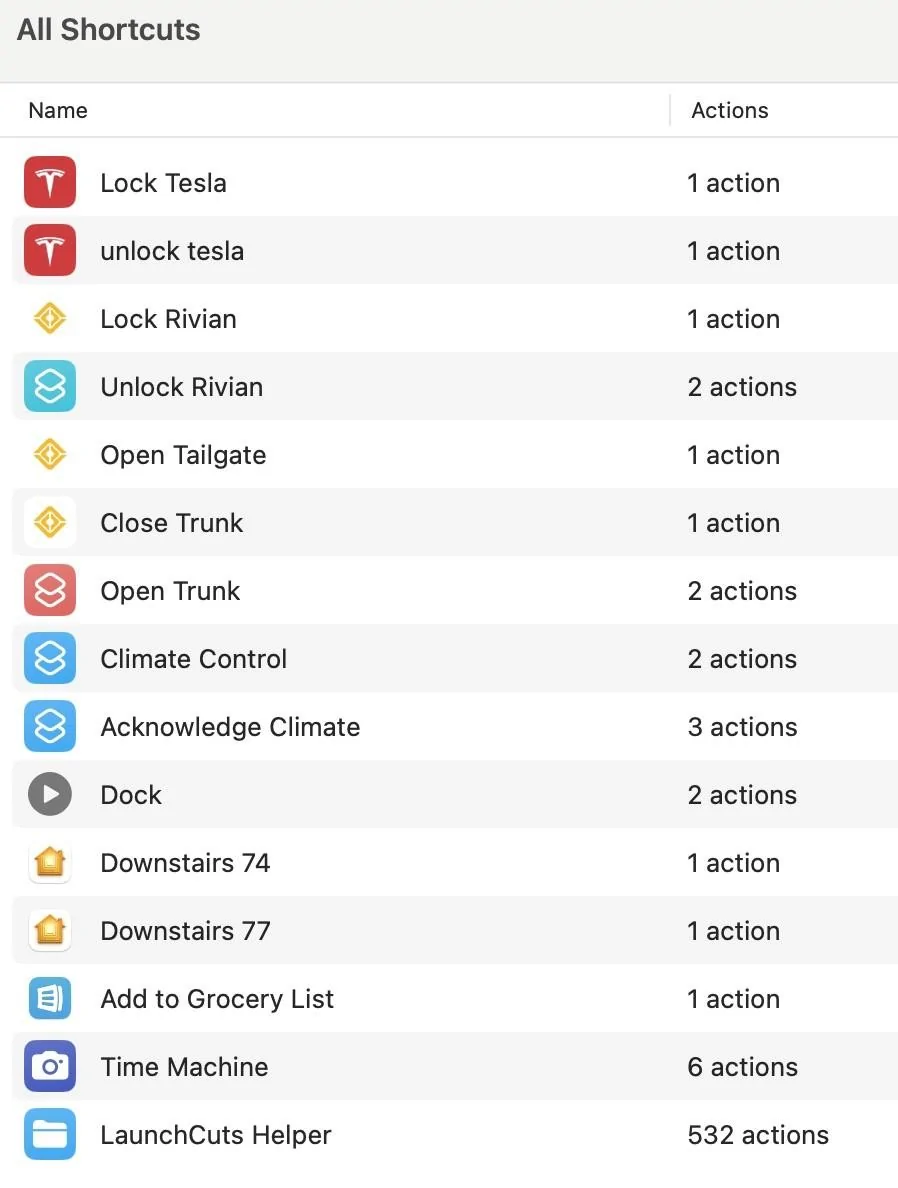
I'm not sure what you mean by "show up." I just use Siri, when I don't use the side button (which you don't have). Does that not work? I really don't know if there's a way to have a shortcut be visible on screen, if that's what you mean. I have never tried that. I have these shortcuts and all work via Siri on the Watch. And also the side button can both activate one specific one, and/or show you the list of all of them. But I don't know how you see them without the button.Is there a write up somewhere on the forum that you followed to install it on your watch? Like I said I followed some instructions from a YouTube video and created the Shortcut but it doesn’t show up on my watch.