
Sponsored
R1S Gen2 Dual standard - 8% phantom drain in 24 hours. Any suggestions?

HaveBlue
Well-Known Member
Losing 20 miles of range per day means you have the advanced self driving feature and it's going out and partying without you.
iamnid
Well-Known Member
- Joined
- Aug 10, 2023
- Threads
- 7
- Messages
- 614
- Reaction score
- 759
- Location
- California
- Vehicles
- Mercedes EQE, Rivian R1S
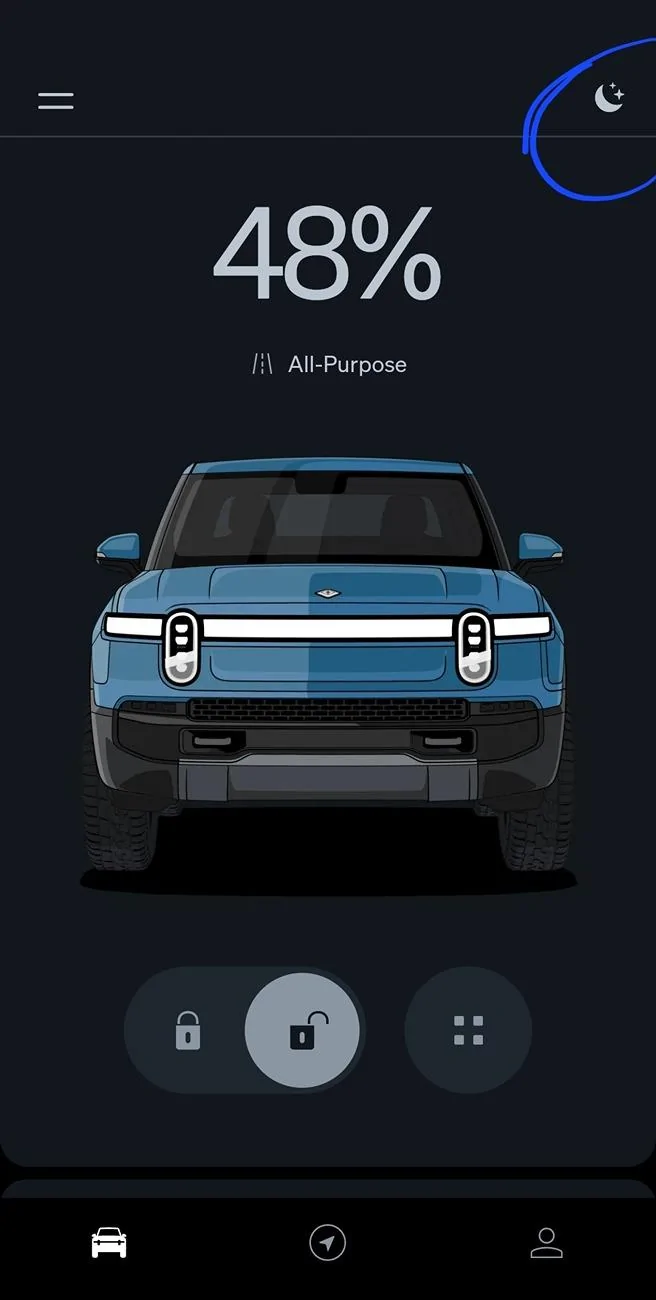
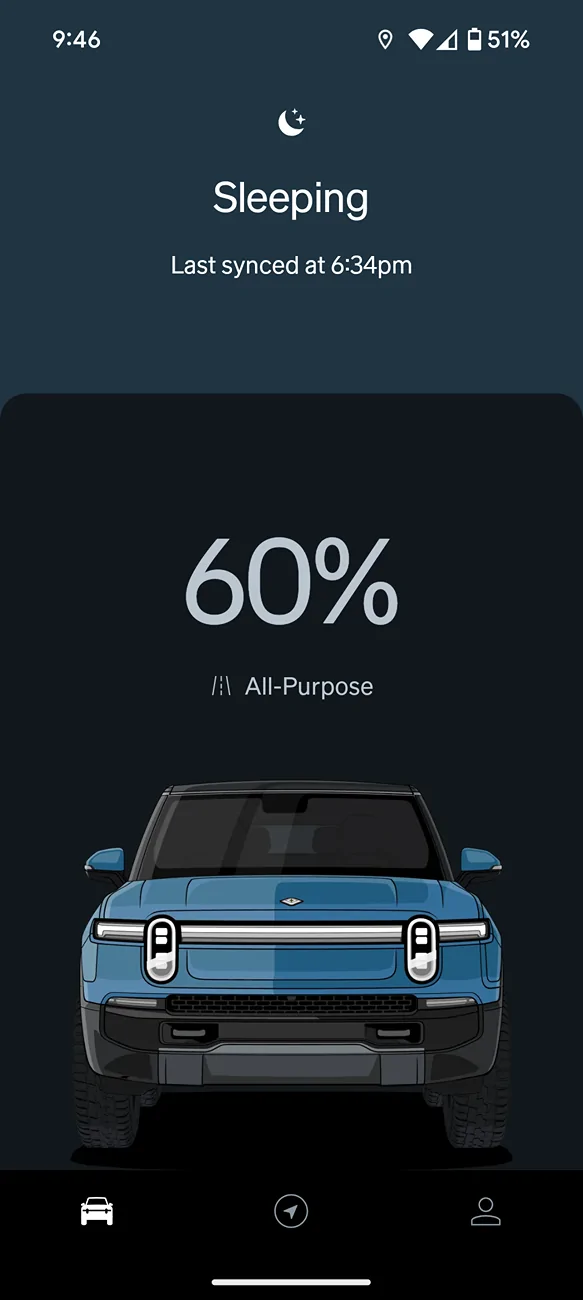
If you drag down from the car screen it will also tell you if it's sleeping. Like this:

Sponsored

Spaceball1
Well-Known Member
- First Name
- Danny
- Joined
- Feb 1, 2023
- Threads
- 12
- Messages
- 368
- Reaction score
- 371
- Location
- Colorado Springs, CO
- Vehicles
- 22 R1T, 23 Kia EV6, 15 Mustang GT Vert
- Occupation
- Mechanical Engineer
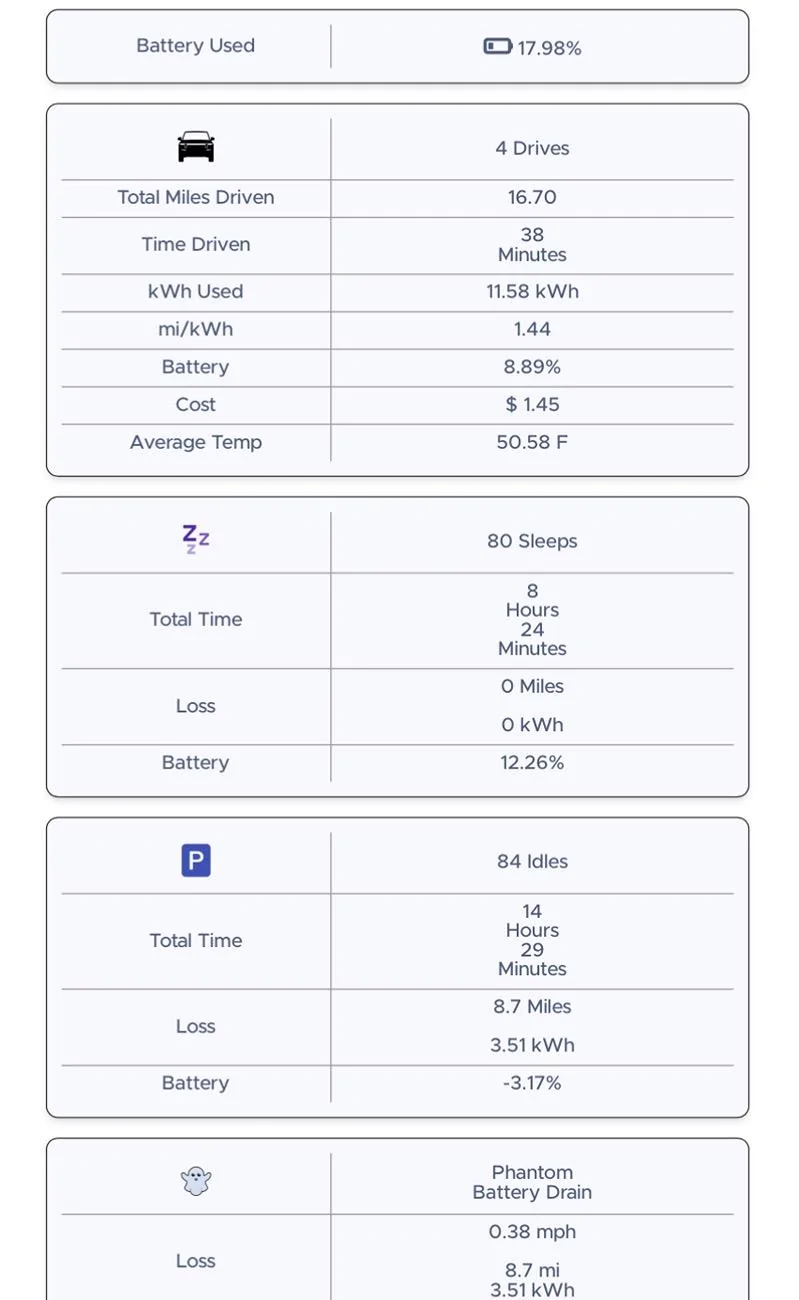
My Gen 1 has been draining like crazy ever since 39.1 was installed. I finally checked my ElectraFi closer and I see around 100 give or take sleeps counted per day after the update! Looks like it got better for a while and then went back to 50+ sleeps a day. And the sleeps are draining 5-10% or more when before the update it was 0-1% draining while sleeping.
Something is up and I hope it’s only software-related. Pretty sure I’ve done a hard reset since the update but will do it again now to see if it improves. Mad at myself for not watching this closer ?

Something is up and I hope it’s only software-related. Pretty sure I’ve done a hard reset since the update but will do it again now to see if it improves. Mad at myself for not watching this closer ?
Thedude
Well-Known Member
In your defense it’s something you shouldn’t have to watch. Rivian updates are notorious for having all kinds of problems. They fix one or two things but create two or three new problems or worsen existing problems. Software defined vehicles are great for a lot of reasons but Rivian fails consistently to adequately test their software prior to release.Mad at myself for not watching this closer ?
RivAW
Well-Known Member
As others already stated this is not normal. "Normal" right now is about 1%-2% loss in 24 hours (with GG on, less with it off). Make sure the doors are shut and no seatbelt is buckled. Make sure your key fob and phone aren't close enough to activate proximity sensors (thereby keeping the truck from sleeping). Try a hard reset. If none of that works, then you likely have a faulty sensor that would require a service ticket to investigate and replace...
iforbes
Well-Known Member
- First Name
- Ian
- Joined
- Oct 24, 2022
- Threads
- 9
- Messages
- 515
- Reaction score
- 883
- Location
- Connecticut
- Vehicles
- R1T
- Occupation
- APRN
DM wassymrivian over on Reddit. Sometimes he will remote look at your data to find what’s wrong.
Sponsored
MejDam
Active Member
- First Name
- Diego
- Joined
- Feb 19, 2024
- Threads
- 1
- Messages
- 43
- Reaction score
- 48
- Location
- Apple Valley CA
- Vehicles
- 2023 R1S
- Occupation
- Senior Security Analyst
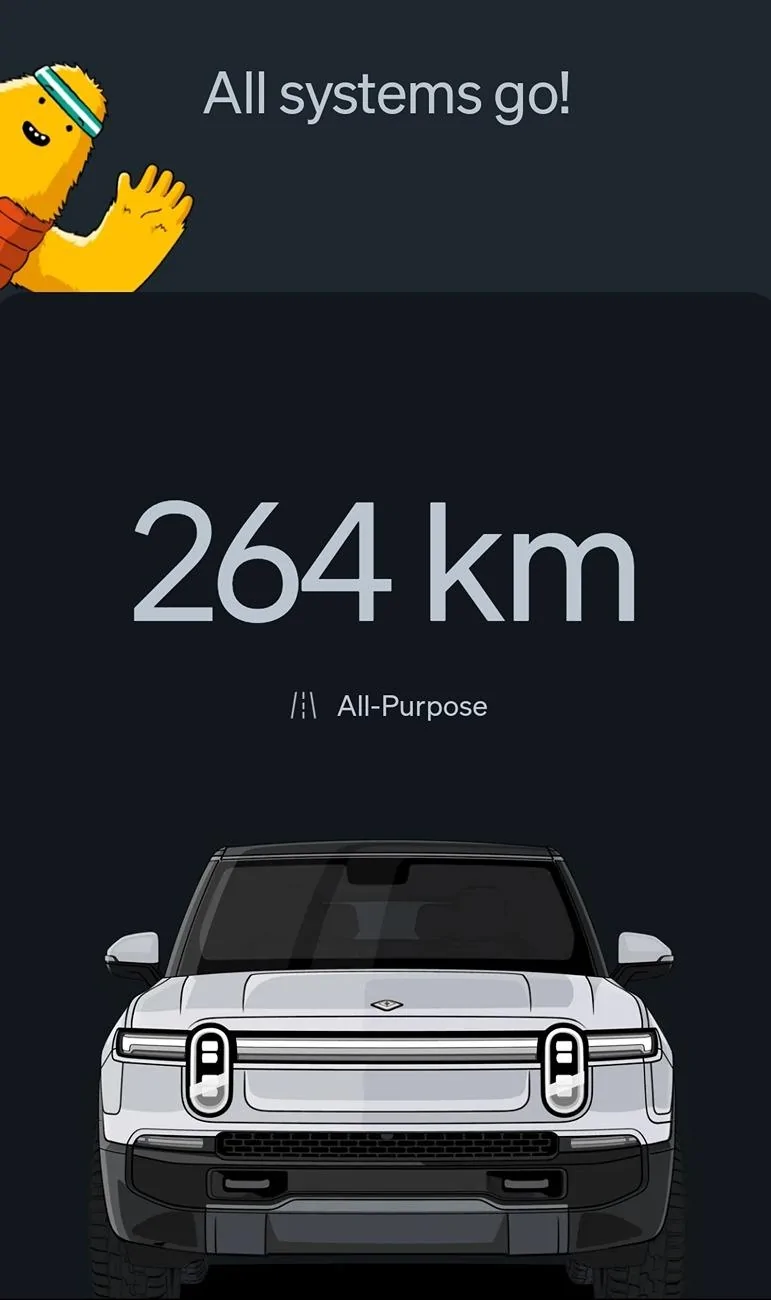
I have a problem where the Rivian detects my phone when I'm in the kitchen (20ft away from the SUV) and the laundry room (10ft away from the SUV) and it unlocks the car multiple times throughout the day. I always thought that might be the reason I lose 2% of charge a day.In the app, all I see is the "All systems go" message. Never seen the "sleep" message

*UPDATE*
I feel like an idiot, i didn't realize Rivian had a solution for my problem.
- Access Vehicle Settings:
- On your R1S's central touchscreen, tap the gear icon to open the Settings menu.
- Navigate to Access Settings:
- Within Settings, select the "Access" option.
- Adjust Proximity Unlock Settings:
- Locate the "Proximity Unlock" setting.
- You can choose to disable it entirely or set it to be inactive when you're at home.
- To disable it completely, select "Off."
- To disable it only at home, select "Off at Home." Ensure your home address is correctly set in the navigation system for this feature to work properly.
Last edited:
mudito
Well-Known Member
FYI, even with that off, your car will still detect your phone and briefly awake the computers.I have a problem where the Rivian detects my phone when I'm in the kitchen (20ft away from the SUV) and the laundry room (10ft away from the SUV) and it unlocks the car multiple times throughout the day. I always thought that might be the reason I lose 2% of charge a day.
*UPDATE*
I feel like an idiot, i didn't realize Rivian had a solution for my problem.
- Access Vehicle Settings:
- On your R1S's central touchscreen, tap the gear icon to open the Settings menu.
- Navigate to Access Settings:
- Within Settings, select the "Access" option.
- Adjust Proximity Unlock Settings:
- Locate the "Proximity Unlock" setting.
- You can choose to disable it entirely or set it to be inactive when you're at home.
- To disable it completely, select "Off."
- To disable it only at home, select "Off at Home." Ensure your home address is correctly set in the navigation system for this feature to work properly.
That means "idle" , so in that screenshot your Rivian is NOT sleeping.In the app, all I see is the "All systems go" message. Never seen the "sleep" message
Jumpjack
Active Member
I just had an issue where something audible in the frunk area was staying on, i think it stayed on all night and took 5% of a max battery (R1S Gen.2). A soft reset did nothing (noise continued throughout) but a hard reset switched it off.
I think it may have been the heat pump as the tone of the noise varied a little when I switched the heater on.
I think it may have been the heat pump as the tone of the noise varied a little when I switched the heater on.
Spaceball1
Well-Known Member
- First Name
- Danny
- Joined
- Feb 1, 2023
- Threads
- 12
- Messages
- 368
- Reaction score
- 371
- Location
- Colorado Springs, CO
- Vehicles
- 22 R1T, 23 Kia EV6, 15 Mustang GT Vert
- Occupation
- Mechanical Engineer
Did they push it to you as a software update or was it done by a technician? I just got 2024.43.01 pushed the other day and so far it seems to have fixed my sleep/idle and VD. I got 2024.43.0 last week and it didn’t fix it.Update: Dec 13, 2024:
The issue of phantom battery drain with the R1S not going in "sleep mode" has been serviced and addressed.
According to Rivian Service, it was a firmware issue which has been corrected.
Sponsored
Similar threads


- Replies
- 15
- Views
- 4,318


- Replies
- 19
- Views
- 3,466
