Rividiculous
Well-Known Member
- First Name
- Eric
- Joined
- Nov 23, 2023
- Threads
- 11
- Messages
- 565
- Reaction score
- 1,094
- Location
- New York City
- Vehicles
- 2025 R1S, 2006 3 series
Show off.Base 3: 0, 1, 2, 10, 11, 12, 20.
Sponsored
Show off.Base 3: 0, 1, 2, 10, 11, 12, 20.

Hmm, I thought there were only two: those who can extrapolate from incomplete data.There are 10 types of people in this world: those who understand binary and those who don’t.
Awesome, this did the trick. Had a Samsung T5 that worked for a couple months and then the truck decided it was too slow, but changing that log file worked and it's back in action.I posted a solution to that back in Feb that has worked ever since...
*****************************************************************
If your flash drive fails the Rivian speed test... maybe try the solution below that I posted about in Feb.
" I reinserted my SD card in it's holder a message came up saying something like "setting up drive" and then "testing speed" which promptly failed with a message of "device too slow".
I've been using this particular SD card for over a year now on my R1T and used the same card in my Model Y for a year without issue. Now it's suddenly "too slow" after an update ?
At any rate, I brought the card inside and loaded it in to my PC. Upon examination there was a text file named "benchmark.log" in the root directory of the SD card. When I opened it with Notepad there was just two words in the file "very slow". I then inserted a very fast/expensive USB-C flash drive in the Rivian and successfully set it up as my drive cam storage device. I then pulled that drive out and looked at it's "benchmark.log" file and it had one word in the file "READY".
So I then edited the file in the non-working SD card to say "READY" instead of "very slow", inserted it in my Rivian and it was once again working flawlessly like it had for the previous year.
So, if you had a drive that previously worked, but suddenly doesn't- pull it and take a look at the "benchmark.log" file in the root directory of the drive and if it says anything other then "READY" change it to that, reinsert it and see if it now works again."
******************************************************************

According to Clint, there are just two types: those with loaded guns, and those who digHmm, I thought there were only two: those who can extrapolate from incomplete data.

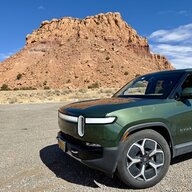
SoC was 70% when I parked it, dropped very quickly to 69%, but it hasn’t changed in ~26 hours. ‘Only’ 1% VD per day actually seems pretty good! It’s been more like 2-3 the past couple months. Just in park (not shipping mode or anything). Not plugged in. Connected to WiFi.My SoC hasn’t changed since I parked yesterday afternoon, so… ?


Mentioned in another thread. Try a software restart.Didn’t see this one posted, but drove to the airport to get my wife and saw the truck height was on low and set to auto. I always drive in standard height unless on a road trip. I parked in the cell phone lot and noticed it went back to auto and driving home it did it again. I hope this was just a onetime fluke or it may be something they need to fix.

did you saw 2-3% as of 27.01 and now back to 1% since updating to 20204.31.1?SoC was 70% when I parked it, dropped very quickly to 69%, but it hasn’t changed in ~26 hours. ‘Only’ 1% VD per day actually seems pretty good! It’s been more like 2-3 the past couple months. Just in park (not shipping mode or anything). Not plugged in. Connected to WiFi.
Roughly, yes. It sat in an airport lot for about a week last month, and it was more like 2-3 per day, though I didn’t watch it that closely. It is still at 69% now, so it’s been about 29 hours with <1% drop.did you saw 2-3% as of 27.01 and now back to 1% since updating to 20204.31.1?
Yes, but my understanding is that it’s a mix of various colors (somewhat orange), not pure red, which is what you would want to preserve your eyes sensitivity. And yes, it would be helpful if the screens would do this too to the extent they are able.You do have red, it's called "Pacific Sunset." But you might mean ALL the screens being red.
Man... like Jedi stuff... Took about 2 minutes to fix the issue.This is pretty funny 1337 level hacking. Love it.
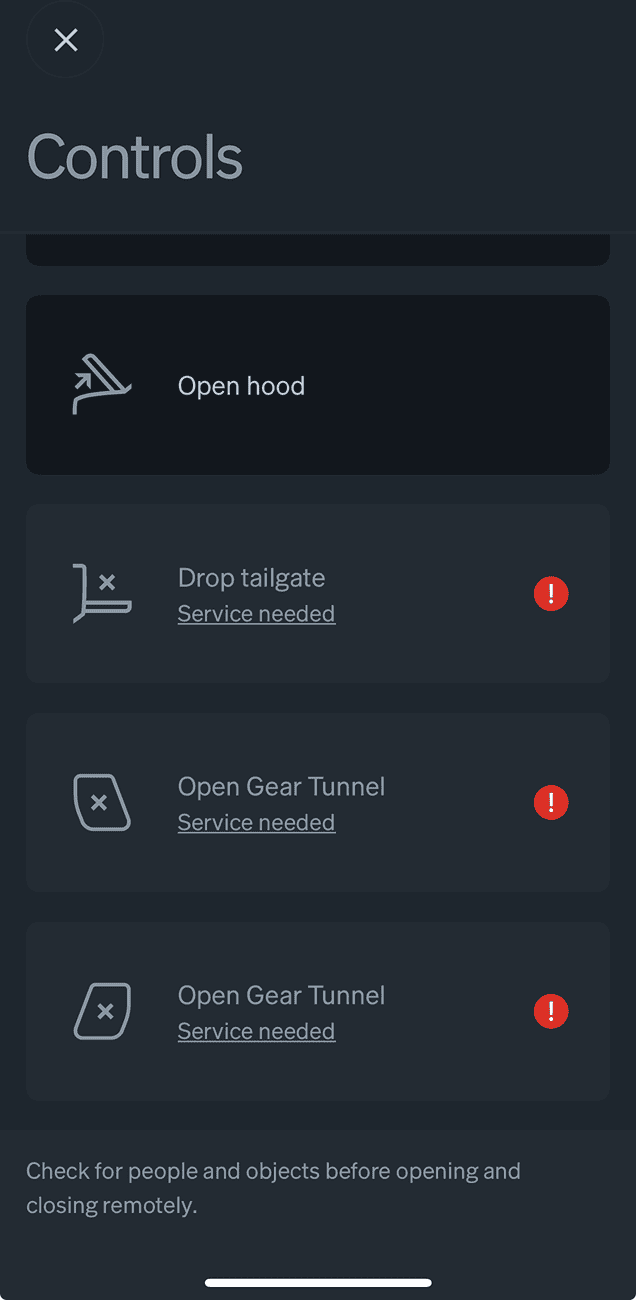

Nope, mine looked fine, but I have an R1S. Maybe reboot?Is anyone else seeing issues with their tailgate and gear tunnel access from the app after this update?
Just updated and now I see this: