Sponsored

RivianTrackr

Well-Known Member
First Name
Jose
Joined
May 2, 2022
Threads
3
Messages
210
Reaction score
634
Location
Winter Garden, FL
Website
RivianTrackr.com
Vehicles
2025 Rivian R1T Tri Max, 2025 Rivian R1S Dual Large Performance
Reverting to the autonomy view when in HWA is going to be really annoying when what I really want is to see the map/nav when on the highway along with the gauge view on the main display.
When it goes into Autonomy view on the driver display, the map takes over the left side widget.
Sponsored

 
Last edited:

MountainBikeDude

Well-Known Member
First Name
Adam
Joined
Jun 20, 2019
Threads
54
Messages
3,334
Reaction score
7,088
Location
Vancouver
Vehicles
2023 El Cap Quad Motor R1T (Selling the Xterra)
Clubs
 
Reverting to the autonomy view when in HWA is going to be really annoying when what I really want is to see the map/nav when on the highway along with the gauge view on the main display.
I thought the same. Seems pointless on a Gen 1 considering it can't see anything beyond your forward field of view.
 

MountainBikeDude

Well-Known Member
First Name
Adam
Joined
Jun 20, 2019
Threads
54
Messages
3,334
Reaction score
7,088
Location
Vancouver
Vehicles
2023 El Cap Quad Motor R1T (Selling the Xterra)
Clubs
 
When it goes into Autonomy view on the driver display, the map takes over the left side widget.
Can you ask your Rivian sources 2 questions regarding Gen 1...

- PTC V2 isn't compatible with November '22 to April' 23 models because they won't allow owners to have the necessary wire harness installed, can you ask when they'll allow us to add it so we can finally get the PTC.

- The cameras on the Gen1 front wheel well, what are they meant to be used for, because it seems Rivian never actually utilized them in any way.

Cheers Jose.
 

beatle

Well-Known Member
Joined
Jun 20, 2024
Threads
17
Messages
1,147
Reaction score
1,563
Location
Springfield, VA
Vehicles
'23 R1T PDM Max, '97/'25 Miatas, '19 Monkey
Occupation
IT
Clubs
 
When it goes into Autonomy view on the driver display, the map takes over the left side widget.
Well that's disappointing. There's really no need for the autonomy view to ever take up so much screen real estate. I was hoping this was our way out of that nonsense.

It'd be better if the map was triggered to full size by navigation being active or not. This is how Tesla has done it for years (thought not full size) and it worked pretty well.
 

Sponsored

McLovin

Well-Known Member
Joined
Jul 30, 2024
Threads
7
Messages
509
Reaction score
1,156
Location
Virginia
Vehicles
R1T
Clubs
 
I like the ability to select alternate routes. Not that I use navigation that frequently, but I often find its initial route to be “not my first choice”.

Then I have to drive the desired route and wait for nav to stop telling me to turn around, eventually adjusting to the new route.
 

Rade

Well-Known Member
First Name
Rade
Joined
Sep 19, 2024
Threads
36
Messages
608
Reaction score
778
Location
US - Rhode Island
Website
radmorningcoffee.blogspot.com
Vehicles
2025 Rivian R1T - Large. Delivered on November 23, 2024.
Occupation
Retired

mkhuffman

Well-Known Member
First Name
Mike
Joined
Nov 9, 2020
Threads
14
Messages
2,868
Reaction score
3,218
Location
Virginia
Vehicles
2025 R1T Tri-Max, Jeep GC-L, VW Jetta
It sounds like I might be the only one who likes the autonomy view. I like it because it helps me know what is happening around the vehicle without needing to check the side mirrors as often.

Before changing lanes, I always look at the side view mirrors. There is a nice yellow light to alert me of a vehicle in the blind spot. The Autonomy view is even better.

I can look at the display and then check my rear view mirror before even putting on the turn signal. Once I am past the vehicle the radar symbol fades away from the display and I can see it in the rear view mirror. I put on the signal and check the video from the camera to make sure it is clear, and then change lanes.

The problem is years of using the side mirrors and not fully trusting the Autonomy display. But along with the camera view it is more reliable then the side mirrors that have blind spots.

The camera has a wider field of view and easily picks up vehicles next to mine. The Autonomy view with the video cameras mean I never have to twist my head and take my eyes away from looking forward, where it is most important for me to be looking anyway.

The Autonomy view with this update is supposed to provide better visibility behind the truck and it will be even better than it is now. If I can only train myself to stop looking at the side mirrors.
 
Last edited:

captainjp

Well-Known Member
First Name
John
Joined
Oct 18, 2024
Threads
9
Messages
1,229
Reaction score
1,864
Location
New Jersey
Vehicles
Gen 2 R1T
Clubs
 
Before changing lanes, I always look on the side view mirrors. There is a nice yellow light to alert me of a vehicle in the blind spot. The Autonomy view is even better.
That’s my exact use-case as well. However it’s spoiled me and when I drive our other vehicles, I have to adjust.
 

Sponsored

Donald Stanfield

Well-Known Member
First Name
Donald
Joined
Jul 31, 2022
Threads
59
Messages
8,309
Reaction score
16,657
Location
USA
Vehicles
2025 R1S Tri Ascend, 2024 i4 M50
Occupation
Stuff and things
It sounds like I might be the only one who likes the autonomy view. I like it because it helps me know what is happening around the vehicle without needing to check the side mirrors as often.

Before changing lanes, I always look on the side view mirrors. There is a nice yellow light to alert me of a vehicle in the blind spot. The Autonomy view is even better.

I can look at the display and then check my rear view mirror before even putting on the turn signal. Once I am past the vehicle the radar symbol fades away from the display and I can see it in the rear view mirror. I put on the signal and check the video from the camera to make sure it is clear, and then change lanes.

The problem is years of using the side mirrors and not fully trusting the Autonomy display. But along with the camera view it is more reliable then the side mirrors that have blind spots.

The camera has a wider field of view and easily picks up vehicles next to mine. The Autonomy view with the video cameras mean I never have to twist my head and take my eyes away from looking forward, where it is most important for me to be looking anyway.

The Autonomy view with this update is supposed to provide better visibility behind the truck and it will be even better than it is now. If I can only train myself to stop looking at the side mirrors.
I thought the autonomy view was useless until I rented a Grand Wagoneer for a 2k mile road trip and realized how much I missed it.
 

beeglowbot

Well-Known Member
Joined
Nov 1, 2024
Threads
2
Messages
46
Reaction score
41
Location
NY
Vehicles
Storm blue R1S Tri
Gen 1 R1T and R1S
  • Customizable driver display that lets you switch between the Driver Assistance view and a full Maps and Navigation view using the right steering wheel thumbwheel
  • Automatic fallback to the Driver Assistance view when Highway Assist is active or Park Assist sensors are triggered
  • Navigation improvements that zoom out when not actively routing, showing more map context like buildings and parking areas
  • Ability to briefly select alternate routes when starting navigation from Home, Work, or a search result
  • Faster loading performance in the Navigation app
  • Drive mode refinements that save Regen settings per drive mode
  • Charging fixes that address scheduled charging failures, charge session stop issues, DC fast charging unplug problems, and incorrect charge status indicators
  • Improved SiriusXM loading performance
  • Better passive entry reliability, including improvements specific to iPhone 17
  • Fixes for rare phone proximity issues and Rivian mobile app drive mode syncing
  • A fix for a rare 12 V battery drain issue when the vehicle wakes from sleep
Gen 2 R1T and R1S
  • Universal Hands-Free driving on marked roads, allowing hands-free steering, braking, and acceleration while monitoring driver attention
  • Support for more than 3.5 million miles of mapped roads across North America
  • New Autonomy Drive Styles, Mild, Medium, and Spicy, allowing drivers to choose relaxed, balanced, or more dynamic driving behavior
  • Updated speed control that lets you adjust set speed using the right steering wheel thumbwheel while in hands-free or assisted driving modes
  • Customizable driver display that toggles between the Autonomy view and Maps and Navigation view
  • Enhanced Autonomy visualization that zooms out to show more area behind the vehicle for better situational awareness during lane changes and turns
  • New Rivian Digital Key support through native wallet apps on iPhone, Apple Watch, Google Pixel, and Samsung devices, with UWB accuracy, NFC backup access, and easy key sharing
  • Expanded RAD Tuner for Quad-Motor vehicles, allowing deep customization of acceleration, regen, steering, suspension, torque balance, stability, and more
  • Navigation improvements similar to Gen 1, including better map context, alternate route selection, and faster loading
  • Enhanced throttle control in Soft Sand, Rally, and Drift modes for more precise vehicle handling
  • Improved AC charging stability, especially in cold weather conditions
  • Improved SiriusXM performance and passive entry reliability
  • Fixes for rare cold weather 12 V battery issues and lift gate behavior
  • Kick Turn for Quad-Motor vehicles only, boost its off-road agility
Full Release Notes: https://riviantrackr.com/2025-46/
wow didn't realize all this stuff would be released so soon, exciting!
 

Krs71

Well-Known Member
First Name
Krish
Joined
Nov 27, 2021
Threads
2
Messages
85
Reaction score
24
Location
Las Vegas
Vehicles
R1S
Occupation
IT
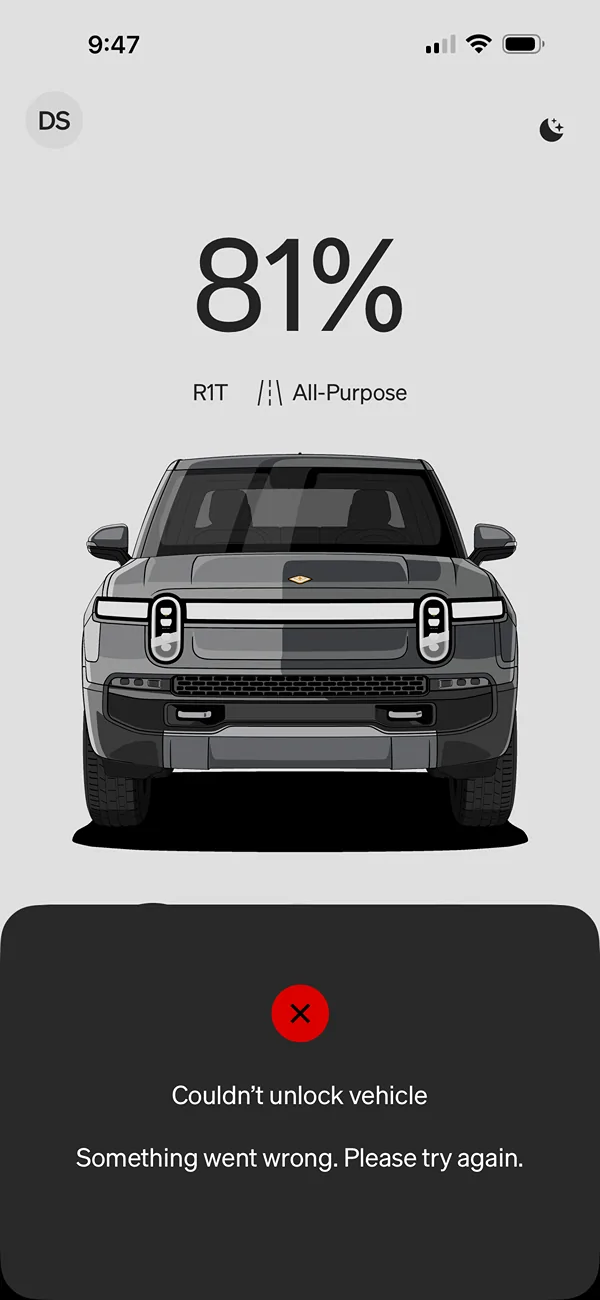
Looks like charging info is broken in app
 

McLovin

Well-Known Member
Joined
Jul 30, 2024
Threads
7
Messages
509
Reaction score
1,156
Location
Virginia
Vehicles
R1T
Clubs
 
It’s in my driveway, and I used to be able to do everything from my kitchen.
Sponsored


Top