Sponsored

opnwide

Well-Known Member
First Name
Brian
Joined
Nov 18, 2020
Threads
35
Messages
1,227
Reaction score
5,407
Location
Denver, CO
Vehicles
R1S delivered 2/2023
Have you gotten the frunk one to work with voice though? I tried that initially and it just translated Frunk as Frank...and it didn't know how to Open Frank. :p
It helps if you spit out the Copenhagen first and aren't from the Bayou. Lol!
Sponsored


Tango45

Well-Known Member
First Name
Erik
Joined
Feb 15, 2021
Threads
6
Messages
596
Reaction score
1,494
Location
Northern VA
Vehicles
Ioniq 5, R1S
Clubs
 
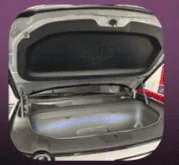
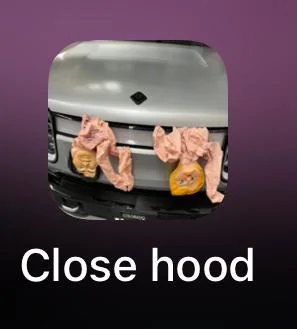
And if you are really into shortcuts on your iOS Home Screen, you can add photos to the shortcuts to help with identification…
Bro, how is this your open frunk pic
Rivian R1T R1S Action Shortcuts for iPhone: How-To Screenshot 2023-11-06 at 8.01.29 PM


And not this:
Rivian R1T R1S Action Shortcuts for iPhone: How-To Screenshot 2023-11-06 at 8.01.37 PM
 
OP
OP
W1SE

W1SE

Well-Known Member
First Name
Jake
Joined
Nov 28, 2021
Threads
52
Messages
556
Reaction score
1,243
Location
Vancouver, WA
Vehicles
2022 R1T Quad, 2024 R1S Max
Occupation
Branch manager
Clubs
 
Have you gotten the frunk one to work with voice though? I tried that initially and it just translated Frunk as Frank...and it didn't know how to Open Frank. :p
Try the word “hood” this is what Alexa likes. Haha.
 

Sponsored

RivianDeac

Well-Known Member
First Name
Evan
Joined
Nov 13, 2021
Threads
9
Messages
139
Reaction score
363
Location
PA
Vehicles
Volvo XC40 Recharge
Great thread, thanks!

Do you any of you tech wizards know to create or shortcut/automations which can turn on the climate, steering wheel warmer and seat heater?
 

Rivian Raj

Member
Joined
Jul 28, 2022
Threads
0
Messages
13
Reaction score
9
Location
East Coast
Vehicles
Sold my Model 3. No car till the R1T
If you have the shortcut on your Apple Watch as a complication does it just show the standard shortcut icon or the shortcut logo? My shortcut has the Rivian logo but the standard shortcut icon shows on the complication.
 

R1SKY

Active Member
First Name
Kyle
Joined
Jul 14, 2023
Threads
9
Messages
42
Reaction score
73
Location
SF Bay Area
Vehicles
991.2 Turbo, 997.2 GT3, 1966 GT 289, Lucid Air GT
Clubs
 
Great thread, thanks!

Do you any of you tech wizards know to create or shortcut/automations which can turn on the climate, steering wheel warmer and seat heater?
AFAIK those actions aren't available yet

If you have the shortcut on your Apple Watch as a complication does it just show the standard shortcut icon or the shortcut logo? My shortcut has the Rivian logo but the standard shortcut icon shows on the complication.
It doesn't show the Rivian logo like it does in the shortcuts app, but it does show the custom shortcuts emoji and color that I selected.
 

riviak

Active Member
Joined
Feb 4, 2020
Threads
5
Messages
36
Reaction score
45
Location
Earth
Vehicles
Cars
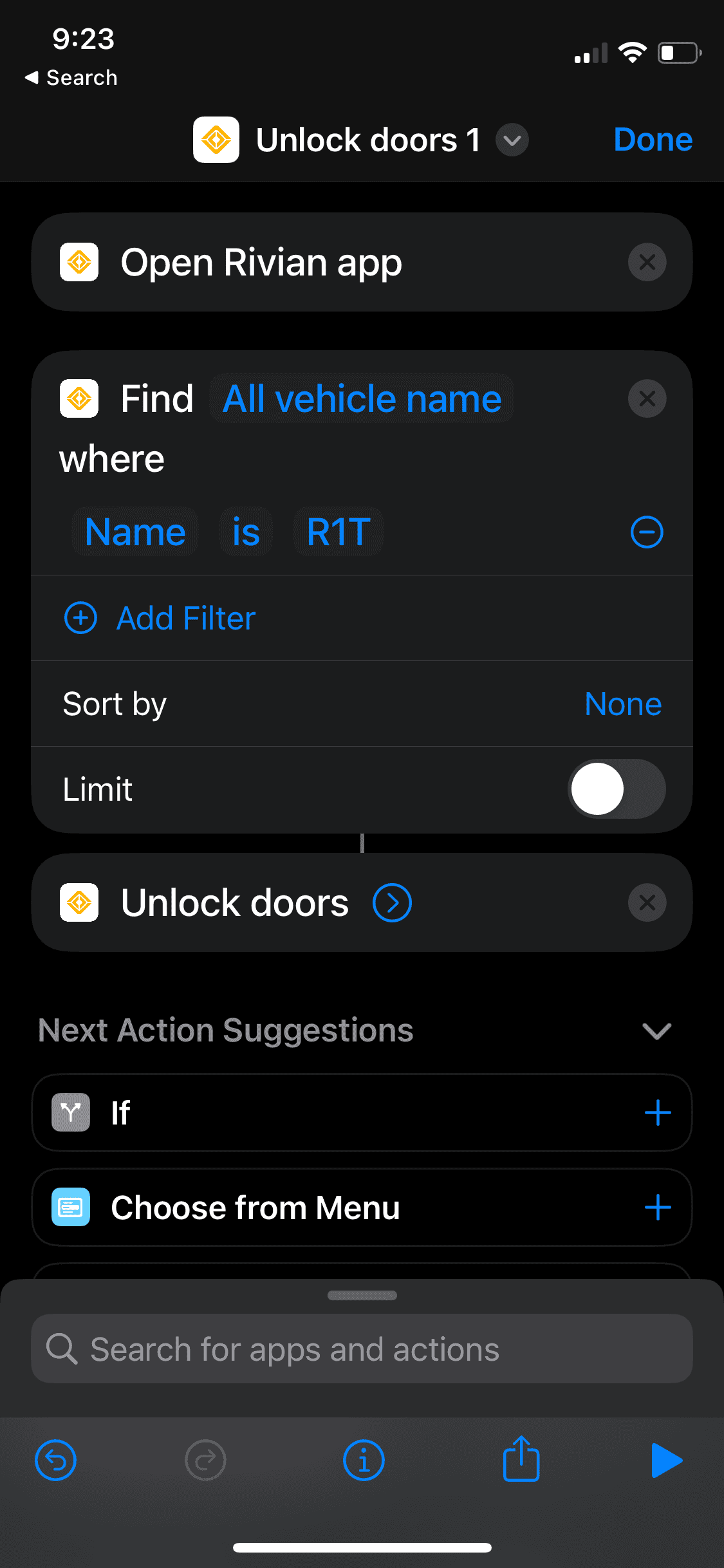
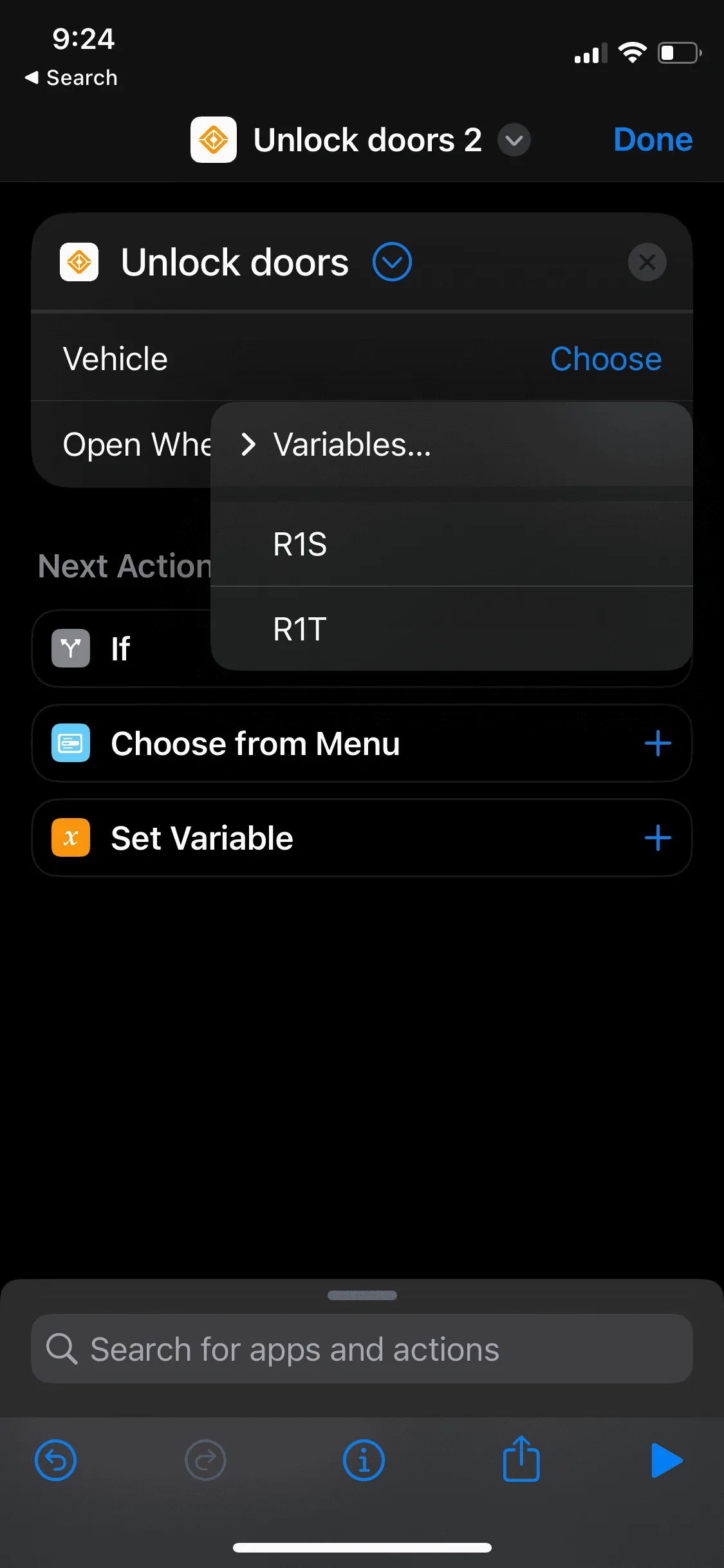
Anyone been able to successfully make a shortcut that can differentiate between two Rivians? There is a drop-down within iOS shortcut edit screen to choose R1S or R1T as a variable but when I select one or the other it doesn’t run the shortcut. I’m just trying to create “unlock R1S” and “unlock R1T.”
 

R1SKY

Active Member
First Name
Kyle
Joined
Jul 14, 2023
Threads
9
Messages
42
Reaction score
73
Location
SF Bay Area
Vehicles
991.2 Turbo, 997.2 GT3, 1966 GT 289, Lucid Air GT
Clubs
 
Anyone been able to successfully make a shortcut that can differentiate between two Rivians? There is a drop-down within iOS shortcut edit screen to choose R1S or R1T as a variable but when I select one or the other it doesn’t run the shortcut. I’m just trying to create “unlock R1S” and “unlock R1T.”
I don't have two Rivians so I can't test this, but my best guess is you might have to use the "find vehicle name" action to differentiate?
 

Sponsored

riviak

Active Member
Joined
Feb 4, 2020
Threads
5
Messages
36
Reaction score
45
Location
Earth
Vehicles
Cars
Good suggestion. Though I’ve tried both of these sequences and neither can successfully switch vehicles within app. I can only run the general “unlock doors” and it will open the last vehicle selected in the app.

Rivian R1T R1S Action Shortcuts for iPhone: How-To IMG_4305


Rivian R1T R1S Action Shortcuts for iPhone: How-To IMG_4306
 

krsoundtek

Active Member
First Name
Keith
Joined
Nov 30, 2022
Threads
1
Messages
25
Reaction score
22
Location
AR
Vehicles
R1S
Clubs
 
Does this mean that if I have an Apple Watch with cellular, I could theoretically leave my phone at home and effectively use my watch as a key? That would be WaaK ...
You could potentially leave phone in vehicle powered off and then unlock with watch. That could come in handy for several sports activities.
 

krsoundtek

Active Member
First Name
Keith
Joined
Nov 30, 2022
Threads
1
Messages
25
Reaction score
22
Location
AR
Vehicles
R1S
Clubs
 
You could potentially leave phone in vehicle powered off and then unlock with watch. That could come in handy for several sports activities.
I did some testing and this works with the phone left on. so make sure it is charged up. Makes since because the watch is not setup as a key and therefor shouldn’t be able to authenticate the api request. So another option if you don’t have the Key Band.
 

foxerson

Well-Known Member
First Name
Mike
Joined
Dec 13, 2022
Threads
16
Messages
363
Reaction score
651
Location
San Francisco
Vehicles
2023 R1T LE, 2011 328i, 2010 Outback, R2 reservation
Occupation
IT Guy
Shout out to @W1SE for kicking off this thread, to @jlack33 for pointing out the Apple watch integration, and to @R1SKY for sharing shortcuts. I set this up last week and have appreciated the hands-free convenience.

Of course, Siri is still Siri and seems to have a 6th sense for detecting when I am loaded down with bulky items and choosing those moments to fail miserably.

Me: Hey Siri, unlock Rivian.​
Siri: Here's the number for Rivian Guide Ben.​
Me: No, I said unlock Rivian​
Siri: Working on it... Can you repeat that?​
Me: Unlock Rivian.​
Siri: Working on it... [chime indicating shortcut complete] [truck is still locked]​
Me: :facepalm:
Sponsored


Top