Sponsored

Backup camera

VandalSibs

Well-Known Member
First Name
Andrew
Joined
Dec 27, 2023
Threads
15
Messages
1,379
Reaction score
2,388
Location
Eastern Washington State
Website
www.sibulskymusic.com
Vehicles
R1T Dual Motor Large Pack
Occupation
Composer, IT Service Desk Analyst
Clubs
 
Does anyone know of a backup camera system that uses USB-C (or just USB) to power the screen in the truck? My R1T doesn't have the 12volt cigarette lighter-style power in the cab...
Sponsored

 
OP
OP
VandalSibs

VandalSibs

Well-Known Member
First Name
Andrew
Joined
Dec 27, 2023
Threads
15
Messages
1,379
Reaction score
2,388
Location
Eastern Washington State
Website
www.sibulskymusic.com
Vehicles
R1T Dual Motor Large Pack
Occupation
Composer, IT Service Desk Analyst
Clubs
 

KBabione

Well-Known Member
First Name
Kevin
Joined
Sep 11, 2023
Threads
48
Messages
1,463
Reaction score
1,997
Location
Lititz, PA
Vehicles
2023 R1S Quad (8/23)
Occupation
Consultant
This is the way
Polar is right...The center console USB-C ports are meant for only two things: connecting phones and/or putting in a SSD to capture DriveCam videos. I think you'll find that it doesn't output enough juice to power a screen - EV Sportline confirmed that it didn't have the power for their screen. If you're only using it when towing, just get a plug in adapter for the AC power and run a cable from it.
 

Sponsored

OP
OP
VandalSibs

VandalSibs

Well-Known Member
First Name
Andrew
Joined
Dec 27, 2023
Threads
15
Messages
1,379
Reaction score
2,388
Location
Eastern Washington State
Website
www.sibulskymusic.com
Vehicles
R1T Dual Motor Large Pack
Occupation
Composer, IT Service Desk Analyst
Clubs
 
Polar is right...The center console USB-C ports are meant for only two things: connecting phones and/or putting in a SSD to capture DriveCam videos. I think you'll find that it doesn't output enough juice to power a screen - EV Sportline confirmed that it didn't have the power for their screen. If you're only using it when towing, just get a plug in adapter for the AC power and run a cable from it.
Might look into the fuse box route then, as I don't have AC or DC power near enough in the truck. My R1T doesn't have the DC plug under the center console (June 2023 build).

Any good links to a video that would be Rivian specific for how to tap into the fuse box? I'm confused on if you somehow reconnect the fuse after plugging in whatever wire you are using for power. (Apologies for the potentially simple questions, this aspect of fiddling with cars is new to me!)

Nevermind again - found a video that answered my question!
 
Last edited:
OP
OP
VandalSibs

VandalSibs

Well-Known Member
First Name
Andrew
Joined
Dec 27, 2023
Threads
15
Messages
1,379
Reaction score
2,388
Location
Eastern Washington State
Website
www.sibulskymusic.com
Vehicles
R1T Dual Motor Large Pack
Occupation
Composer, IT Service Desk Analyst
Clubs
 

kozak79

Well-Known Member
Joined
Nov 11, 2022
Threads
84
Messages
751
Reaction score
1,385
Location
New Jersey
Website
www.youtube.com
Vehicles
R1T
Occupation
Visual Effects
Clubs
 
Sorry to resurrect this thread and your comment Kozak79, but do you happen to know if those particular fuses turn off when the truck goes to sleep, or if they will constantly draw? Hoping for the former...
I'm not sure. Didn't see that info in the diagrams.
 
OP
OP
VandalSibs

VandalSibs

Well-Known Member
First Name
Andrew
Joined
Dec 27, 2023
Threads
15
Messages
1,379
Reaction score
2,388
Location
Eastern Washington State
Website
www.sibulskymusic.com
Vehicles
R1T Dual Motor Large Pack
Occupation
Composer, IT Service Desk Analyst
Clubs
 
I'm not sure. Didn't see that info in the diagrams.
Guess I'll find out when I install the screen in the next week or so...
 
OP
OP
VandalSibs

VandalSibs

Well-Known Member
First Name
Andrew
Joined
Dec 27, 2023
Threads
15
Messages
1,379
Reaction score
2,388
Location
Eastern Washington State
Website
www.sibulskymusic.com
Vehicles
R1T Dual Motor Large Pack
Occupation
Composer, IT Service Desk Analyst
Clubs
 
I put this on a thread about the fuse panels themselves, but I want to share it here because the final results I ran into is interesting...

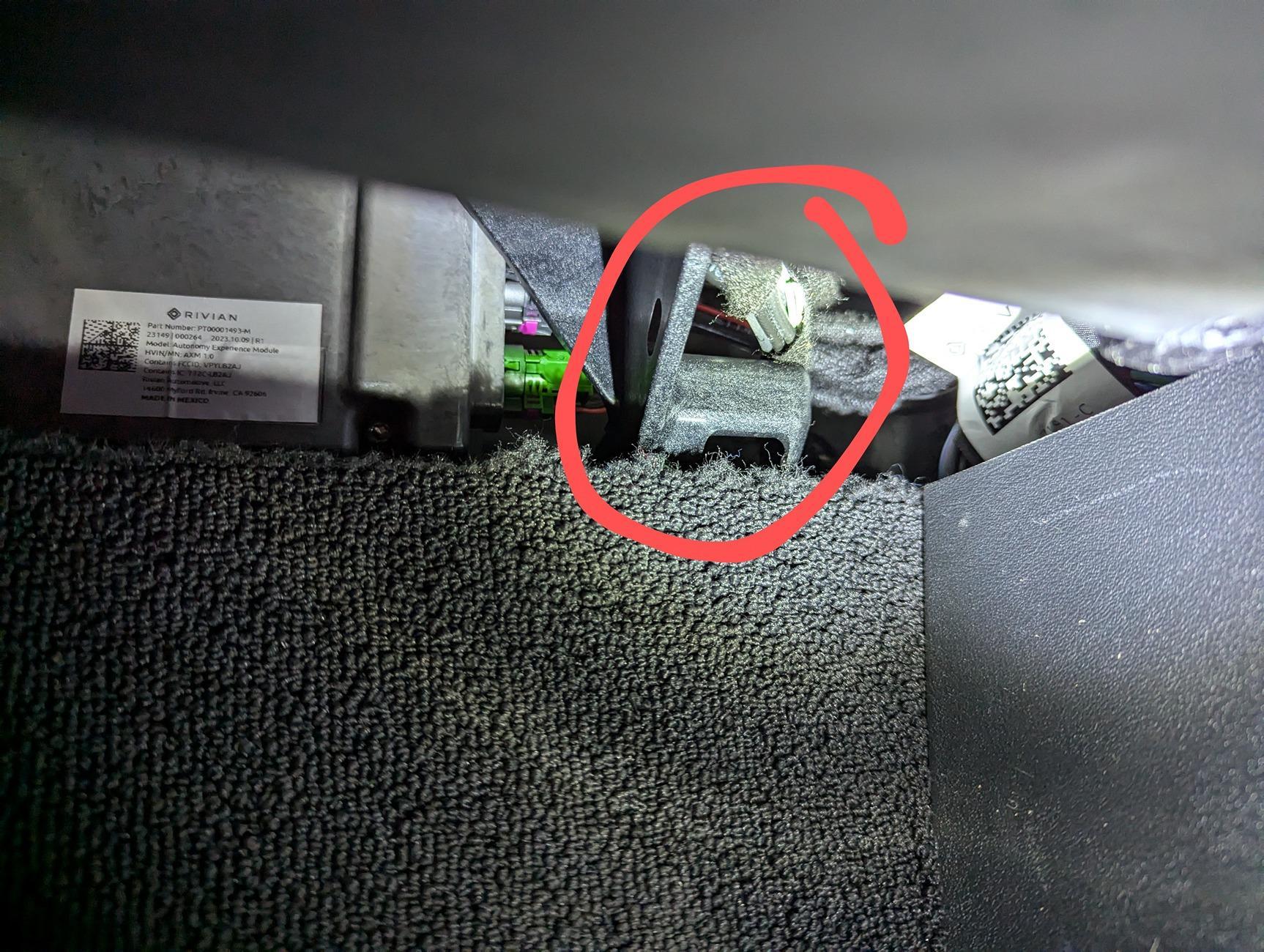
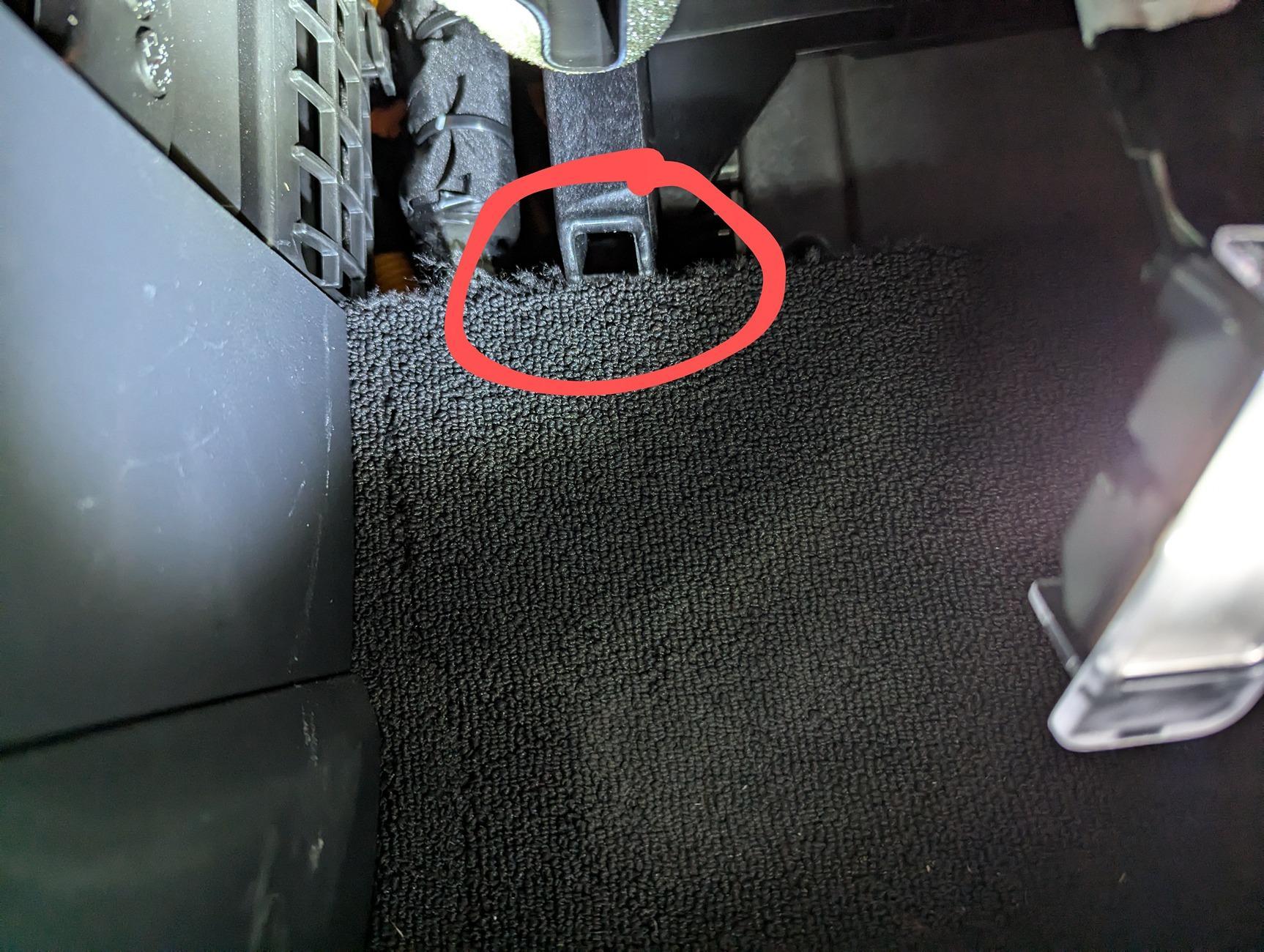
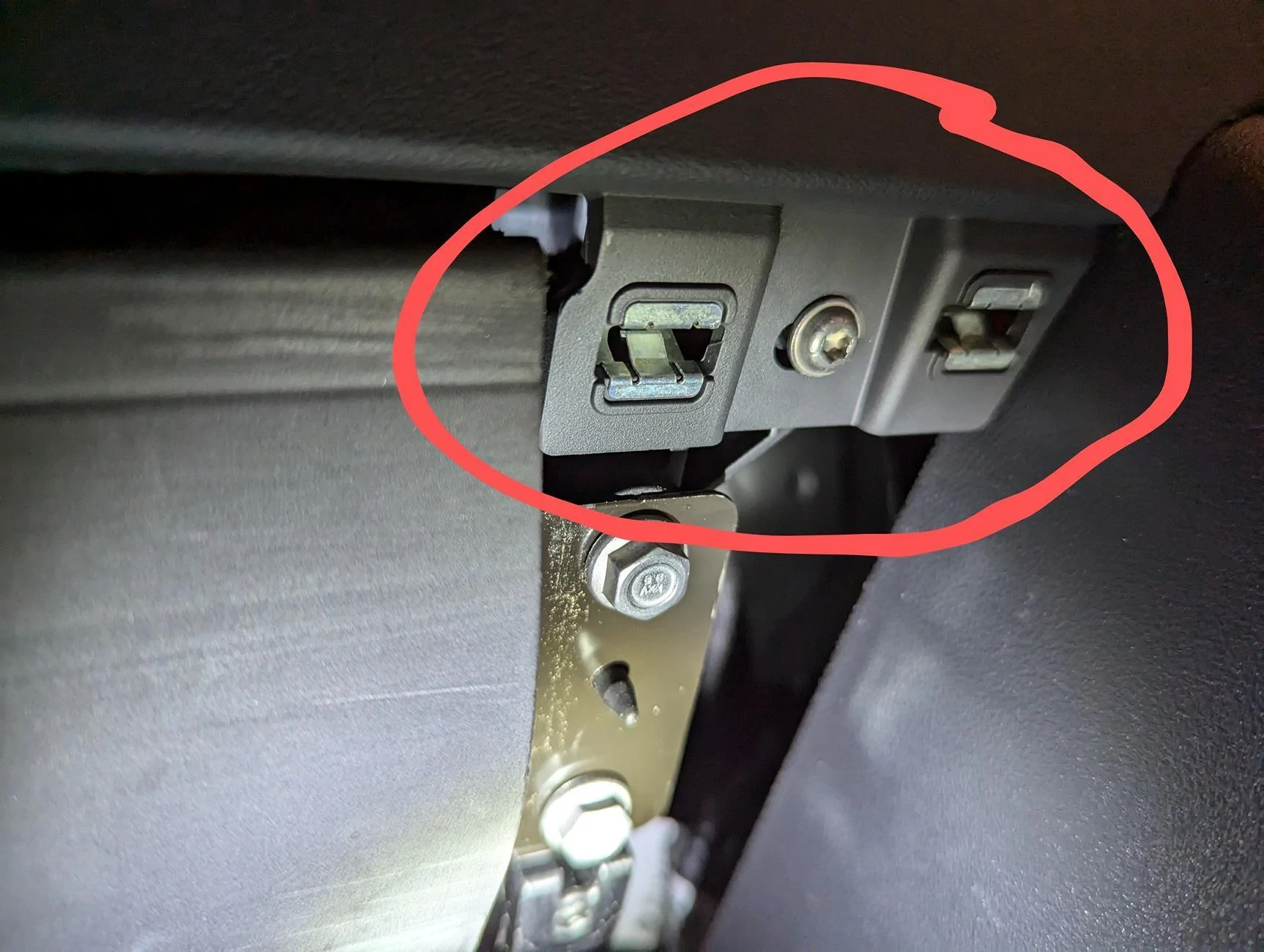
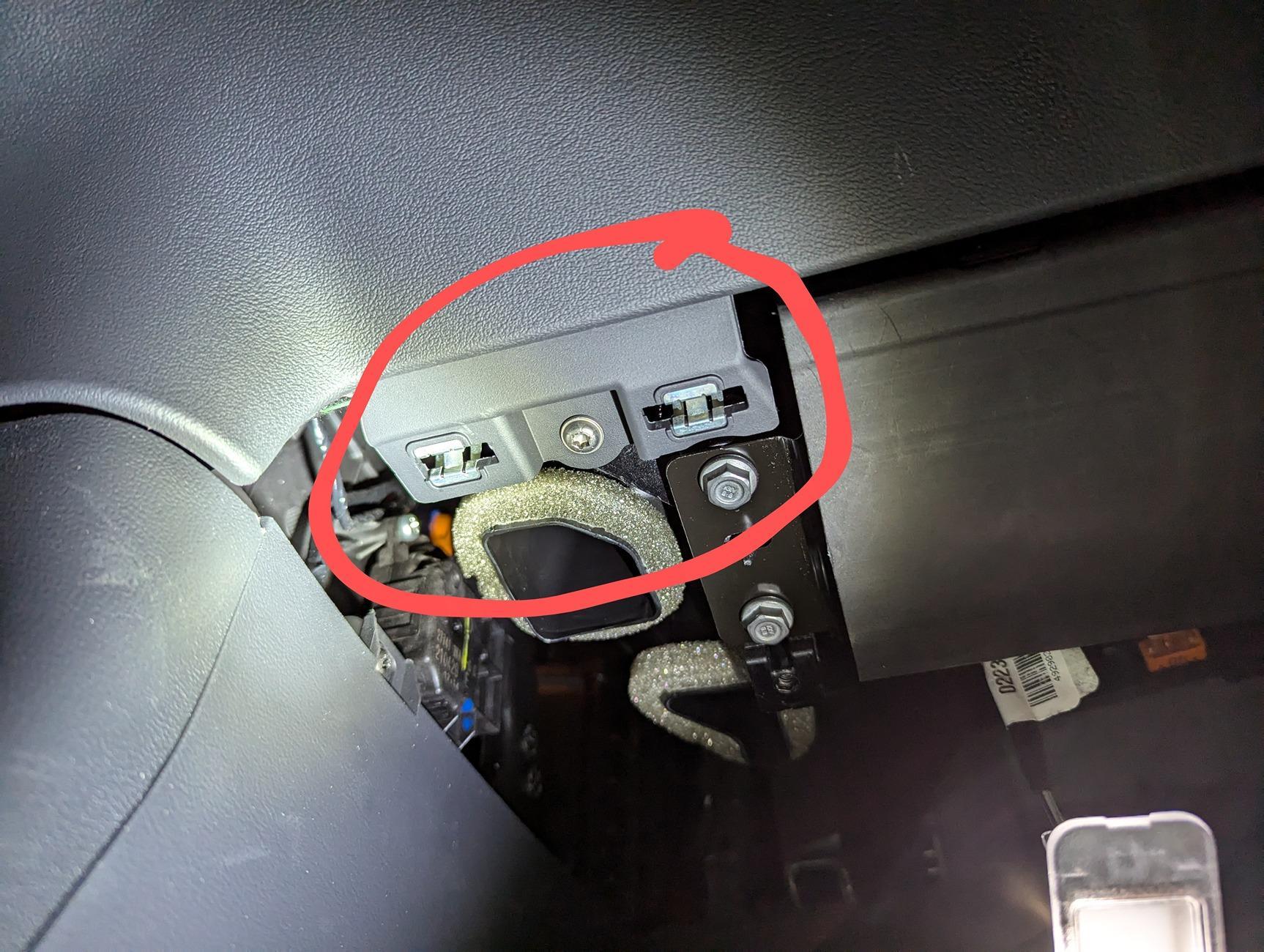
Here are the locations of the clips

Back side, towards the outside of the vehicle:
Rivian R1T R1S Backup camera pxl_20240817_162235773-2-


Back inside clip:
Rivian R1T R1S Backup camera pxl_20240817_162239085-2-


Front outside clips:
Rivian R1T R1S Backup camera pxl_20240817_162222257-2-jpg


Front inside clips:
Rivian R1T R1S Backup camera pxl_20240817_162229426-2-


Fuse panel itself:
Rivian R1T R1S Backup camera pxl_20240817_162249304-2-jpg


i started by taking out the screws, the popping the back clips out. I was able to do this just by pulling on the panel itself, then with a little more force I was able to take out the front clips. I never needed a trim tool, and none of the clips broke.

I did have to pop the whole foot well light out of the panel, as I couldn't get the cord itself out of the light without feeling like I was going to break it.

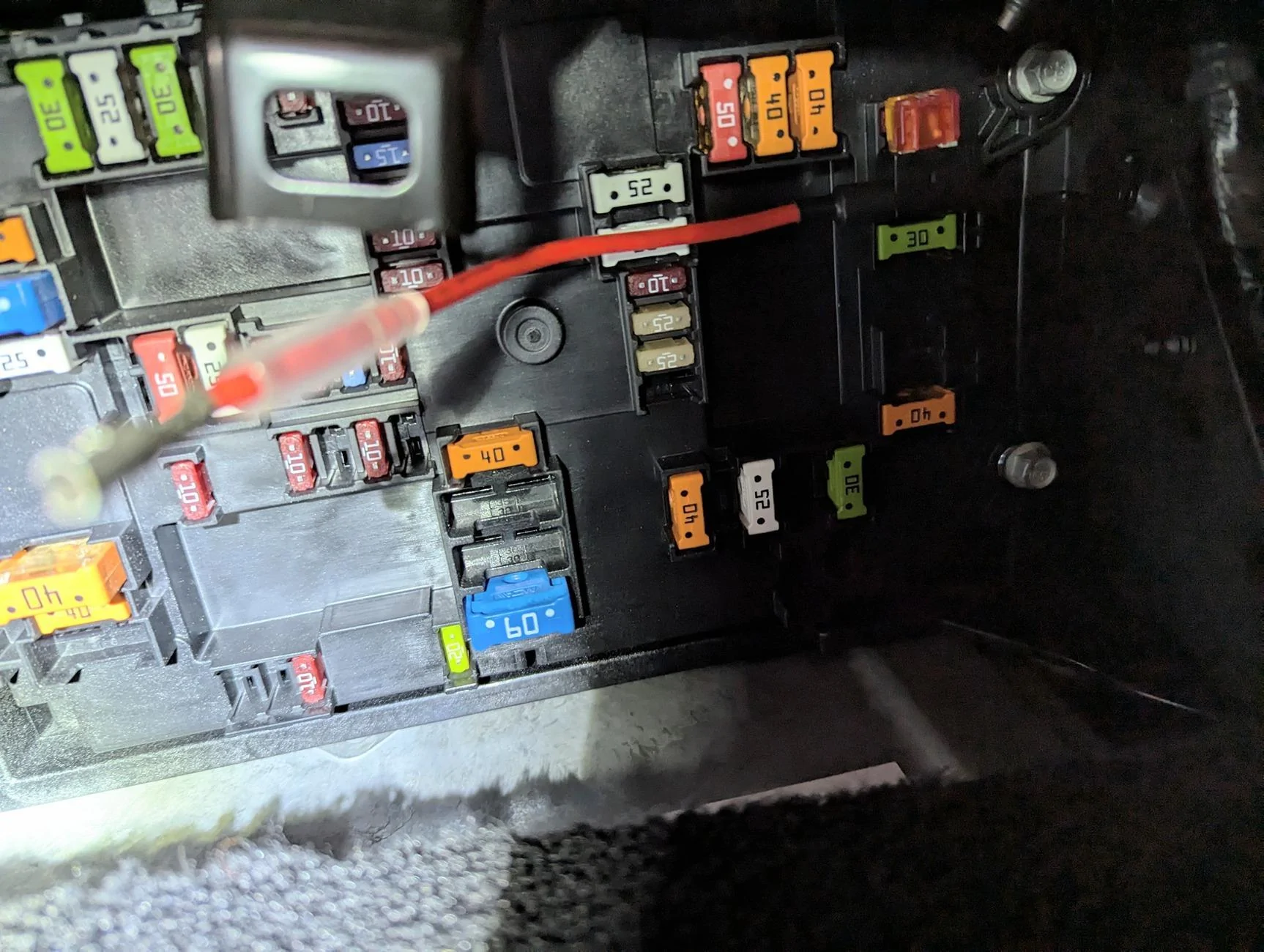
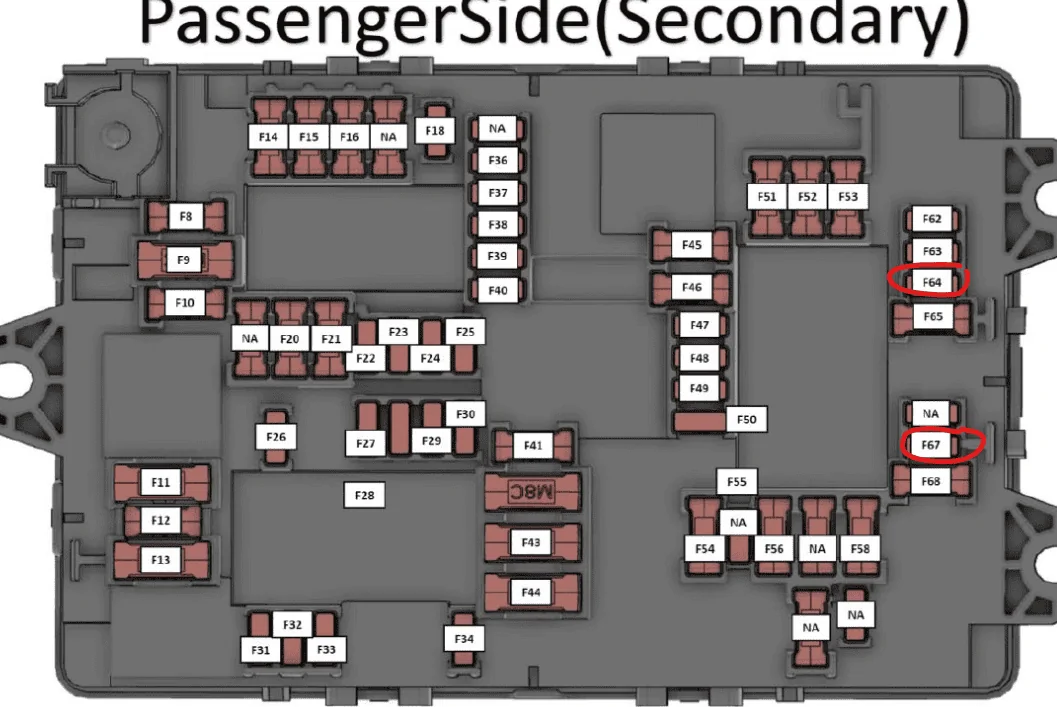
Was able to get to the panel and tried putting in my fuse tap (F64), but wasn't able to get it to power the screen I am installing. However, the USB-C ports next to the rear screen seems to be powering it just fine. Not sure what's up with that...
So, in the end I am able to power the monitor off of one of the USB-C ports which intrigued me as I thought I had read that they wouldn't push enough power. Still need to test the connection between the monitor and the camera itself.

Also interesting was that there wasn't a fuse in F67, like was mentioned above.
Sponsored


Top