Sponsored

Drivecam requiring Infotainment reset since updating

Mitball

Member
First Name
Mitchell
Joined
Jul 7, 2024
Threads
1
Messages
5
Reaction score
3
Location
Laguna Hills, Ca
Vehicles
R1S
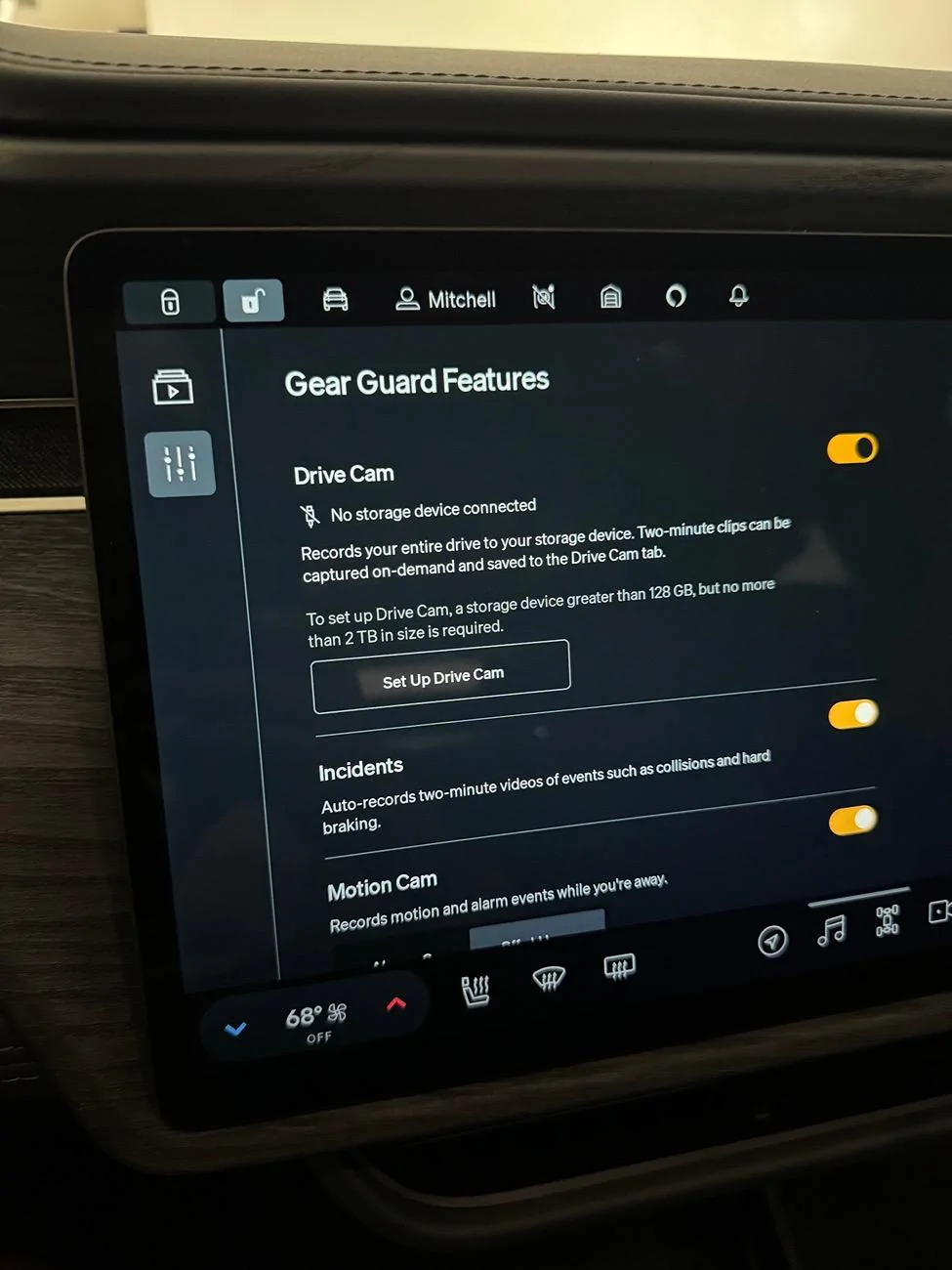
Gen 2 R1S here. I’ve had an issue with my dash cam ever since delivery only July 6. The car shows the drive as not being connected. Every time it happens, I do a soft reset and it goes away for a few days and then resurfaces. When it works, it works fine and everything is seamless.

I’m using a Samsung T7 SSD, which is a recommended drive by the community I believe and works great on my Tesla.

I have a service appointment in Sept for this and a few other things. But hoping this is something they can resolve with a software fix quickly.

Rivian R1T R1S Drivecam requiring Infotainment reset since updating IMG_3508
Sponsored


Webleyaz

Well-Known Member
First Name
Chris
Joined
May 3, 2023
Threads
18
Messages
191
Reaction score
267
Location
Reno
Vehicles
23 R1T
Occupation
Window tinter
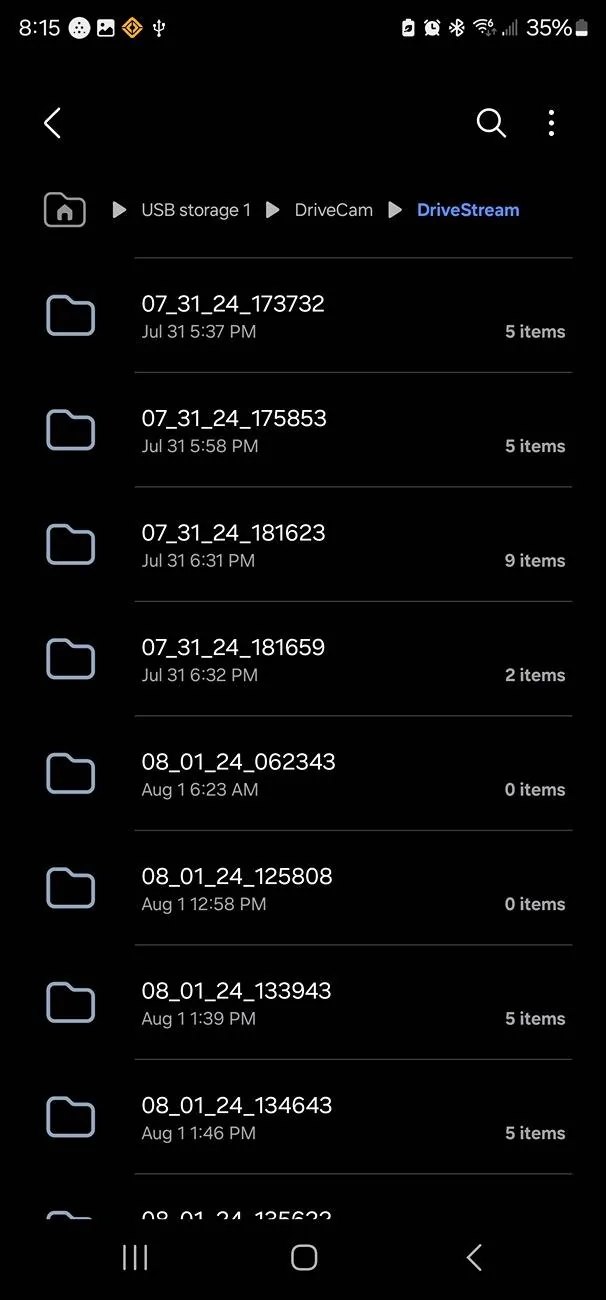
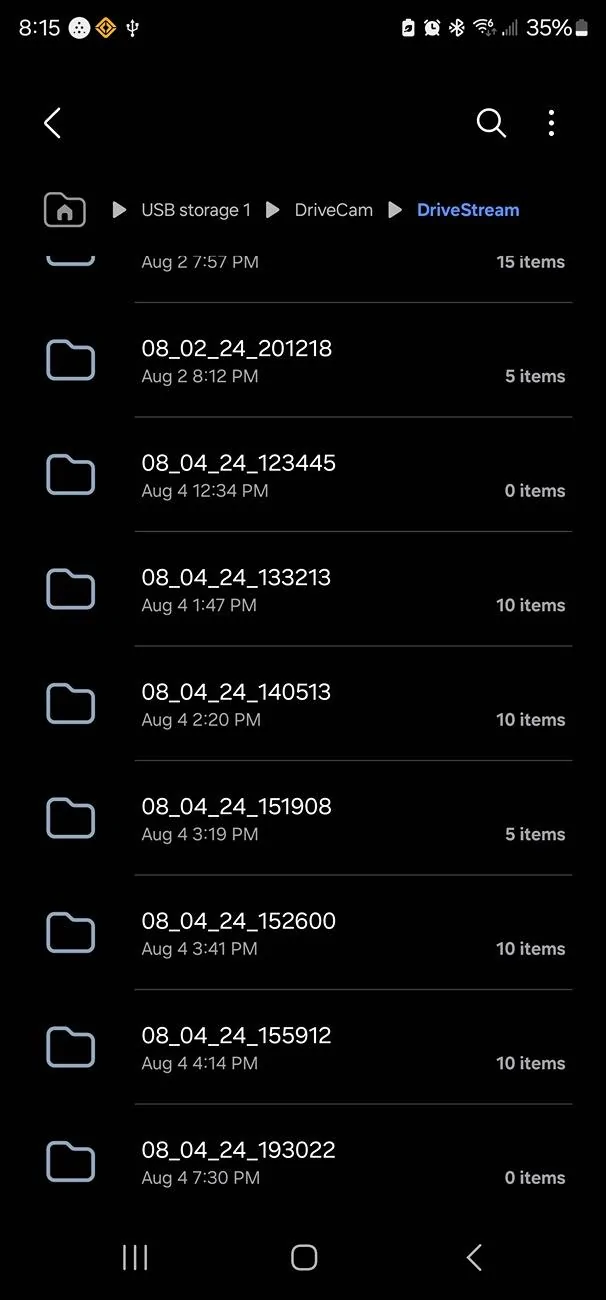
Has anyone who had success with a reset or whatever appears to have worked actually watched a recording? I didn't notice mine wasn't working because I didn't recognize the icon. Eventually, I got a notification about it and checked these hot sheets for a solution. Flasher reset seemed to fix it since the icon no longer has a slash through it. Today, I saw a car with a completely caved in windshield and wanted to show the fam but the folder created for that 40 minute drive has no files. The rest of the day is recorded and several previous drives as well. However, several folders contain 0 files. I reckon a sc appointment could help raise awareness if nothing else.
Rivian R1T R1S Drivecam requiring Infotainment reset since updating 1000003472
Rivian R1T R1S Drivecam requiring Infotainment reset since updating 1000003471
 

SidewayzR1S

Member
First Name
Chris
Joined
Nov 26, 2023
Threads
0
Messages
13
Reaction score
4
Location
Illinois
Vehicles
2023 White R1S Quad motor
There is a note in 2024.27 about an issue disabling gear guard. So next update should be our fix. Fingers crossed
 

doozenberg

Well-Known Member
Joined
Nov 1, 2021
Threads
7
Messages
121
Reaction score
82
Location
Socal
Website
rivian.com
Vehicles
‘18 Model 3, ‘22 Model Y, '25 R1S Standard-->sold
Anyone with 2024.27.30 (gen2) confirm a fix? Heard reports of gear guard completely malfunctioning with this update, not remedied by soft resets.


R1Thor

Well-Known Member
First Name
Joe
Joined
Aug 9, 2023
Threads
8
Messages
1,536
Reaction score
2,421
Location
Lancaster, PA
Vehicles
23QM R1T, Limestone + Ocean Coast, 21" & UBS
Occupation
Mechanical Engineering Lead
Clubs
 
No glory here.

Still borked after the update. I did another soft reset and re-reformatted my drives again. Still giving me a 'Faster Device Needed' error despite both drives being rated >100MB/s USB-C 3.2.
 

Sponsored

TollKeeper

Well-Known Member
First Name
Brian
Joined
Feb 1, 2022
Threads
12
Messages
1,444
Reaction score
1,449
Location
Brighton, CO
Vehicles
24 Rivian R1S, 04 GMC Envoy XUV, 12 Toyota Sienna
Occupation
Ast HR Director

R1Thor

Well-Known Member
First Name
Joe
Joined
Aug 9, 2023
Threads
8
Messages
1,536
Reaction score
2,421
Location
Lancaster, PA
Vehicles
23QM R1T, Limestone + Ocean Coast, 21" & UBS
Occupation
Mechanical Engineering Lead
Clubs
 
This is the Hard Drive that I am using, and it has been installed since I bought the truck.

I have only had to do one Soft Reset, nothing more, when I got a error light, about a month ago.

Have not had to format, or anything else since install.

https://www.amazon.com/gp/product/B084ZJVR4B/ref=ppx_yo_dt_b_search_asin_title?ie=UTF8&th=1

It gives me about a 30 day record before it starts to overwrite.
I will try this drive despite having flash drives that should work, by all accounts.
And FWIW: I did have a working flash drive in my truck up until the previous update, where the truck decided suddenly it wasn't going to accept it.

Worst case, I have another backup drive.

Thanks for the recommendation!
 

R1Thor

Well-Known Member
First Name
Joe
Joined
Aug 9, 2023
Threads
8
Messages
1,536
Reaction score
2,421
Location
Lancaster, PA
Vehicles
23QM R1T, Limestone + Ocean Coast, 21" & UBS
Occupation
Mechanical Engineering Lead
Clubs
 
I will try this drive despite having flash drives that should work, by all accounts.
And FWIW: I did have a working flash drive in my truck up until the previous update, where the truck decided suddenly it wasn't going to accept it.

Worst case, I have another backup drive.

Thanks for the recommendation!
Hey @TollKeeper ! Thanks man! This drive worked!
The USB cable that came with the drive did NOT work (was not recognizable), but when I swapped it for a different USB cable, the truck recognized, formatted, and my drive cam started working again!

I was using the Samsung flash drive a LOT of people were using in early days and so for that to suddenly not be OK for the truck is bizarre, but given your recommended drive is almost 4x faster than the drives I was trying to use, I guess the computer is just significantly more sensitive to read/write speeds than in the past (*assumption*). The thing that buggers me is that when mobile service was out, he did plug my flash drives into his laptop and ran some benchmarks on it to say they were acceptable drives. So, there's some disparity between what Rivian is saying should work and what they're accepting via software. Or something else is amiss...
 

Spaceball1

Well-Known Member
First Name
Danny
Joined
Feb 1, 2023
Threads
12
Messages
368
Reaction score
371
Location
Colorado Springs, CO
Vehicles
22 R1T, 23 Kia EV6, 15 Mustang GT Vert
Occupation
Mechanical Engineer
Mine just started doing this after the recent update. I’m also getting random system reboots/black screen of death since then. ? Hard reset it many times and still has issues.
 

rookford

Active Member
First Name
Dan
Joined
Apr 21, 2021
Threads
2
Messages
25
Reaction score
30
Location
Westfield, IN
Website
rivian.com
Vehicles
Rivian R1T Adventure, R2 Pre-order Holder
Clubs
 
Gen 2 R1S here. I’ve had an issue with my dash cam ever since delivery only July 6. The car shows the drive as not being connected. Every time it happens, I do a soft reset and it goes away for a few days and then resurfaces. When it works, it works fine and everything is seamless.

I’m using a Samsung T7 SSD, which is a recommended drive by the community I believe and works great on my Tesla.

I have a service appointment in Sept for this and a few other things. But hoping this is something they can resolve with a software fix quickly.
IMG_3508.jpeg
I just noticed this is an issue on my 5xxx VIN Gen1 R1T. Have had the drive for the past 2 years and has always worked fine. Same setup with a T5 Samsung shield.
 

Sponsored

TollKeeper

Well-Known Member
First Name
Brian
Joined
Feb 1, 2022
Threads
12
Messages
1,444
Reaction score
1,449
Location
Brighton, CO
Vehicles
24 Rivian R1S, 04 GMC Envoy XUV, 12 Toyota Sienna
Occupation
Ast HR Director
Hey @TollKeeper ! Thanks man! This drive worked!
The USB cable that came with the drive did NOT work (was not recognizable), but when I swapped it for a different USB cable, the truck recognized, formatted, and my drive cam started working again!

I was using the Samsung flash drive a LOT of people were using in early days and so for that to suddenly not be OK for the truck is bizarre, but given your recommended drive is almost 4x faster than the drives I was trying to use, I guess the computer is just significantly more sensitive to read/write speeds than in the past (*assumption*). The thing that buggers me is that when mobile service was out, he did plug my flash drives into his laptop and ran some benchmarks on it to say they were acceptable drives. So, there's some disparity between what Rivian is saying should work and what they're accepting via software. Or something else is amiss...
Still working good?
 

R1Thor

Well-Known Member
First Name
Joe
Joined
Aug 9, 2023
Threads
8
Messages
1,536
Reaction score
2,421
Location
Lancaster, PA
Vehicles
23QM R1T, Limestone + Ocean Coast, 21" & UBS
Occupation
Mechanical Engineering Lead
Clubs
 
Still working good?
Off and on.
Typically I start my drive, everything's fine, and then it'll randomly stop working part way through. Sometimes it comes back and continues to work; sometimes it just intermittently fails.

I don't blame the drive (and to be fair this is the most success I've had since switching from using USB flash drives); I'm sure it's the same software bugs most people are experiencing.

I will do another reset here at some point; I just haven't had the time (I typically forget about it until I'm about to head out and need to get on the road).

I did also swap to a thick high speed Anker USBC cable as well (one rated for 10 Gb/s), just in case it was still a cable issue.
 

TollKeeper

Well-Known Member
First Name
Brian
Joined
Feb 1, 2022
Threads
12
Messages
1,444
Reaction score
1,449
Location
Brighton, CO
Vehicles
24 Rivian R1S, 04 GMC Envoy XUV, 12 Toyota Sienna
Occupation
Ast HR Director
Off and on.
Typically I start my drive, everything's fine, and then it'll randomly stop working part way through. Sometimes it comes back and continues to work; sometimes it just intermittently fails.

I don't blame the drive (and to be fair this is the most success I've had since switching from using USB flash drives); I'm sure it's the same software bugs most people are experiencing.

I will do another reset here at some point; I just haven't had the time (I typically forget about it until I'm about to head out and need to get on the road).

I did also swap to a thick high speed Anker USBC cable as well (one rated for 10 Gb/s), just in case it was still a cable issue.
Thanks for the response... Mine is also still working, but when I delved into the camera system, I got an error for the speed. How can their be a speed issue, if all my camera data is on the HD, with no errors. I am wondering if its a cable issue, or some software glitch. For the moment, I am going with a software/firmware glitch.

This is the cable I am using..
https://www.amazon.com/dp/B092M6XNQW?ref=ppx_yo2ov_dt_b_fed_asin_title
 

cohall

Well-Known Member
Joined
Mar 30, 2020
Threads
76
Messages
1,605
Reaction score
5,667
Location
Denver
Vehicles
2022 R1T, 2023 R1S
My Drive cam has frequently been showing offline ever since the most recent update. The only way for me to fix it is to unplug the drive, then replug it back in and turn drive cam mode back to on. Pretty annoying.

Hopefully Rivian is tracking and will fix in the next update.

For the record, I’m using a Samsung T7 1gb drive that has worked flawlessly up until the latest OTA rolled out.
 

webfootdawg

Well-Known Member
First Name
Paul
Joined
May 31, 2022
Threads
15
Messages
292
Reaction score
398
Location
Portland, OR
Vehicles
Q5, A4
Clubs
 
Ditto. Used to be intermitted before latest software update. Now pretty much all the times.
Sponsored


Top