perryinflight
Member
- First Name
- Perry
- Joined
- Dec 20, 2024
- Threads
- 1
- Messages
- 6
- Reaction score
- 3
- Location
- Long Beach, CA
- Vehicles
- 2025 R1S Dual Large+
- Thread starter
- #1
Hit a new issue that call center service nor Customer Experience can resolve - wondering if anyone has had this happen too/has suggestions.
THE PROBLEMS
GEN2 Keyfob issue
Additional Driver Phone Key (iPhone 15 Pro, current OS)
SERVICE SUPPORT STEPS TAKEN


THE PROBLEMS
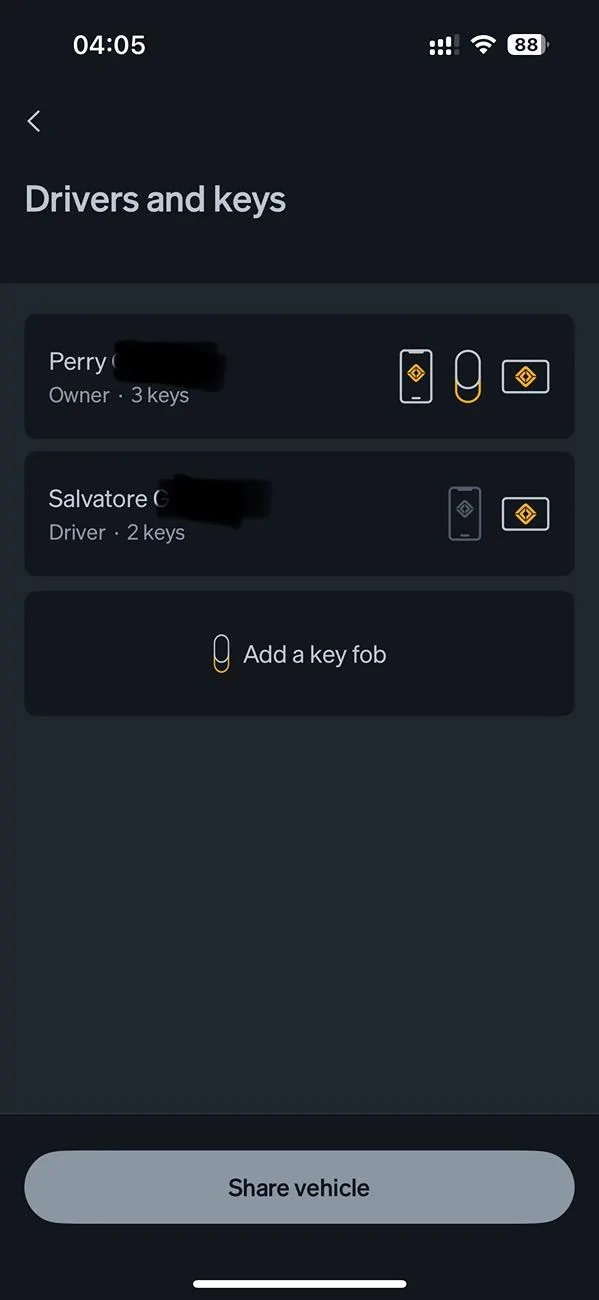
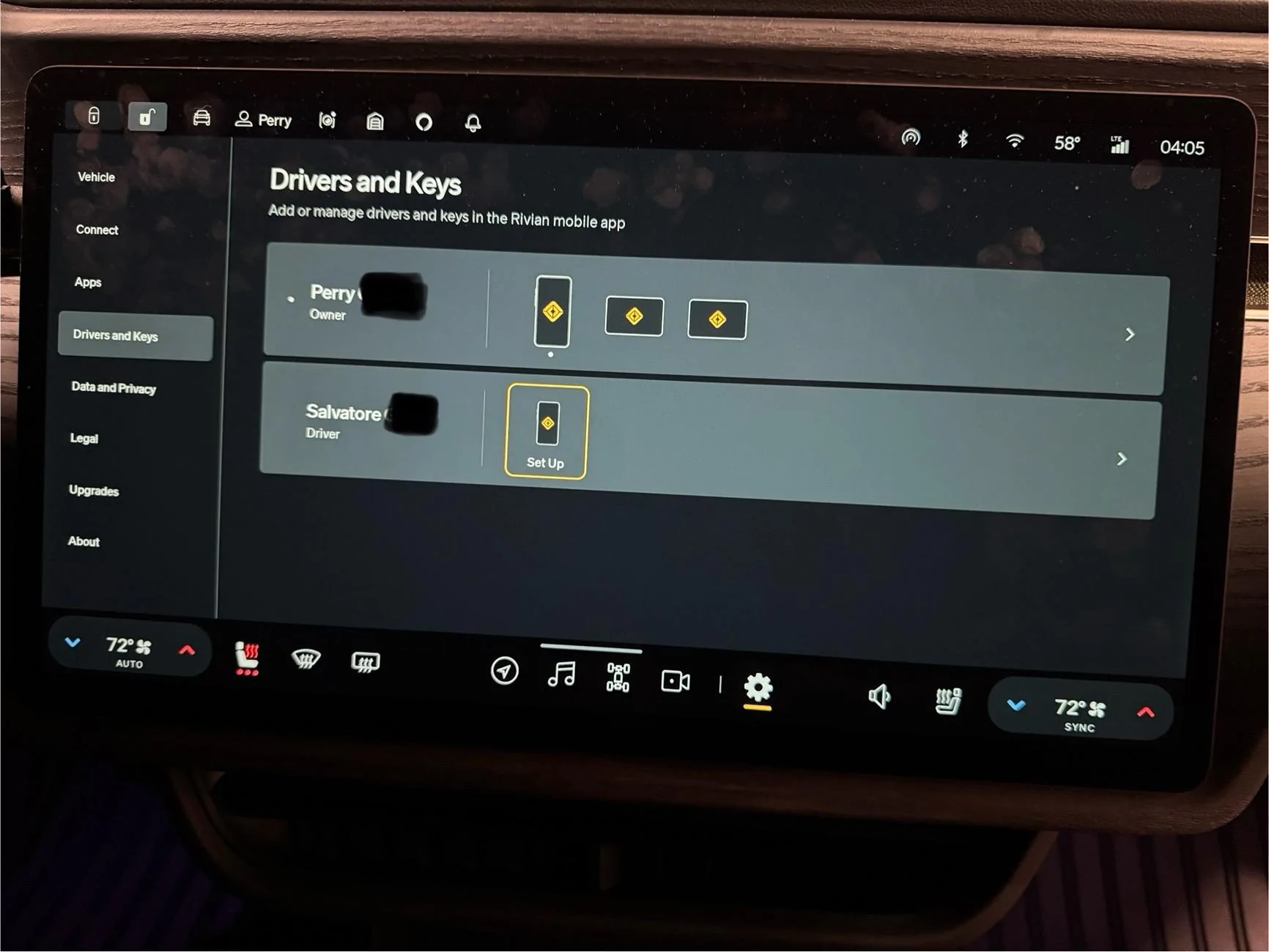
- Gen2 Keyfob will not associate with vehicle (shows as key in app, not in vehicle); doesn’t work at all
- Unable to reassign RFID Key Cards between drivers - app shows reassigned, vehicle does not
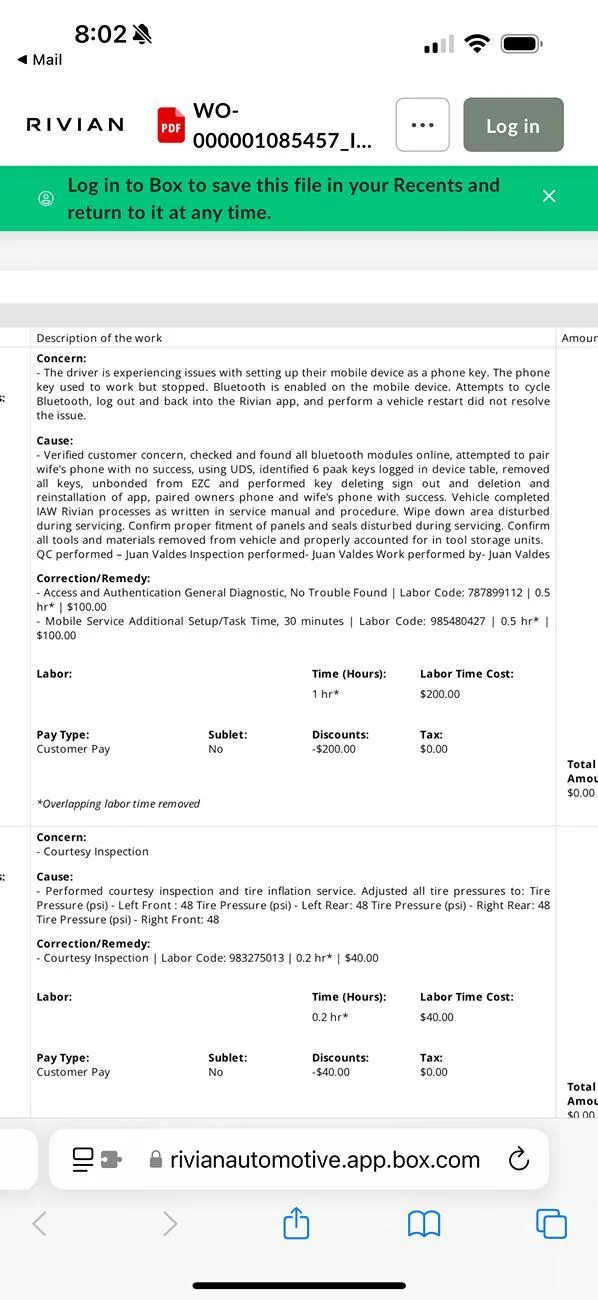
- Additional driver’s phone key randomly got disabled by vehicle; will not get past “connecting to Bluetooth step” when trying to re-setup
GEN2 Keyfob issue
- Went through setup via the App as directed, app shows it was successful
- Keyfob never stops flashing yellow; doesn’t appear in vehicle under Drivers & Keys
- Reset Keyfob multiple times - holding trunk/lift gate buttons, removing battery etc
- Removed and re-added Keyfob through app multiple times
- Hard reset of vehicle (left+hazards)
- 5+ calls with service & engineering, no resolution
- Reassigned through my app, shows reassignment successful
- Reassignment does not reflect in vehicle’s Drivers & Keys
- Multiple attempts to reassign back-and-forth; always works in app, never in vehicle
Additional Driver Phone Key (iPhone 15 Pro, current OS)
- Flipped from working to “setup” when first trying to pair Keyfob - strange…
- Setup through vehicle got stuck on the Bluetooth step - phone never prompted
- Found Bluetooth on phone showed connection to vehicle already there (“Rivian######”)
- Deleted Rivian app from phone
- Performed network & settings, and full reset of iPhone (pain in the butt, but worth a shot) - force clearing
- Redownloaded Rivian mobile app to phone
- Hard reset of vehicle
- Created entirely new driver account with different email, new invite, etc
- Drivers app shows vehicle info - charge state etc - but key setup continues to not work
SERVICE SUPPORT STEPS TAKEN
- Had CE/Engineering reset vehicle association with my account (6 days to do this)
- Service confirms vehicle is online and visible in their system; tested live connection by opening and closing doors to see if they saw it happening; they did
- Multiple vehicle hard resets
- Service Center appointment
Sponsored