Sponsored

Google maps WTF

UnsungZero_OldTimeAdMan

Well-Known Member
First Name
Barnum
Joined
Mar 20, 2023
Threads
66
Messages
8,547
Reaction score
11,742
Location
SoCal
Vehicles
'23 GW Quad-Large R1T "Ghost"
Occupation
Advertising Circus
idk - I feel voice assistants collect a whole other level of data. The only thing I use googles for is turn off and on my lights at home and to set my alarm. That’s about it.
We generate data each day and with each transaction. If not through one specific platform, through all others. You are generating data for just being on this site. You are generating data with everything you do on your phone. And you are generating data even when you don't realize it—like lingering just long enough on an ad in a social platform to be registered as "oh, he's interested in this category". Nearly moot to worry about such things. That said, nothing wrong with being sufficiently guarded.
Sponsored

 
Last edited:

waitingonanr1s

Well-Known Member
Joined
May 18, 2023
Threads
22
Messages
755
Reaction score
1,156
Location
Colorado
Vehicles
2025 Tri-Max R1S (CA Dune Edition), 2023 QM R1S (Traded in May 2025)
We generate data each day and with each transaction. If not through one specific platform, through all others. You are generating data for just being on this site. You are generating data with everything you do on your phone. And you are generating data even when you don't realize it—like lingering just long enough on an ad in a social platform to be registered as "oh, he's interested in this category". Nearly moot to worry about such things. That said, nothing wrong with being sufficiently guarded.
Sure, but also nothing wrong with reducing the data I generate. Avoiding voice assistants does that. Plus I find them annoying to use - not for me all around.
 

CrazyOne

Well-Known Member
Joined
Oct 30, 2021
Threads
3
Messages
1,350
Reaction score
1,142
Location
WA
Vehicles
R1T
If you get a chance, try the same without using Alexa, just typing the address.

I never use Alexa after some bad experiences. I type the address directly or search on phone and share to Rivian.

I suspect Google provides maps and data, but Rivian does the navigation. Google natively will not support charging on the route etc. that Rivian maps does AFAIK.
 

azbill

Well-Known Member
First Name
Bill
Joined
Jun 8, 2020
Threads
17
Messages
1,695
Reaction score
1,976
Location
Arizona
Vehicles
Escalade IQ, Mach E, Hummer EV SUT
Occupation
Retired
If you get a chance, try the same without using Alexa, just typing the address.

I never use Alexa after some bad experiences. I type the address directly or search on phone and share to Rivian.

I suspect Google provides maps and data, but Rivian does the navigation. Google natively will not support charging on the route etc. that Rivian maps does AFAIK.
Google does support charging along the routes, I can plan routes for my Hummer in Google maps and send it to my truck From my phone. Google also has many more chargers in there database than Rivian does.. The Rivian implementation is poor, compared to General Motors.
 

CrazyOne

Well-Known Member
Joined
Oct 30, 2021
Threads
3
Messages
1,350
Reaction score
1,142
Location
WA
Vehicles
R1T
Google does support charging along the routes, I can plan routes for my Hummer in Google maps and send it to my truck From my phone. Google also has many more chargers in there database than Rivian does.. The Rivian implementation is poor, compared to General Motors.
Chargers are on maps, but Google maps on phone at least does not take the vehicle range and SOC into account and provide routing to chargers. So Rivian has to do some customization. I don't know how deep it goes.
 

Sponsored

dpt

Active Member
First Name
David
Joined
Apr 18, 2025
Threads
16
Messages
35
Reaction score
26
Location
colorado
Vehicles
R1S
Occupation
retired
Second this. Typing the address directly gives much better results. I've got a whole thread somewhere full of videos of Alexa not understanding where I wanted to go, or giving laughably wrong replies.

I'm a bit concerned about the amount of "spying" google does, after integrating it with my home. But compared to Alexa, I'd much rather have it in my car. 🤷
Common concern but…..no more spying than your phone or Alexa.
 

Rivian Owner

Well-Known Member
First Name
Mark
Joined
Sep 15, 2024
Threads
1
Messages
221
Reaction score
282
Location
Pacific North West
Vehicles
1971 GTO, 2019 F150,
Clubs
 
If Amazon can't get a package delivered to my front door, why would I expect Alexa to give me accurate driving directions? I've asked the Amazon drivers why they can't get the address right (besides the fact they are a bunch of boneheads, the numbers on my house are huge) they tell me that their GPS sends them to the wrong house. So if Amazon can't get it right for their core business, don't expect Alexa to give you proper directions.
 

azbill

Well-Known Member
First Name
Bill
Joined
Jun 8, 2020
Threads
17
Messages
1,695
Reaction score
1,976
Location
Arizona
Vehicles
Escalade IQ, Mach E, Hummer EV SUT
Occupation
Retired
Chargers are on maps, but Google maps on phone at least does not take the vehicle range and SOC into account and provide routing to chargers. So Rivian has to do some customization. I don't know how deep it goes.
It does for my Hummer, because it is a connected vehicle in my Google account. Google has the battery capacity and efficiency data. The route planner in Goggle is very accurate, better than ABRP.

Vehicles that support Android Auto, such as Ford, can connect the phone maps to the car as well. With our Mach E, we have Apple maps connected via Carplay and plan routes with it. It is not as accurate as Google.

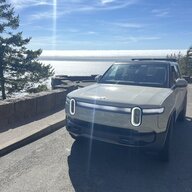
Rivian R1T R1S Google maps WTF IMG_1439
 

CrazyOne

Well-Known Member
Joined
Oct 30, 2021
Threads
3
Messages
1,350
Reaction score
1,142
Location
WA
Vehicles
R1T
It does for my Hummer, because it is a connected vehicle in my Google account. Google has the battery capacity and efficiency data. The route planner in Goggle is very accurate, better than ABRP.

Vehicles that support Android Auto, such as Ford, can connect the phone maps to the car as well. With our Mach E, we have Apple maps connected via Carplay and plan routes with it. It is not as accurate as Google.

IMG_1439.webp
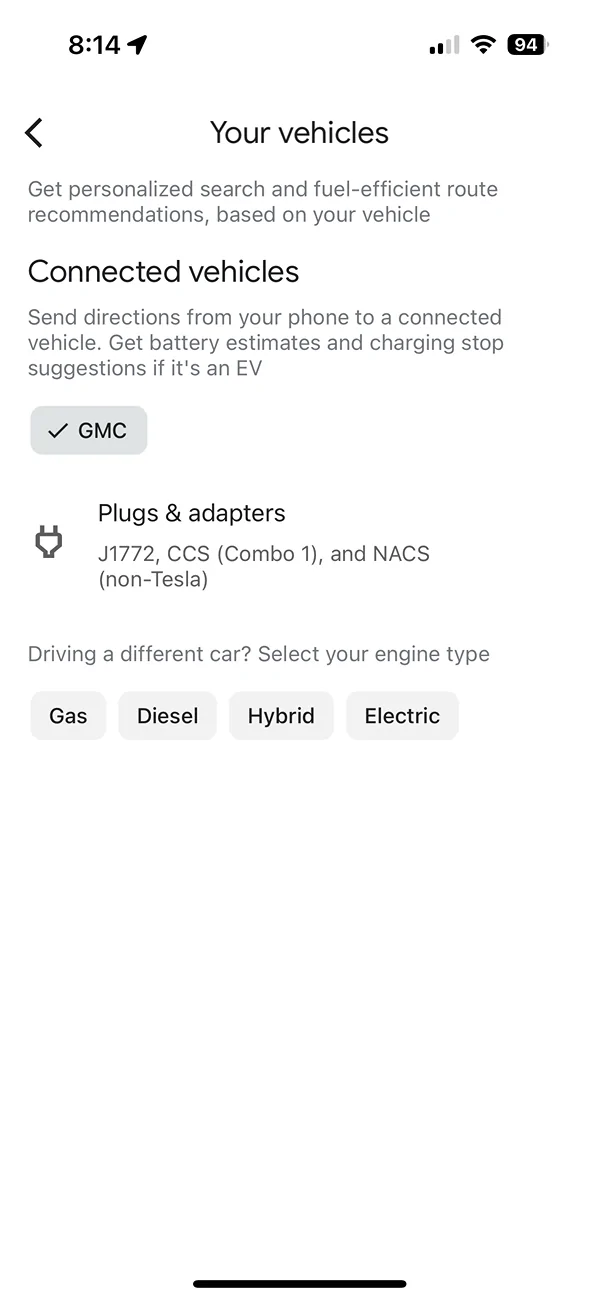
The app on your Hummer is different from the app on your phone. We don't know who customized it with the range and SOC info- GM or Google. It has nothing to do with the account. You are logged in to your phone with your account, but it cannot provide navigation based on vehicle SOC. On phone, you can manually add the vehicle type and it provides more energy efficient routes rather than faster routes, when you select the option. It cannot read SOC and range to provide automatic navigation through chargers.

Rivian R1T R1S Google maps WTF 1000030614
 

azbill

Well-Known Member
First Name
Bill
Joined
Jun 8, 2020
Threads
17
Messages
1,695
Reaction score
1,976
Location
Arizona
Vehicles
Escalade IQ, Mach E, Hummer EV SUT
Occupation
Retired
The app on your Hummer is different from the app on your phone. We don't know who customized it with the range and SOC info- GM or Google. It has nothing to do with the account. You are logged in to your phone with your account, but it cannot provide navigation based on vehicle SOC. On phone, you can manually add the vehicle type and it provides more energy efficient routes rather than faster routes, when you select the option. It cannot read SOC and range to provide automatic navigation through chargers.

1000030614.png
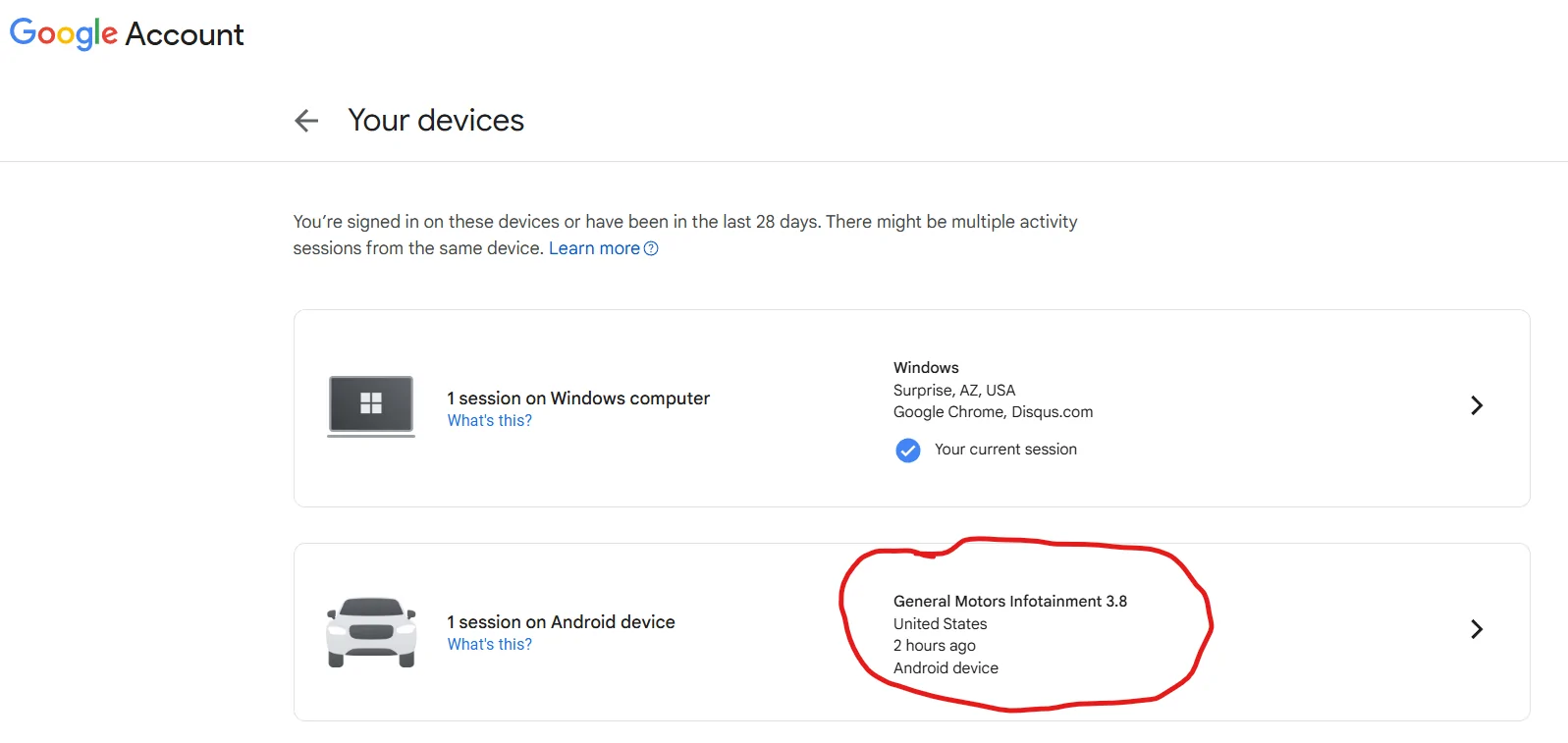
I showed the phone app (Google Maps), not the maps in the truck. They are all linked because I actually logged into Google in my Hummer and it is seen as a Google Device. It has the battery and efficiency data available in my Goggle account.

This shows my truck as a device in my Google account:

Rivian R1T R1S Google maps WTF 1754076525390-ig


This is similar to how Amazon has the Rivian in my account for Alexa.
 

Sponsored

CrazyOne

Well-Known Member
Joined
Oct 30, 2021
Threads
3
Messages
1,350
Reaction score
1,142
Location
WA
Vehicles
R1T
I showed the phone app (Google Maps), not the maps in the truck. They are all linked because I actually logged into Google in my Hummer and it is seen as a Google Device. It has the battery and efficiency data available in my Goggle account.

This shows my truck as a device in my Google account:

1754076525390-ig.png


This is similar to how Amazon has the Rivian in my account for Alexa.
Does your phone route based on Vehicle SOC, because you are logged in to same account on both devices?
 

azbill

Well-Known Member
First Name
Bill
Joined
Jun 8, 2020
Threads
17
Messages
1,695
Reaction score
1,976
Location
Arizona
Vehicles
Escalade IQ, Mach E, Hummer EV SUT
Occupation
Retired
Does your phone route based on Vehicle SOC, because you are logged in to same account on both devices?
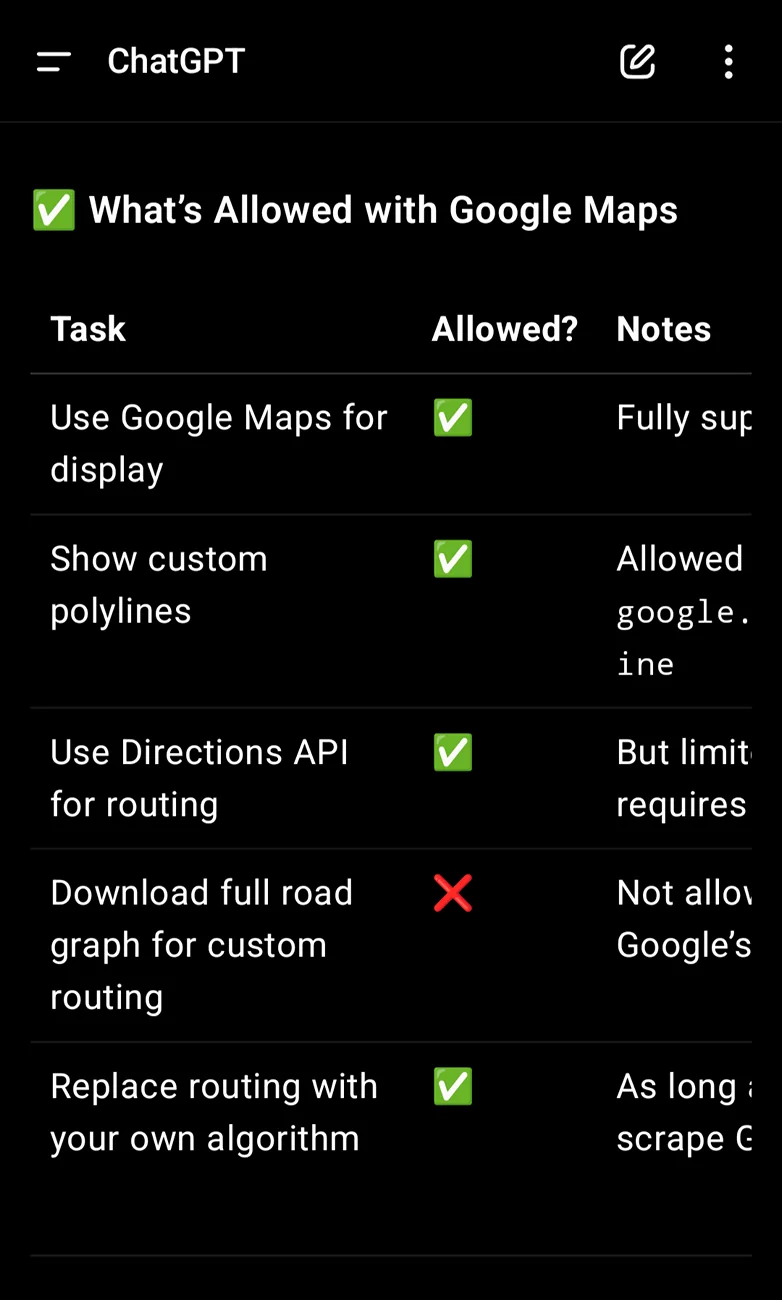
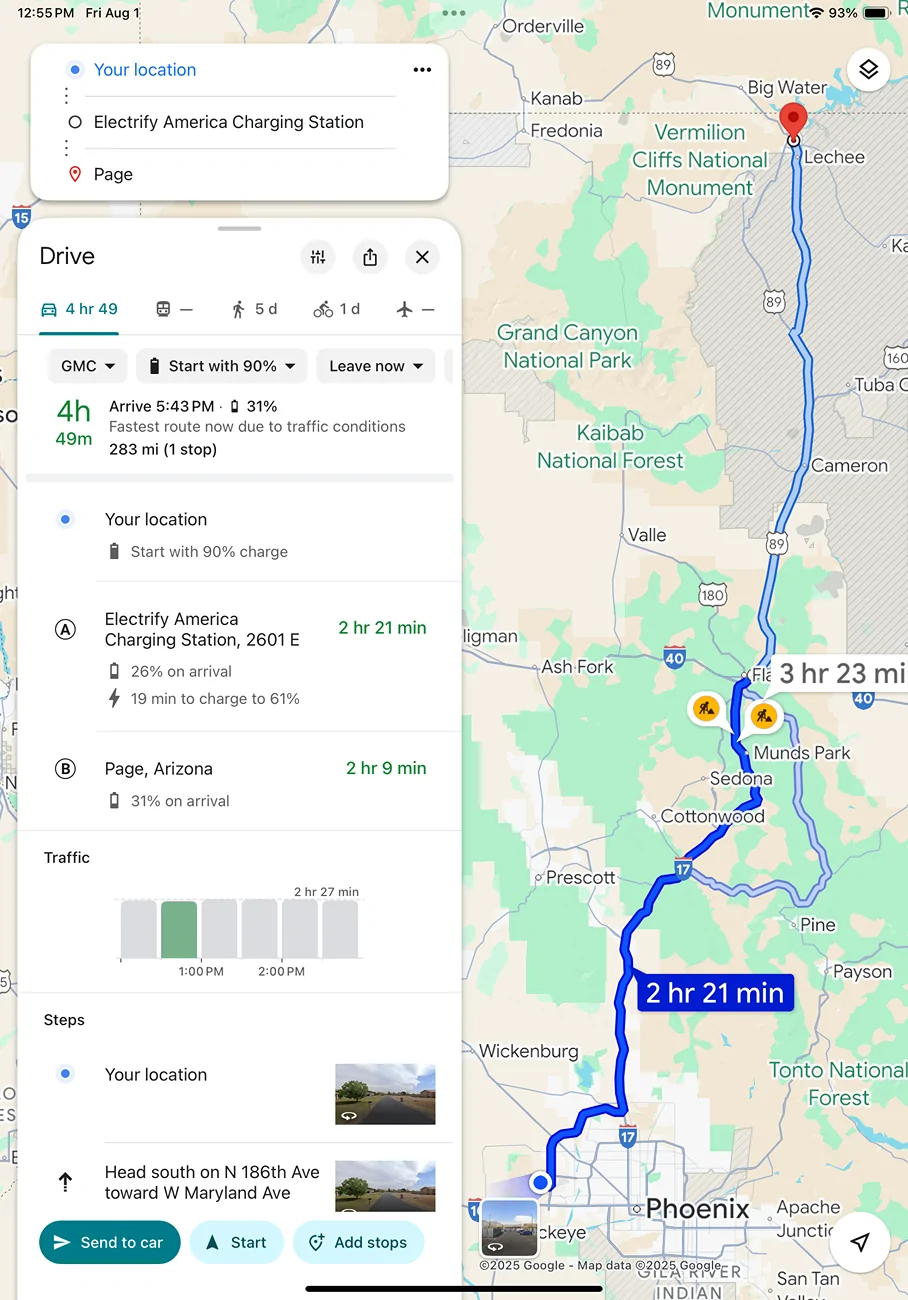
Here is an example trip I created in Google maps, the starting SoC is not live, but will adjust when sent to the truck. The charging times it gives are conservative, but the arrival and target charge levels are accurate. You can see the send to car button.

Rivian R1T R1S Google maps WTF IMG_0030
 

CrazyOne

Well-Known Member
Joined
Oct 30, 2021
Threads
3
Messages
1,350
Reaction score
1,142
Location
WA
Vehicles
R1T
Here is an example trip I created in Google maps, the starting SoC is not live, but will adjust when sent to the truck. The charging times it gives are conservative, but the arrival and target charge levels are accurate. You can see the send to car button.

IMG_0030.png
This is very good and I wasn't aware of this feature. I agree, that this would only work if the same account was logged in on phone and car for a start.
 

azbill

Well-Known Member
First Name
Bill
Joined
Jun 8, 2020
Threads
17
Messages
1,695
Reaction score
1,976
Location
Arizona
Vehicles
Escalade IQ, Mach E, Hummer EV SUT
Occupation
Retired
This is very good and I wasn't aware of this feature. I agree, that this would only work if the same account was logged in on phone and car for a start.
There is one other feature of Google route planning that I like, but others may not. When you first enter the destination, it will indicate a negative battery at the destination, then pop up a "add charging" button. That button gives a list of chargers within range and lets you pick which one you want. To me, that is way better than letting the app randomly pick a charger, since I can look at Plugshare (or other apps) and see pricing, rating, charging speed, etc. I typically already know where I want to charge on a trip, so this makes it easy to set up the plan I have in my head.
 

UnsungZero_OldTimeAdMan

Well-Known Member
First Name
Barnum
Joined
Mar 20, 2023
Threads
66
Messages
8,547
Reaction score
11,742
Location
SoCal
Vehicles
'23 GW Quad-Large R1T "Ghost"
Occupation
Advertising Circus
If Amazon can't get a package delivered to my front door, why would I expect Alexa to give me accurate driving directions? I've asked the Amazon drivers why they can't get the address right (besides the fact they are a bunch of boneheads, the numbers on my house are huge) they tell me that their GPS sends them to the wrong house. So if Amazon can't get it right for their core business, don't expect Alexa to give you proper directions.
Besides the point, but... The rare times I didn't get my Amazon package, it had nothing to do with Amazon or Alexa. But everything to do with the driver not paying attention to building numbers, street names, or simply failing to read a map (since I live in a condo community where every building and unit/door looks exactly the same, except for number and street).
Sponsored


Top