Sponsored

Road Cam not recognizing USB

bod925

Active Member
Joined
Jan 17, 2025
Threads
12
Messages
37
Reaction score
10
Location
Hickory, NC
Vehicles
2025 R1S
Brought home a new R1S today. Excited!!

One of the first things I did was try to set up Road Cam under the Gear Guard.
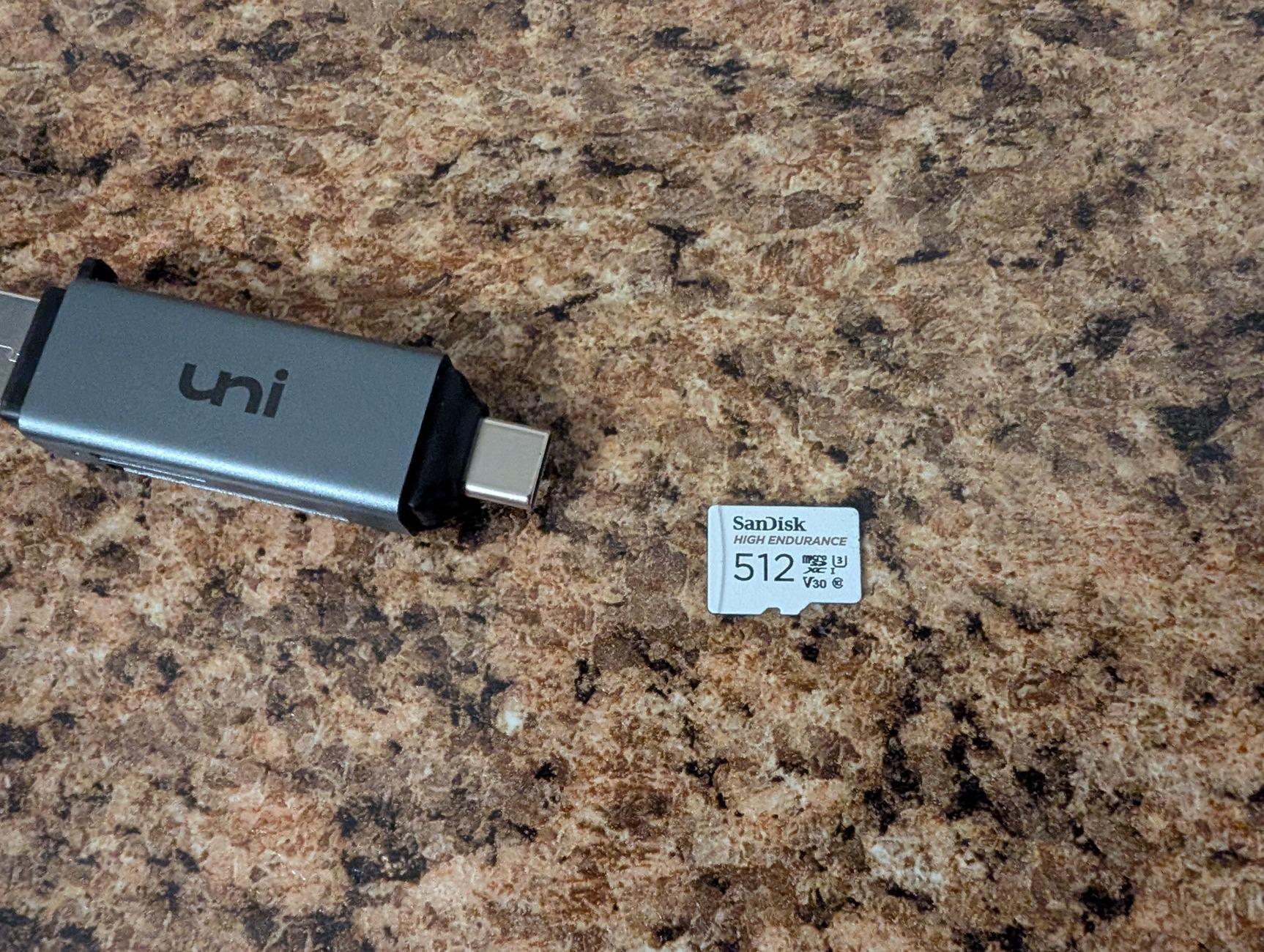
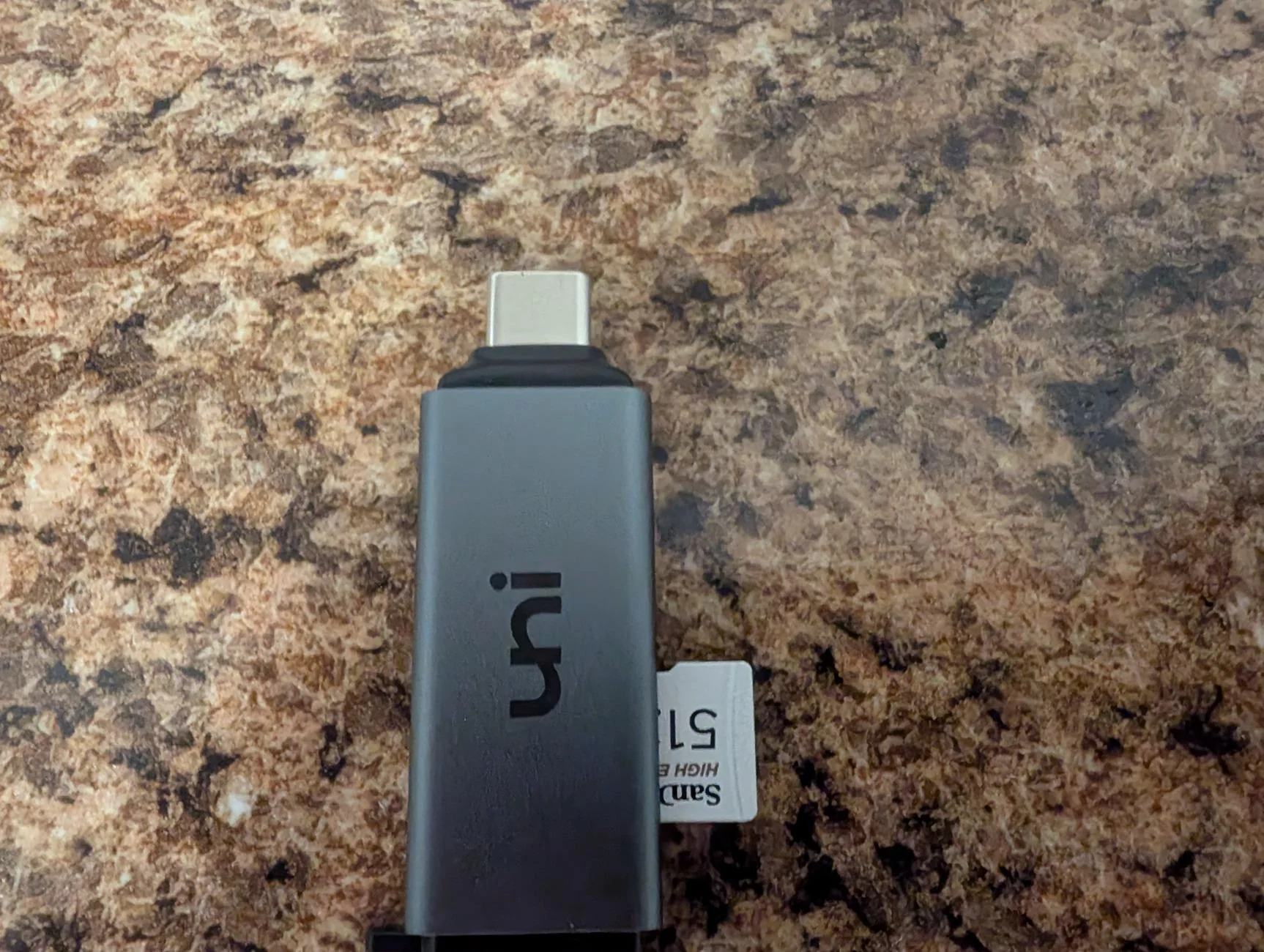
I have a USB-C card reader and a High Endurance sd card 512GB.
Same card I've used in my dash cams. It's made for dash cams specifically.
I know some folks use a SSD, but that's not my question here.

When I select setup Road Cam, the screen shows to insert the USB. When I do this it doesn't recognize or acknowledge anything. Just gives the option to cancel setup.

I've already formatted the card to FAT32 thinking that was the issue.
Any thoughts? Pictures attached of what I'm using.

Rivian R1T R1S Road Cam not recognizing USB 1000006136
Rivian R1T R1S Road Cam not recognizing USB 1000006137
Sponsored

 
Last edited:

iansriv

Well-Known Member
Joined
Feb 12, 2022
Threads
20
Messages
2,794
Reaction score
3,808
Location
US
Vehicles
R1S
Congrats on the new ride! My G1 R1S RC worked fine at first then conked out. Mobile tech told me to get a different drive. I went through 5 different drives before SC replaced a module. Everything works fine now. Link below to what is currently working.

Flash Drive
 

KBabione

Well-Known Member
First Name
Kevin
Joined
Sep 11, 2023
Threads
48
Messages
1,464
Reaction score
2,006
Location
Lititz, PA
Vehicles
2023 R1S Quad (8/23)
Occupation
Consultant
It's frustrating, but the Rivian is VERY particular about which SSDs are compatible, and I'm pretty sure that's your issue. It would be nice to be able to use something you already have, but it probably simply won't work.

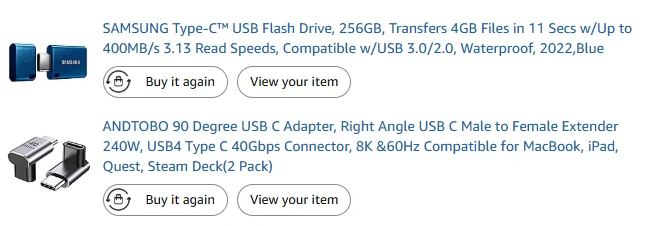
This is my kit:
Rivian R1T R1S Road Cam not recognizing USB 1748692584599-z2


Samsung Drive - $26.99 now
90 Degree Adapter - $9.99 now

256GB holds about 15 hours of video which is more than I need. I'd probably buy a bigger unit if I were to do it again, but for no valid reason. The 90 degree USB C adapter keeps it from sticking out too much (I have the flash drive pointing down into the center bin.

A bunch of people like the Samsung T7 SSD's, but I don't need that much storage (or cost).

Good luck!
 

AlanP

Well-Known Member
First Name
Alan
Joined
Jul 2, 2021
Threads
12
Messages
158
Reaction score
119
Location
La Canada
Vehicles
R1S, Wife Solterra
Occupation
Retired
Clubs
 
Mine did the same thing after an update. Mobile service couldn't fix it. The Service Center was able to. I use a Sandisk Ultra 256GB.
 

NY_Rob

Well-Known Member
First Name
Rob
Joined
Feb 9, 2022
Threads
23
Messages
5,396
Reaction score
7,970
Location
long island
Vehicles
Model 3 LR AWD, BMW i3 REX, 2024 Rubicon 4xe
Occupation
IT
Put that flash drive in a PC and see if the Rivian wrote a file in to the root directory. There should be a small text file on the flash card. Open the file using Notepad and see what it says.
 

jimboski93

Active Member
First Name
Jim
Joined
Jun 4, 2025
Threads
6
Messages
30
Reaction score
20
Location
Parker, CO
Vehicles
R1S
I was also having this issue. I had purchased a Samsung Pro Endurance 256 GB micro SD card and an Acer card reader (and then an Anker card reader thinking that might be the problem). Rivian would not recognize that there was a storage device plugged in. As I saw on some other posts, I thought maybe the issue was that the USB plug was stuck in 'dev' mode and needed to be flipped by a service tech. I setup a mobile service appointment (scheduled for a week out).

Today, I got in the mail the Samsung USB-C Flash drive mentioned above, and it works just fine. (I am also using a little USB-C right angle adapter but slightly different than the one noted above).

Anyway - go with the flash drive mentioned above.
Sponsored


Top