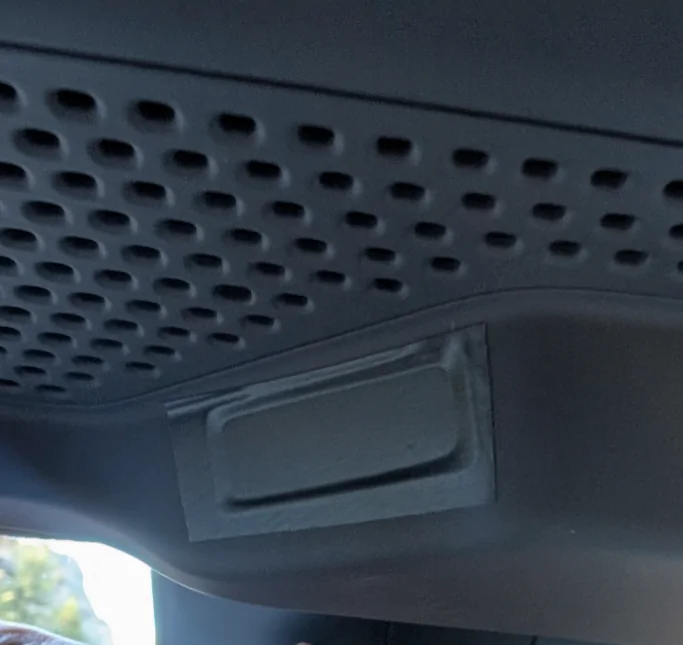
Gen1 March 2022 delivery, it's the camera. I taped over mine day 1.
We're on a trip now, first time using "accessory" in tow mode, unfortunately you lose Driver+ including lane keep and it's regular cruise. I really want the brake light bar working because you can't see any lights with RTT and bikes, but I also want Driver+. Ugh, safety.
When I get my Gen 2, I am putting a piece of electrical tape over the camera in the mirror. it won't look as nice as yours, but I don't want an interior camera spying on me.
I think for hands fee driving the camera may be required. The Mach-e has one. Mine doesn't, but mine does not have hands fee Blue-Cruise.
Rivian just sent out a "Data Privacy Update" email. Here's the part that jumped out at me:
Recent Privacy Updates
•
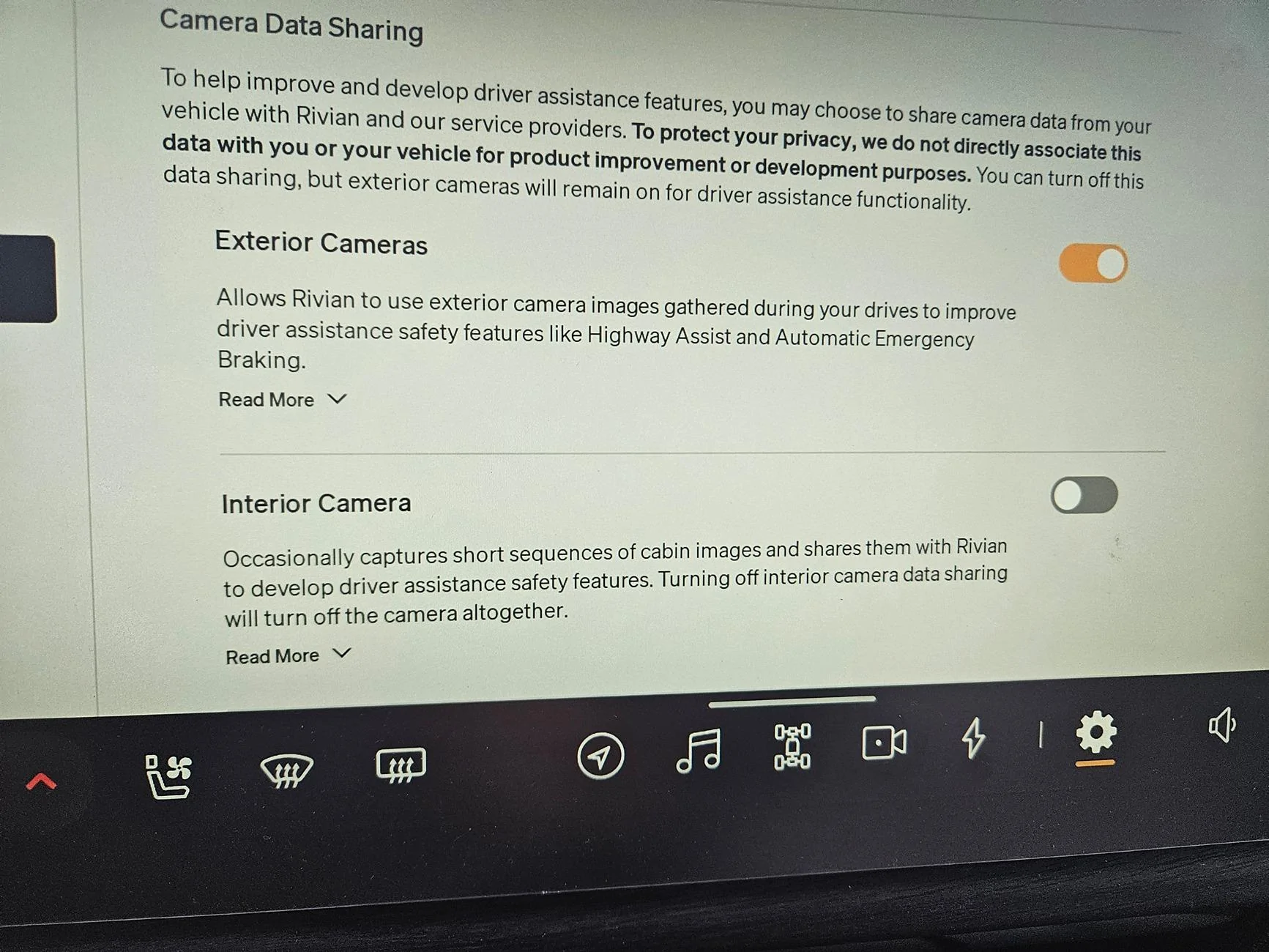
Interior Camera in Gen 2 Vehicles. Vehicles built for model year 2025 are equipped with an interior camera in the rearview mirror. This camera is OFF by default. You may choose to opt in to (i.e., enable) data sharing from the interior camera to help improve and develop vehicle safety systems. We do not associate these images with you or your vehicle for product improvement or development.
•
Gear Guard Live Cam. Our new feature allows you to:
View live video from your parked Rivian
Check on your vehicle's surroundings right from the Rivian app
Respond to alarm system notifications in real-time, with live viewing
As always, owner privacy and safety are a top concern, so video is end-to-end encrypted to prevent unauthorized access, and Rivian does not have access to this video.
1. Interesting that they moved the camera to inside the mirror... I thought they removed it.
2. With the new real time feed from Gear Guard, why can't we activate that camera to watch Pets in Pet Mode?
Let's hope while the setting appears to be off, that it actually is.
On a somewhat seperate note, if I were to plug in a USB storage device to save all "incidents" (basically a dash cam on steroids), what is the law on those videos? If the driver of the Rivian is at fault, can that evidence be used against us? Or is it our choice? (Seems unlikely)
I KNEW IT, I kept looking for a camera on the IC cluster, but never thought to consider the mirror. Too many times did engagement reminders come on when looking over/down messing with HVAC.....
When I get my Gen 2, I am putting a piece of electrical tape over the camera in the mirror. it won't look as nice as yours, but I don't want an interior camera spying on me.
I think for hands fee driving the camera may be required. The Mach-e has one. Mine doesn't, but mine does not have hands fee Blue-Cruise.
I would recommend not going this route, you will have a very little visibility out of the mirror if you do this. The camera apparatus covers much of the surface area. There is a toggle in the settings to turn the camera off, and it is off by default. If you don't trust that then I would maybe try unplugging it.
If it helps at all, on the settings screen setting that lets you turn off the camera, it does tell you that turning off data sharing for the interior camera will just turn off the camera altogether
I would recommend not going this route, you will have a very little visibility out of the mirror if you do this. The camera apparatus covers much of the surface area. There is a toggle in the settings to turn the camera off, and it is off by default. If you don't trust that then I would maybe try unplugging it.
If it helps at all, on the settings screen setting that lets you turn off the camera, it does tell you that turning off data sharing for the interior camera will just turn off the camera altogether
I was hoping a small piece of tape right over the lens area would do it. Good point about rear-view visibility concerns, though. I may need to trust the electronic method, or find the wire that runs to the camera.
I KNEW IT, I kept looking for a camera on the IC cluster, but never thought to consider the mirror. Too many times did engagement reminders come on when looking over/down messing with HVAC.....