Sponsored

Video External Storage - How To

ssbmx90

Well-Known Member
First Name
Shayne
Joined
May 31, 2020
Threads
11
Messages
84
Reaction score
72
Location
San Diego
Vehicles
Sti, Tesla
Occupation
Secret
I figured out a way around the speed test, though I dont know if there'll be any actual issues with it... Will report back after some real world testing.

  1. Take your formatted usb drive, which Rivian tells you is too slow, and connect to your computer.
  2. On the root folder there is a file called 'Benchmark.log'. Open it in your favorite text editor. You will probably see something like 'VERY_SLOW'
  3. Replace the content with the word 'READY' (no quotes), save and close the file.
  4. Reconnect to your Rivian.
  5. Win
This worked for me as well, I just did it and haven’t tested yet.. we’ll see if it gets corrupted or fails eventually. I used the following


SanDisk - Ultra Dual Drive Go 128GB USB Type-A/USB Type-C Flash Drive - Black
Model:SDDDC3-128G-A46
SKU:6422263
 

ohadios

New Member
First Name
Ohad
Joined
Dec 30, 2023
Threads
0
Messages
4
Reaction score
6
Location
Richmond, VA
Vehicles
R11
Occupation
CEO
This worked for me as well, I just did it and haven’t tested yet.. we’ll see if it gets corrupted or fails eventually. I used the following


SanDisk - Ultra Dual Drive Go 128GB USB Type-A/USB Type-C Flash Drive - Black
Model:SDDDC3-128G-A46
SKU:6422263
For what it's worth, I've been using my USB drive for around 4 months with no issues. Had an accident recently and Gear Guard successfully captured it.
Now I just have to wait the incredibly long wait to get the car repaired :(
 

LARiv

Member
Joined
May 26, 2024
Threads
0
Messages
21
Reaction score
6
Location
Los Angeles
Vehicles
R1T
Hi there - Sorry to hear about your accident but glad you Gear Guard to work. Is the workaround you suggested still applicable? I tried it, but when I open benchmark.log, it doesn’t let me edit it and instead pushes me to a riv_video_data.txt file that has a time stamp. The .txt file is editable but not the .log file. Any suggestions for next steps? I’m using a Mac in case that’s relevant.
 

Whatsupd

New Member
Joined
Jun 24, 2024
Threads
0
Messages
2
Reaction score
0
Location
SoCal
Vehicles
Chevy 1500, Traverse, RIT
Installed Samsung T9. Passed first time.

Tried Cruciel (Amazon) 2T, 1000+ read/write speed and it did not work.

thx.
 

Sponsored

Beachbum

Well-Known Member
First Name
JR
Joined
Dec 31, 2021
Threads
2
Messages
49
Reaction score
44
Location
Danville, CA
Vehicles
2022 R1T & Tesla M3
FYI

My GPS started acting wierd (fragmented, loss of GPS signal), so bad my main screen would black-out and reset. After two visits to SC and providing time stamps of the black-out events, the SC found in the data logs my external USB-C stick was corrupt. After removal of the Sandisk stick, it has been solid, GPS and overall main screen.

This is what I had: SanDisk 128GB Ultra USB Type-C Flash Drive - SDCZ460-128G-G46,Black

I will order another drive (non SanDisk) and try again.
 

Jgoal55

Active Member
First Name
Jorge
Joined
Dec 23, 2022
Threads
2
Messages
25
Reaction score
19
Location
Miami
Vehicles
R1S
For what it's worth, I've been using my USB drive for around 4 months with no issues. Had an accident recently and Gear Guard successfully captured it.
Now I just have to wait the incredibly long wait to get the car repaired :(
Sorry to hear about your accident. Hopefully repairs weren't too bad.

Been looking into adding a drive, but wondering if there is a true need? Doesn't gear guard record :30sec of any incidents or close calls automatically? Why the need for the extra drive?

Thanks!
 

KMWNAZ

Well-Known Member
First Name
Kevin
Joined
Aug 22, 2024
Threads
10
Messages
65
Reaction score
50
Location
Arizona
Vehicles
R1S
Occupation
Ret
What is the format of the video that gets downloaded?
 

iQB

Active Member
Joined
Mar 14, 2025
Threads
1
Messages
33
Reaction score
38
Location
DMV
Vehicles
R1T
What is the format of the video that gets downloaded?
.MP4

I can also confirm that the Samsung USB-C flash drive works without issue (just set mine up today).

I did run into a small hiccup after formatting it on my Mac and not "ejecting" it from the computer properly (you have to click on eject before removing it). Other than that, I formatted the drive (FAT32), setup the file folder (GearGuardvideo) and plugged it in to see it work flawlessly.
 

matt21484

Member
Joined
Jun 23, 2025
Threads
4
Messages
17
Reaction score
8
Location
Colorado
Vehicles
R1S
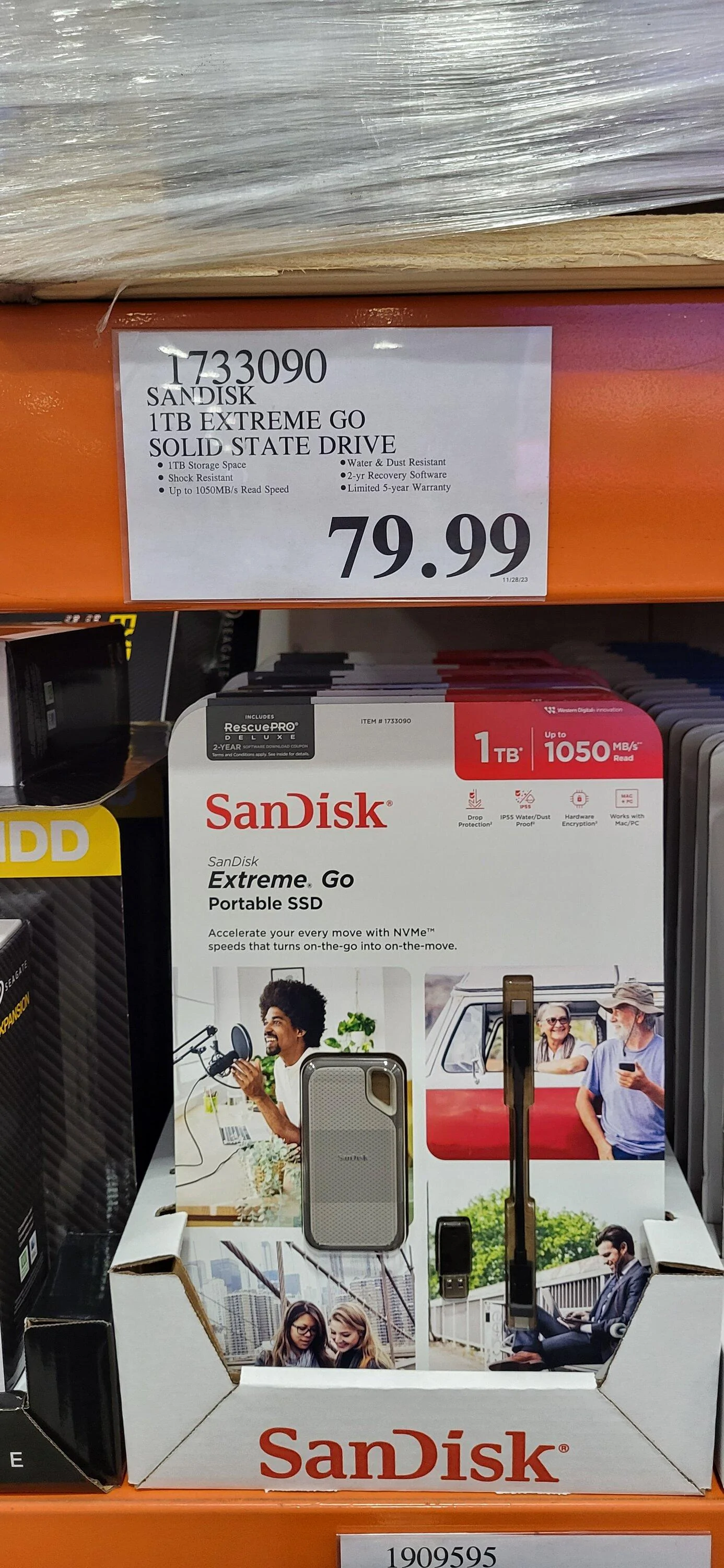
I bought this M.2 enclosure since I had a few M.2 NVME drives laying around. I ended up using a 1TB WD Black 750 drive that worked, however, I tried a much older Toshiba 256GB drive that did not.
 

Janman

Member
Joined
Aug 18, 2025
Threads
2
Messages
11
Reaction score
8
Location
GA
Vehicles
2023 Rivian R1T Quad
As advanced as the Rivian is, I was caught off-guard by this process being so frustrating. I tried a wide combination of devices, all formatted in fat32. My career is deep in IT so this is not new to me. But, most devices didn't get recognized and the devices that did, got a weird error that didn't relate to the situation.

I get why Rivian decided to use fat32, but I really wish they would've sprung for ex-fat for a better user experience.

I attempted to soft reboot the infotainment system but it didn't help. I didn't have all evening to try and pull the video so I recorded it playing on the screen with my phone. The only thing I didn't think of potentially using is a NVMe drive in a usbc external case. I'll try that when I get back from my trip.
Sponsored


Top