Sponsored

PhatDaddy

Well-Known Member
First Name
Jim
Joined
Apr 11, 2023
Threads
8
Messages
410
Reaction score
401
Location
Coastal Central Florida
Vehicles
2025 G2 R1T El Cap PDM; (RIP: 2024 G1 R1T RC PDM)
Occupation
Retired IT
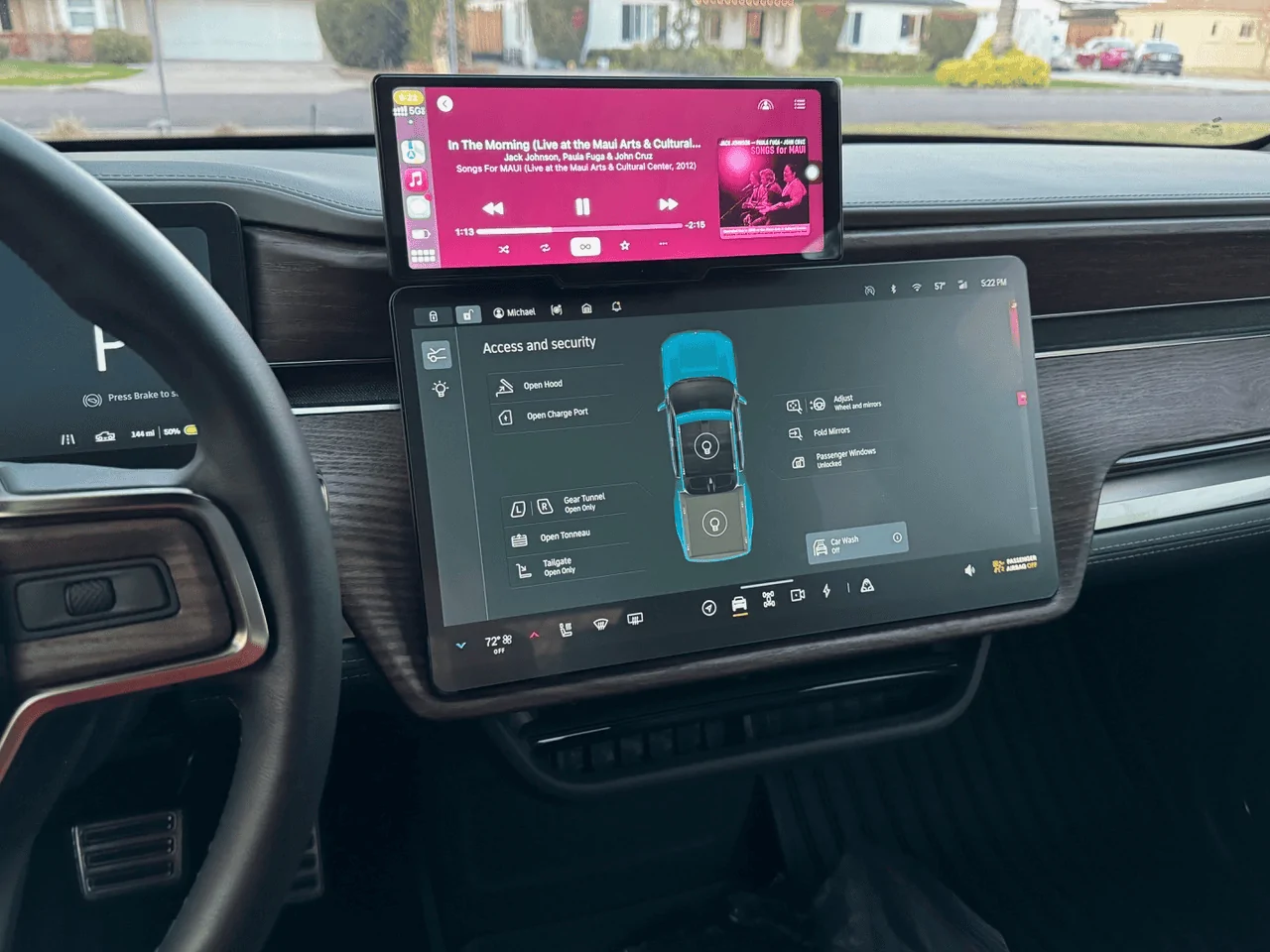
Just received my order and everything looks good. Like @shrink has already done, my next mod is adding the dual StowNCharge charging solution with a pair of Apple OEM MagSafe pucks hardwired into the OEM charging pad plug. Since it sounds like that particular combination may be creating some issues, I'm holding off on my install until @shrink and/or the forum community determines a viable solution to the fuse issue. So watching this thread intently...

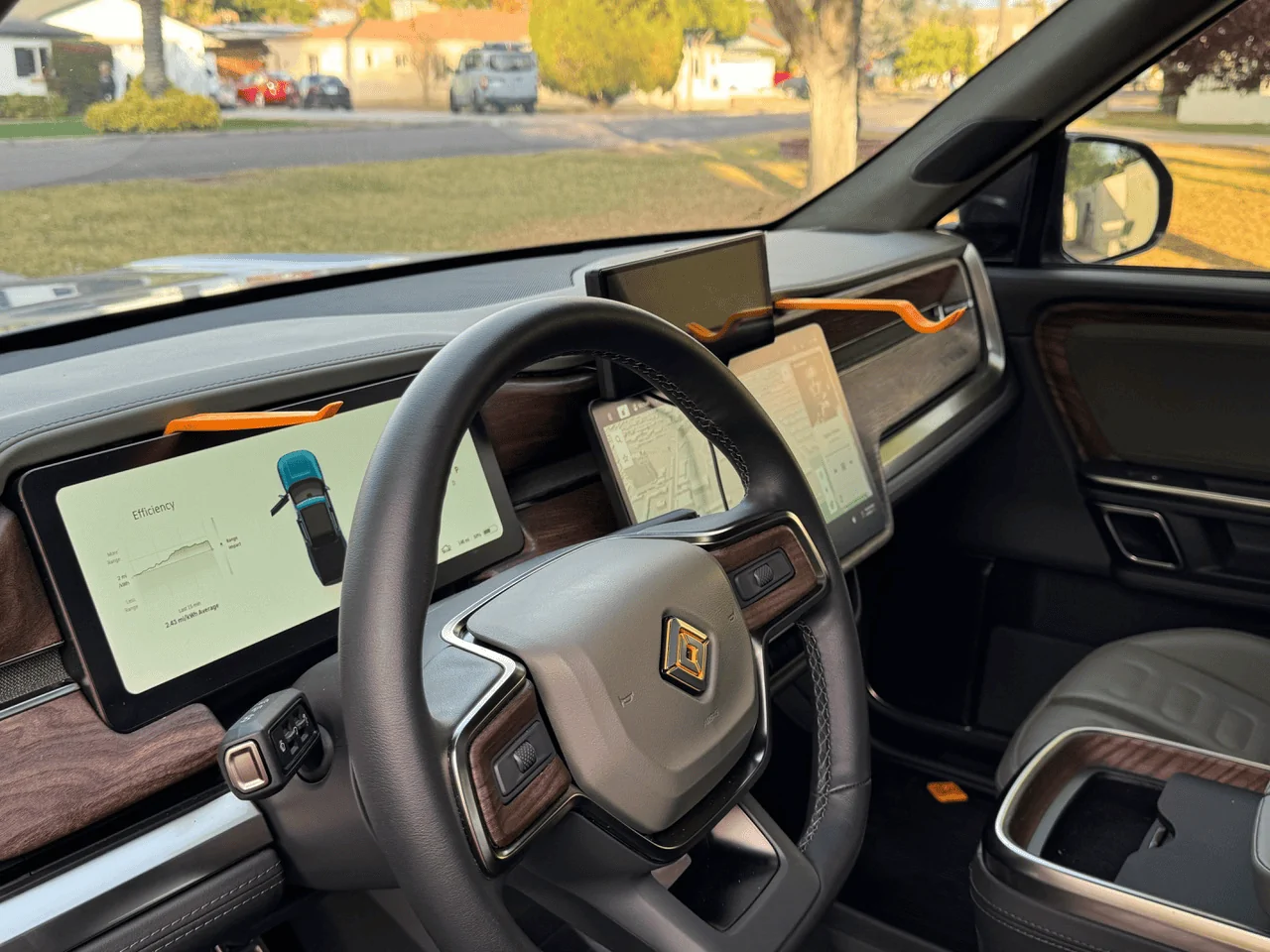
On a whole different tangent, now that I've received my @EV Sportline unit and seen the size and thickness of the screen in person, was wondering it anyone has given any thought to a possible custom mounting of the screen to the back of the driver's sun visor? Some level of power there already for the vanity mirror. Just curious. A surface mount might be a little bulky, but with some mods to the visor, might could be mostly embedded into that. Too distracting that close to driver's face? Not available for passenger manipulation? It would allow it to be flipped out of sight when desired. Personally - here in sunny Florida - I drive with my sun visor down almost exclusively, except at night. Would be one less screen on the dash, although would almost certainly require some perhaps 'less reversible' customization. But if I had to buy a new visor someday to return the vehicle to OEM status, that shouldn't be a huge outlay. Just wondering if anyone had considered the option...
Sponsored
 
OP
OP
EV Sportline

EV Sportline

Well-Known Member
Site Sponsor
Joined
May 31, 2022
Threads
114
Messages
1,874
Reaction score
3,828
Location
Los Angeles
Website
evsportline.com
Vehicles
Rivian R1T, R2 res, Tesla S, 3, X, Y, Cybertruck
Occupation
Upgrading Electric Vehicles
Clubs
 
Attention LA area folks...anyone looking for a FREE install? We need to install one at our Van Nuys facility to shoot some videos - let me know! email [email protected] with subject "FREE LA INSTALL"
 

shrink

Well-Known Member
Joined
Feb 16, 2021
Threads
102
Messages
1,388
Reaction score
2,711
Location
Phoenix, AZ and Kailua-Kona, HI
Vehicles
'23 R1S Quad x 2; '26 Gen 2 R1T Quad Launch; '25 Ioniq 5; '24 Jeep Cherokee
Clubs
 
@shrink, according to the description.. F47 only powers the left side 1st and 3rd row USB ports and since you have an R1T.. looks like it's only the front center console USB ports? I'm guessing the front seatback and rear console USB ports are covered by F48 "2nd row USB"?

You could always pull F47 and see which USB ports no longer work.
F47 is officially a no-go for me.

I got power to the display again BUT I lost power to my Gear Guard drive plugged into the center console.

@EV Sportline any suggestions?
 

NY_Rob

Well-Known Member
First Name
Rob
Joined
Feb 9, 2022
Threads
23
Messages
5,411
Reaction score
7,991
Location
long island
Vehicles
Model 3 LR AWD, BMW i3 REX, 2024 Rubicon 4xe
Occupation
IT
F47 is officially a no-go for me.

I got power to the display again BUT I lost power to my Gear Guard drive plugged into the center console.

@EV Sportline any suggestions?
I read some info from way back that the front USB ports were limited to 15 watts total between both of them.. maybe that's what made it fail for you? Sorry....
 

shrink

Well-Known Member
Joined
Feb 16, 2021
Threads
102
Messages
1,388
Reaction score
2,711
Location
Phoenix, AZ and Kailua-Kona, HI
Vehicles
'23 R1S Quad x 2; '26 Gen 2 R1T Quad Launch; '25 Ioniq 5; '24 Jeep Cherokee
Clubs
 
I read some info from way back that the front USB ports were limited to 15 watts total between both of them.. maybe that's what made it fail for you? Sorry....
Yeah, this might be 12V or bust for me. I did buy 2 of these for one of the R1S’s but it doesn’t appear to be an option for me.

Will wire to the R1T 12V when parts come in and see if I can tolerate visible wires.
 

Sponsored

SoCal Rob

Well-Known Member
First Name
Rob
Joined
Apr 19, 2021
Threads
39
Messages
2,808
Reaction score
5,964
Location
Laguna Niguel / Palm Springs / Pioneertown
Vehicles
2025 Rivian R1S & 2021 VW ID.4 (2023 R1S sold)
Occupation
Information Technology
Clubs
 
Yeah, this might be 12V or bust for me. I did buy 2 of these for one of the R1S’s but it doesn’t appear to be an option for me.

Will wire to the R1T 12V when parts come in and see if I can tolerate visible wires.
I don‘t have one of these yet so I can’t do testing myself. From a troubleshooting perspective I have a suggestion which I don’t think has been done yet but I may have missed something or forgotten what I already read.

To eliminate a physical defect with the fuse tap, what happens if you unplug the power cable from the new display? If other items originally powered (wireless charging, console USB, etc.) still don’t work then I think it could be a defective fuse tap. If you have a continuity tester and if it works like other similar fuse taps I’ve used, you can pull the tap from the fuse box, pull the fuse from the tap and test for continuity from the blade to receptacle one end at a time to make sure that the tap is actually connecting each end to the fuse slot and the fuse.
 

shrink

Well-Known Member
Joined
Feb 16, 2021
Threads
102
Messages
1,388
Reaction score
2,711
Location
Phoenix, AZ and Kailua-Kona, HI
Vehicles
'23 R1S Quad x 2; '26 Gen 2 R1T Quad Launch; '25 Ioniq 5; '24 Jeep Cherokee
Clubs
 
This might be user, er installer error, on my end! Just noticed something but need to run to an appointment.

I’ll try one more thing when I get back. Will update later
 

PhatDaddy

Well-Known Member
First Name
Jim
Joined
Apr 11, 2023
Threads
8
Messages
410
Reaction score
401
Location
Coastal Central Florida
Vehicles
2025 G2 R1T El Cap PDM; (RIP: 2024 G1 R1T RC PDM)
Occupation
Retired IT
This might be user, er installer error, on my end! Just noticed something but need to run to an appointment.

I’ll try one more thing when I get back. Will update later
Makes me wonder about the comments from NY_Rob that he may have heard "front USB ports were limited to 15 watts total between both of them". You are using (and I want to do the same) TWO Apple branded charging pucks. From Reddit: "When the MagSafe Charger negotiates for power it specifically looks for 9V x 2.22A supply, which is only present in 20W PD 3.0 adapters". And from Apple: "Recommended: 20W USB-C Power Adapter (sold separately)"... and "The MagSafe Charger will also function with power adapters that provide a minimum 12W (5V/2.4A) of power, but this will result in slower charging."

And that is for a SINGLE Apple charging puck... so there may just not be enough juice to run it all off of fuse 47 OR 48. :-/
May have to move on to a OBD port tap and hope it has enough wattage. Unfortunately, believe it is 'aways hot' :-(
 
Last edited:

jebinc

Well-Known Member
First Name
John
Joined
Oct 5, 2022
Threads
49
Messages
2,310
Reaction score
2,134
Location
Seattle, WA
Vehicles
2021+ Tesla MS Plaid, R1T Adventure
Occupation
Retired
@EV Sportline @jebinc @Mcdubjr

Even though I have a 12V in the center stack in my R1T, I hate seeing wires and decided to hardwire this last night Into the recommended F48 fuse. I ran and hid the wiring pretty easily. I was very surprised at how easily and conveniently the dash pad comes up. I went straight across the dash to the driver's side door as others have done. The display mount is rather brilliant in my opinion. Very well done @EV Sportline.

The EVSportline CarPlay/AA display powered up but also IMMEDIATELY cut off charging on my precious StowNCharge, which is just a pair of Apple OEM MagSafe pucks hardwired into the OEM charging pad plug (and mounted in the best tray and storage solution ever).

When I unplugged the EVSportline CarPlay/AA fuse tap and re-inserted the OEM 10 amp fuse, my iPhone 15 Pro immediately started charging again on both MagSafe pucks mounted in the StowNCharge.

The display then would NOT power up via my 12V, but thankfully @jebinc researched that and I know I need to get a QC adapter. The one I have has USB-C PD ports. I'll try it again when whatever I ordered arrives and see if I can live with the visible wires.

Is there another possible fuse that can be tapped safely while maintaining full functionality? Is there a workaround to using the same F48 fuse? As @NY_Rob pointed out in that fuse chart, the display and OEM charging pad are on the same circuit and apparently, for a handful of us at least, do not play well together.
Yep, been running from the 12v plug, without issues," since the day of installation. Both flush chargers work and you need the QC adapter, as mentioned in my other review thread.
 

jebinc

Well-Known Member
First Name
John
Joined
Oct 5, 2022
Threads
49
Messages
2,310
Reaction score
2,134
Location
Seattle, WA
Vehicles
2021+ Tesla MS Plaid, R1T Adventure
Occupation
Retired
I read some info from way back that the front USB ports were limited to 15 watts total between both of them.. maybe that's what made it fail for you? Sorry....
Find out what fuse is used to power the 12v dash plug, and use that one (if you rather hardwire and not just use the 12v plug, directly).
 

Sponsored

sacramentoelectric

Well-Known Member
Joined
Sep 4, 2021
Threads
14
Messages
538
Reaction score
1,138
Location
sacramento
Vehicles
BMW iX, BMW i3
Clubs
 
Any tips for reducing the shake on the screen when in motion? I've got a good amount of vibration in mine on anything but the smoothest roads. I'm wondering if it's my install or everyone has the same issue.
 

Mahawkma

Active Member
Joined
Sep 30, 2021
Threads
4
Messages
37
Reaction score
26
Location
Omaha, Nebraska
Vehicles
Tesla Model 3
Mine shipped today. However, if connecting it "kills" the power to the wireless charger(or any other USB port), that is probably a deal breaker for me.
 

shrink

Well-Known Member
Joined
Feb 16, 2021
Threads
102
Messages
1,388
Reaction score
2,711
Location
Phoenix, AZ and Kailua-Kona, HI
Vehicles
'23 R1S Quad x 2; '26 Gen 2 R1T Quad Launch; '25 Ioniq 5; '24 Jeep Cherokee
Clubs
 
This might be user, er installer error, on my end! Just noticed something but need to run to an appointment.

I’ll try one more thing when I get back. Will update later
Well, I am happy to report that I AM an idiot and it was user error! All is working - and quite well. Pretty impressed with this.

Long story short:
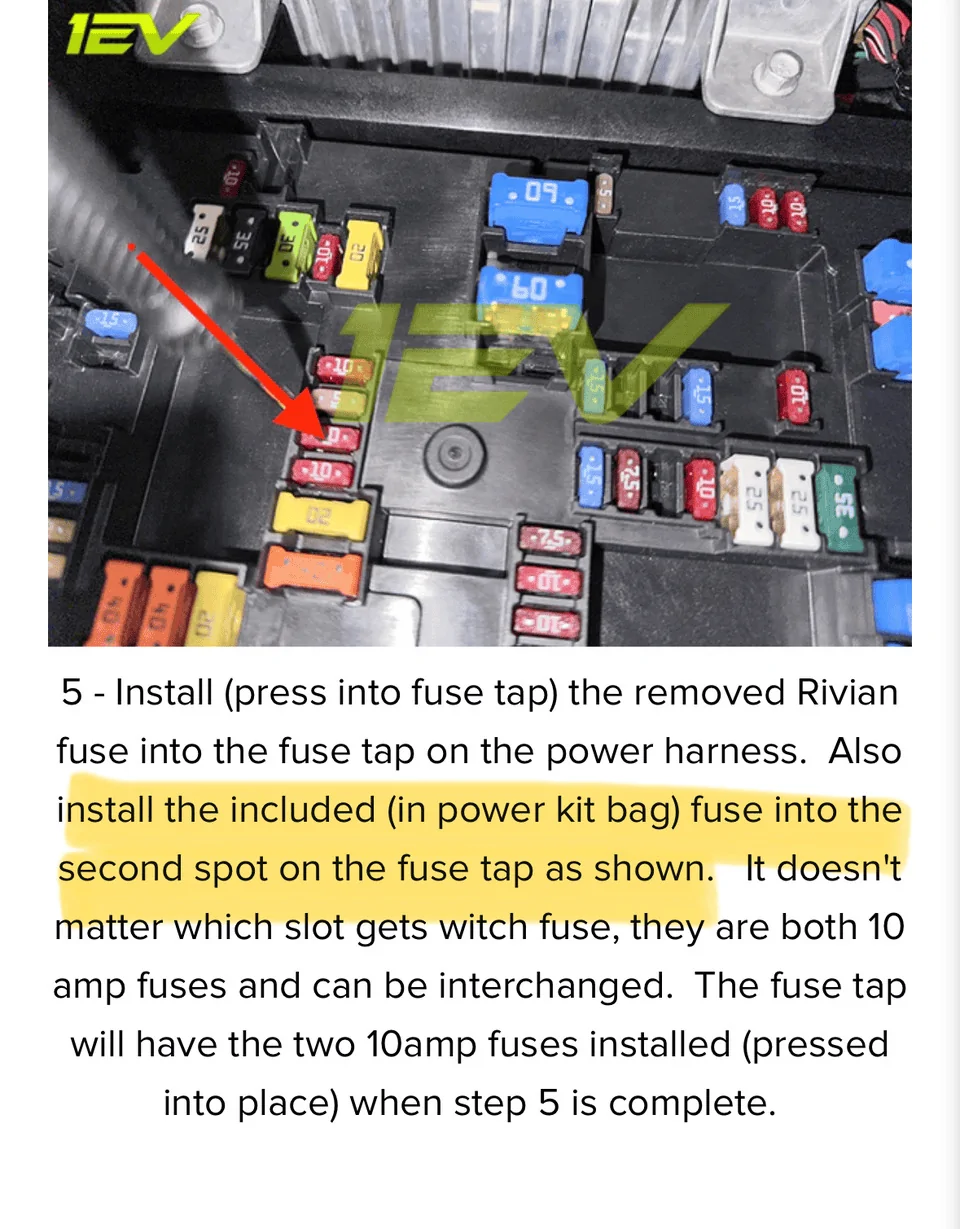
- I only watched the video and didn't read the written instructions and forgot to add the 2nd fuse, which is included in the bag (Step 5):

https://evsportline.com/blogs/news/...ay-android-auto-smart-dash-screen-by-team-1ev

Rivian R1T R1S CarPlay & Android Auto Smart Dash Screen has arrived!  New from EVSportline.com 1704503948729


I had originally only put the OEM fuse into the fuse tap.

All is in working order now - power to the display and my precious StowNCharge and Gear Guard HD remain powered.

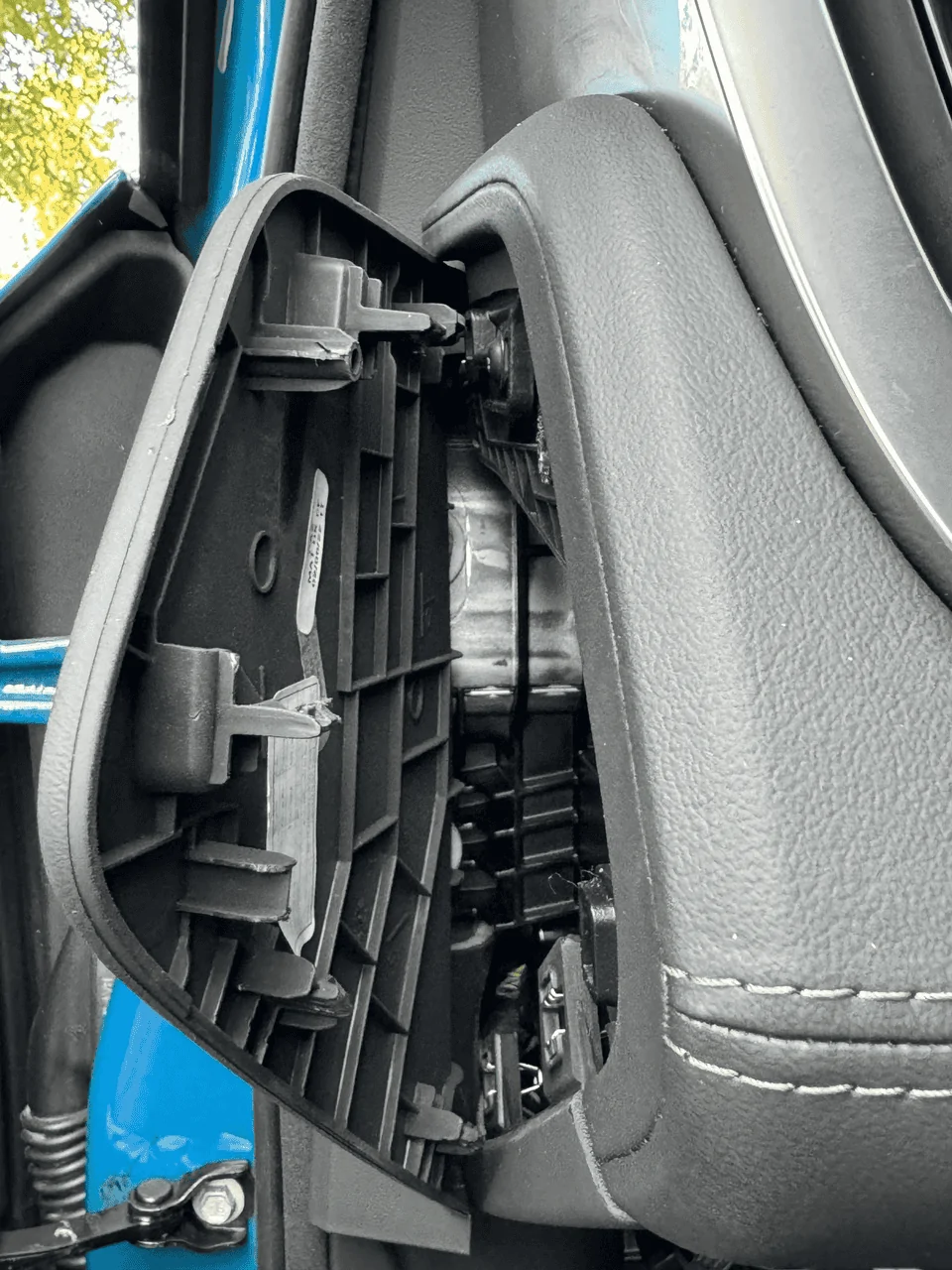
A few more installation photos below. Propping the dash up is pretty easy with trim removal tools.

Rivian R1T R1S CarPlay & Android Auto Smart Dash Screen has arrived!  New from EVSportline.com 1704504134213


Hardest part is hiding the wires. This trim piece pops open pretty easily:

Rivian R1T R1S CarPlay & Android Auto Smart Dash Screen has arrived!  New from EVSportline.com 1704504184538


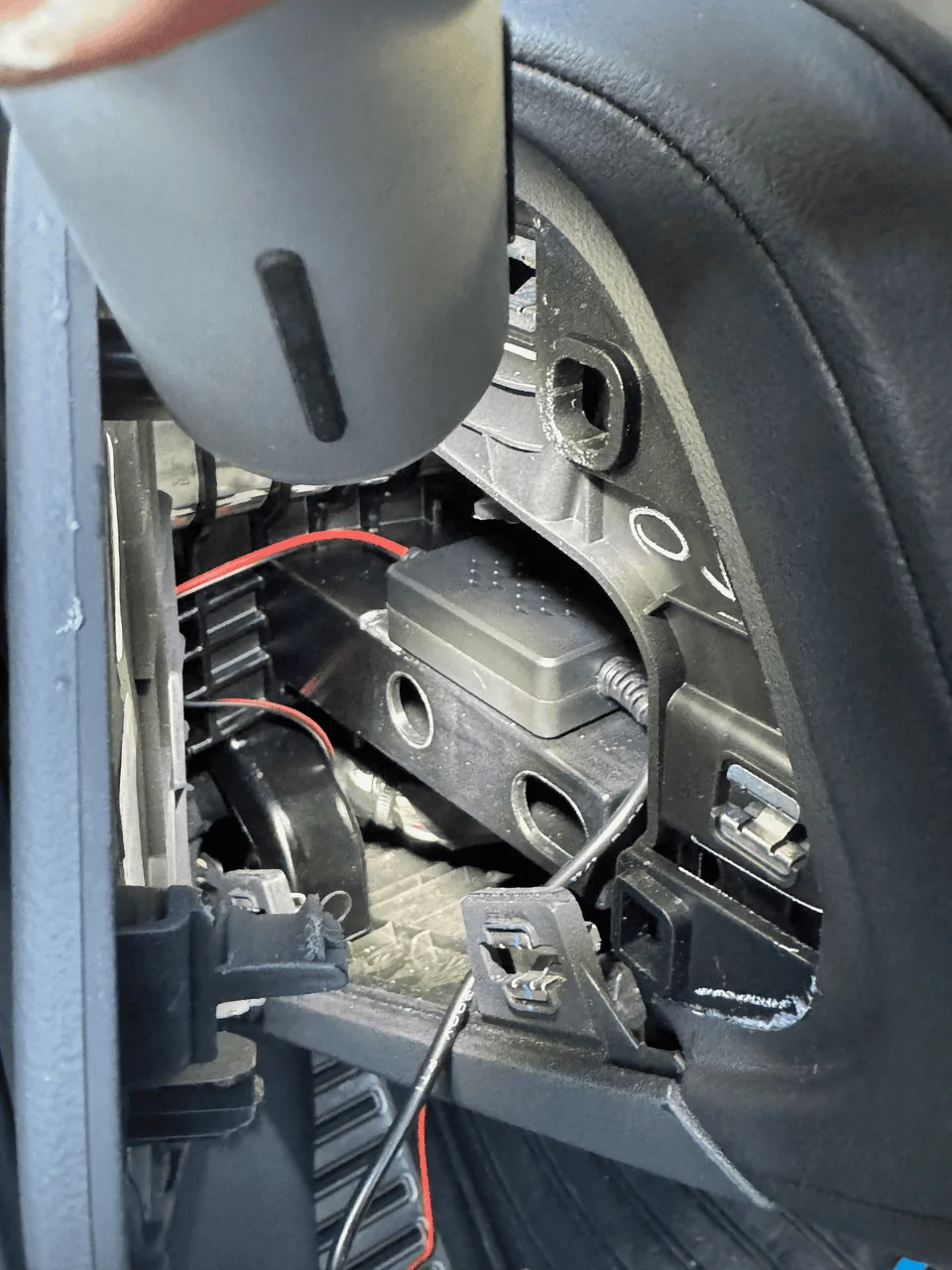
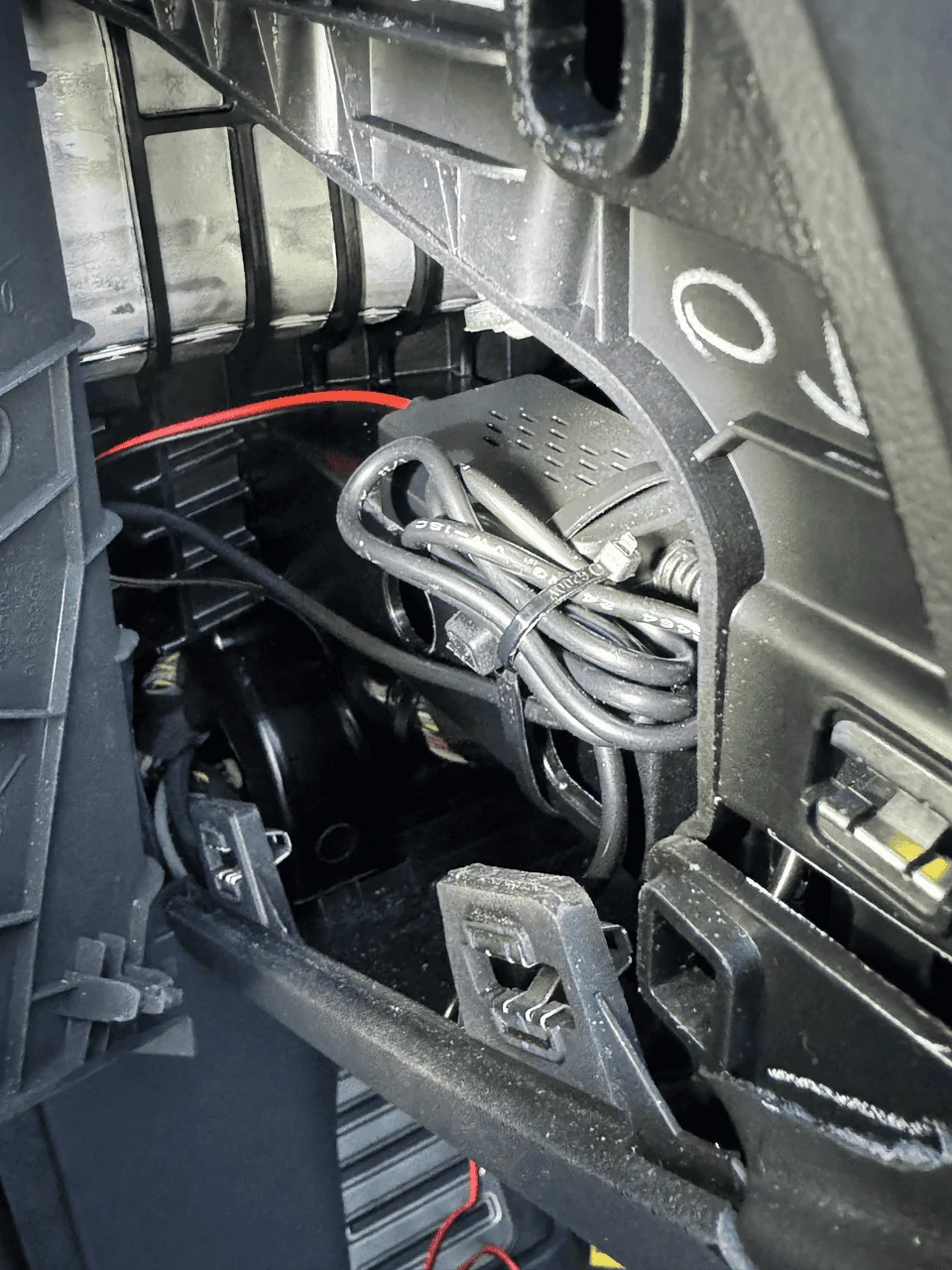
I used some double sided tape and a zip tie to secure the power module and some excess wire on to some sort of metal frame behind the dash:

Rivian R1T R1S CarPlay & Android Auto Smart Dash Screen has arrived!  New from EVSportline.com 1704504279247


Rivian R1T R1S CarPlay & Android Auto Smart Dash Screen has arrived!  New from EVSportline.com 1704504299736


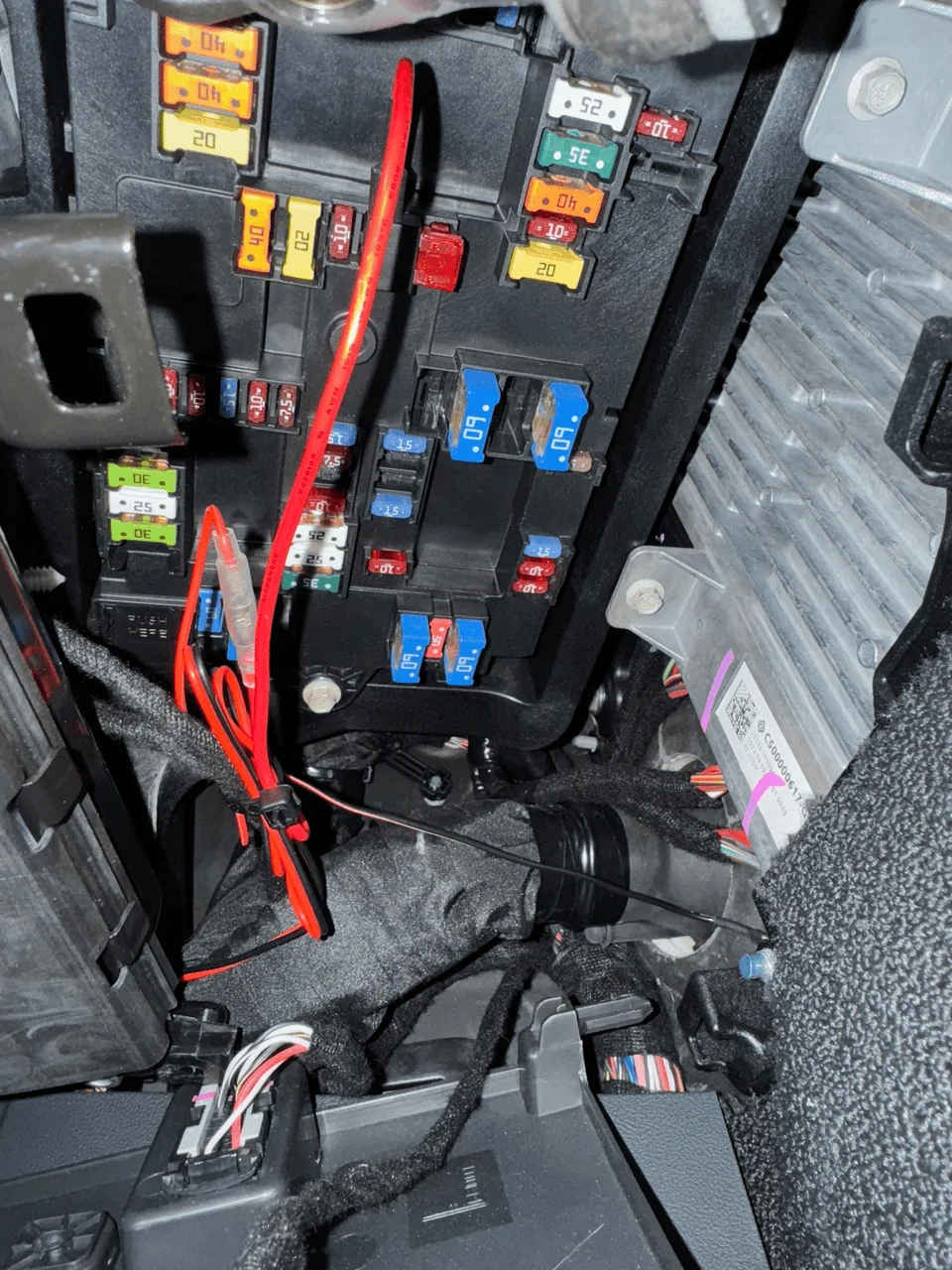
I similarly used a zip tie to secure excess cable near the fuse box to an existing threaded cable:
Rivian R1T R1S CarPlay & Android Auto Smart Dash Screen has arrived!  New from EVSportline.com 1704504376050


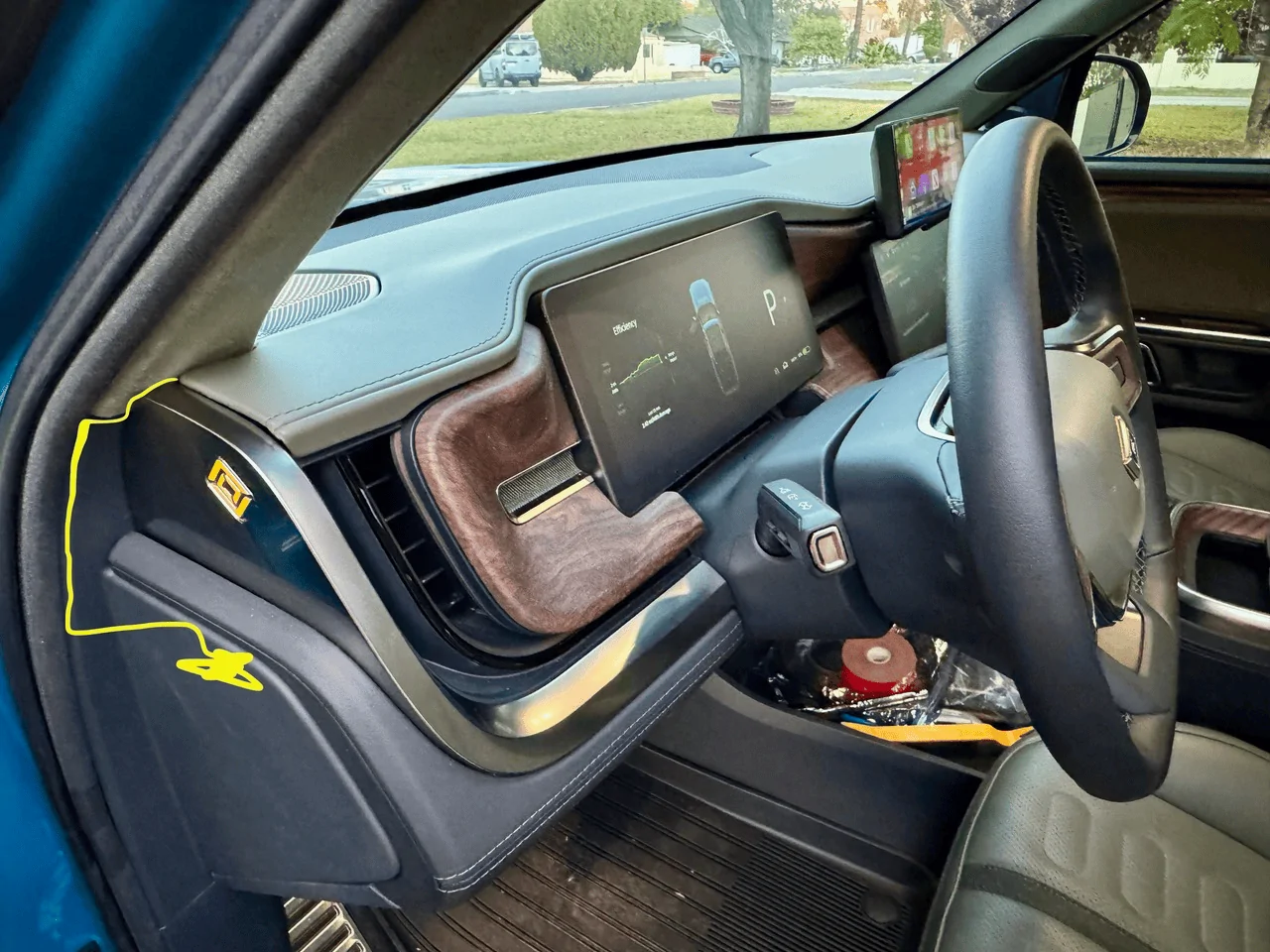
I tucked the wire using aforementioned trim tools to pull panels out push the wire in behind the trim panel and A-pillar liner along the path in yellow:

Rivian R1T R1S CarPlay & Android Auto Smart Dash Screen has arrived!  New from EVSportline.com 1704504408146


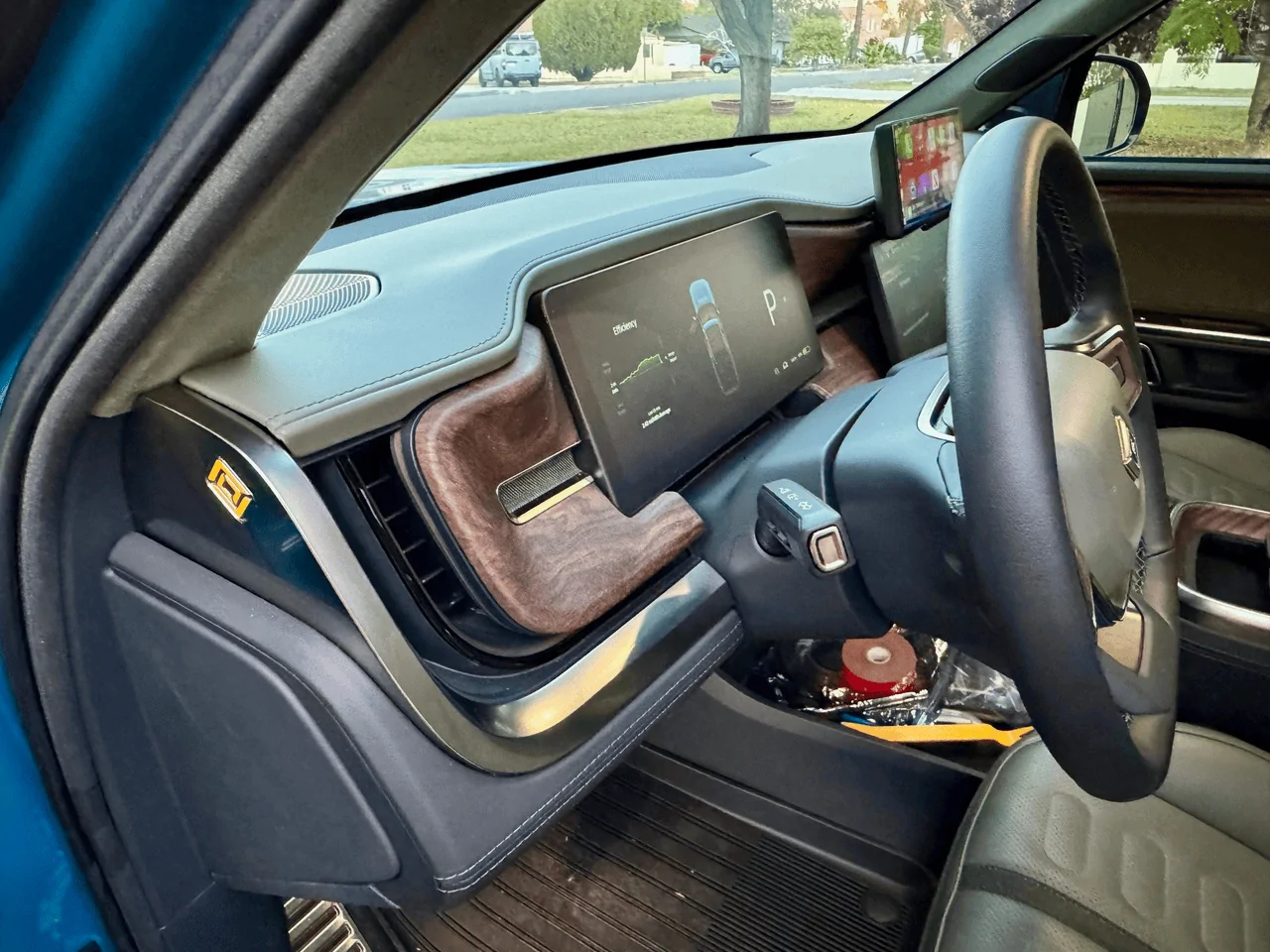
There are absolutely no visible wires in my installation:

Rivian R1T R1S CarPlay & Android Auto Smart Dash Screen has arrived!  New from EVSportline.com 1704504452126


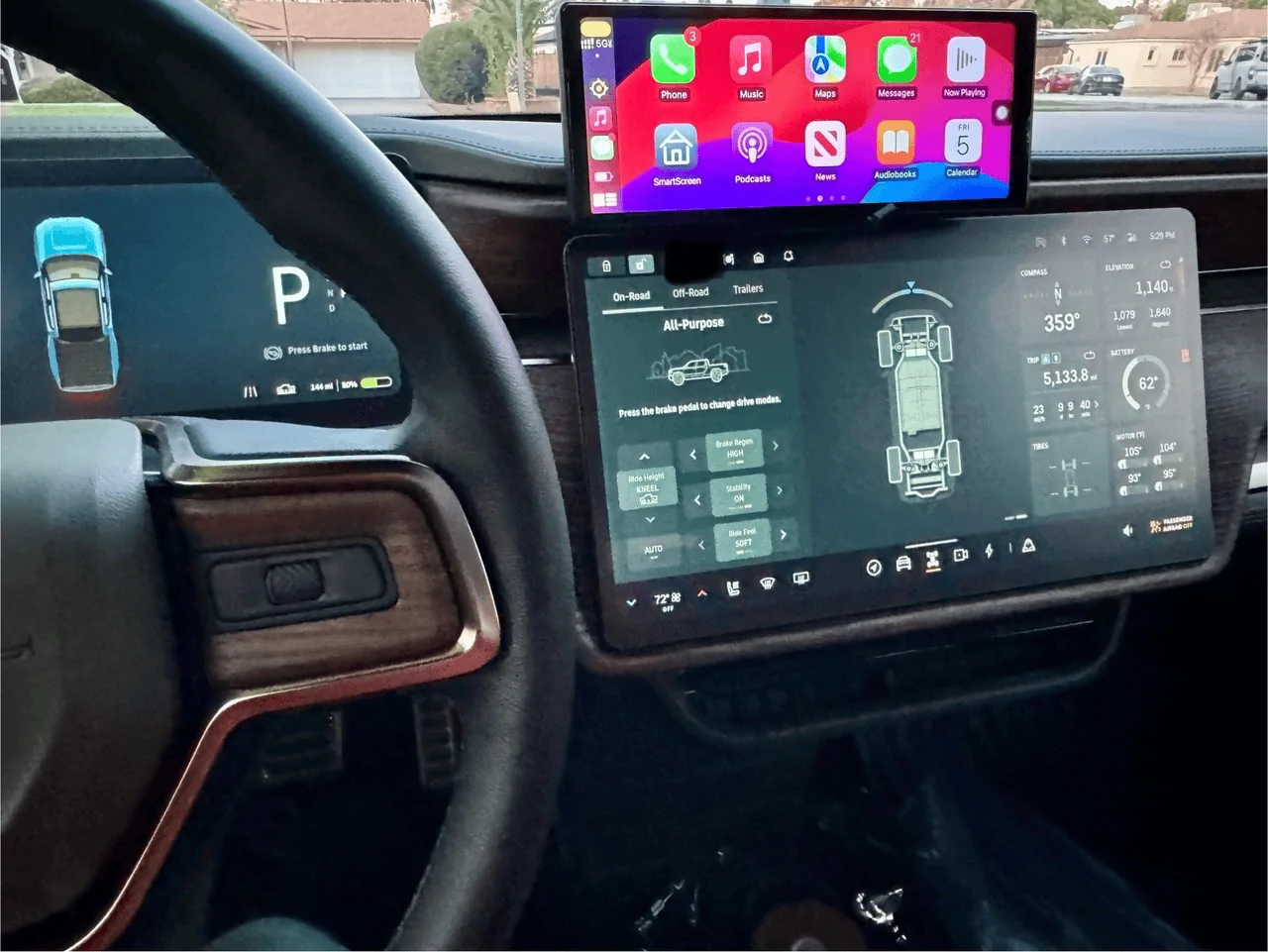
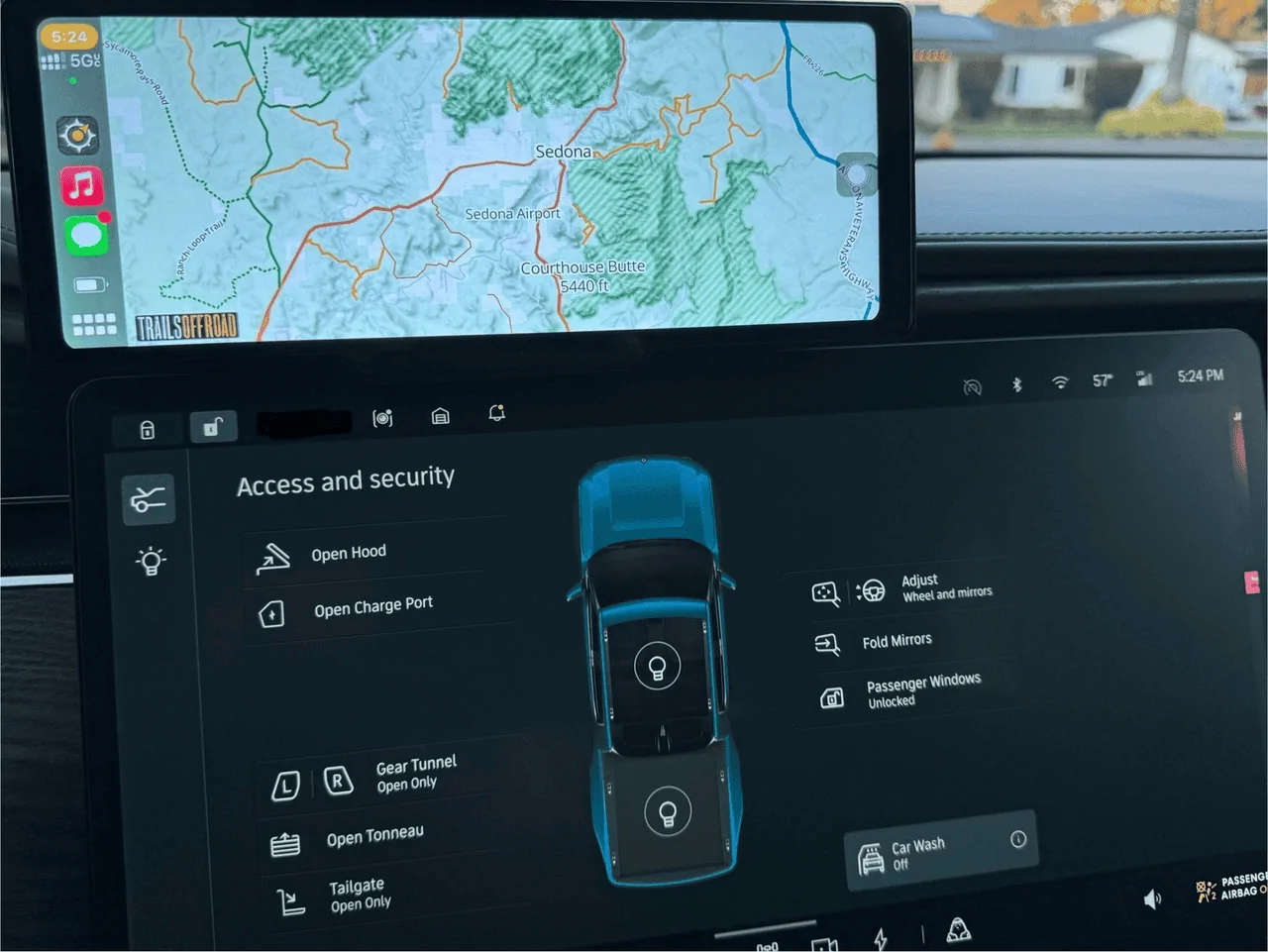
I ended up offsetting placement towards the driver for convenience when touching the screen. Really looking forwards to the TrailsOffRoad and Gaia integration!

Rivian R1T R1S CarPlay & Android Auto Smart Dash Screen has arrived!  New from EVSportline.com 1704504554940


Rivian R1T R1S CarPlay & Android Auto Smart Dash Screen has arrived!  New from EVSportline.com 1704504565542


Rivian R1T R1S CarPlay & Android Auto Smart Dash Screen has arrived!  New from EVSportline.com 1704504580742


Can't wait to use this a bit more in the coming days and weeks!

One final note for idiots like me - I was about to complain about the touch responsiveness being laggy, then I removed the protective plastic screen cover. LOL. Not my best moments with this installation!
 

KBabione

Well-Known Member
First Name
Kevin
Joined
Sep 11, 2023
Threads
48
Messages
1,474
Reaction score
2,016
Location
Lititz, PA
Vehicles
2023 R1S Quad (8/23)
Occupation
Consultant
Well, I am happy to report that I AM an idiot and it was user error! All is working - and quite well. Pretty impressed with this.
Thanks for the brutal honesty on this and for the teaching moment that will benefit the rest of us. I like the full-left offset of the unit and think your explanation makes a lot of sense - get it closer to the driver.
 

NineElectrics

Well-Known Member
Joined
Aug 7, 2022
Threads
49
Messages
915
Reaction score
1,125
Location
US
Vehicles
R1S
@EV Sportline, please let us know if you ever update the firmware.

Also, the unit can rattle under certain conditions: on rough roads. Usually this is when everything else in the car is rattling. I wonder if a flatter/deeper/wider, stiffer under dash adapter would help here. I can move it around pretty easily with my hand.
Sponsored


Top