Sponsored

Budman

Well-Known Member
First Name
Rick
Joined
Oct 22, 2021
Threads
58
Messages
810
Reaction score
2,495
Location
Minnesota
Vehicles
Honda CRV
Clubs
 
There are numerous threads about what is the best route planner. ABRP or Rivian nav etc. My favorite, by far, is PlugShare trip planner. Not many people seem to be aware of it so I’ll give an example here and point out why I like it.

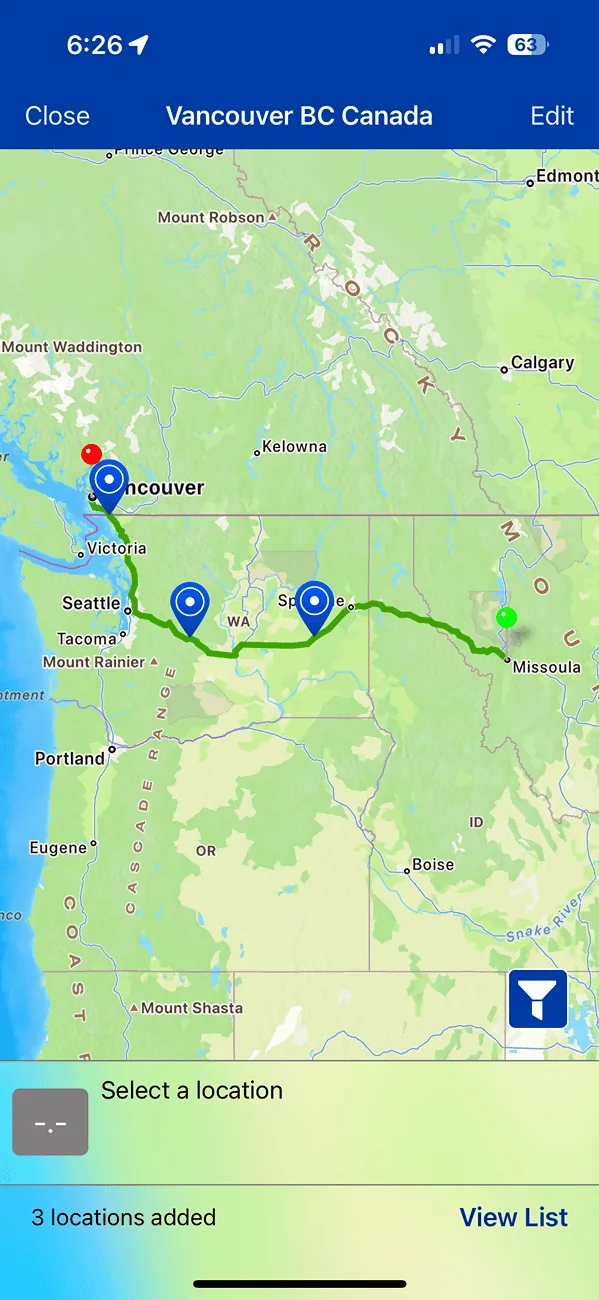
This example is a trip I may do soon from Missoula, MT to Vancouver BC.

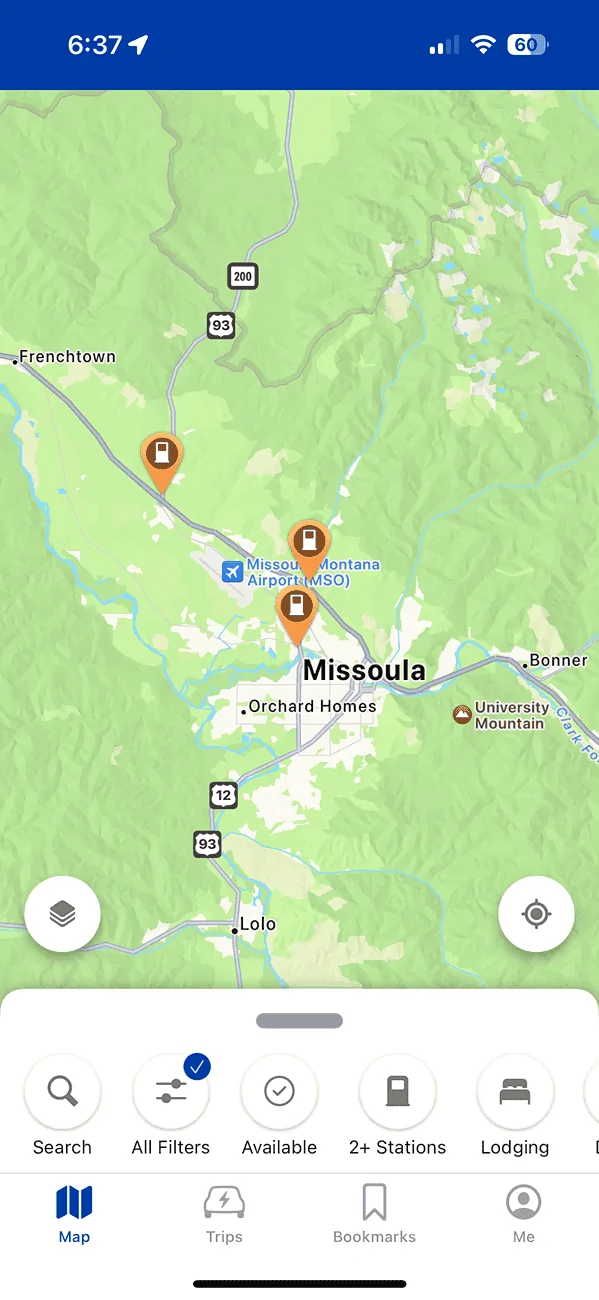
At the bottom of the PlugShare app is a “Trip” icon.
Rivian R1T R1S How to use PlugShare for route planning IMG_3406

Open that and you can enter your range or how long you are willing to sit and drive in one shot, 210 miles for me. Also enter your destination.
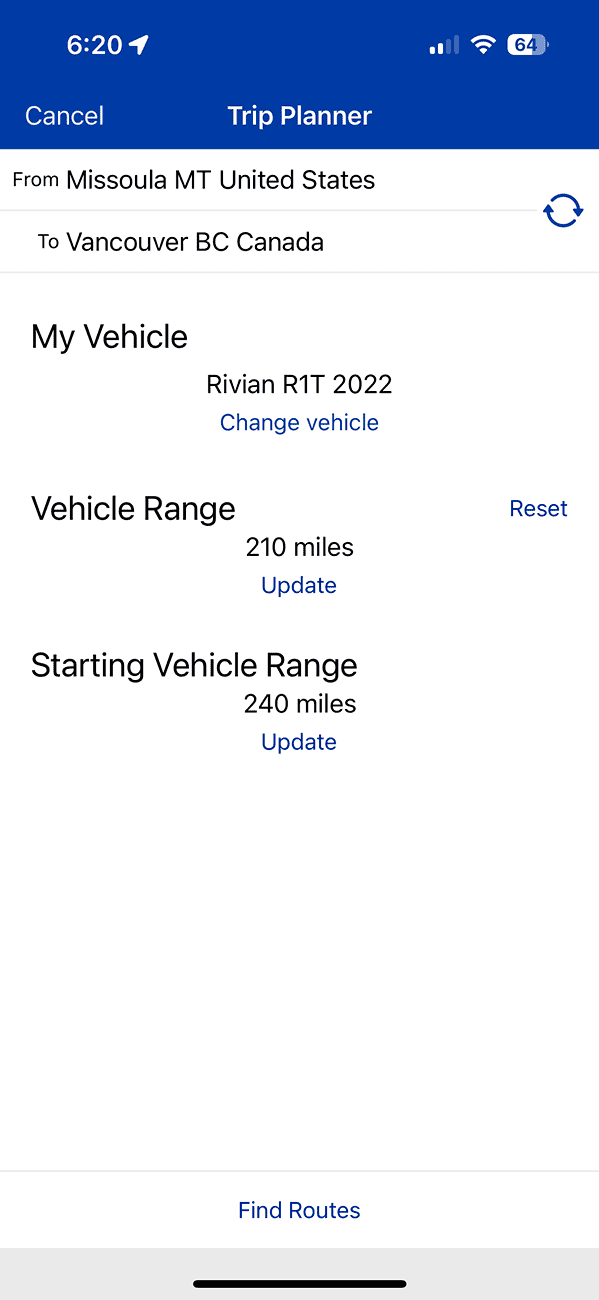
Rivian R1T R1S How to use PlugShare for route planning IMG_3397


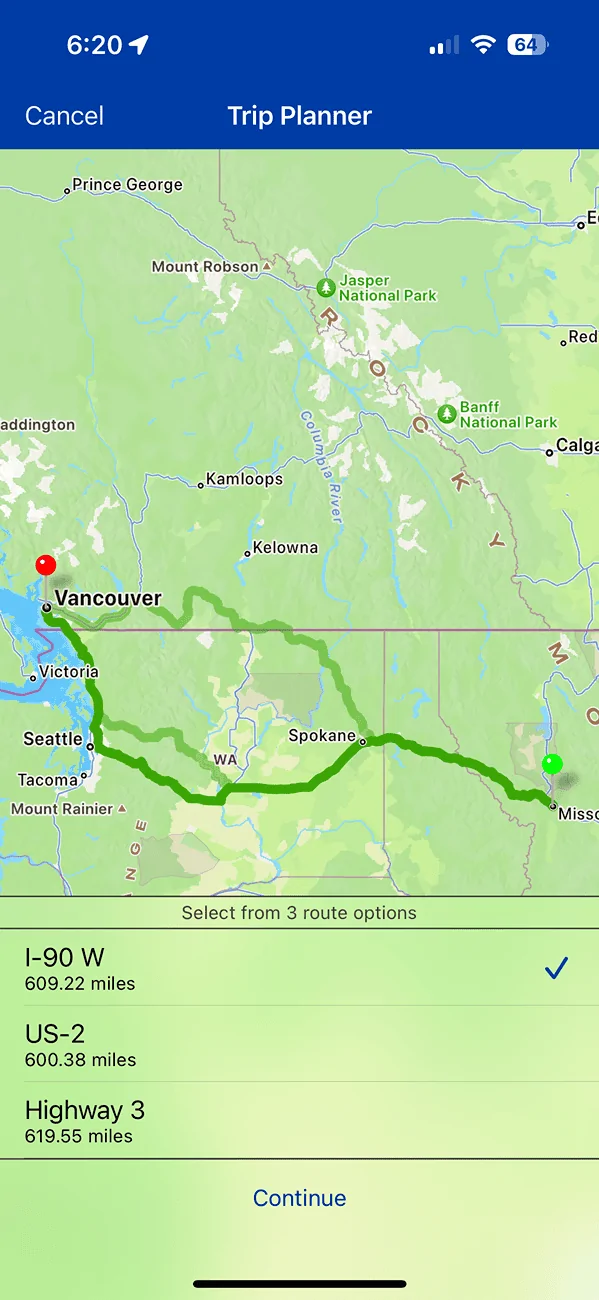
It will give you a choice of routes,
Rivian R1T R1S How to use PlugShare for route planning IMG_3398


Select the one you want then you get a screen of your routes and the chargers around range you put in. This is why I like PlugShare planner, I can select the charger I want at the point in the trip I want to stop. You can do all the normal PlugShare filtering by network, score, speed, etc. Even if you use ABRB you are likely going to check PlugShare for reports anyway so why not just to it all in PlugShare?
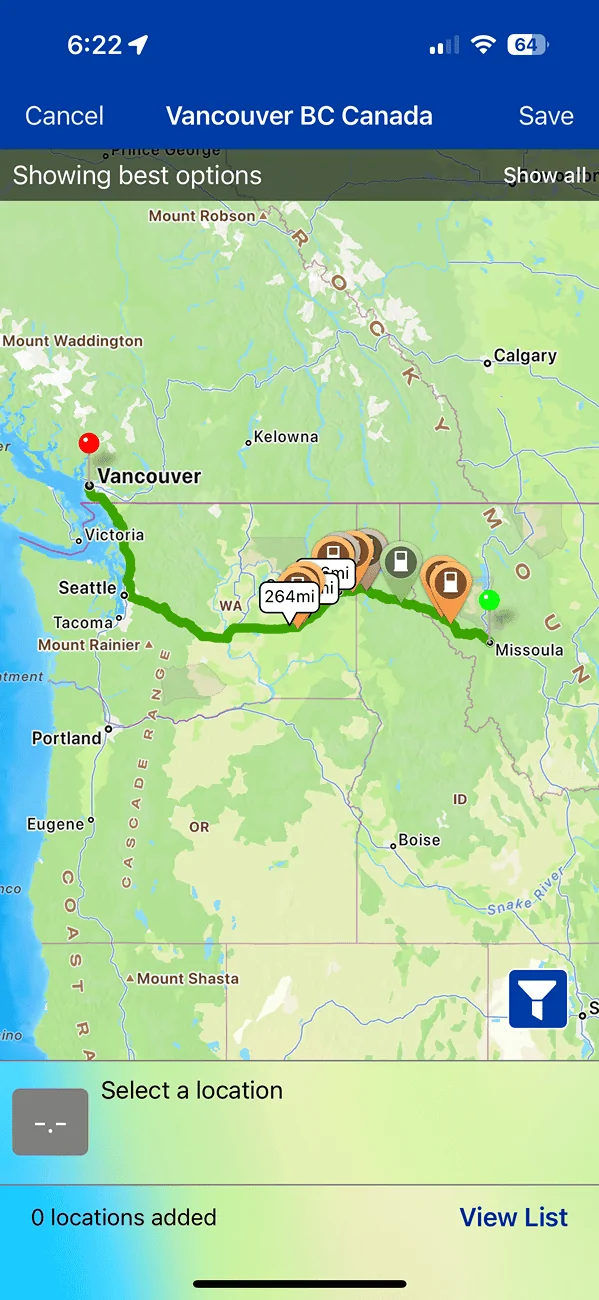
Rivian R1T R1S How to use PlugShare for route planning IMG_3399


Select the stop you want and at this point you can see an elevation proflle which may influence your driving distance.
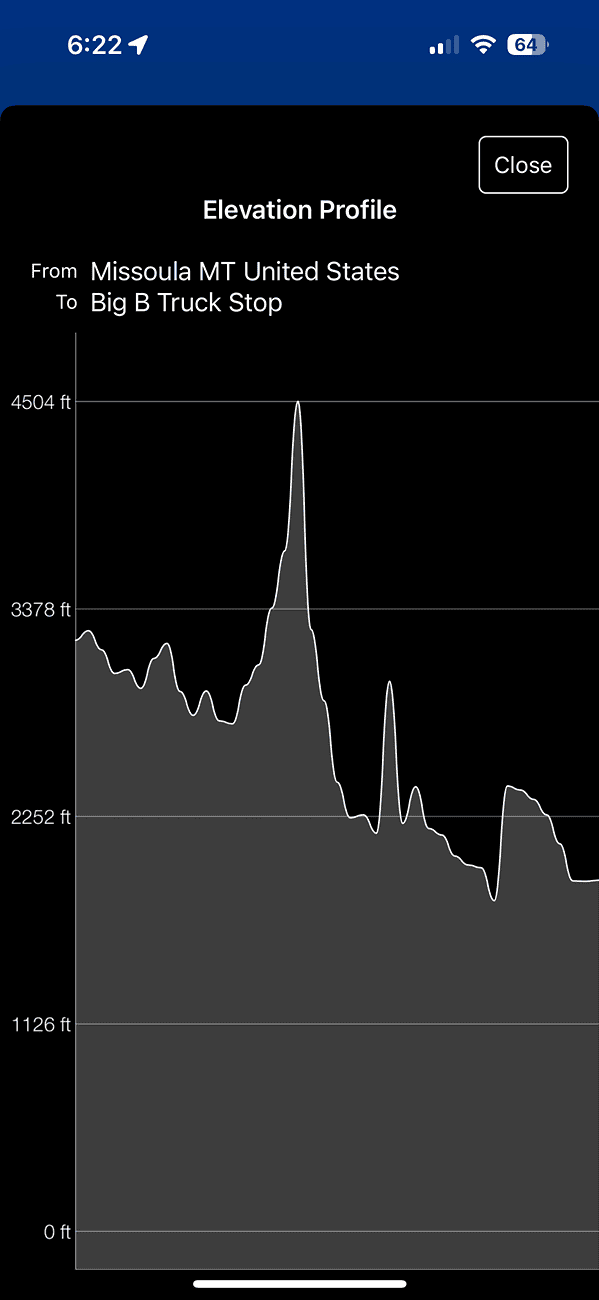
Rivian R1T R1S How to use PlugShare for route planning IMG_3401


You can zoom in and see other stores in the area for refreshments.
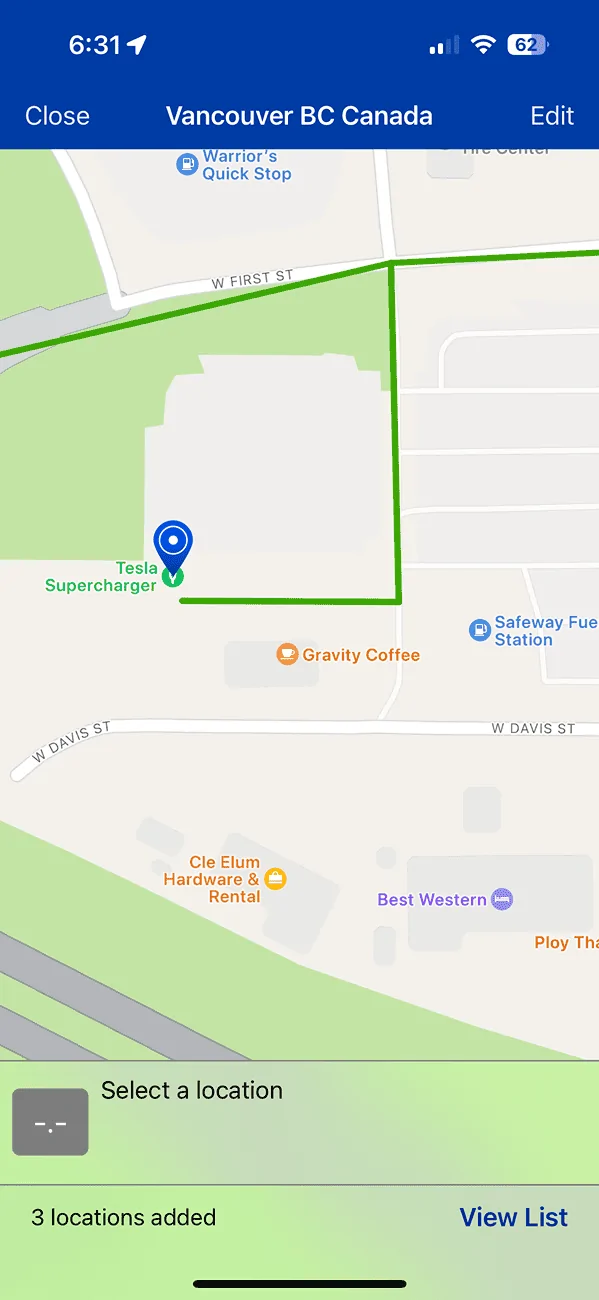
Rivian R1T R1S How to use PlugShare for route planning IMG_3405


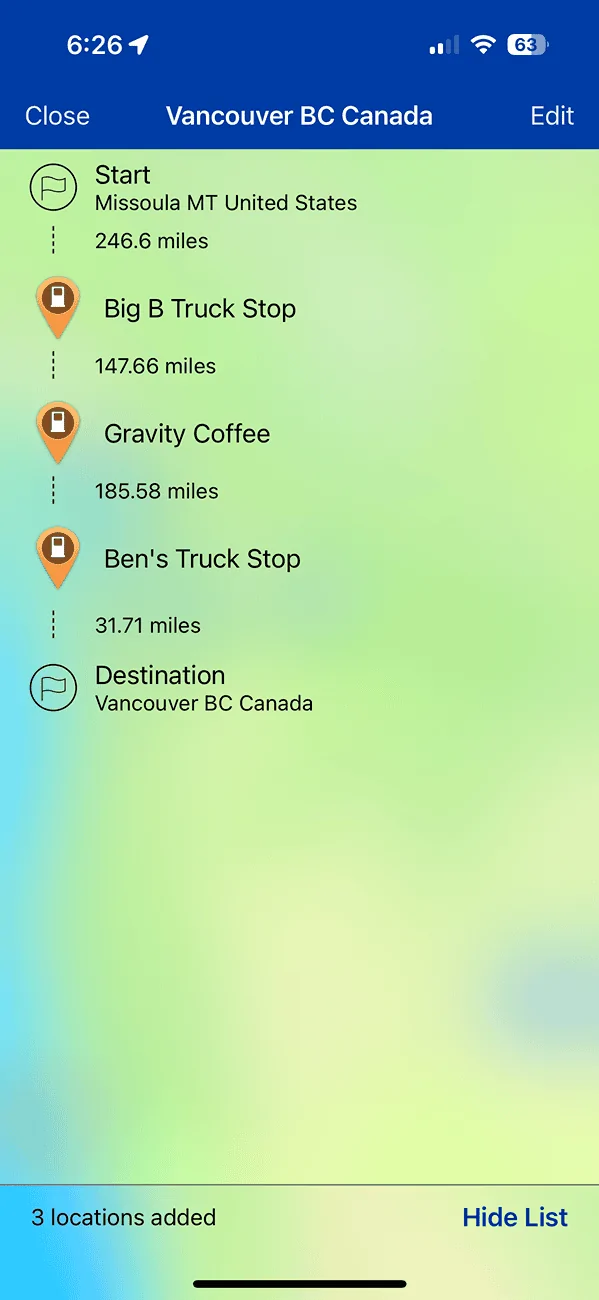
Once you have your first stop you can continue on to the next in a similar way. When finished you get the trip summary which is easy to edit.
Rivian R1T R1S How to use PlugShare for route planning IMG_3403

Rivian R1T R1S How to use PlugShare for route planning IMG_3404


I have a premium ABRP membership but rarely use it. It often picks stops I just don’t want to do for various reasons. I always check the stops in PlugShare anyway so I just do it all there. A bit more of a manual approach but I like to have that control and flexibility.
Sponsored

 

COdogman

Well-Known Member
First Name
Brian
Joined
Jan 21, 2022
Threads
33
Messages
11,641
Reaction score
34,494
Location
CO
Vehicles
2023 R1T
Occupation
Cyber defender
Clubs
 
Great write up. I used it once for a short trip with only 2 charging stops, and the sheer simplicity of being able to use one app was definitely nice.
 

N7Rivian

Well-Known Member
Joined
May 16, 2023
Threads
0
Messages
79
Reaction score
75
Location
Texas
Vehicles
2013 Mazdaspeed 3 | 2023 R1T
Clubs
 
This option isn't showing on my android and only on my iPhone.
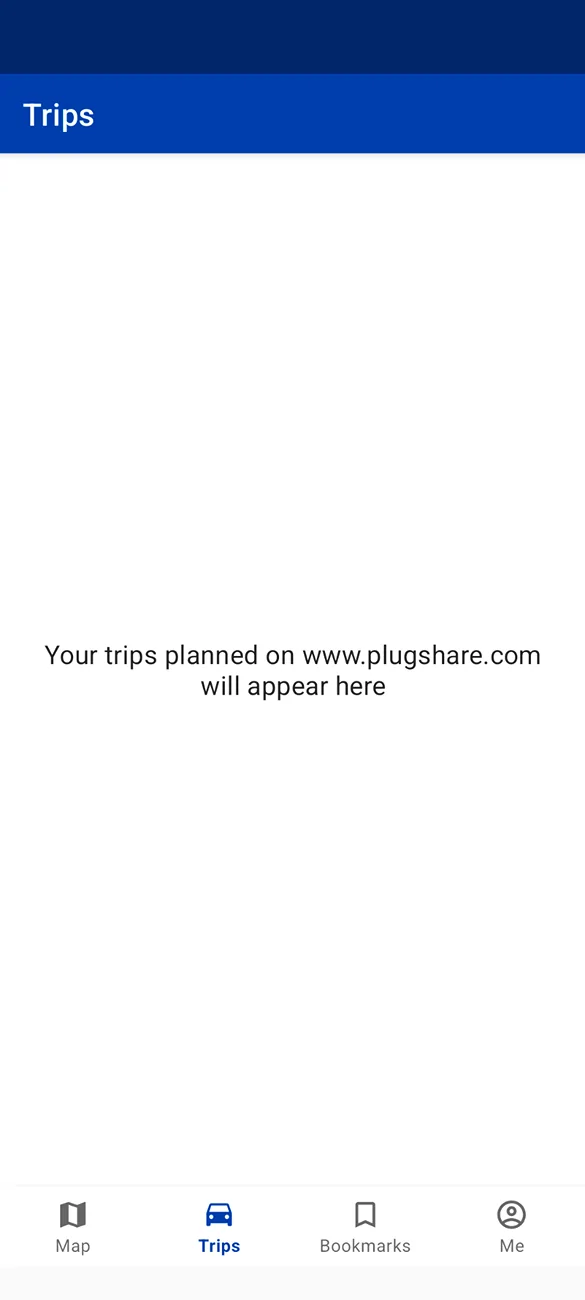
on my android, it says, "trips planned on the website are showed here" on that trips section.

And on the website, you need to login to even view any routes unlike ABRP.
 

Sponsored

KBabione

Well-Known Member
First Name
Kevin
Joined
Sep 11, 2023
Threads
48
Messages
1,463
Reaction score
1,997
Location
Lititz, PA
Vehicles
2023 R1S Quad (8/23)
Occupation
Consultant
I went back into PlugShare and planned the last couple of longer trips that I did and it works really well. Like the OP, I used to plan trips in ABRP and then go and validate everything in PlugShare. This saves me that step and allows me to easily see which chargers I plan to use and nearby backups. I really didn't know that the trip planner option was even there!
 

Wokka1827

Well-Known Member
Joined
May 21, 2024
Threads
7
Messages
66
Reaction score
60
Location
Nashville
Vehicles
R1T
Silly (and maybe obvious answer to some) question, but can you send the route you create to the vehicle so that it’s on the vehicle maps or is that purely for if you plan the route in the Rivian app?
 
OP
OP
Budman

Budman

Well-Known Member
First Name
Rick
Joined
Oct 22, 2021
Threads
58
Messages
810
Reaction score
2,495
Location
Minnesota
Vehicles
Honda CRV
Clubs
 
Silly (and maybe obvious answer to some) question, but can you send the route you create to the vehicle so that it’s on the vehicle maps or is that purely for if you plan the route in the Rivian app?
I do not know of a way to send to vehicle.
 

SwampNut

Well-Known Member
First Name
Carlos
Joined
Apr 22, 2024
Threads
50
Messages
3,381
Reaction score
3,584
Location
Peoria AZ
Vehicles
2022 R1T Launch Edition
Occupation
Geek
Clubs
 
I've always FELT like this planner was wrong, but now I know it is. Yesterday I took a short trip on my Zero, to a nearby town. I used ABRP and it nailed the power usage literally perfectly. I arrived with the exact amount, and charged, and returned with the predicted amount.

Plugshare thinks I can do it without charging, and I'd be completely boned.
 

azbill

Well-Known Member
First Name
Bill
Joined
Jun 8, 2020
Threads
17
Messages
1,695
Reaction score
1,976
Location
Arizona
Vehicles
Escalade IQ, Mach E, Hummer EV SUT
Occupation
Retired
I do not know of a way to send to vehicle.
Send it to Google maps on your phone, then send that to Rivian. But beware, once you send it to the truck, it will likely recompute the stops anyway.

And I forgot, there is a trick that you need to have a charger at your destination, to send directions to your map app on the phone. Otherwise you can send the last charging stop directions.
 

Sponsored

OP
OP
Budman

Budman

Well-Known Member
First Name
Rick
Joined
Oct 22, 2021
Threads
58
Messages
810
Reaction score
2,495
Location
Minnesota
Vehicles
Honda CRV
Clubs
 
I've always FELT like this planner was wrong, but now I know it is. Yesterday I took a short trip on my Zero, to a nearby town. I used ABRP and it nailed the power usage literally perfectly. I arrived with the exact amount, and charged, and returned with the predicted amount.

Plugshare thinks I can do it without charging, and I'd be completely boned.
But, you enter the range you expect into PlugShare. It is only as good as your inputs.
 

CBRacerX

Well-Known Member
Joined
Jun 30, 2024
Threads
3
Messages
271
Reaction score
225
Location
USA
Vehicles
R1T, Defender 110, 958, 987.2, 986S
Thanks for posting. Giving this a try. The filters seem important :)
 

tragicmonkey049

Well-Known Member
First Name
Erik
Joined
Aug 18, 2022
Threads
4
Messages
64
Reaction score
127
Location
Chelan County, Washington
Vehicles
2023 R1S; 2023 Chevy Bolt
Occupation
Curmudgeon
Confirmed: Android app version v4.28.1 (June 27, 2024 update for me) does not have trip planner capability. Also, I cannot create a trip at www.plugshare.com on my phone because it says I need a minimum display width of 1024.

Rivian R1T R1S How to use PlugShare for route planning 1000007471


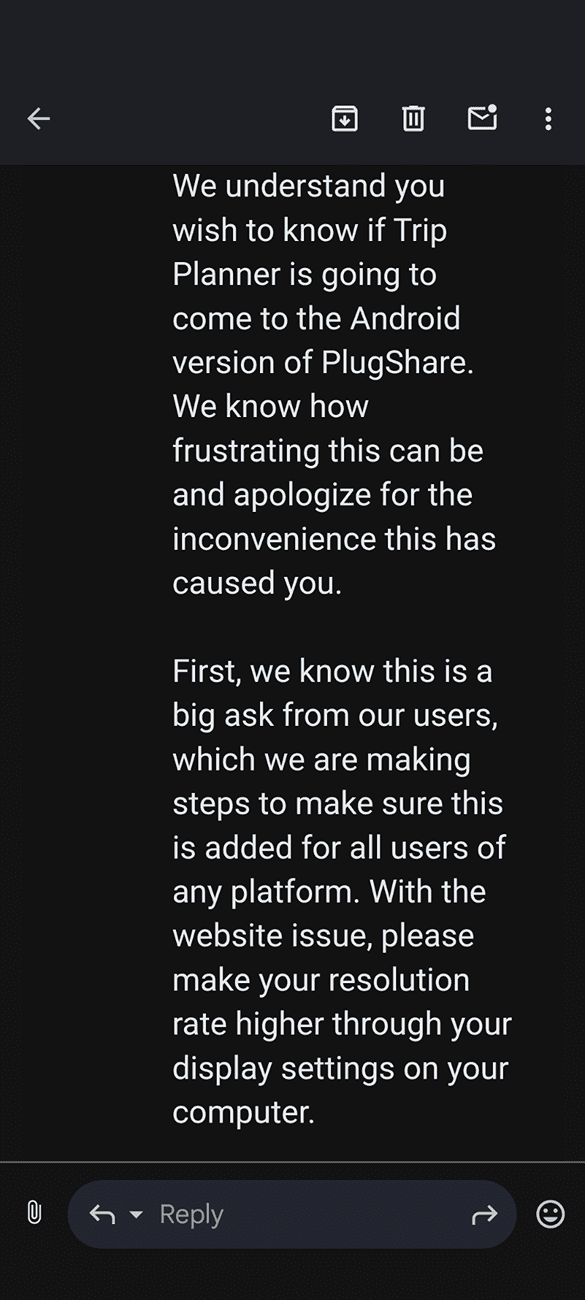
Edit: I sent an email inquiry to them asking whether they plan to add the trip planner to the Android version...

Update: noncommittal reply from developer. "Working on it."
Rivian R1T R1S How to use PlugShare for route planning 1000007480
 
Last edited:
OP
OP
Budman

Budman

Well-Known Member
First Name
Rick
Joined
Oct 22, 2021
Threads
58
Messages
810
Reaction score
2,495
Location
Minnesota
Vehicles
Honda CRV
Clubs
 
Confirmed: Android app version v4.28.1 (June 27, 2024 update for me) does not have trip planner capability. Also, I cannot create a trip at www.plugshare.com on my phone because it says I need a minimum display width of 1024.

1000007471.png


Edit: I sent an email inquiry to them asking whether they plan to add the trip planner to the Android version...
Bummer;

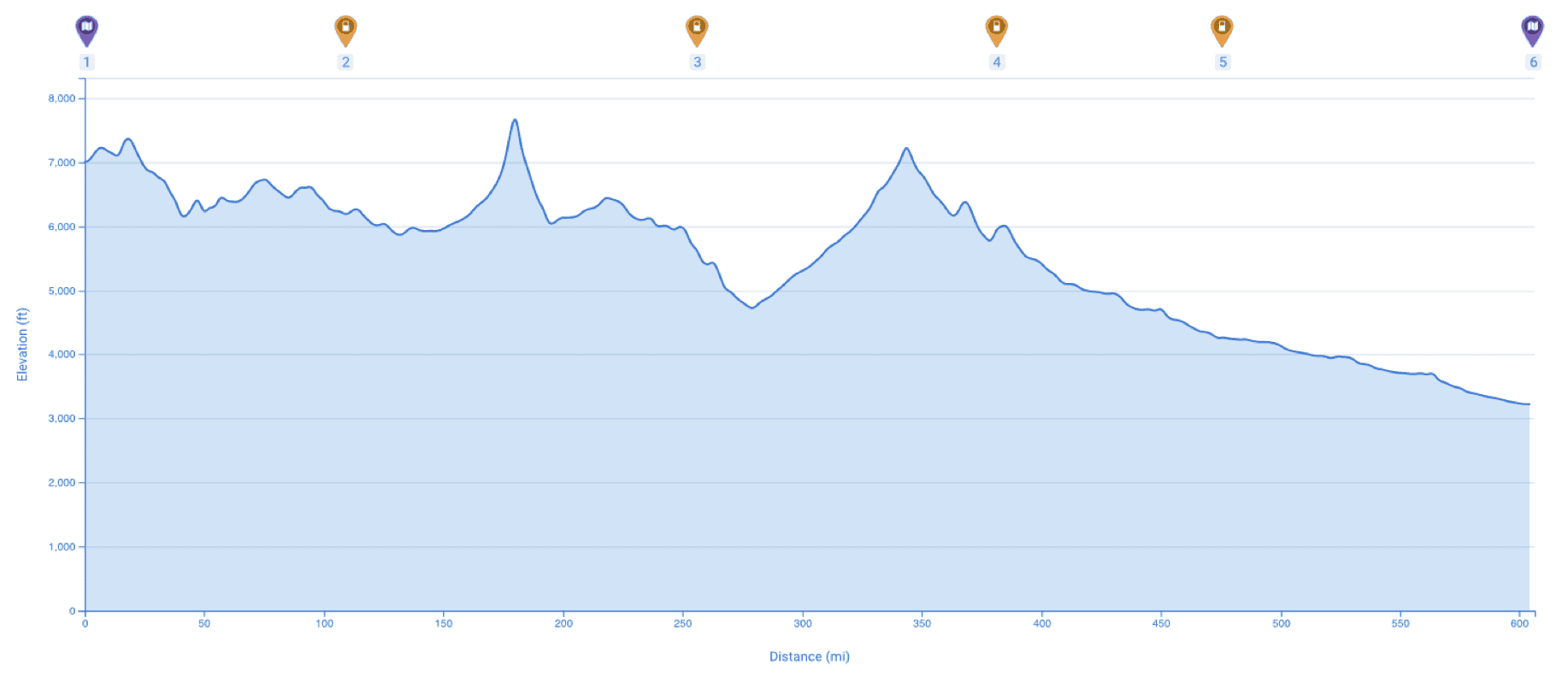
You can do trip planning on a Laptop at www.plugshare.com. Some of the trip summary outputs are better for me in the web version, like full trip elevation profiles with charging stops highlighted like this;
Rivian R1T R1S How to use PlugShare for route planning 1720474454114-od
 

TTedP

Well-Known Member
First Name
Rob
Joined
Feb 22, 2024
Threads
10
Messages
449
Reaction score
455
Location
PA
Vehicles
Gen2 R1S DM Perf Lg (prev Gen 1 R1T DM Lg)
Occupation
Telecom
Isn’t plugshare missing (some, all, none) RAN locations?
Sponsored

 
Last edited:


Top