

MidnightRivian
Well-Known Member
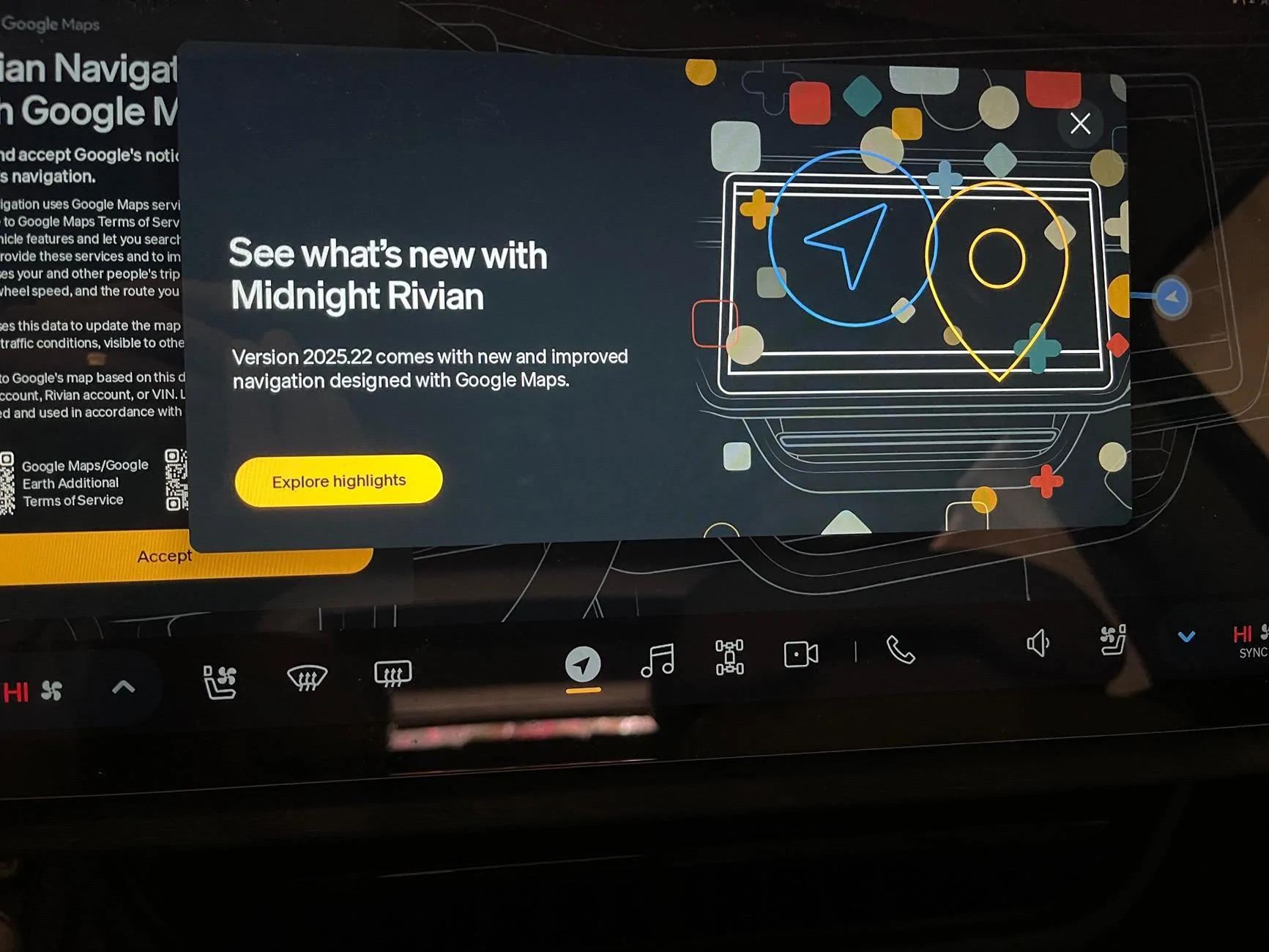
Glad to see Rivian continuing to improve the driver experience. This is all very important to iron out before the R2 roll out.

Sponsored
Seems like all the C+ users have it, it's at 90% according to Rivian Roamer. Probably just the non C+ folks left is my guess.I'm still to get an update. Are they staggering the updates or does anyone know.
I'm driving a 24 T1 1st Gen

There always seems to be a few non-Connect+ who lag behind. But yes, the remainder should be getting it today/tomorrow.Seems like all the C+ users have it, it's at 90% according to Rivian Roamer. Probably just the non C+ folks left is my guess.


Same here - disabled the Samsung one on my phone. I have not turned on Alexa in my R1 either.
Did you try a soft reboot?
I’m somewhat in the same boat as you, Gen 1, R1T with similar “problem”. Mine won’t even work if I press the try again - parked it up for work for the day, but did a soft / hard reset ready for when I go back to it later… fingers crossed that’s all it is that’s needed to get it back up and running again.

I think letting it sit overnight is similar to a soft reboot.UPDATE: My Map update healed itself overnight. I didn't do anything at all and the next time I used the Rivian it just worked beautifully. Full functionality and it does look better. Still not a fan of Alexa....
Google maps is good but not everything is better. Graphically it isn’t and there are still some odd navigation choices.The new update is a huge maps upgrade for me - everything about the Google maps is better, I was even using it this weekend and it took me some strange way on a route I always take so I figured it had to be a maps error - nope, the roads were closed and I'm learning to trust the system.
However, I am seeing some bugs particularly with regards to my preferences being saved:
- My seat settings have not saved on multiple occasions or have been completely reset or if my wife was the last one to drive the vehicle, even if I approach the seat will stay in her settings even if I select my driver profile from the screen.
- A/C vents are not saving preferences, they are angled all over the place with no rhyme or reason.
- My kneel the vehicle setting reset after this update, I had to go turn it back on.
- Side view mirror settings have also been off/not saved.
Overall the seat setting is super annoying but I love having the new maps functionality.
Does Rivian use the camera for speed limits? I was pretty sure I remembered reading that it does not and is entirely map data based. That would comport Better with my experience, FWIW. I have seen speed limit changes since the update, neither of which (MapBox or Google Maps) is correct and match the road sign.The speed limit icon on the driver's screen defaults to 55mph, it's only correct when the cameras read an actual sign. This makes it useless.
And on the same screen, it no longer shows the name of the road you are on, just the name of the town. Again, pretty useless.

It does both.Does Rivian use the camera for speed limits? I was pretty sure I remembered reading that it does not and is entirely map data based. That would comport Better with my experience, FWIW. I have seen speed limit changes since the update, neither of which (MapBox or Google Maps) is correct and match the road sign.


