Sponsored

CarPlay/Android Auto unit and phone charger installed with solid 3D printed mounts

savethemanual

Well-Known Member
Joined
May 18, 2024
Threads
16
Messages
918
Reaction score
1,564
Location
Earth
Vehicles
Future R2
What Carplay screen is that? I have one but it's not wide format like that.
Sponsored

 
OP
OP
SwampNut

SwampNut

Well-Known Member
First Name
Carlos
Joined
Apr 22, 2024
Threads
51
Messages
3,455
Reaction score
3,667
Location
Peoria AZ
Vehicles
2022 R1T Launch Edition
Occupation
Geek
Clubs
 
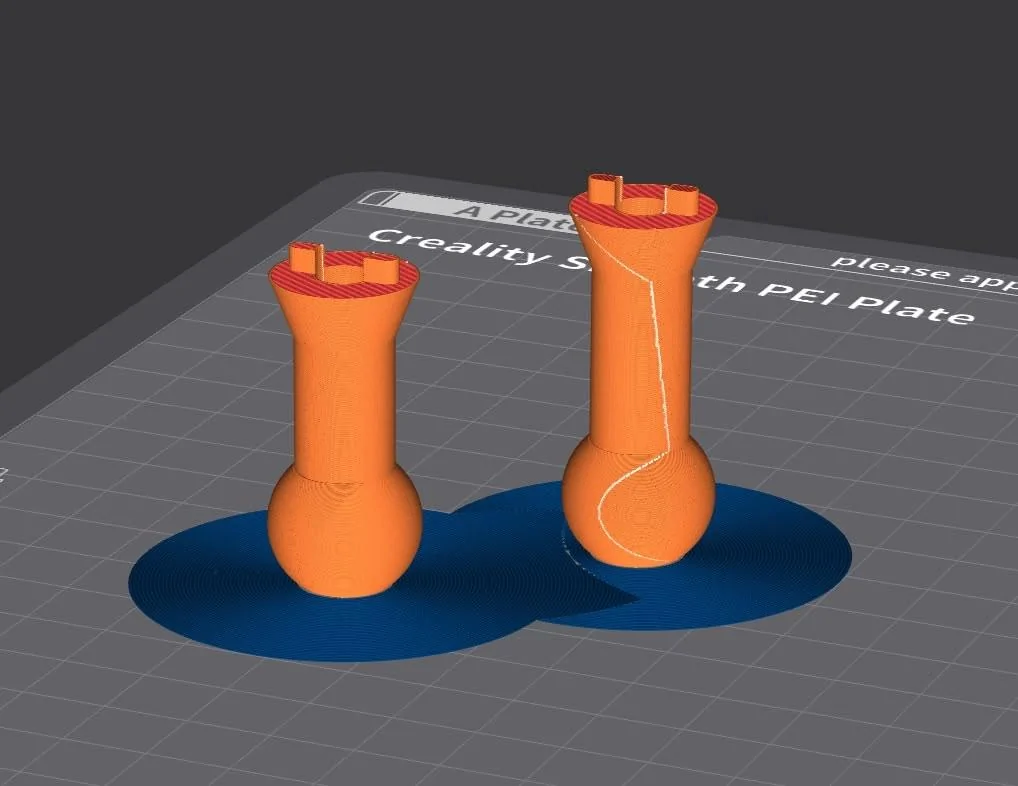
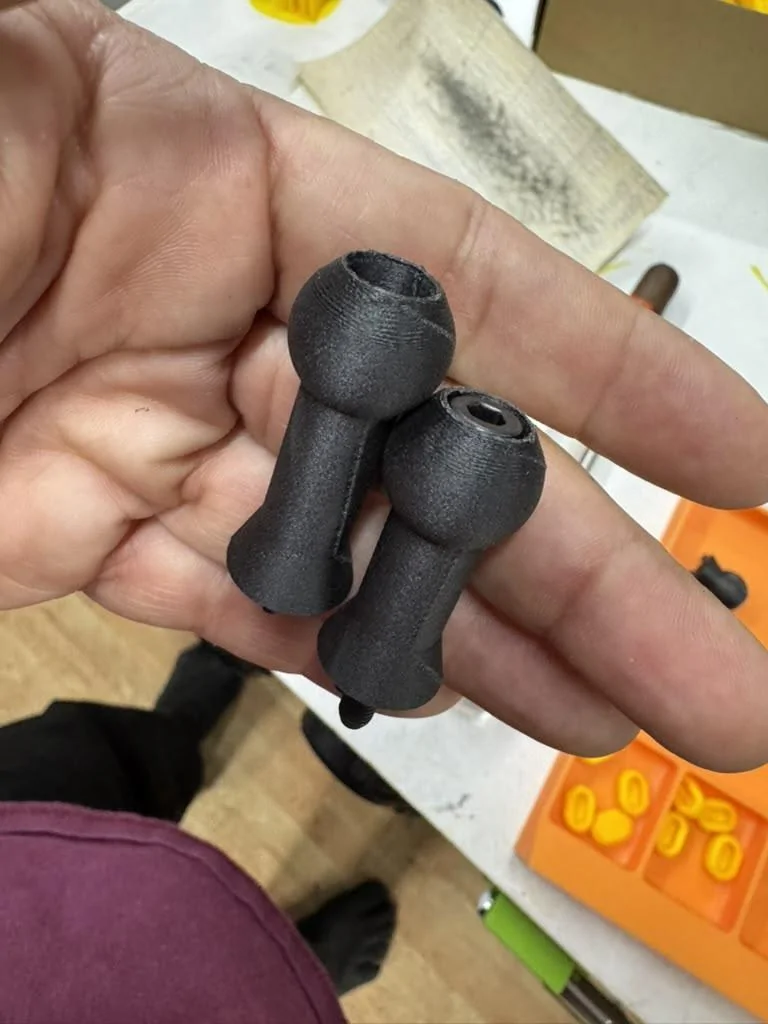
I made different ball mounts to see which size works best. Also modded them to take a socket head cap screw instead of a flathead. I have a billion 5mm socket head cap screws and only very short flatheads. I'll add these to the 3D print files linked in the video.

Rivian R1T R1S CarPlay/Android Auto unit and phone charger installed with solid 3D printed mounts 1731596887617-c1


Rivian R1T R1S CarPlay/Android Auto unit and phone charger installed with solid 3D printed mounts 1731596902224-r0
 
OP
OP
SwampNut

SwampNut

Well-Known Member
First Name
Carlos
Joined
Apr 22, 2024
Threads
51
Messages
3,455
Reaction score
3,667
Location
Peoria AZ
Vehicles
2022 R1T Launch Edition
Occupation
Geek
Clubs
 
The STL files have been updated, if anyone has downloaded them and not printed you might want to look again.
 

Sponsored

good2go

Well-Known Member
First Name
Dean
Joined
Oct 15, 2024
Threads
7
Messages
205
Reaction score
235
Location
WY
Vehicles
R1S
I just moved the mount to the left side, it had been on the right. The right position gets more sun, and the left position also gets some cooling air from the vent, so I expect it to be cooler. I specifically chose a mount with a heatsink and a fan, because I've had issues with overheating before, being in AZ. I do have a windshield coating ("tint" but not dark just rejects heat and UV). With this mount I've occasionally had the screen dim slightly to the first "I'm warm" setting, but not overheat or turn off. It's warm at most, not hot.


This is also an annoyance for me, with the truck in the driveway and the fact that I am out there doing work all the time and activating it. I think I'm going to have to turn off the auto-unlock at home. I'm not aware of any fuse that is "ignition only" like a car. That would be great. That fuse is indeed just one of the 12v outlets and behaves the same way they do.

But you used the wiring kit you linked too? The device does not take 12v. The wiring kit brings the voltage down, correct?
 
OP
OP
SwampNut

SwampNut

Well-Known Member
First Name
Carlos
Joined
Apr 22, 2024
Threads
51
Messages
3,455
Reaction score
3,667
Location
Peoria AZ
Vehicles
2022 R1T Launch Edition
Occupation
Geek
Clubs
 
Yes, it takes 12v in and provides a 5v USB out. I’ve used this and similar adapters on several vehicles to power devices and charge phones.
 

good2go

Well-Known Member
First Name
Dean
Joined
Oct 15, 2024
Threads
7
Messages
205
Reaction score
235
Location
WY
Vehicles
R1S
One issue, or I can’t find a button. My CarPlay in all my vehicles is triggered by holding the speaker button to activate voice commends.
I cannot find a way to activate voice commands in a Rivian R1S Gen 2. Is there a Bolton to activate voice commands?

it appears Alexia, is the vehicles way to trigger a voice command.

Do people trigger voice command with Hey Siri? Is it triggered by CarPlay, or doestnephonepick up Hey Siri?
 

DeafPug

Well-Known Member
Joined
Oct 20, 2021
Threads
6
Messages
570
Reaction score
847
Location
Kansas
Vehicles
'18 Model 3, '22 R1T
One issue, or I can’t find a button. My CarPlay in all my vehicles is triggered by holding the speaker button to activate voice commends.
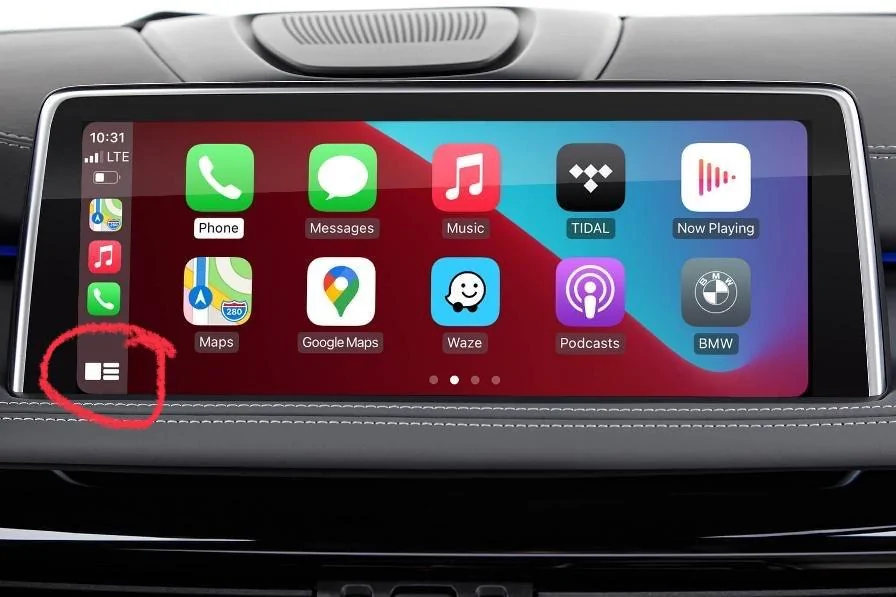
To trigger Siri on you iPhone, you have 2 options. You can use the Hey Siri voice prompt or you can trigger it via the CarPlay interface. The touch screen button to activate Siri is the button in the lower-left corner of the screen. Press AND hold that for a second or two to wake up Siri.

Rivian R1T R1S CarPlay/Android Auto unit and phone charger installed with solid 3D printed mounts IMG_2353


Edit: this assumes you have added a secondary screen for CarPlay. If you haven’t added the screen, your options to activate Siri are to use Hey Siri or to activate it with the buttons on your iPhone itself (TouchID: hold the home button down; FaceID: hold the power button and volume up buttons down).
 

good2go

Well-Known Member
First Name
Dean
Joined
Oct 15, 2024
Threads
7
Messages
205
Reaction score
235
Location
WY
Vehicles
R1S
To trigger Siri on you iPhone, you have 2 options. You can use the Hey Siri voice prompt or you can trigger it via the CarPlay interface. The touch screen button to activate Siri is the button in the lower-left corner of the screen. Press AND hold that for a second or two to wake up Siri.

IMG_2353.jpeg


Edit: this assumes you have added a secondary screen for CarPlay. If you haven’t added the screen, your options to activate Siri are to use Hey Siri or to activate it with the buttons on your iPhone itself (TouchID: hold the home button down; FaceID: hold the power button and volume up buttons down).
I love learning something new. Thank you.
 

Sponsored

OP
OP
SwampNut

SwampNut

Well-Known Member
First Name
Carlos
Joined
Apr 22, 2024
Threads
51
Messages
3,455
Reaction score
3,667
Location
Peoria AZ
Vehicles
2022 R1T Launch Edition
Occupation
Geek
Clubs
 
I just use voice, why would you need a button? You can just talk to Siri for everything.
 

Spaceball1

Well-Known Member
First Name
Danny
Joined
Feb 1, 2023
Threads
12
Messages
368
Reaction score
371
Location
Colorado Springs, CO
Vehicles
22 R1T, 23 Kia EV6, 15 Mustang GT Vert
Occupation
Mechanical Engineer
I just use voice, why would you need a button? You can just talk to Siri for everything.
One of the reasons I like CarPlay is being able to keep my phone in my pocket when driving shorter distances. Also don’t want to have to make it a two step process of turning down or pausing radio, then saying Hey Siri.

It’d be nice to have the steering wheel button activate Siri like on other cars, even without CarPlay (my 2011 Ford did this).
 
OP
OP
SwampNut

SwampNut

Well-Known Member
First Name
Carlos
Joined
Apr 22, 2024
Threads
51
Messages
3,455
Reaction score
3,667
Location
Peoria AZ
Vehicles
2022 R1T Launch Edition
Occupation
Geek
Clubs
 
You don't have to do any of those things to use "hey Siri" with CarPlay.
 

good2go

Well-Known Member
First Name
Dean
Joined
Oct 15, 2024
Threads
7
Messages
205
Reaction score
235
Location
WY
Vehicles
R1S
You don't have to do any of those things to use "hey Siri" with CarPlay.
I will try Siri. But I don’t like to say hey siri. It is easy to hold button, then say command. I want to try holding bottom on button left.
 

Spaceball1

Well-Known Member
First Name
Danny
Joined
Feb 1, 2023
Threads
12
Messages
368
Reaction score
371
Location
Colorado Springs, CO
Vehicles
22 R1T, 23 Kia EV6, 15 Mustang GT Vert
Occupation
Mechanical Engineer
You don't have to do any of those things to use "hey Siri" with CarPlay.
How does my phone hear me say “hey siri” if my radio is too loud and/or the phone is in my pocket?
Sponsored


Top