Jiji
Well-Known Member
- First Name
- Rick
- Joined
- Jun 21, 2023
- Threads
- 17
- Messages
- 296
- Reaction score
- 430
- Location
- Finger Lakes, NY
- Website
- github.com
- Vehicles
- Rivian Blue R1S
- Thread starter
- #1
I decided to take on phantom drain with my toy iPhone app and here are some results to share with the wider Rivian community. For those that don't know, the My Rivian app logs your trips and charges and lets you view them in detail or as summaries.
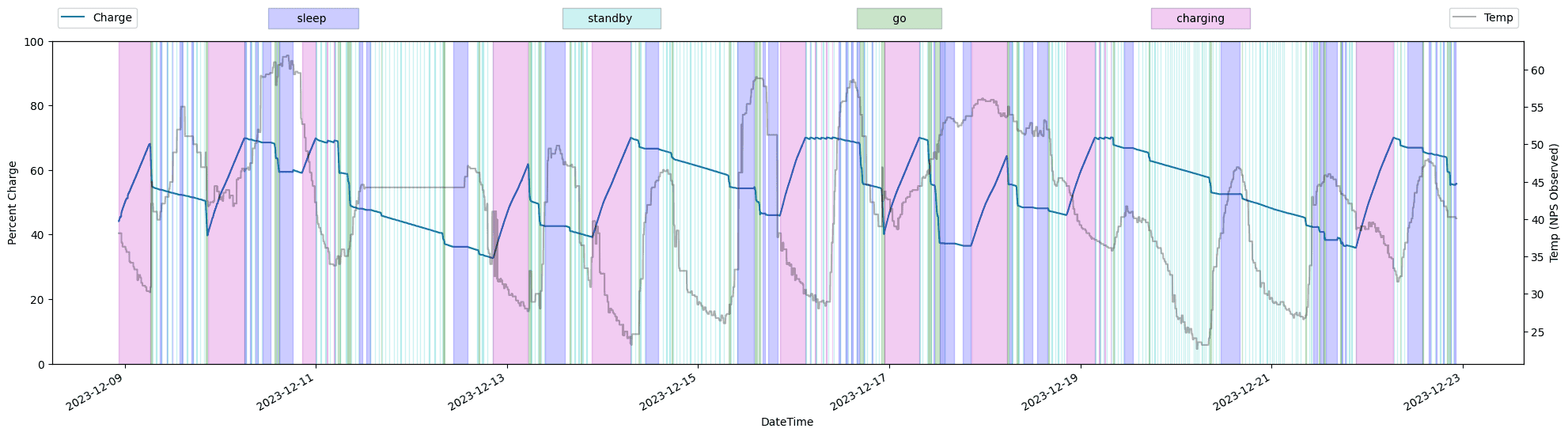
The other day there was a thread about a member's outlandish phantom drain problem. My Rivian has had a graph of phantom drain but it looked like this and was basically useless as you tried to decipher the phantom drain (horizontal lines) from the trips (vertical lines with a negative slope) and charges (vertical lines with a positive slope):

This is just a line chart of the charges in SoC over time and while it captures the phantom drain, it captures so much other data that the phantom drain is lost in the noise. So after cleaning the snow from my solar panels I decided to do improve on this.
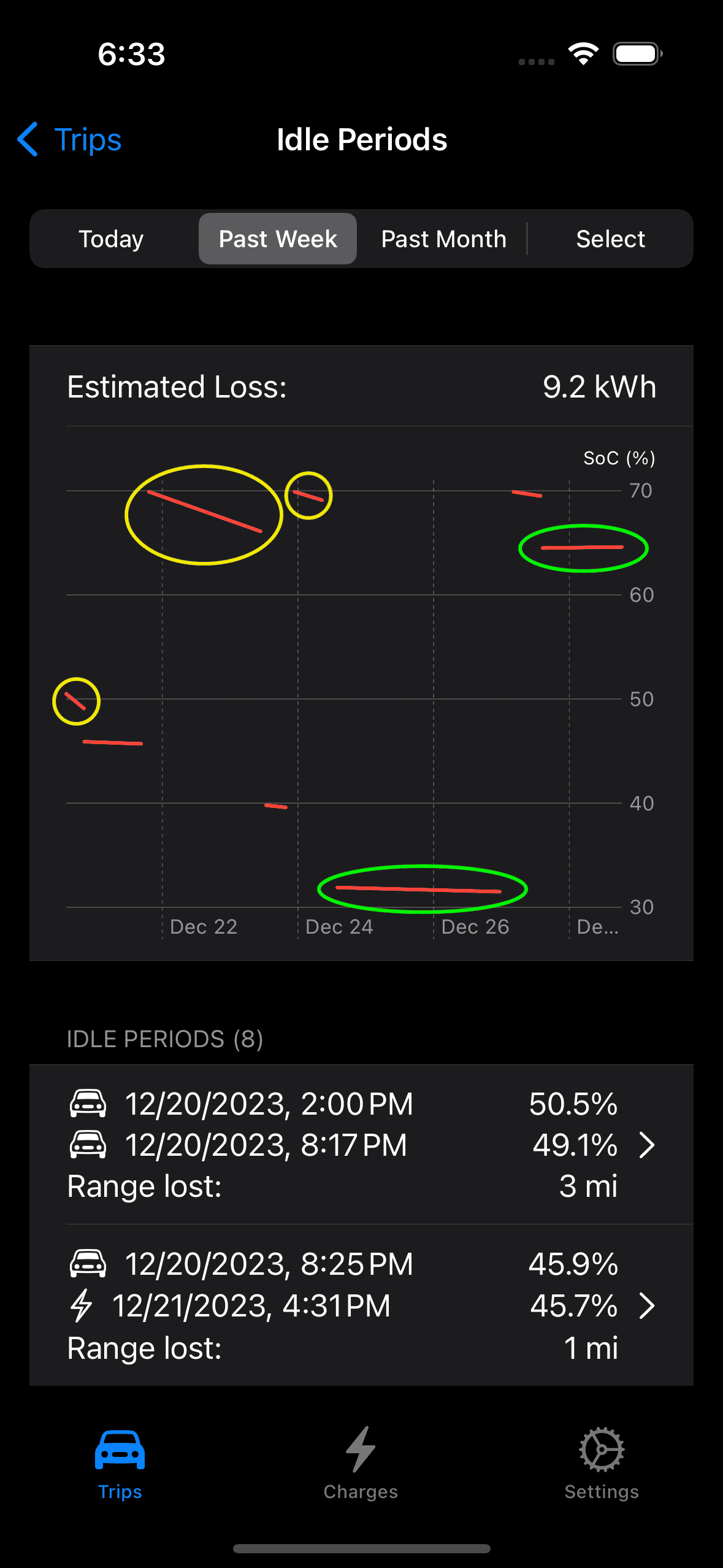
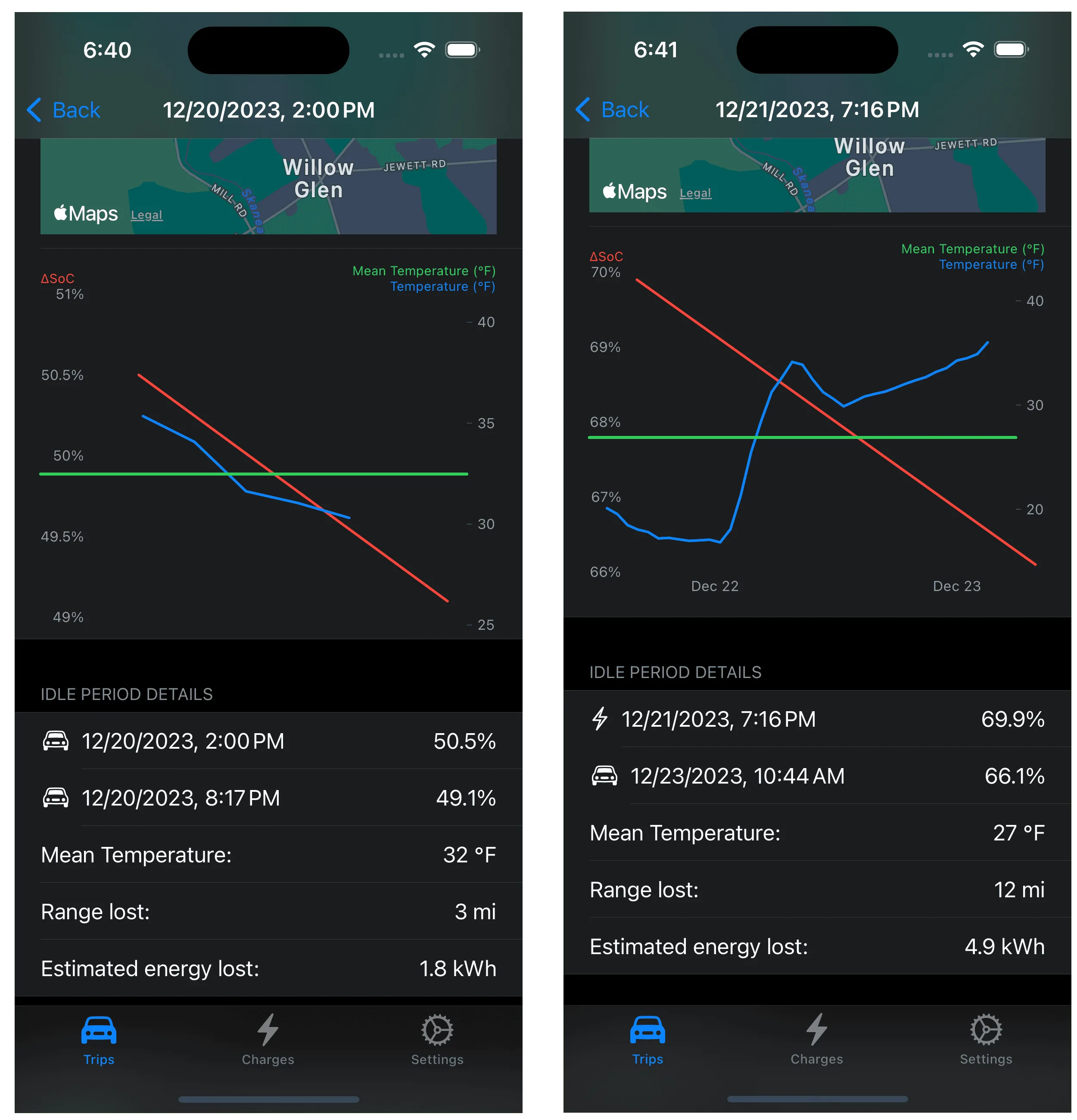
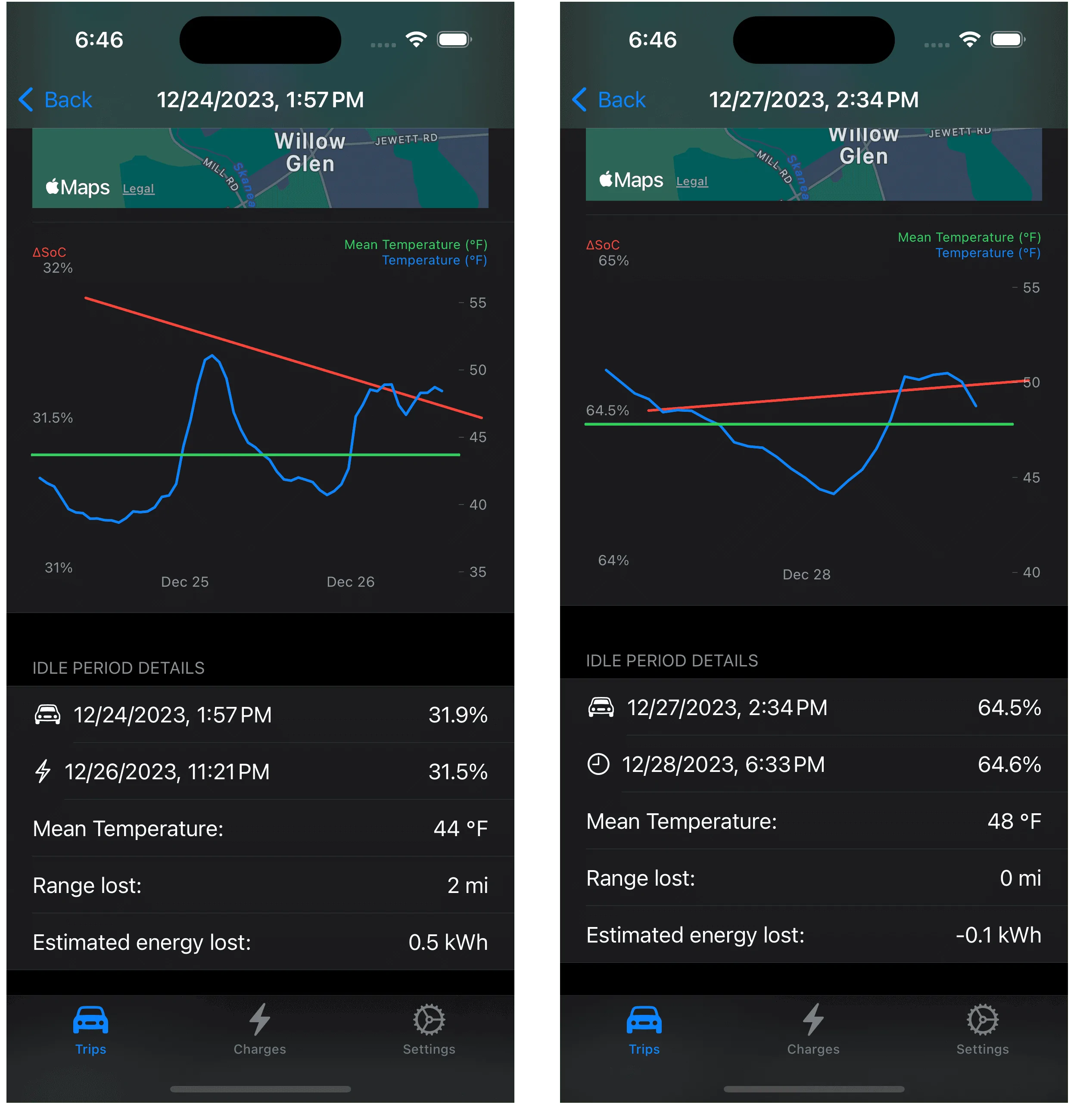
I started by picking six hours as the minimum idle time to report phantom drain. No science, just a nice value to keep the number of reported periods to a manageable number that should capture some loss. Next I needed to decide how to report the energy loss when there are no energy values to get from the Rivian as it sits idle in your garage or a parking lot. What we do have the SoC (state of charge) and I approximate an energy value by using 1.3 kWh/°SoC, a reasonable value determined over many trips or pulled from my butt, can't exactly remember which it is.
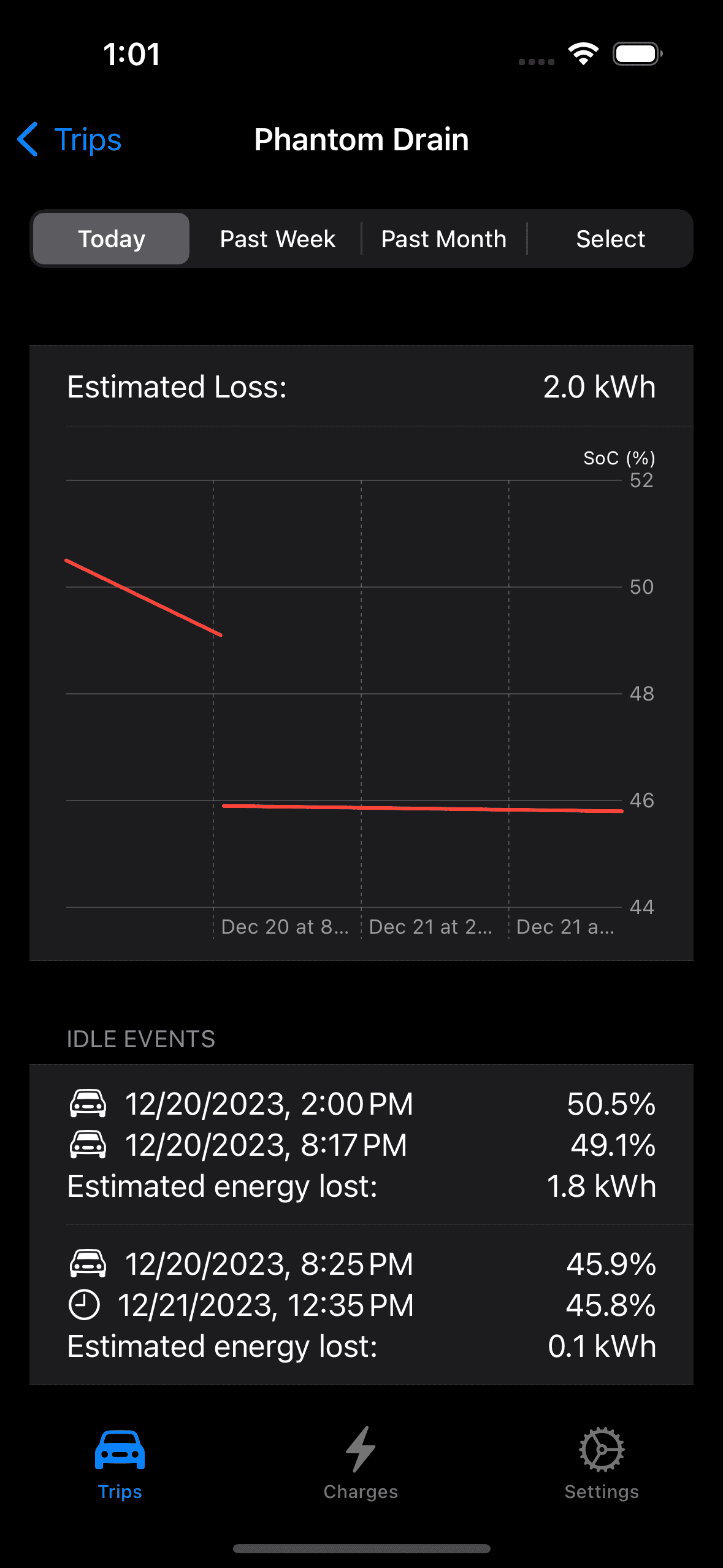
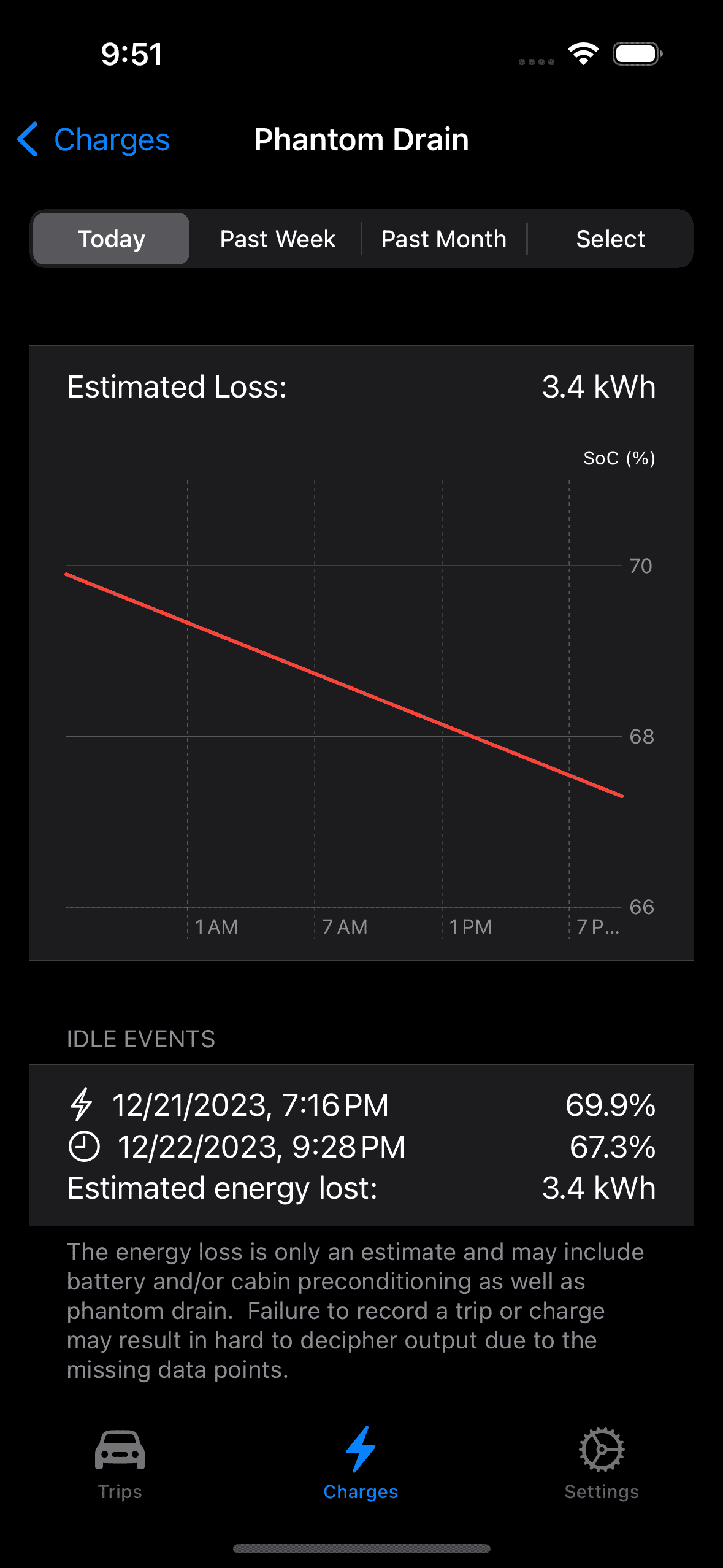
So with the I can query the data store and collect the trips and charges in the display period and discard the idle periods of less than six hours. I also read a current value of the SoC for an end point should the period include the current day I also added a display the data behind the graph so everything is in place to create a new look for the My Rivian phantom drain display. We can start with the phantom drain for today which in fact includes yesterday since a previous event is needed should you wake up and ask how did Rivvy do last night (we need a pair of events to define at least one idle period):

Two idle periods were reported, the first started yesterday after I parked for the day and continued until my first trip today at 1:21PM, and the second idle period which just sneaked in the six hour minimum for reporting after I parked at 2:00PM (the vertical gap between the two phantom drain lines are the two trips).
Taking a month long look at the phantom drain makes for a pretty graph, can you see where my R1S was out of commission while mobile service was waiting on a part?
Lots more events and you can scroll the list should want to inspect any of them plus we get an estimate of the energy lost for the month. Is it correct? Maybe it is but I call it an estimate for a reason but it does make for a great conversation starter and is slightly better than looking at the Rivian app to see your SoC.
The other day there was a thread about a member's outlandish phantom drain problem. My Rivian has had a graph of phantom drain but it looked like this and was basically useless as you tried to decipher the phantom drain (horizontal lines) from the trips (vertical lines with a negative slope) and charges (vertical lines with a positive slope):
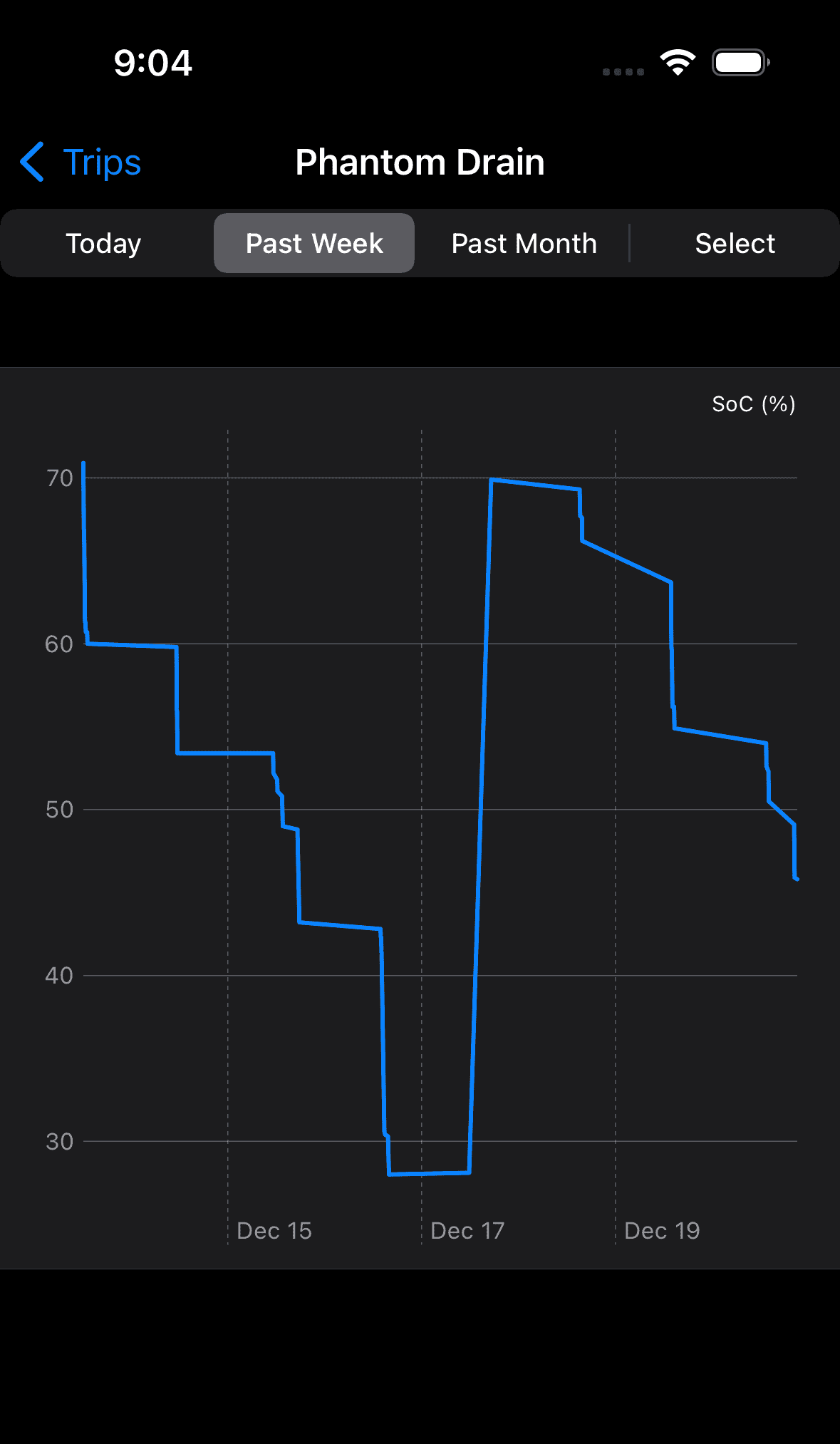
This is just a line chart of the charges in SoC over time and while it captures the phantom drain, it captures so much other data that the phantom drain is lost in the noise. So after cleaning the snow from my solar panels I decided to do improve on this.
I started by picking six hours as the minimum idle time to report phantom drain. No science, just a nice value to keep the number of reported periods to a manageable number that should capture some loss. Next I needed to decide how to report the energy loss when there are no energy values to get from the Rivian as it sits idle in your garage or a parking lot. What we do have the SoC (state of charge) and I approximate an energy value by using 1.3 kWh/°SoC, a reasonable value determined over many trips or pulled from my butt, can't exactly remember which it is.
So with the I can query the data store and collect the trips and charges in the display period and discard the idle periods of less than six hours. I also read a current value of the SoC for an end point should the period include the current day I also added a display the data behind the graph so everything is in place to create a new look for the My Rivian phantom drain display. We can start with the phantom drain for today which in fact includes yesterday since a previous event is needed should you wake up and ask how did Rivvy do last night (we need a pair of events to define at least one idle period):
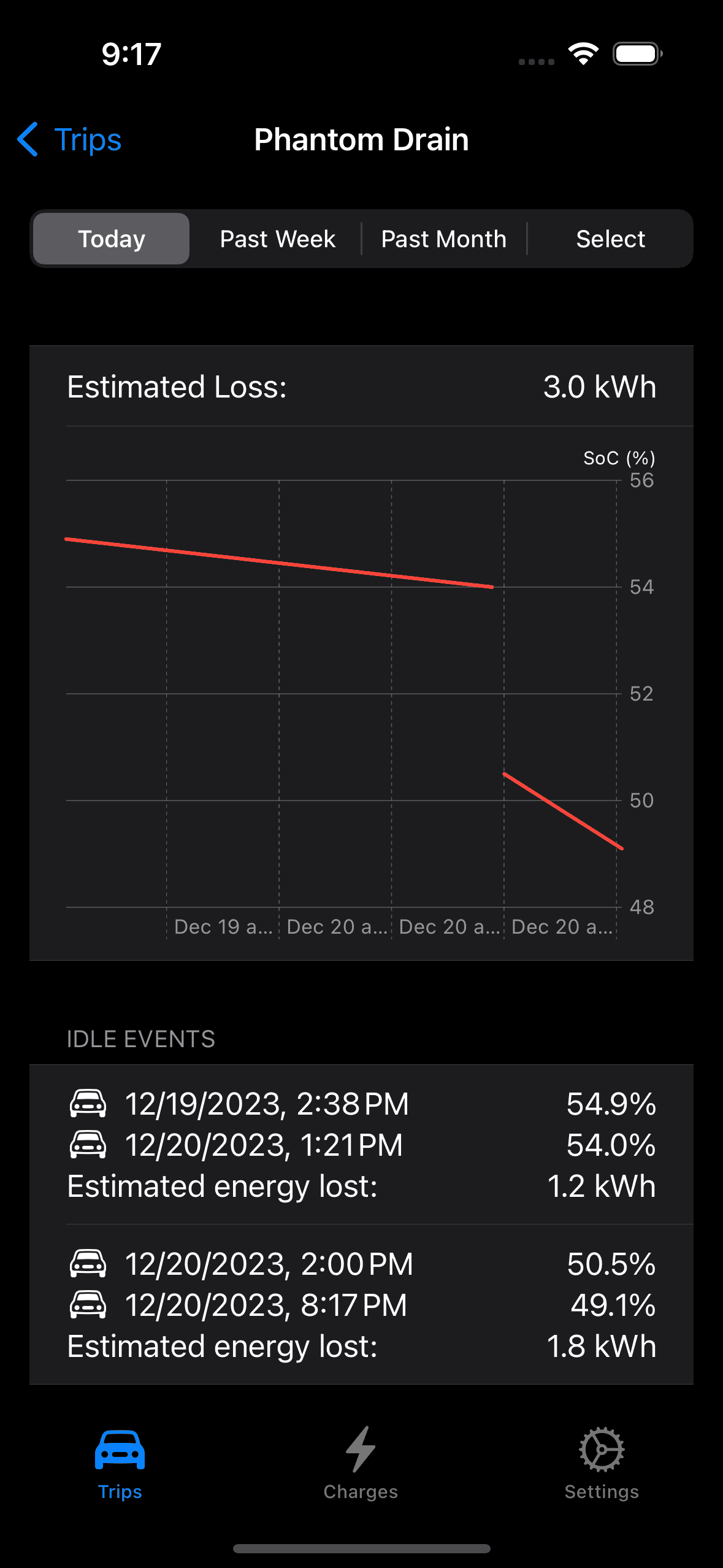
Two idle periods were reported, the first started yesterday after I parked for the day and continued until my first trip today at 1:21PM, and the second idle period which just sneaked in the six hour minimum for reporting after I parked at 2:00PM (the vertical gap between the two phantom drain lines are the two trips).
Taking a month long look at the phantom drain makes for a pretty graph, can you see where my R1S was out of commission while mobile service was waiting on a part?
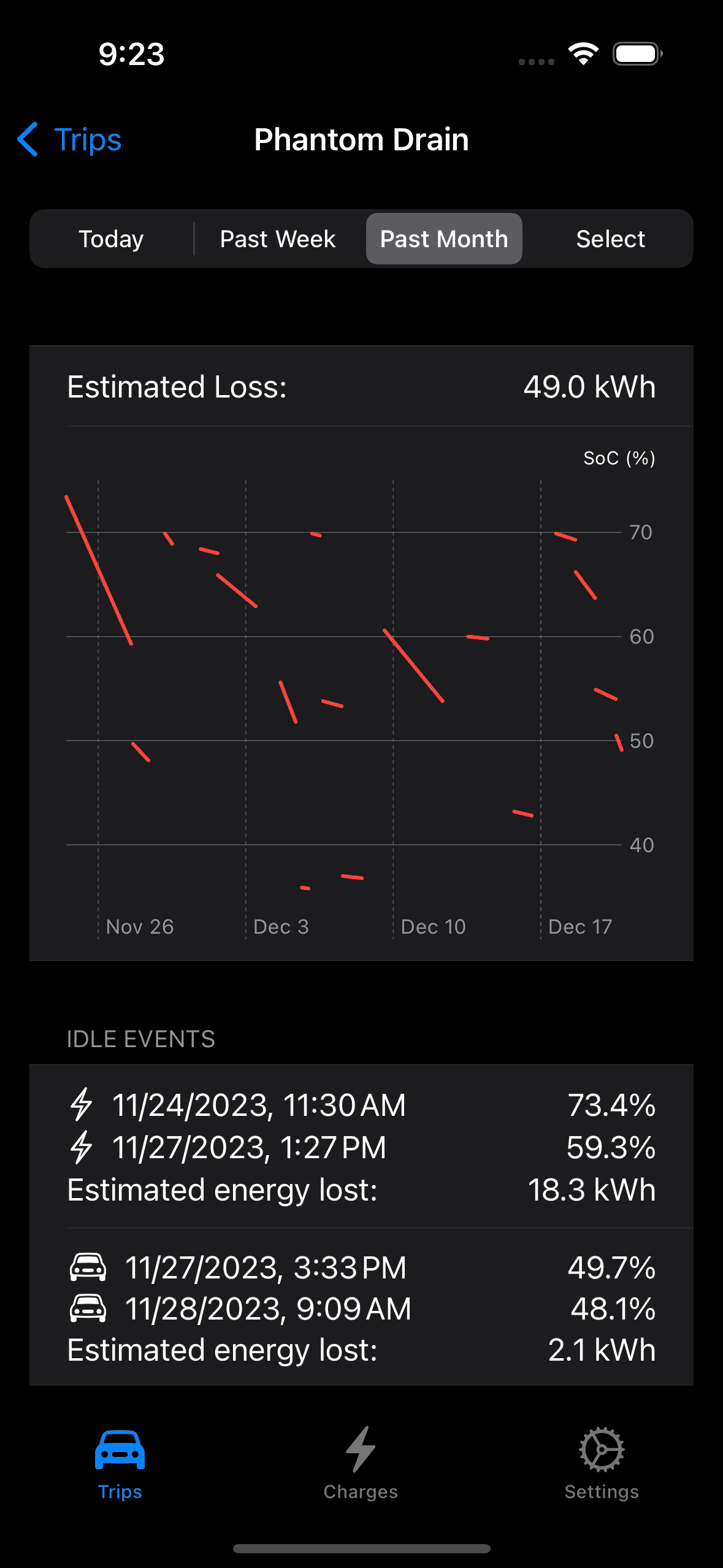
Lots more events and you can scroll the list should want to inspect any of them plus we get an estimate of the energy lost for the month. Is it correct? Maybe it is but I call it an estimate for a reason but it does make for a great conversation starter and is slightly better than looking at the Rivian app to see your SoC.
Sponsored