Sponsored

Drivecam requiring Infotainment reset since updating

Ngkgb

Well-Known Member
Joined
Feb 7, 2022
Threads
82
Messages
830
Reaction score
770
Location
United States
Vehicles
Rivian R1T
My first drive after updating I noticed the drivecam wasn’t working and needed a reset. I reset the infotainment system and had to reformat the card. It was fine until this AM when I had to once again repeat the same procedure as above. Never had an issue before the update. Only other constant is I was charging at home both times this happened.

Anyone else?
Sponsored


coney129

Well-Known Member
First Name
John
Joined
Jun 16, 2024
Threads
10
Messages
51
Reaction score
43
Location
Philadelphia
Vehicles
2025 Rivian R1S
I’m having this issue with my gen 2. I’ve noticed those USB C ports also stop charging my phone when connected to a cord. Are you having that issue as well? I thought it was hardware but now that you’re saying it’s happening to you after the update I’m thinking it’s software now.
 

R1Thor

Well-Known Member
First Name
Joe
Joined
Aug 9, 2023
Threads
8
Messages
1,536
Reaction score
2,421
Location
Lancaster, PA
Vehicles
23QM R1T, Limestone + Ocean Coast, 21" & UBS
Occupation
Mechanical Engineering Lead
Clubs
 
?
I did a whole truck reset and tried a bunch of other things (reformatting the drive, swapping with a new drive, different ports, etc). My truck keeps saying the drive is too slow.

I have a ticket in to service, but their first available is September 3...

I'm thinking it's a software bug, given the fact that everything was working to spec before the update.
 
OP
OP

Ngkgb

Well-Known Member
Joined
Feb 7, 2022
Threads
82
Messages
830
Reaction score
770
Location
United States
Vehicles
Rivian R1T
I’m having this issue with my gen 2. I’ve noticed those USB C ports also stop charging my phone when connected to a cord. Are you having that issue as well? I thought it was hardware but now that you’re saying it’s happening to you after the update I’m thinking it’s software now.
I believe the ports still work, though I haven’t tried them when I actually get that message. I’ll check today and report back.
 

R1Thor

Well-Known Member
First Name
Joe
Joined
Aug 9, 2023
Threads
8
Messages
1,536
Reaction score
2,421
Location
Lancaster, PA
Vehicles
23QM R1T, Limestone + Ocean Coast, 21" & UBS
Occupation
Mechanical Engineering Lead
Clubs
 
Rivian R1T R1S Drivecam requiring Infotainment reset since updating 1720110393358-9f
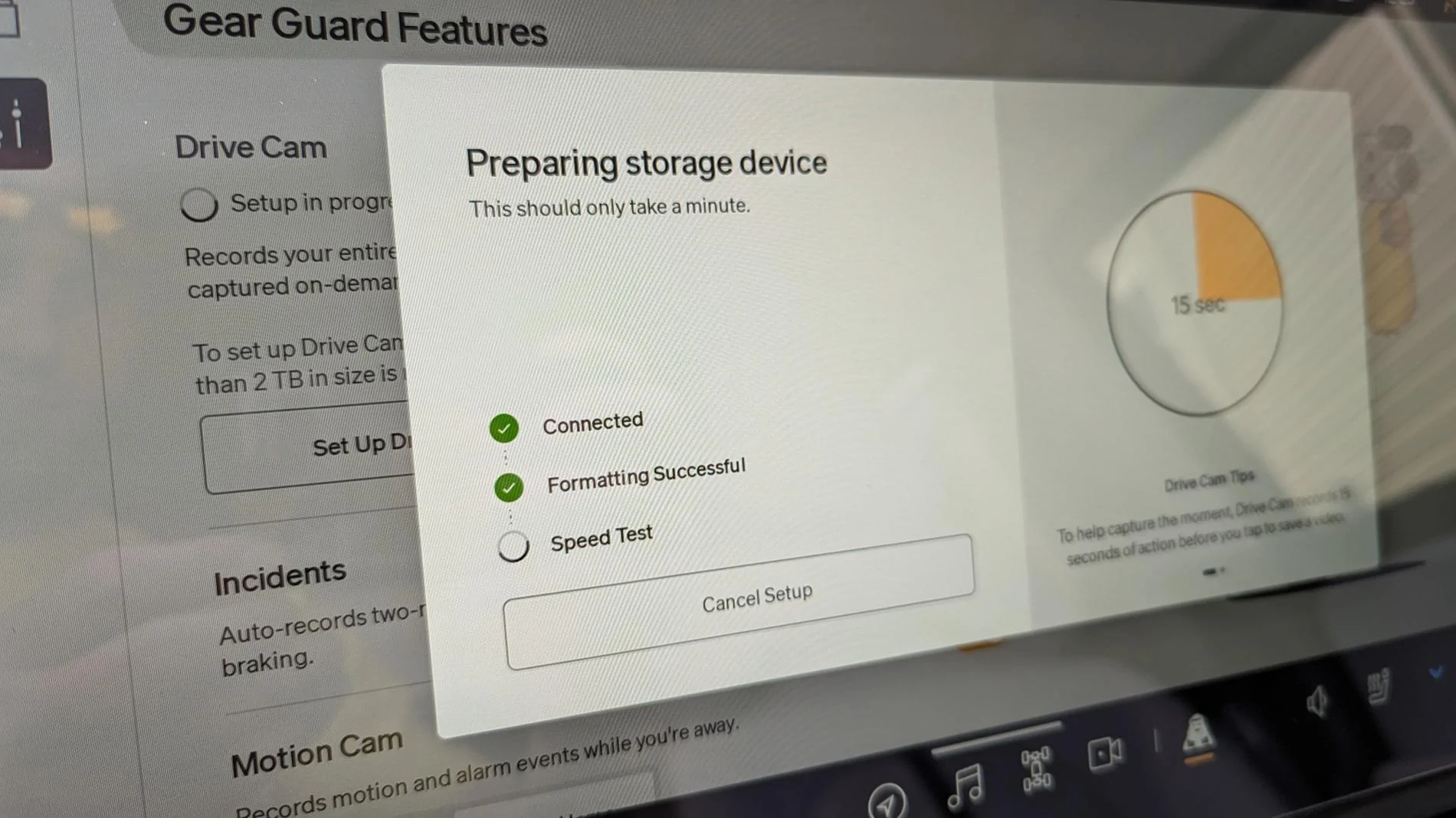
I can make it this far and we're good, then:

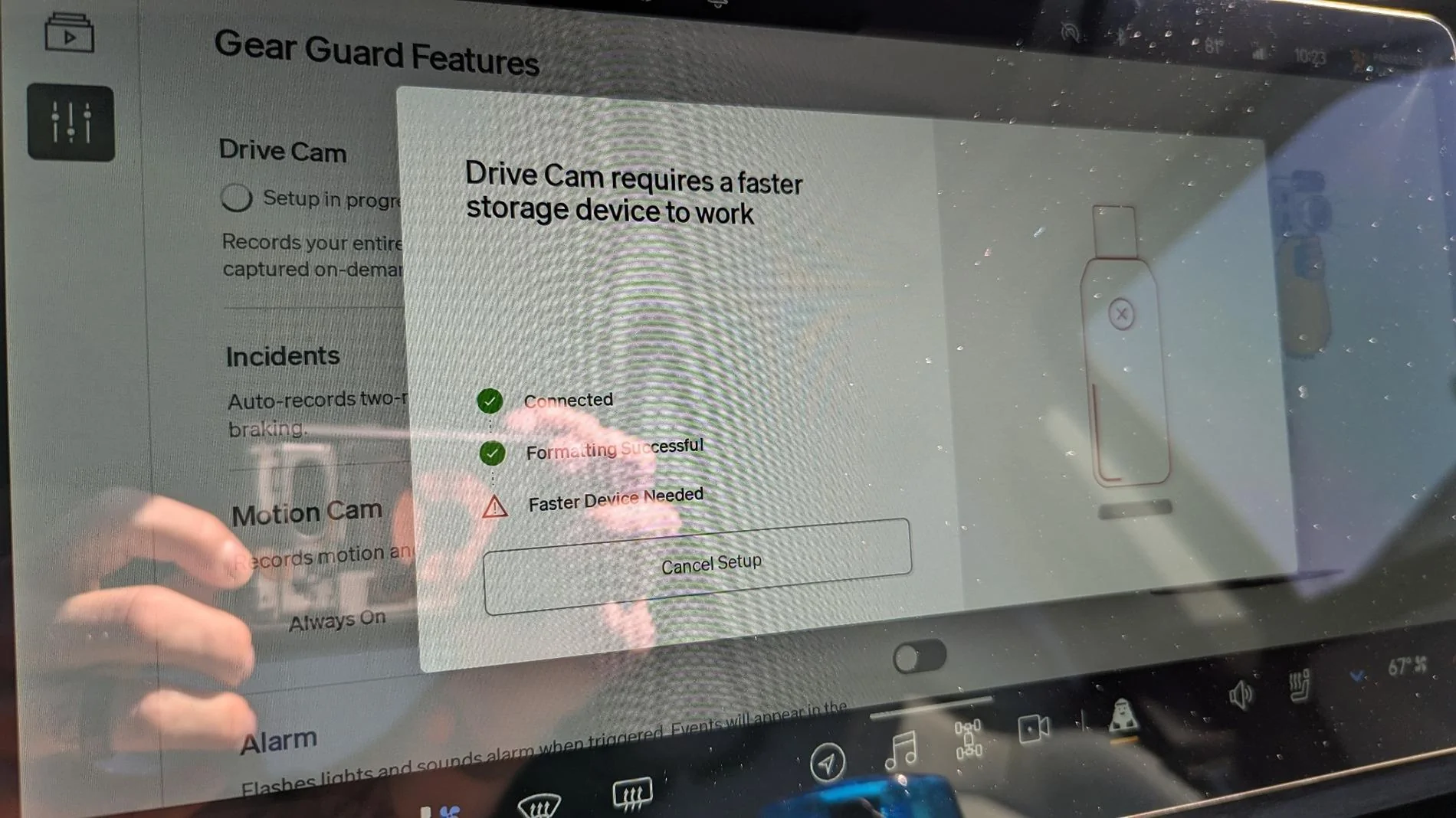
Rivian R1T R1S Drivecam requiring Infotainment reset since updating 1720110416293-v1

Sorry for the terrible screen glare; if you can't see that it says "Faster Device Needed"

Originally, I was using a Samsung USB-C 3.0 400MB/s read, 100MB/s write 256GB Flash Drive.

I thought maybe that went bad or was somehow corrupted after the software update, and after doing a full, and sleep reset of the vehicle, I ordered a new drive from Amazon. I now have a Sandisk USB-C 3.2 400MB/s read, 150MB/s write 512GB Flash drive with the same exact symptoms.

I've also tried reformatting them externally (via my PC Laptop) and doing drive error checks, but nada. I plug back into Rivian and go through the same motions with the same results.

Rivian Service sent me a message this morning telling me to try an infotainment reset without the device plugged in.

2 resets later and it's exactly the same unfortunately...
 

Sponsored

OP
OP

Ngkgb

Well-Known Member
Joined
Feb 7, 2022
Threads
82
Messages
830
Reaction score
770
Location
United States
Vehicles
Rivian R1T
1720110393358-9f.jpg
I can make it this far and we're good, then:

1720110416293-v1.jpg

Sorry for the terrible screen glare; if you can't see that it says "Faster Device Needed"

Originally, I was using a Samsung USB-C 3.0 400MB/s read, 100MB/s write 256GB Flash Drive.

I thought maybe that went bad or was somehow corrupted after the software update, and after doing a full, and sleep reset of the vehicle, I ordered a new drive from Amazon. I now have a Sandisk USB-C 3.2 400MB/s read, 150MB/s write 512GB Flash drive with the same exact symptoms.

I've also tried reformatting them externally (via my PC Laptop) and doing drive error checks, but nada. I plug back into Rivian and go through the same motions with the same results.

Rivian Service sent me a message this morning telling me to try an infotainment reset without the device plugged in.

2 resets later and it's exactly the same unfortunately...
[/QUOTE

Sounds lien a bug in the new software. Hopefully they’ll get enough complaints that they will have to correct it. Sometimes they wait for the next big update and in the release notes it will say “fixed a rare issue…”. Maybe our issue is that rare issue.
 

Singletracker

Well-Known Member
Joined
Mar 10, 2022
Threads
39
Messages
1,305
Reaction score
1,276
Location
NV
Vehicles
2023 R1T QM w/20” A/T’s
I, too, am having issues with my Drive Cam not recording. However, this has been a persistent and intermittent issue. Sometimes, it records, but usually, like 95% of the time, it doesn’t. For instance, today, it randomly recorded a short drive that I took. But, that’s the only thing on it. It has been connected for weeks. Where are the rest of the vids? Today, there was a notice in the car that my drive was almost full. Huh? It only had one 15 minute drive recorded, barely a GB. I am not to keen on chasing good money after bad, when I don’t know where the problems lies. I have a Samsung EVO 256 SD card with an adaptor plugged into the console USB-C ports. The car recognizes and configures the setup and says I’m ready to roll ? Well, I may be ready to roll, but nothing gets recorded ? It could be the card. It could be the adaptor. It could be the car ??‍♂ I’ve tried both USB-C ports - no luck. And yes, I have it set up in the Rivian settings to always record the entire drive. I think I’ll try a software reset, but doubt that will change anything. Of course, I could buy a new adaptor and see if that works. Next, would be a new SD card. Last, would be a new car - just kidding. I love my R1T.

 

Electrified Outdoors

Well-Known Member
First Name
Ken
Joined
Jan 30, 2023
Threads
63
Messages
3,683
Reaction score
3,980
Location
Mount Airy, Maryland
Website
EVoutdoors.org
Vehicles
2024 Rivian R1S Quad, 2024 Silverado EV RST First Edition
Occupation
Real Estate
Clubs
 
Is anyone that is having these issues using an SSD? I didn't notice any issues with mine and I am using an SSD. I would definitely submit service tickets and see what Rivian says. Nothing in the release notes seems to indicate they did anything with drivecam.
 

R1Thor

Well-Known Member
First Name
Joe
Joined
Aug 9, 2023
Threads
8
Messages
1,536
Reaction score
2,421
Location
Lancaster, PA
Vehicles
23QM R1T, Limestone + Ocean Coast, 21" & UBS
Occupation
Mechanical Engineering Lead
Clubs
 
Rivian is playing tag with me right now trying to get me setup for mobile service, but still sounds like I'll be without drive Cam capabilities until September or thereabouts...
 

Singletracker

Well-Known Member
Joined
Mar 10, 2022
Threads
39
Messages
1,305
Reaction score
1,276
Location
NV
Vehicles
2023 R1T QM w/20” A/T’s
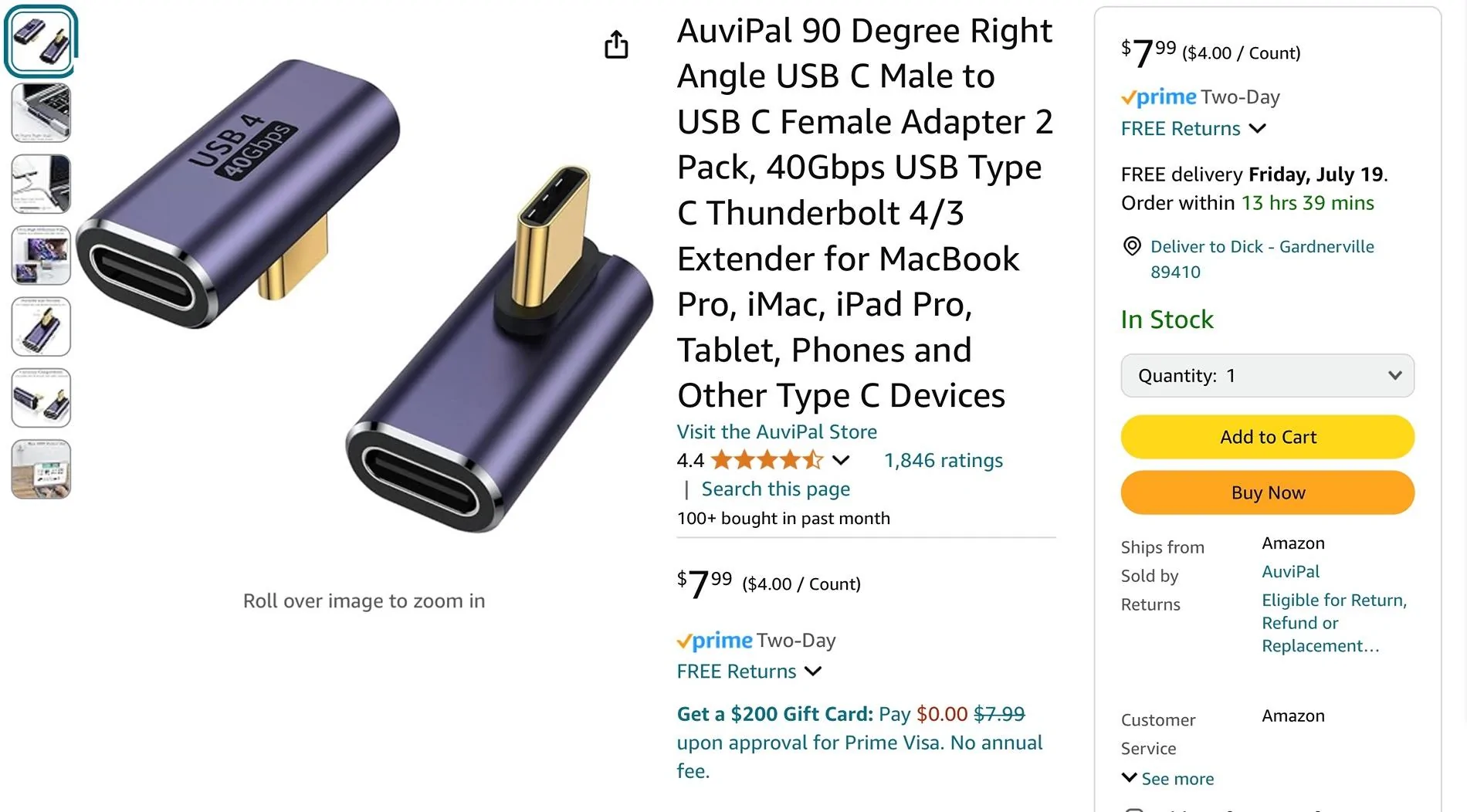
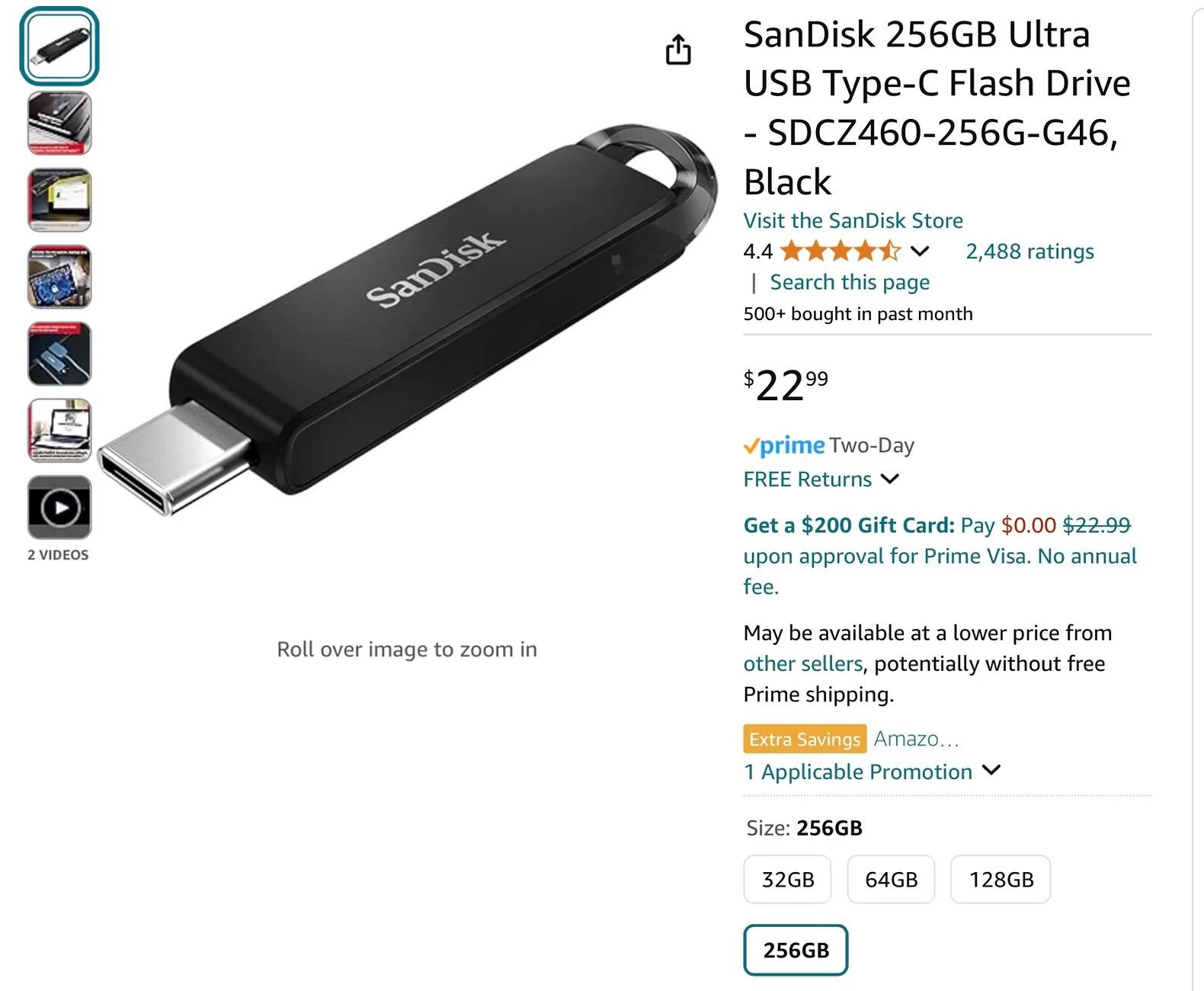
I decided to ditch the Samsung SD card and adaptor that I was using. Besides it not working, I didn’t like the idea of it flopping around in the center cubby. I ordered a 256GB SanDisk Flash Drive and right angle adaptor from Amazon (see attached). This setup tucks in out of the way in the storage cubby and has solved my recording issues, at least so far. I think my previous setup had a bad SD card.

Rivian R1T R1S Drivecam requiring Infotainment reset since updating IMG_1634


Rivian R1T R1S Drivecam requiring Infotainment reset since updating IMG_1635
 

Sponsored

TollKeeper

Well-Known Member
First Name
Brian
Joined
Feb 1, 2022
Threads
12
Messages
1,444
Reaction score
1,449
Location
Brighton, CO
Vehicles
24 Rivian R1S, 04 GMC Envoy XUV, 12 Toyota Sienna
Occupation
Ast HR Director
I have had to reset the truck to get the drivecam to work, but no issue since.

Will keep an eye on it to see if it changes.
 

shap

Well-Known Member
Joined
Nov 18, 2021
Threads
16
Messages
870
Reaction score
765
Location
Austin,TX
Vehicles
BMW 45e, R1T
Clubs
 
I have had to reset the truck to get the drivecam to work, but no issue since.

Will keep an eye on it to see if it changes.
Same here. The problem I did not see was that they drive cam stopped working till I got into the settings. No alert was shown.

I did a soft reset and disable/enable drive cam and it is seems working fine now.
 

R1Thor

Well-Known Member
First Name
Joe
Joined
Aug 9, 2023
Threads
8
Messages
1,536
Reaction score
2,421
Location
Lancaster, PA
Vehicles
23QM R1T, Limestone + Ocean Coast, 21" & UBS
Occupation
Mechanical Engineering Lead
Clubs
 
I've done the infotainment reset (twice), full vehicle reset, sleep reset, tried disabling and re-enabling the drive cam, re-formatted on my laptop (and then re-reformatted using the vehicle), and swapped to a completely different and brand new drive (from Samsung 3.0 256GB to SanDisk 3.2 512GB). No glory.

Rivian mobile service is supposed to be out next Tuesday. Not sure what else they can do, but hopefully they can get it up and running!
 

KBabione

Well-Known Member
First Name
Kevin
Joined
Sep 11, 2023
Threads
48
Messages
1,473
Reaction score
2,016
Location
Lititz, PA
Vehicles
2023 R1S Quad (8/23)
Occupation
Consultant
My wife told me that she had a message this morning telling her that the "Drivecam SSD was not available." I ejected and pulled it out after I took Rosey out and watched part of my drive on the computer without a problem. I didn't have to do any resets - it just seemed to be working.
 

TollKeeper

Well-Known Member
First Name
Brian
Joined
Feb 1, 2022
Threads
12
Messages
1,444
Reaction score
1,449
Location
Brighton, CO
Vehicles
24 Rivian R1S, 04 GMC Envoy XUV, 12 Toyota Sienna
Occupation
Ast HR Director
Same here. The problem I did not see was that they drive cam stopped working till I got into the settings. No alert was shown.

I did a soft reset and disable/enable drive cam and it is seems working fine now.
I didnt have a alert per-se. The camera activation had a red dot on it, and when I pressed it, it told me.
Sponsored


Top