Sponsored

jprev

Active Member
First Name
John
Joined
Dec 1, 2025
Threads
0
Messages
27
Reaction score
12
Location
California
Vehicles
2026 tri, Audi etron, 911S cabriolet
Got notice in app for key ready for both of our G2 R1's. Just set mine up. Took a few mins, but no hiccups. iPhone 15 Pro Max and AWU3.

Wife is running errands at the moment. So I'll do her R1 when she gets home.
I installed the digital key this morning. It only took a minute following the guidance from the email that I received, and it operates perfectly - much better than the Bluetooth connection. I didn't need to delete old keys or anything like that.
Sponsored


rutiger

Well-Known Member
Joined
Jul 4, 2023
Threads
8
Messages
181
Reaction score
245
Location
WA
Vehicles
2 x '25 Tri S's, '25 750S
The key setup is done in the Rivian app not the Wallet app.
 

rogersmj

Well-Known Member
Joined
Dec 30, 2024
Threads
8
Messages
106
Reaction score
265
Location
Indianapolis
Vehicles
'25 R1S Dual Max, '23 Tesla Model Y Performance, '21 Miata RF 6MT
Clubs
 
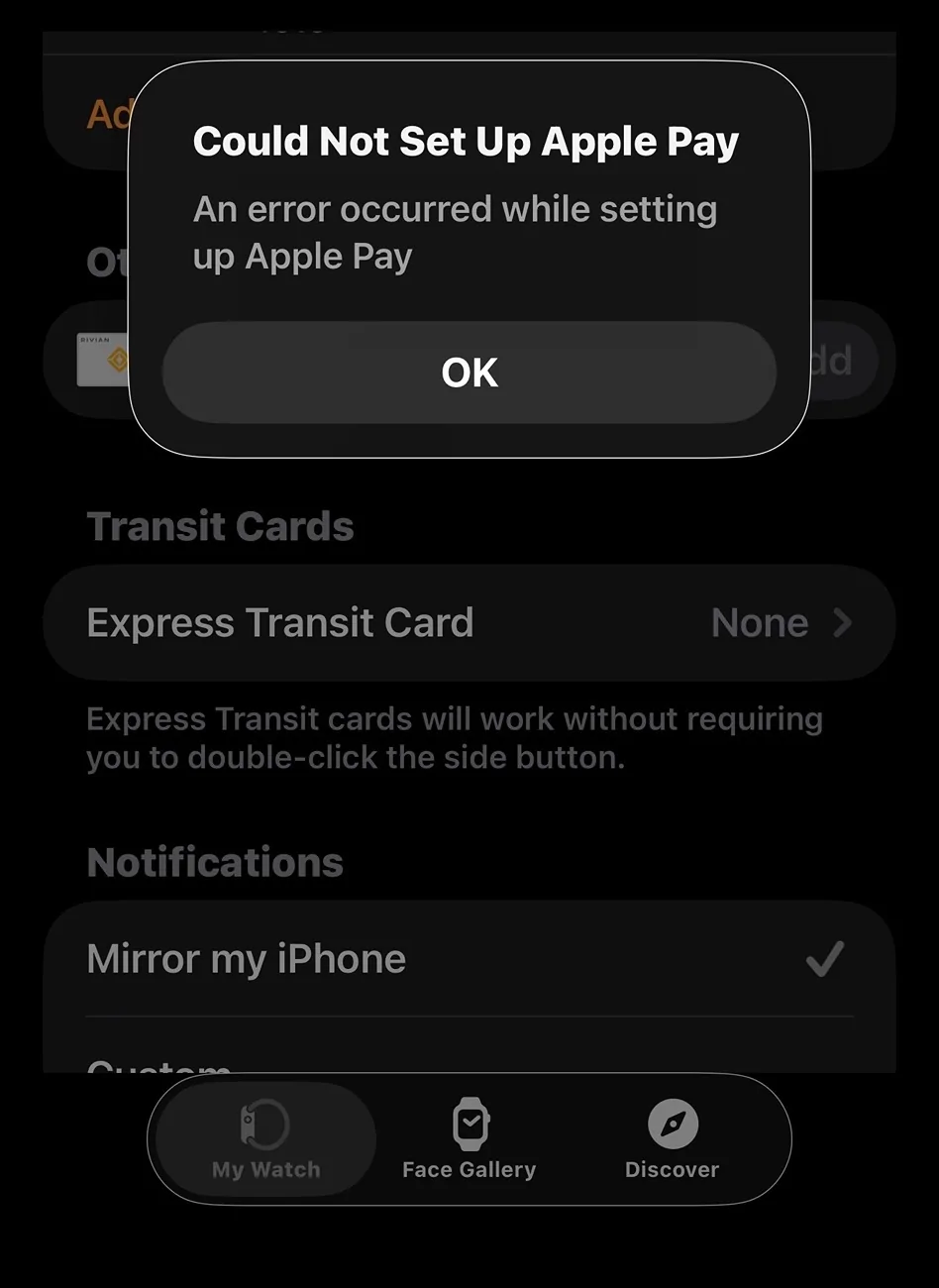
I can’t get the digital key set up prompt to show up in the app. iPhone 17, I’ve had the update on the Rivian for three days now. I’ve restarted my phone twice, soft reset the Rivian, force quit the app multiple times, deleted my phone as a Bluetooth key…still nothing.
 
Last edited:

mkhuffman

Well-Known Member
First Name
Mike
Joined
Nov 9, 2020
Threads
14
Messages
2,844
Reaction score
3,203
Location
Virginia
Vehicles
2025 R1T Tri-Max, Jeep GC-L, VW Jetta
I decided to delete the old PaaKs before installing the new keys. Many have "upgraded" their keys without issues, but some have had issues and I just wanted to start clean. It added less than a minute to the setup time (more like 10 seconds).

I set it up on my Galaxy S25 Ultra and then shared the key with my wife, who has an iPhone 14 Pro. Setup was very easy and fast. Both seem to be working perfectly.

My wife and I both have Garmin watches, and unfortunately there is no way to add the key to our watches. I tried. Bummer.
 

Sponsored

hammick

Well-Known Member
First Name
Stormy
Joined
Sep 8, 2024
Threads
26
Messages
590
Reaction score
537
Location
Montana
Vehicles
25 R1S Tri; '22 F150 Lightning Lariat ER
Occupation
retired
Really liking the digital key. It works perfect at the exact same distance every time. If the wife and I are walking to the car at the same the driver just needs to be a couple of feet ahead and it detects their phone/watch and sets their profile. I have discovered I can leave passive entry set to only lock when at home and it locks when I enter the kitchen from the garage. It will unlock if I'm wearing my watch by pressing the door handle indent. No more hitting my elbow on the extended handles.

Kudos to Rivian for getting this right the first time. Really wish GM would hire some better interns that know how to write code 😂
 

mkhuffman

Well-Known Member
First Name
Mike
Joined
Nov 9, 2020
Threads
14
Messages
2,844
Reaction score
3,203
Location
Virginia
Vehicles
2025 R1T Tri-Max, Jeep GC-L, VW Jetta
Really liking the digital key. It works perfect at the exact same distance every time. If the wife and I are walking to the car at the same the driver just needs to be a couple of feet ahead and it detects their phone/watch and sets their profile. I have discovered I can leave passive entry set to only lock when at home and it locks when I enter the kitchen from the garage. It will unlock if I'm wearing my watch by pressing the door handle indent. No more hitting my elbow on the extended handles.

Kudos to Rivian for getting this right the first time. Really wish GM would hire some better interns that know how to write code 😂
Sometimes I follow my wife to the truck and open the door for her. When I do that, it defaults to her profile. Maybe I just need to start racing her to the truck so I can be the first one inside. :clap:
 

rogersmj

Well-Known Member
Joined
Dec 30, 2024
Threads
8
Messages
106
Reaction score
265
Location
Indianapolis
Vehicles
'25 R1S Dual Max, '23 Tesla Model Y Performance, '21 Miata RF 6MT
Clubs
 
Sometimes I follow my wife to the truck and open the door for her. When I do that, it defaults to her profile. Maybe I just need to start racing her to the truck so I can be the first one inside. :clap:
And they say chivalry is dead 🤣
 

Cal

Well-Known Member
First Name
Cal
Joined
Sep 27, 2022
Threads
3
Messages
75
Reaction score
42
Location
WA
Vehicles
Tesla plaid, 2025 R1T Calif Dune
Occupation
Retired
The digital key (ie the key in your wallet app of choice) supports both NFC and UWB/BLE, you do need to have NFC support, UWB/BLE is optional. Digital key is required to make use of UWB for proximity locking, Rivian’s own implementation remains BLE only.
  • NFC only digital key:
    • Kicks in when device is out of battery for UWB etc (and yes this is only a sure shot for a few hours after the phone/watch is out of battery - around 5 if I recall correctly in the apple ecosystem)
    • Used by phones without UWB but meet all the other criteria (OS version/Wallet support)
    • Acts like a keycard in Rivian Keycard in practice
    • Can be used alongside the Rivian BLE only implementation on phones with only NFC wallet support.
  • UWB+BLE digital key:
    • Used when UWB and BLE is available.
    • Operates like Rivians BLE only (ie original PAAK) implementation in practice.
      • but much more refined in terms of range estimation, as it uses real ranging over UWB rather than BLE RSSI to position key relative to vehicle.

Great write up but my question below is for those of us (that would be me) that don't know the differences between NFC and UWB/BLE.

Is this digital key just making the app more reliable responsive than blue tooth alone? Not adding additional features e.g. open the gear tunnel, etc. The wallet stuff sounds like something I'd never access. Same with the watch, too many steps.

I've had some slow to unlock the doors but not a lot of issues with the app.
 

Sponsored

JacobAZ

Well-Known Member
Joined
May 13, 2025
Threads
1
Messages
93
Reaction score
103
Location
Heber, AZ
Vehicles
2025 R1T dual large
Some short asnwers..
The digital key is a file (key) which you can send to another person so they can also have access to the R1. It follows a standard. The prior method was also a digital key but it was a Rivian proprietary process with the key stored by the Rivian phone app, requiring it to be tied to a R1 key card, which requires a Rivian account. Now you can share access to your R1 with others without a Rivian account, etc.

Wallet - Since the digital key is no longer stored in the app, it has to be stored in another secure place. Wallet is a generic term used by Android, Apple etc as to a secure place you can store digital stuff like keys, credit cards, etc.

NFC is how your key card works. It has to be within a few inches of the device it is communicating with. Very reliable, but very short range.

BLE and UWB are communication protocols (standard for electronic devices to communicate wirelessly ... phone to R1). They do the same thing. BLE is Bluetooth low energy. UWB is newer tech and not on a lot of devices yet (for example many Samsung phones). Both require a special chip in both devices to work (hardware dependent). Bluetooth is very common.

Intent of digital key is better security and portability. The intent of UWB over BLE is more reliable and longer range. No new functions other than the key portability.
 

RandomMcRandomFace

Well-Known Member
Joined
Aug 25, 2023
Threads
3
Messages
222
Reaction score
502
Location
Elsewhere
Vehicles
R1S
I just picked up my R1S (Gen 2) - the Rivian space hadn’t updated the software so I when the key was set up, it was old PAAK. I have never recieved the e-mail/alert (I‘ve already tried various things like deleting keys, restarts, etc. etc.). My PAAK is working fine (100% fine). Do I bother updating? I‘ll need to call Rivian, etc. etc. to get it to work and just not sure it is worth messing with it. I had a Gen 1 and never had any issues with the PAAK so not terribly concerned about this feature unless I am told otherwise.
Sponsored


Top