Sponsored

godfodder0901

Well-Known Member
First Name
Jared
Joined
Mar 12, 2019
Threads
27
Messages
5,749
Reaction score
10,139
Location
Washington
Vehicles
2022 Rivian R1T LE

NashvilleR1S

Well-Known Member
First Name
Chris
Joined
Jan 11, 2021
Threads
24
Messages
375
Reaction score
519
Location
Nashville
Vehicles
2023 R1S, 2022 Pilot
Occupation
Cinematography
Has anyone tried any wifi compatible drives/flash drives? It'd be great to connect it to the vehicles hotspot and view videos on your phone whenever.
 

Kacey3

Well-Known Member
First Name
Kacey
Joined
Feb 2, 2023
Threads
10
Messages
353
Reaction score
475
Location
North Texas
Vehicles
2022 R1T Launch Edition; MotoGuzzi V7II
Occupation
IT Support Manager
Clubs
 
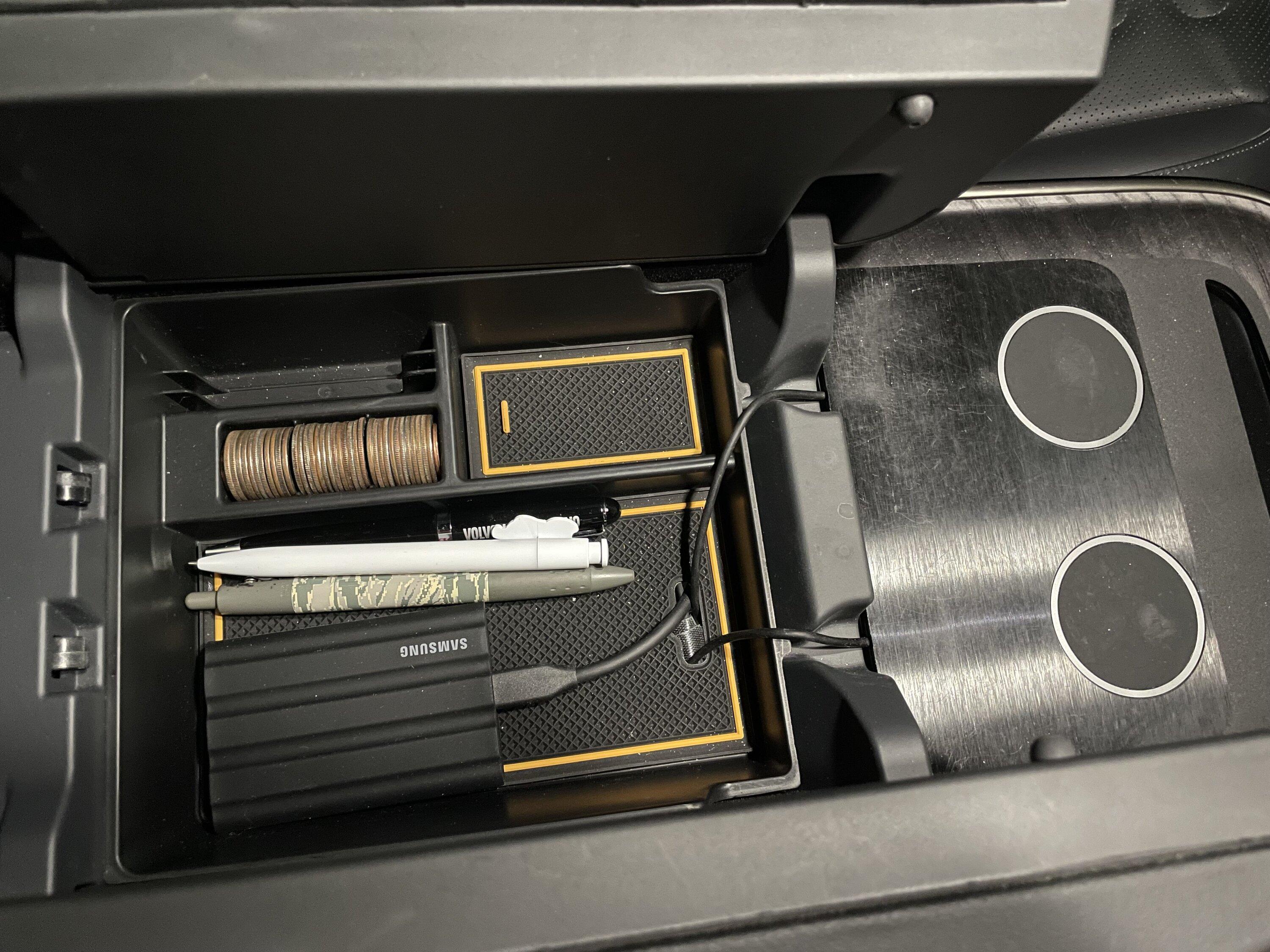
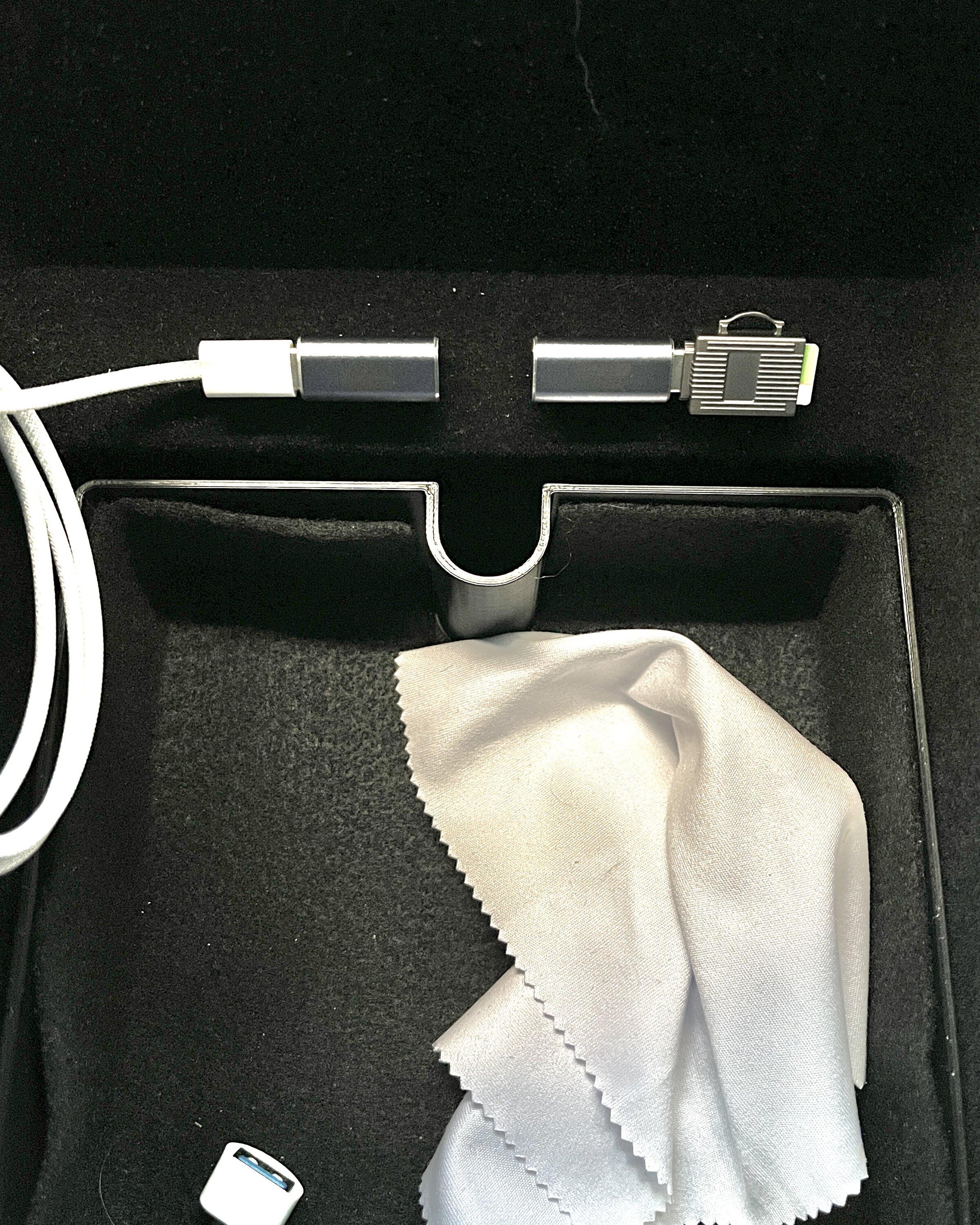
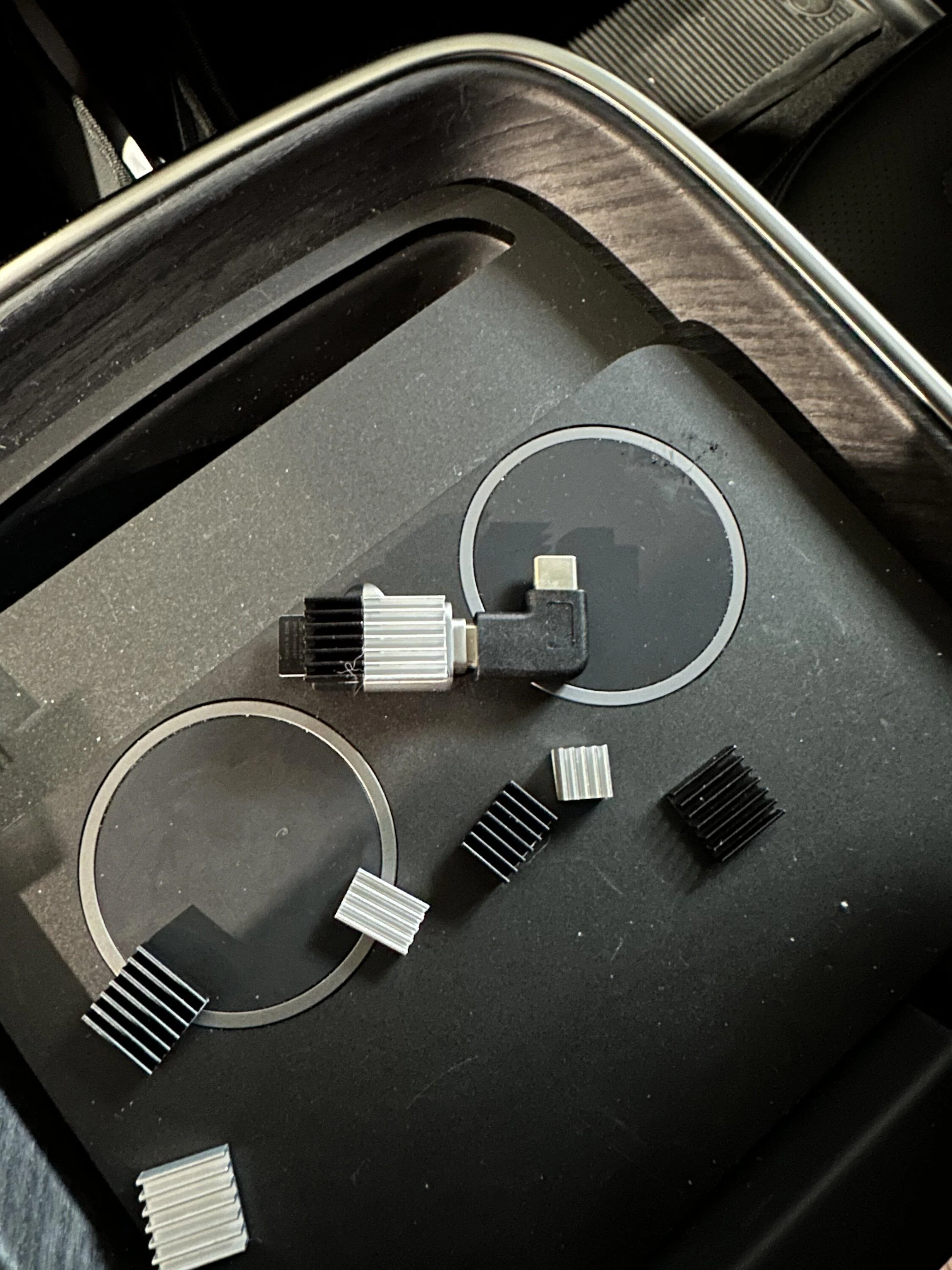
Finally got around to snapping a photo of it. I've got a 256GB MicroSD card tucked in there. It's one I just happened to have laying around, so it was effectively free. I like that it's simple and clean, and if I need to upgrade, I can just keep an eye out for a good deal on a new MicroSD card.

The MicroSD card reader is this one: USB 3.0 Type C USB-C to Micro SD Card Reader

And like several other folks on here, the right angle adapters are these: USB C Right Angle Adapter

Rivian R1T R1S Show off your dashcam memory card install IMG_7343.JPG


Please don't judge the lint and hair in my center console.
 
OP
OP
jeeden

jeeden

Well-Known Member
First Name
Jeremy
Joined
Oct 27, 2020
Threads
57
Messages
1,082
Reaction score
1,632
Location
Northern VA
Vehicles
Rivian R1S, 2016 Ford Escape, 2015 Ford Mustang GT
Occupation
Project Manager
Clubs
 
Has anyone tried any wifi compatible drives/flash drives? It'd be great to connect it to the vehicles hotspot and view videos on your phone whenever.
Yea, I thought about that. I let the thought go when I went with the non-SD card option. I also feel like they will have this in the future in the app since they already have a "motion cam" tile in the app for turning off and on.
 

Sponsored

jwkest22

Active Member
First Name
Jon
Joined
Dec 4, 2020
Threads
0
Messages
34
Reaction score
24
Location
NorCal
Vehicles
Rivian R1T, Rivian R1S (Coming Soon)
Occupation
Risk Analyst
I bought this exact same cable intending to use it to allow the use of two MagSafe charging pucks AND a USB-C flash drive in the center console. Doesn't work. This does: Charging splitter cable on Amazon. I plugged the MagSafe pucks into the two connectors marked with the USB symbol (the other connector is for power IN, not OUT). I then plugged my USB-C drive into the other USB-C socket in the console.

Brian
FWIW - I can confirm this splitter also works. However, it comes with USB-A so I had to get a USB-C to USB-A adapter to complete the setup.
 

waitingforrivian

Well-Known Member
Joined
Jul 20, 2021
Threads
0
Messages
95
Reaction score
104
Location
California
Vehicles
Tesla Model 3

Kacey3

Well-Known Member
First Name
Kacey
Joined
Feb 2, 2023
Threads
10
Messages
353
Reaction score
475
Location
North Texas
Vehicles
2022 R1T Launch Edition; MotoGuzzi V7II
Occupation
IT Support Manager
Clubs
 
Finally got around to snapping a photo of it. I've got a 256GB MicroSD card tucked in there. It's one I just happened to have laying around, so it was effectively free. I like that it's simple and clean, and if I need to upgrade, I can just keep an eye out for a good deal on a new MicroSD card.

The MicroSD card reader is this one: USB 3.0 Type C USB-C to Micro SD Card Reader

Please don't judge the lint and hair in my center console.
Turns out that Micro SD Card Reader didn't work at all. When I plugged it into the truck, it didn't recognize it at all, and when I plugged it into my laptop, it asked for permission to read it, so clearly it is being recognized as some kind of device other than just a basic drive.
 
OP
OP
jeeden

jeeden

Well-Known Member
First Name
Jeremy
Joined
Oct 27, 2020
Threads
57
Messages
1,082
Reaction score
1,632
Location
Northern VA
Vehicles
Rivian R1S, 2016 Ford Escape, 2015 Ford Mustang GT
Occupation
Project Manager
Clubs
 
Turns out that Micro SD Card Reader didn't work at all. When I plugged it into the truck, it didn't recognize it at all, and when I plugged it into my laptop, it asked for permission to read it, so clearly it is being recognized as some kind of device other than just a basic drive.
Interesting. So we think this is for all the micro cards and readers or just yours? Maybe a formatting or some other problem? I'll note on the first post it is suspect
 

Sponsored

the_mace

Well-Known Member
First Name
Rob
Joined
Apr 8, 2022
Threads
11
Messages
414
Reaction score
343
Location
Boston, MA
Vehicles
Tesla Model S75D, Ford F350 Diesel, Mercedes GLC30
Occupation
CTO
PSA: I found with the "AreMe 90 Degree Right Angle USB-C Male to USB-C Female Adapter" and the Samsung T7 Shield drive that orientation of the USB-C connection matters. So if you plug in and the drive isn't recognized rotate the USB-C cable 180 degrees.
 

gutsack

Member
Joined
Apr 5, 2023
Threads
2
Messages
14
Reaction score
14
Location
OR
Vehicles
2023 R1T, 2020 Tesla Model Y

teddyang

Well-Known Member
First Name
Ted
Joined
Jun 16, 2022
Threads
24
Messages
264
Reaction score
631
Location
Los Angeles, CA
Vehicles
R1T Adeventure Edition, RB, BM, 21"
Clubs
 

Kacey3

Well-Known Member
First Name
Kacey
Joined
Feb 2, 2023
Threads
10
Messages
353
Reaction score
475
Location
North Texas
Vehicles
2022 R1T Launch Edition; MotoGuzzi V7II
Occupation
IT Support Manager
Clubs
 
Interesting. So we think this is for all the micro cards and readers or just yours? Maybe a formatting or some other problem? I'll note on the first post it is suspect
Honestly, I think it's just this one. When I put it in my laptop to confirm that it worked, my laptop asked for permission to access the new "device," which it has never done for any other card readers.
Sponsored


Top